Bypassing anti-bot detection means presenting a real, consistent browser identity — genuine fingerprint, clean IP, human-like behavior — instead of trying to trick the detection script itself; patched headless drivers are what modern systems like Cloudflare, Akamai, and DataDome catch almost instantly.
What Anti-Bot Detection Actually Checks
Anti-bot systems no longer rely on a single signal. Cloudflare, Akamai Bot Manager, PerimeterX (now part of HUMAN Security), and DataDome all combine network reputation, browser fingerprinting, JavaScript execution checks, and behavioral analysis into a single risk score. A request that fails even one of these layers can get flagged, throttled, or served a CAPTCHA — regardless of how convincing the others look. Understanding each layer is the first step to appearing as a legitimate visitor rather than trying to out-clever the detector.
The Five Layers of Modern Anti-Bot Systems
Layer 1: IP Reputation Analysis
Before a page even loads, anti-bot engines check the requesting IP against threat intelligence databases. They classify the address by ASN (datacenter vs. residential vs. mobile), compare it against the account’s usual geography, and watch for abnormal request rates from a single address.
- IP blacklists: known bot and abuse-history IPs from shared threat feeds
- ASN classification: datacenter ranges are trusted far less than residential or mobile carrier ranges
- Geographic consistency: a login from a new country with no travel history is a red flag
- Rate patterns: dozens of requests per minute from one IP looks automated by definition
- Proxy/VPN detection: commercial VPN and open proxy ranges are catalogued and scored down automatically
Layer 2: Browser Fingerprinting
Every browser exposes dozens of attributes that, combined, create a near-unique fingerprint — canvas rendering output, WebGL vendor/renderer strings, audio context processing, installed fonts, navigator properties (platform, language, hardware concurrency), and screen dimensions. Anti-bot vendors compare this fingerprint against the claimed user agent; a mismatch (say, a fingerprint that looks like a Linux server pretending to be a Windows laptop) is an instant tell. Getting this right requires browser fingerprinting protection that generates internally consistent, plausible fingerprints rather than randomizing individual values in isolation.
Layer 3: JavaScript and Automation Challenges
Detection scripts execute JavaScript specifically to look for automation signatures: the navigator.webdriver flag, missing or stubbed browser APIs, Chrome DevTools Protocol connections, and telltale stack traces left by Selenium, Puppeteer, or Playwright. Many scraping failures trace back to this layer alone. If you run automated scripts against real sites, it’s worth understanding exactly what gives away Selenium browser automation before you assume a patched driver is enough.
Layer 4: Behavioral Analysis
Advanced systems score how a session behaves after the page loads: mouse paths (bots tend to move in straight lines), click timing consistency, scroll acceleration, typing cadence, and whether the visitor lands on a page directly with no referring navigation. A session that fills a form in 200 milliseconds with pixel-perfect clicks and zero mouse movement beforehand reads as non-human no matter what the fingerprint says.
Layer 5: CAPTCHA and Step-Up Verification
When the earlier layers produce an ambiguous score, sites fall back to reCAPTCHA v3 (an invisible 0.0–1.0 behavioral score), hCaptcha, Cloudflare Turnstile, or custom challenges. The goal for legitimate operators isn’t to defeat these puzzles — it’s to keep your risk score low enough that they never trigger in the first place.
Major Anti-Bot Providers and How They Differ
| Provider | Primary Method | Notable Trait |
|---|---|---|
| Cloudflare Bot Management | JS challenge + ML scoring | Turnstile CAPTCHA, “Under Attack Mode” for spikes |
| Akamai Bot Manager | Signature database + biometrics | Deep mobile SDK integration |
| PerimeterX / HUMAN Security | 200+ signal JS sensor | Strong account-takeover detection |
| DataDome | AI scoring engine | Sub-20ms response time, aggressive on scrapers |
Legitimate Reasons to Manage Anti-Bot Friction
Web Scraping and Research
- Price monitoring: tracking competitor pricing that’s publicly listed
- Market research: aggregating publicly available listings at scale
- SEO monitoring: checking rankings and page availability across regions
- Academic research: studying web content patterns for published studies
Multi-Account and Ad Operations
- E-commerce: managing several marketplace seller accounts without cross-contamination
- Agency work: handling multiple clients’ social and ad accounts from one machine
- Campaign management: running parallel ad accounts without shared-fingerprint bans
Quality Assurance
- Automated testing: QA suites that get blocked by the same detection meant for scrapers
- Synthetic monitoring: uptime and performance checks flagged as bot traffic
Techniques for Reducing Anti-Bot Detection
1. Browser-Level Solutions
This is where most attempts fail. A patched Chromium binary or a stealth plugin removes a handful of known tells, but sophisticated systems fingerprint dozens of signals simultaneously — patch one and three others still leak. There are two fundamentally different tool categories worth understanding:
- Undetected browser drivers: patch Chrome to strip the
navigator.webdriverflag and hide CDP signatures. Useful for basic scraping but increasingly caught by newer fingerprint checks. - Stealth plugins (e.g., for Playwright): patch the most common detection vectors used by open-source detection scripts. Good for simple, low-stakes tasks; weak against commercial anti-bot vendors.
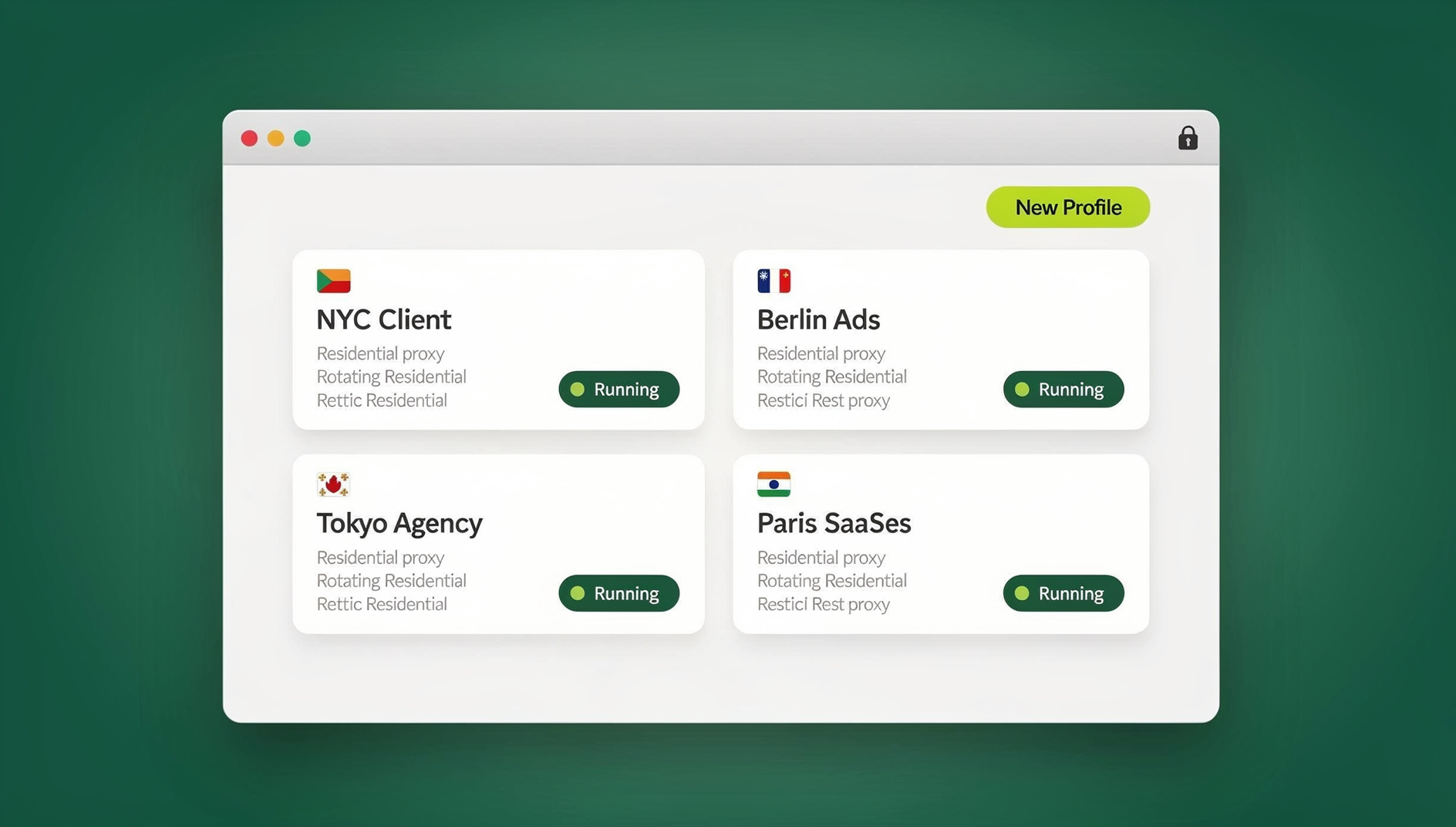
- Dedicated multi-profile browsers like Send.win: instead of patching an automation framework, you run isolated browser profiles — each with its own consistent fingerprint, cookies, and storage — so every session keeps its own separate browser identity rather than a modified script.
Send.win ships in two forms that cover both use cases. The Sendwin Browser is a native desktop app for Windows, macOS, and Linux — it’s local-first, so your profiles and sessions live on your machine, with encrypted cloud sync keeping them backed up and available across devices. For teams that don’t want any local install at all, cloud browser sessions run entirely on Send.win’s infrastructure and are billed by metered cloud browsing time, so you open a fresh, isolated session from any device with nothing to install. Each profile keeps its own fingerprint and cookie jar, so accounts and scraping tasks stay cleanly separated instead of sharing one detectable identity.
Send.win is a browser profile manager: each profile keeps its own cookies, storage, sessions and fingerprint settings, so you can organise separate work and client accounts without them sharing one browser identity. Send.win does not offer an automation interface — there is no API, SDK, headless mode or Selenium/Puppeteer/Playwright support on any plan.
2. Network-Level Solutions
Fingerprint quality doesn’t matter if the IP behind it is already flagged. Residential proxies — IPs assigned by real ISPs to real households — pass reputation checks that datacenter and commercial VPN ranges fail immediately, because anti-bot vendors maintain public lists of known VPN and hosting-provider CIDR blocks. Mobile proxies (4G/5G carrier IPs) carry even more trust since they’re naturally shared among many real users, though they cost more. Understanding the practical difference between IPv4 and IPv6 residential proxies matters here too — IPv6 pools are cheaper and less commonly blocklisted, but not every target site supports IPv6 routing yet, so IPv4 residential remains the safer default for sensitive targets. If you’re comparing proxy-equipped browser options generally, this roundup of proxy browsers is a useful reference point.
3. Behavioral Solutions
- Add randomized delays between actions (roughly 0.5–3 seconds) instead of instant, uniform timing
- Simulate mouse movement with curves and acceleration rather than straight-line jumps to targets
- Scroll gradually instead of teleporting to an element
- Vary typing speed and allow occasional natural pauses or corrections
- Navigate through a site the way a real user would — don’t jump straight to deep URLs with no referrer
4. Session Management
- Keep cookies persistent across visits instead of clearing state every request
- Let sessions build history naturally — visit a few pages per session, not just the target page
- Respect reasonable rate limits rather than maximizing request throughput
Comparing the Main Approaches
| Approach | Fingerprint Consistency | Setup Effort | Best For |
|---|---|---|---|
| Raw headless browser | Poor — obvious automation tells | Low | Nothing sensitive; will get flagged fast |
| Patched/undetected driver | Partial — hides a few known flags | Medium | Low-stakes, low-volume scraping |
| Stealth plugin | Partial — covers common OSS detectors | Medium | Simple scraping against basic sites |
| Send.win desktop app + residential proxy | Strong — isolated, consistent profiles | Low (guided setup) | Multi-account management, QA testing, team collaboration |
| Send.win cloud browser sessions | Strong — fresh isolated session per task | Very low, zero install | Teams needing instant, disposable sessions from any device |
Building a Complete Stack
- Browser layer: isolated profiles via the Sendwin Browser desktop app, or a cloud session when you need zero local footprint
- Network layer: residential proxies matched to the target’s expected geography
- Behavior layer: human-paced timing, natural mouse movement, and organic navigation
- Session layer: persistent cookies and one consistent identity per task, not a new one every request
Configuration Best Practices
- Match the browser’s timezone and language settings to the proxy’s location
- Never reuse the same profile across unrelated sites or accounts
- Rotate profiles gradually — not on every single request
- Let new profiles “warm up” with normal browsing before intensive use
Common Mistakes That Trigger Detection
- Running raw headless browsers: caught almost instantly by JavaScript challenges
- Using datacenter IPs: flagged on the very first request by IP reputation systems
- Reusing one fingerprint everywhere: the fastest way to get every linked account banned at once
- Inhuman request speed: actions faster than any human could physically perform
- Incomplete HTTP headers: missing or malformed headers reveal automation immediately
- Repeating identical action sequences: the same click-scroll-submit pattern every time is a pattern detectors learn quickly
- No referrer / direct deep-link access: real users rarely land on a checkout page with zero navigation history
- Wiping cookies every session: starting fresh every single time looks more suspicious than a normal returning visitor
Platform-Specific Notes
E-commerce (Amazon, eBay)
Use a distinct, real browser profile per account, residential proxies matched to the marketplace’s region, and long-lived sessions rather than logging in fresh every time.
Social Media (Facebook, Instagram, TikTok, X)
A unique fingerprint per account is close to mandatory here — shared fingerprints across accounts are one of the most common causes of mass bans. Mobile proxies tend to perform best, paired with a gradual warm-up period before heavy activity.
Search Engines
Rotate residential proxies to distribute request volume, add meaningful delays between queries (5–15 seconds at minimum), and consider an official API where one exists instead of scraping search results directly.
Ethical and Legal Considerations
- Respect robots.txt where it applies to your use case
- Don’t overload target servers — reasonable request rates protect the infrastructure you’re accessing
- Read the Terms of Service for each platform and understand what you’re agreeing to
- Handle data responsibly under GDPR and other applicable privacy regulations
- Purpose matters — legitimate business monitoring is a very different thing from credential stuffing or fraud, and the line matters legally as well as ethically
🏆 Send.win Verdict
Anti-bot systems in 2026 are too layered for any single trick to beat — the only durable approach is to look like a genuine, consistent user at every layer: browser, network, and behavior. Send.win covers the browser layer well with isolated, fingerprint-consistent profiles in both the native Sendwin Browser desktop app and zero-install cloud sessions. Pair it with residential proxies and human-paced behavior, and you stop trying to trick detection scripts entirely — you just stop looking like a bot.
Try the Send.win cloud demo — a 3-minute preview without signup, 10 minutes a day with a free account.
Frequently Asked Questions
Is bypassing anti-bot detection legal?
It depends on your purpose and jurisdiction. Accessing publicly available data is generally legal in most contexts, but violating a site’s Terms of Service, gaining unauthorized access to protected systems, or scraping for fraud or data theft can carry real legal consequences. When in doubt, consult legal counsel for your specific use case.
What’s the difference between a multi-profile browser and a stealth plugin?
A multi-profile browser like Send.win gives every session its own consistent, isolated identity — cookies, fingerprint, and storage kept separate per profile. A stealth plugin instead patches an existing automation framework (like Playwright) to hide the most obvious automation flags. Multi-profile browsers are more comprehensive for ongoing account or scraping work; stealth plugins can be enough for simple, one-off tasks.
Why do residential proxies work better than VPNs for this?
Residential proxy IPs are assigned by real ISPs to real household connections. Commercial VPN IPs come from datacenter ranges that are catalogued in public threat-intelligence databases, so anti-bot vendors can and do maintain blocklists of known VPN ranges specifically.
Can AI-based bot detection be bypassed with a single trick?
No. Modern AI detection models score dozens of signals together — network, fingerprint, and behavior. The only durable approach is to be indistinguishable from a real user across all of them: a real, consistent browser profile, a clean residential IP, and human-paced interaction. There’s no single flag or patch that defeats comprehensive AI scoring on its own.
What’s the difference between the Sendwin Browser and cloud browser sessions?
The Sendwin Browser is a native desktop app for Windows, macOS, and Linux — it’s local-first, so your profiles and fingerprints live on your machine, with encrypted cloud sync keeping them backed up and available across devices. Cloud browser sessions instead run entirely on Send.win’s infrastructure with nothing installed locally, metered by cloud browsing time. Both modes give every session its own isolated, consistent fingerprint; the choice comes down to whether you’d rather keep profiles on your own machine or spin one up instantly from any device.
Do I need coding skills to use Send.win for anti-bot management?
No — creating isolated profiles, assigning proxies, and switching between sessions is done through the app’s interface with no code required. Send.win has no automation interface: there is no API, SDK, headless mode, or Selenium, Puppeteer, or Playwright support on any plan.
Will a real browser fingerprint guarantee I never get blocked?
No tool guarantees zero blocks — behavioral analysis and CAPTCHA layers still catch obviously automated patterns even on a well-fingerprinted profile. A consistent fingerprint dramatically reduces detection at the browser layer, but it needs to be paired with reasonable request rates, human-like timing, and a clean IP to hold up over time.
Does Send.win offer an Automation API?
Send.win has no automation interface on any plan — no API, SDK, headless mode, or Selenium, Puppeteer, or Playwright support. Paid plans are Pro at $19/month or $83.88/year, and Team at $49/month or $251.88/year. There is no free trial; the first card purchase is covered by a 7-day money-back guarantee, and the only free option is the cloud demo at https://send.win/demo-browser/.