5 Ways a Virtual Internet Browser Protects You
A virtual internet browser runs entirely on a remote cloud server instead of your own device, streaming the visual output to you while your clicks and keystrokes are relayed back — so any site you visit sees the cloud machine’s fingerprint and IP, never your real one. This isolation protects your identity from tracking, shields your local machine from malware, and lets you run several unrelated browsing identities side by side. Below we break down how a virtual internet browser actually works, how it compares to the browser on your desktop, and the five concrete protections it provides day to day.
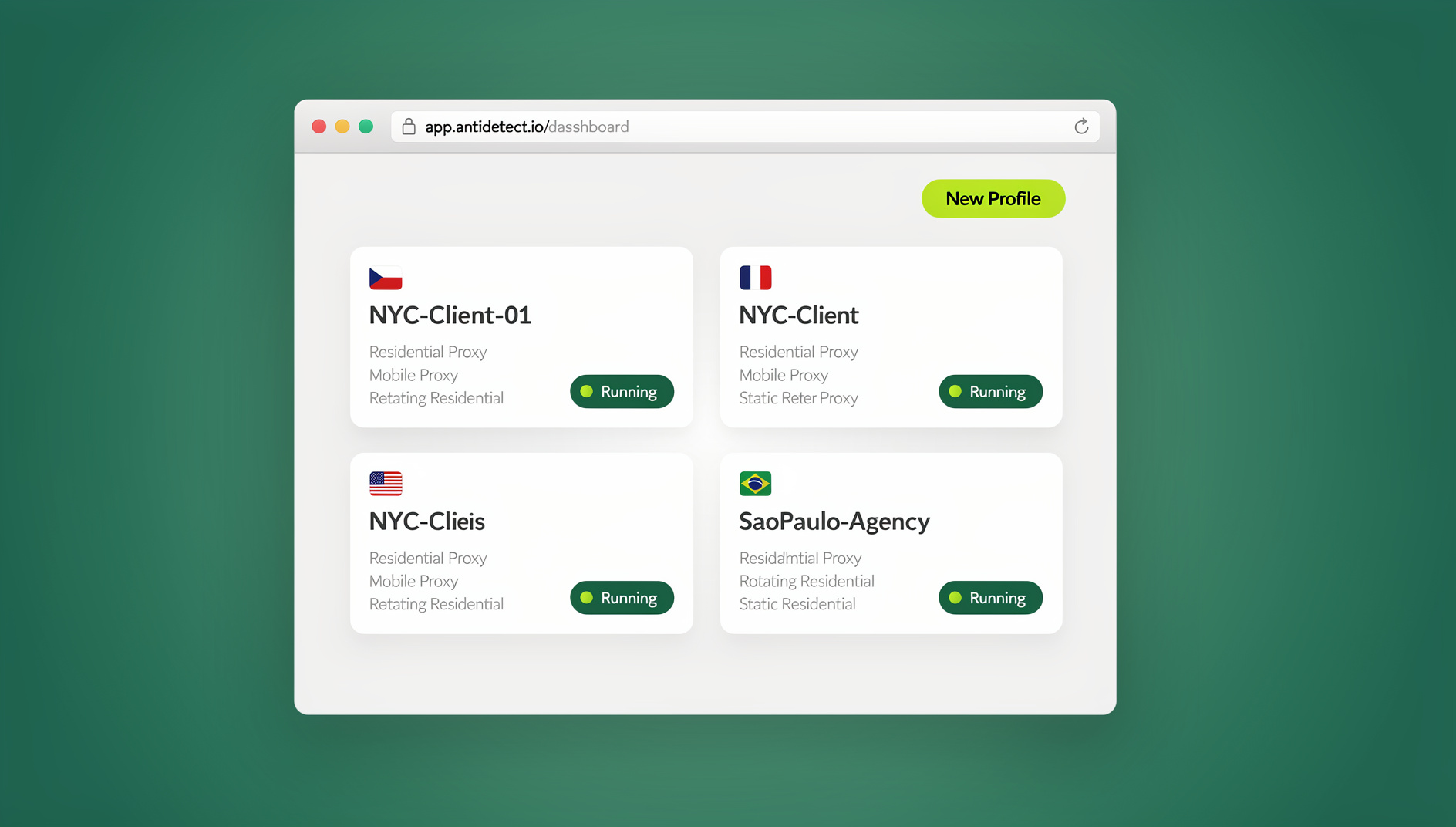
How a Virtual Internet Browser Works
The Architecture
- Cloud infrastructure: the actual browser instance runs on a remote server, not your laptop or phone
- Stream connection: the visual output is streamed to your screen in real time
- Input relay: your clicks, typing, and scrolling are sent back to the cloud browser
- Isolated environment: each session is sandboxed away from every other session
- Persistent profiles: sessions can be saved and picked up exactly where you left off
Technical Components
- Remote rendering: pages render on cloud infrastructure, not your device’s CPU or GPU
- Network isolation: outbound traffic exits from the cloud server’s IP, not yours
- Profile management: configuration and cookies are stored in the cloud, not locally
- Fingerprint generation: each profile gets its own distinct browser identity
- Security sandbox: anything malicious on the page never reaches your actual computer
Virtual Browser vs. Regular Browser
| Feature | Regular Browser | Virtual Internet Browser |
|---|---|---|
| Runs on | Your device | Cloud server |
| IP address | Your real IP | Cloud server IP (configurable) |
| Fingerprint | Your actual hardware | Generated, unique per profile |
| Malware exposure | Direct risk to your device | Sandboxed away from you |
| Multi-account use | Easily detected as related | Genuinely separate identities |
| Access from | One device | Any device with a browser |
| Local resource use | Your CPU/RAM | Minimal — just streaming |
5 Protections a Virtual Internet Browser Gives You
1. Hides Your Real Fingerprint
Instead of exposing your actual canvas, WebGL, and font-list signature, a virtual browser profile presents a generated fingerprint that’s unique to that profile and unrelated to your real device. Sites relying on fingerprinting to track you across sessions simply see a different identity each time.
2. Masks Your IP Address
Outbound traffic leaves from the cloud server (or an assigned proxy attached to it), so your home or office IP is never exposed to the sites you visit. This is a step further than a standard VPN, which changes your IP but leaves your fingerprint and cookies untouched.
3. Sandboxes Malware Away From Your Device
If a page tries to drop malware or run a drive-by exploit, it executes inside the cloud environment, not on your laptop. Closing the session or resetting the profile clears the threat completely — nothing ever touched your actual hardware.
4. Keeps Multiple Accounts Genuinely Separate
Each profile carries its own fingerprint, cookies, and IP, so two accounts opened in two different profiles look like two unrelated visitors rather than one person switching tabs. This is the core mechanic behind reliable antidetect virtual browser setups for e-commerce, social media, and ad management.
5. Lets Teams Share Access Without Sharing Credentials
Because the session lives in the cloud rather than on any one person’s machine, a manager can hand a teammate access to a specific profile without ever typing out the underlying password. Combined with a multi-session cloud browser setup, agencies can run dozens of client accounts without credentials ever leaving a controlled environment.
Types of Virtual Internet Browsers
1. Cloud Browser Services
Fully managed browser environments accessed entirely through the cloud. Send.win’s cloud browser sessions fall into this category: unique fingerprints per profile, proxy assignment, team sharing, and persistent sessions you can resume from any device — with no software to install. For teams that need to hand off access without installing anything locally, this is the most direct route into cloud browser isolation.
2. Remote Desktop / VDI Browsers
Browsers running inside a full virtual desktop, such as Amazon WorkSpaces, Citrix Virtual Desktops, or Azure Virtual Desktop. These provide full operating-system isolation and strong enterprise security, but they’re expensive, heavier to manage, and every session launched from the same VDI image can still share a fingerprint.
3. Enterprise Browser Isolation Platforms
Security-focused products like Menlo Security, Zscaler Browser Isolation, and Cloudflare Browser Isolation exist to keep malicious web content away from company endpoints. They’re built for remote browser isolation as a security control, not for running multiple distinct identities, and enterprise pricing puts them out of reach for most individual users.
4. Antidetect Cloud Browsers
Purpose-built for managing multiple identities at once — Send.win (cloud-native, plus the Sendwin Browser desktop app), Multilogin, and GoLogin all fall here, each generating a distinct fingerprint per profile so accounts don’t get linked to each other.
Key Features to Look For
Fingerprint Management
- Canvas fingerprint: a unique graphics-rendering signature per profile
- WebGL fingerprint: a distinct GPU identity per profile
- User agent and screen properties: varied browser/OS combinations and resolutions
- Font list: different installed fonts reported per profile
- Timezone: configurable to match the assigned proxy’s location
Network Isolation
Look for per-profile proxy assignment so each identity exits from a different, consistent IP — and confirm your real IP is never leaked through WebRTC or a misconfigured DNS request.
Session Persistence
Cookies, login state, and browser history should be saved between sessions so you can close a profile and reopen it exactly where you left off, rather than logging in from scratch every time.
Cross-Device Access
Because everything lives in the cloud, you should be able to open the same profile from a laptop, a different desktop, or even a tablet without transferring any files or syncing anything manually.
Use Cases for Virtual Internet Browsers
Multi-Account Management
The most common reason people adopt a virtual internet browser: managing multiple Amazon, eBay, or Etsy seller accounts, running several social media or ad accounts for different clients, or juggling multiple affiliate programs — each in its own isolated profile so the accounts appear genuinely unrelated.
Privacy and Anonymity
Researching sensitive topics, browsing without your regular cookies and fingerprint following you, or accessing geo-restricted content from a different region — all without exposing your everyday browsing identity.
Security
Opening suspicious links, testing potentially unsafe files, or handling sensitive transactions inside a disposable, sandboxed environment that can be wiped clean instantly if anything goes wrong.
Team and Agency Operations
Agencies managing several client accounts, or teams onboarding new members who need immediate access to existing sessions, benefit from being able to hand off a browser profile the same way you’d share a document — without ever exposing the underlying password.
Choosing a Virtual Internet Browser
A few criteria matter more than the marketing copy:
- Fingerprint quality: are the generated fingerprints unique and internally consistent, or do they look obviously synthetic?
- Performance: how responsive does the stream feel during normal browsing?
- Profile limits: how many isolated profiles does your plan actually allow?
- Proxy integration: can you attach a different proxy to each profile directly in the product?
- Team features: can profiles be shared or handed off without sharing passwords?
- Pricing: what does it cost relative to how many profiles and how much bandwidth you’ll actually use?
Setting Up Your Virtual Browser
Step 1: Create Profiles
- Sign up and start a new browser profile for each identity you need
- Confirm each profile gets its own distinct fingerprint automatically
Step 2: Configure the Network
- Assign a residential proxy to the profile if you need a specific IP or region
- Match the profile’s timezone and language to that proxy’s location
- Verify the IP from inside the session using a leak-testing site
Step 3: Use and Resume Profiles
- Open the profile tied to the account you need
- Log in and do your work
- Close it when done — the session saves automatically for next time
Performance Considerations
Internet Speed
A minimum of 10 Mbps is usually enough for smooth day-to-day use; 25+ Mbps makes higher-resolution content noticeably crisper. Lower latency to the server matters more than raw bandwidth for how responsive the session feels.
Server Location
Pick a server region close to you for the snappiest experience, or a region close to your target website for geo-specific work.
Browser Capabilities
Modern cloud browsers support standard web features, file upload and download, and copy-paste between your local clipboard and the remote session. Most support installing Chromium extensions on a per-profile basis as well.
Common Misconceptions About Virtual Internet Browsers
“It’s Just a VPN With Extra Steps”
A VPN changes one thing: the IP address your traffic exits from. Everything else about your browser — canvas rendering, WebGL output, installed fonts, screen resolution — stays exactly as it was, which is why sites can still fingerprint a VPN user with reasonable accuracy. A virtual internet browser replaces the entire environment, fingerprint included, which is why it stops both IP-based and fingerprint-based tracking at once rather than just the first.
“It Must Be Slow to Use”
Early remote-desktop solutions earned this reputation, and some enterprise VDI products still deserve it. Modern cloud browser services built specifically for this use case optimize the video stream aggressively, so on a reasonable connection the lag is measured in tens of milliseconds rather than being visually obvious. Text-based work — filling forms, managing listings, posting updates — feels close to native.
“One Virtual Profile Is Enough for Everything”
Using a single virtual profile for every account you manage defeats the purpose. If two accounts share the same profile, they share the same fingerprint and IP, which is exactly the correlation a virtual browser is supposed to prevent. Each identity you want to keep separate needs its own dedicated profile, not just one virtual layer shared across all of them.
“Any Cloud Browser Will Do”
Not every product marketed as a “cloud browser” generates a genuinely unique fingerprint per session — some simply proxy your existing browser through a remote machine without touching the underlying signature at all. Before relying on one for multi-account work, verify that fingerprint uniqueness independently rather than taking a features page at its word.
🏆 Send.win Verdict
If you want a virtual internet browser without installing anything, Send.win’s cloud browser sessions give every profile its own fingerprint and proxy while running entirely in the cloud — and if you’d rather keep everything local, the Sendwin Browser desktop app offers the same per-profile isolation natively on your machine. Either way, your real fingerprint and IP stay out of it.
Try Send.win today — Pro from $19/month or $83.88/year, with a 7-day money-back guarantee on your first card purchase.
Frequently Asked Questions
Is a virtual internet browser the same as a VPN?
No. A VPN only changes your IP address. A virtual internet browser provides a fully isolated environment with its own fingerprint, separate cookies, and an independent session — a VPN alone does nothing to stop fingerprint or cookie-based tracking.
Can websites tell I’m using a virtual browser?
Well-built cloud browser services create environments that look like ordinary browsers to the sites you visit. Poorly implemented solutions can leak virtualization markers, but a properly configured profile is indistinguishable from a normal desktop session.
Is using a virtual internet browser legal?
Yes. It’s a privacy and security tool. Browsing privately is legal everywhere; using the isolation to commit fraud is illegal regardless of what browser you used.
How does performance compare with a local browser?
Expect a small amount of latency, typically 10-50ms, from the streaming connection. Text-heavy browsing feels nearly identical to local use; video playback and fast-paced interaction can show a slight, usually tolerable, delay.
Can I install browser extensions inside a virtual browser?
Most cloud browser services support installing standard Chromium extensions on a per-profile basis, the same way you would in a normal desktop browser.
Does Send.win require installing a browser extension?
No — Send.win doesn’t offer a browser extension. It runs as the Sendwin Browser native desktop app for local profile management, or as cloud browser sessions you access entirely through a web page with nothing to install.
How many profiles can I run at once?
That depends on your plan’s profile allowance and proxy bandwidth rather than any hard technical ceiling — most providers cap profile counts and monthly cloud-browsing time by pricing tier.
Do I still need a proxy if I’m already using a virtual browser?
Yes, for full isolation. The virtual browser handles your fingerprint; a dedicated proxy handles your IP. Skipping the proxy still leaves the server’s shared IP as a potential linking signal across profiles that don’t have one assigned.
Conclusion
A virtual internet browser moves the entire browsing session off your device and into an isolated cloud environment — hiding your fingerprint, masking your IP, sandboxing malware, and letting you run genuinely separate identities and share access without ever handing out a password. Whether you need Send.win’s cloud browser sessions for a zero-install setup or the Sendwin Browser desktop app for local profile management, the same core protections apply: your real device and identity stay out of the equation entirely.