What Is a Container Streaming Platform?
A container streaming platform delivers full applications — browsers, IDEs, or entire desktops — from cloud containers straight into your browser tab, with no local installation. Kasm Workspaces, Apache Guacamole, and Neko lead the self-hosted options, while Send.win’s cloud browser sessions offer instant, isolated access without any server management on your end. Below, five platforms are compared on architecture, pricing, and real use cases so you can pick the right one for browser isolation, developer workspaces, or secure remote access.
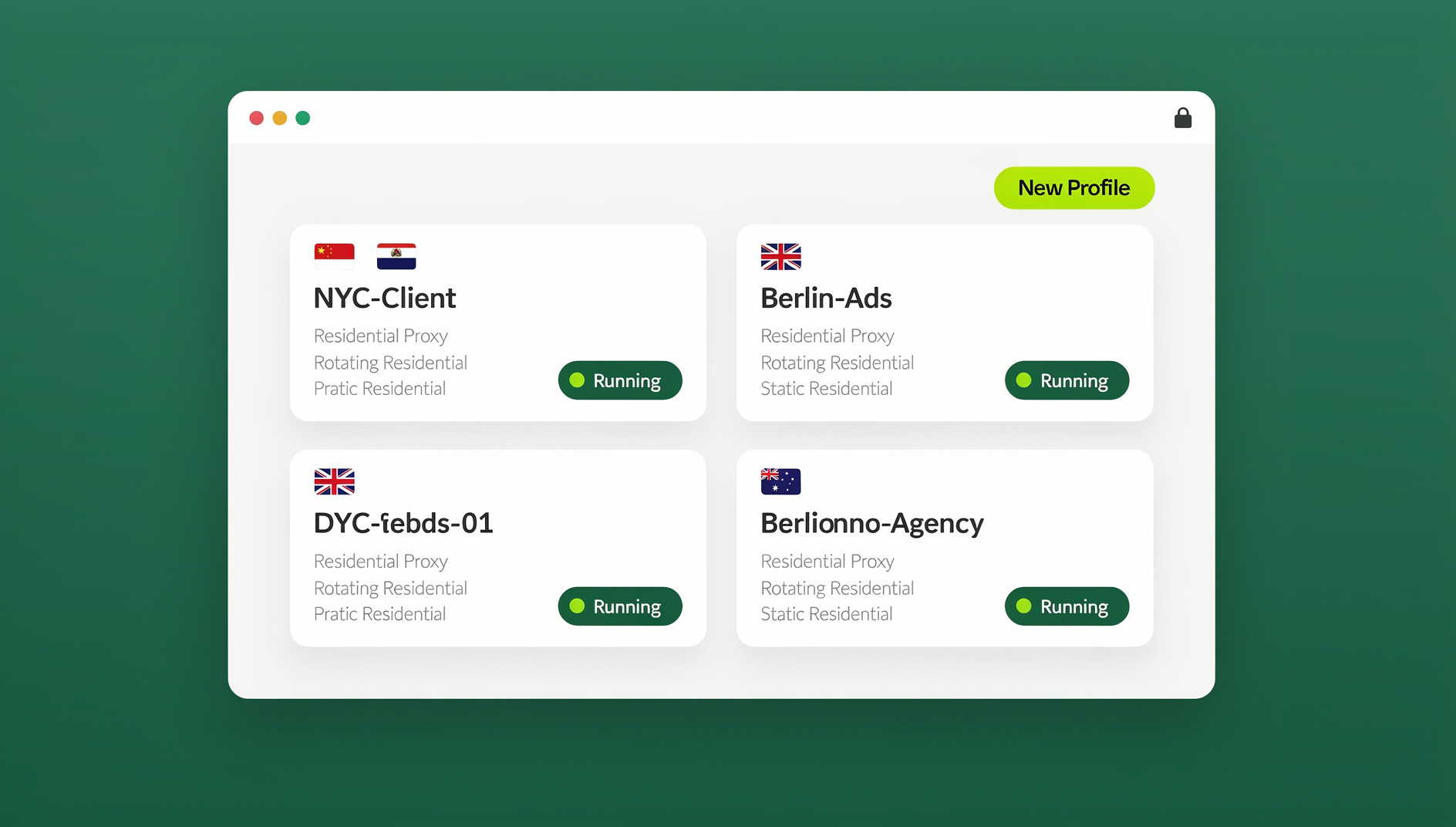
How Container Streaming Works
The Technical Architecture
Your Device (Browser)
    ↕ WebRTC/WebSocket Stream
Cloud Infrastructure
    ├── Container Orchestrator (Kubernetes/Docker Swarm)
    │   ├── Container 1: Browser (Chrome/Firefox)
    │   ├── Container 2: IDE (VS Code/JetBrains)
    │   ├── Container 3: Design Tool (Figma/GIMP)
    │   └── Container N: Any Application
    ├── GPU Pool (for rendering)
    ├── Storage (persistent volumes)
    └── Network (per-container isolation)
The application runs on a remote server inside an isolated container, and the visual output streams to your browser in real time. Your mouse clicks and keystrokes travel back to the container over the same connection. The result feels like a locally installed app, but nothing is actually running on your device — which is exactly why container streaming has become popular for browser isolation and multi-account work.
Key Technologies
| Component | Technology | Purpose |
|---|---|---|
| Container runtime | Docker, containerd, CRI-O | Run isolated application instances |
| Orchestration | Kubernetes, Docker Swarm | Scale and manage containers |
| Streaming protocol | WebRTC, VNC-over-WebSocket | Low-latency video/input streaming |
| Display server | Xvfb, Xpra, Wayland | Render GUI in headless containers |
| GPU virtualization | NVIDIA vGPU, Intel GVT-g | Hardware-accelerated rendering |
| Storage | Persistent volumes, NFS, S3 | Save state between sessions |
Top Container Streaming Platforms Compared
1. Kasm Workspaces
| Feature | Details |
|---|---|
| Type | Self-hosted container streaming |
| Containers | Browsers, desktops (Ubuntu, Fedora), IDEs, games |
| Streaming tech | WebRTC-based KasmVNC |
| GPU support | NVIDIA GPU passthrough |
| Community Edition | Free (limited features) |
| Enterprise price | From ~$5/user/month |
Pros: open-source core, wide container library, solid performance with KasmVNC.
Cons: self-hosted only (you manage the servers), resource-intensive at scale.
2. Send.win
| Feature | Details |
|---|---|
| Type | Managed cloud browser platform |
| Focus | Browser isolation and multi-account management |
| Self-hosting | Not required for cloud sessions — fully managed |
| Session persistence | Saved between uses |
| Team sharing | One-click session sharing |
| Pricing | Pro $19/mo or $83.88/yr, Team $49/mo or $251.88/yr; first card purchase covered by a 7-day money-back guarantee; free cloud demo available |
Pros: zero infrastructure to manage for cloud browser sessions, built-in session sharing, a unique fingerprint per profile, and cross-device access.
Cons: purpose-built for browsers, not a general container platform for arbitrary desktop software or IDEs — if you need to stream a full Linux desktop or a game, Kasm is the better fit.
3. Apache Guacamole
| Feature | Details |
|---|---|
| Type | Clientless remote desktop gateway |
| Protocols | RDP, VNC, SSH, Telnet, Kubernetes |
| Self-hosting | Required |
| Container support | Can connect to containerized desktops |
| Price | Free (open-source) |
Pros: completely free, supports multiple remote desktop protocols, mature and stable.
Cons: it’s a gateway only — it doesn’t create or orchestrate containers for you, so you still need separate infrastructure behind it.
4. Neko (n.eko)
| Feature | Details |
|---|---|
| Type | Self-hosted virtual browser/desktop |
| Streaming | WebRTC with H.264/VP8 |
| Multi-user | Multiple users can share one session |
| Containers | Docker-based |
| Price | Free (open-source) |
Pros: lightweight, low-latency WebRTC, genuinely collaborative (several people watching and controlling the same screen).
Cons: one session per container, no orchestration layer built in — you assemble that yourself.
5. Coder
| Feature | Details |
|---|---|
| Type | Cloud development environments |
| Focus | Developer workspaces (VS Code, JetBrains) |
| Infrastructure | Kubernetes, Docker, VMs, cloud |
| Templates | Pre-built dev environment templates |
| Price | Free (open-source) / paid Enterprise tier |
Pros: purpose-built for development teams, strong IDE integration, infrastructure-as-code templates.
Cons: developer-focused only, requires Kubernetes know-how to deploy.
Container Streaming vs. Traditional Approaches
| Aspect | Local Install | Remote Desktop (RDP/VNC) | Container Streaming |
|---|---|---|---|
| Setup time | 10-60 min per app | 30-60 min per VM | Seconds per container |
| Isolation | Shares OS | VM-level | Container-level |
| Resource efficiency | Per-app overhead | Full OS per VM | Minimal per container |
| Scaling | Manual per machine | Per-VM provisioning | Auto-scaling with orchestration |
| Cross-platform | OS-specific | Via web client | Any browser |
| State persistence | Always saved | VM persists | Requires persistent volumes |
| Security | Local attack surface | VM escape risk | Container isolation + ephemeral |
Use Cases for Container Streaming
1. Browser Isolation and Multi-Account Management
Streaming isolated browsers is one of the most common uses of this technology — it’s how agencies and marketers safely handle multiple accounts across platforms without linking them together. Each browser container gets its own fingerprint, cookies, and session state, and closing a container is a complete, instant cleanup.
2. Developer Workspaces
- Pre-configured environments with all dependencies already installed
- Consistent setups across the whole team (no more “works on my machine”)
- Fast onboarding — new hires get a working environment in minutes, not days
- Disposable environments for one-off testing and experiments
3. Education and Training
- Give students pre-configured lab environments instantly
- No software installation required on student-owned devices
- Reset environments cleanly between class sessions
- Works on any device, including Chromebooks, tablets, and older laptops
4. Security Research
- Analyze suspicious files or malware inside disposable containers
- Browse risky websites without exposing the host machine
- Network-level isolation limits lateral movement if something goes wrong
- Forensic snapshots capture container state for later analysis
5. Legacy Application Access
- Run legacy Windows software inside containers without touching modern machines
- Keep old browser versions around for compatibility testing
- Retire deprecated software safely while still being able to access it when needed
Building Your Own Container Streaming Platform
Minimum Requirements
Server Requirements (for ~10 concurrent users):
  CPU: 8+ cores (more helps when running many containers)
  RAM: 32GB+ (roughly 2-4GB per browser container)
  Storage: 100GB+ SSD (fast I/O matters here)
  Network: 100Mbps+ upload (about 1Mbps per active stream)
  GPU: Optional but recommended for media-heavy workloads

Software Stack:
  OS: Ubuntu 22.04+ or similar Linux
  Runtime: Docker Engine or containerd
  Orchestration: Docker Compose (small) / Kubernetes (large)
  Reverse proxy: Nginx or Traefik
  SSL: Let's Encrypt
Quick Start with Docker Compose
# docker-compose.yml for a basic Kasm deployment
version: '3'
services:
  kasm:
    image: kasmweb/core-chrome:latest
    ports:
      - "6901:6901"
    environment:
      - VNC_PW=password123
    volumes:
      - kasm-data:/home/kasm-user
    shm_size: "2g"

volumes:
  kasm-data:
Performance Optimization
| Optimization | Impact | How |
|---|---|---|
| Edge servers | Reduce latency 40-60% | Deploy closer to users geographically |
| GPU acceleration | Smoother rendering | NVIDIA vGPU for hardware encoding |
| WebRTC over VNC | Lower latency streaming | Use WebRTC-based solutions (KasmVNC, Neko) |
| Image preloading | Faster container startup | Pre-pull container images on all nodes |
| Resource limits | Prevent noisy neighbors | Set CPU/RAM limits per container |
| Persistent volumes | Faster re-launches | NVMe-backed persistent volumes |
Security Considerations
Container Isolation Best Practices
- Run containers as non-root: reduces the blast radius of a container escape vulnerability
- Network segmentation: give each container its own network namespace
- Seccomp profiles: restrict which system calls a container can make
- AppArmor/SELinux: mandatory access controls on container processes
- Image scanning: scan container images for known vulnerabilities before deployment
- Ephemeral containers: rebuild from a clean image regularly to eliminate persistent threats
None of these controls are optional extras — skipping even one, like leaving containers running as root or reusing the same image for months without rescanning it, tends to be exactly how a single compromised container turns into a wider incident. Treat the hardening checklist as a baseline, not a nice-to-have, before you put any container streaming platform in front of real users or real client data.
Choosing the Right Container Streaming Platform
With five solid options on the table, the right pick depends less on which platform is “best” overall and more on what you’re actually trying to stream. Use the following guidance to narrow it down quickly:
| If your priority is… | Choose | Why |
|---|---|---|
| Full Linux desktops, games, or arbitrary apps | Kasm Workspaces | Widest container library, GPU passthrough, self-hosted control |
| Isolated browsers with zero infrastructure to manage | Send.win | Fully managed cloud sessions plus a native desktop app, purpose-built for browser isolation |
| Free, protocol-agnostic remote access to existing infrastructure | Apache Guacamole | Supports RDP/VNC/SSH/Telnet, no licensing cost |
| Lightweight, collaborative browsing sessions | Neko | Multiple people can watch and control one stream simultaneously |
| Cloud-native developer environments | Coder | Built specifically for VS Code/JetBrains workflows with IaC templates |
Teams frequently end up running more than one of these side by side — Coder for engineering, and a browser-focused platform like Send.win or Kasm for anyone who needs isolated web sessions, whether that’s marketing, support, or security research. The two use cases rarely overlap enough to justify forcing everyone onto a single, one-size-fits-all deployment.
Cost at a Glance
| Platform | Free option | Paid tier | Who pays for infrastructure |
|---|---|---|---|
| Kasm Workspaces | Community Edition | ~$5/user/month Enterprise | You (self-hosted) |
| Send.win | No free trial; free cloud demo | Pro $19/mo or $83.88/yr, Team $49/mo or $251.88/yr | Send.win (fully managed) |
| Apache Guacamole | Fully free, open-source | No paid tier | You (self-hosted) |
| Neko | Fully free, open-source | No paid tier | You (self-hosted) |
| Coder | Open-source edition | Custom Enterprise pricing | You (self-hosted) or Coder Cloud |
Self-hosted platforms look cheaper on the sticker price, but factor in the engineering time spent patching Kubernetes nodes, rotating TLS certificates, and troubleshooting GPU drivers — for smaller teams, a managed option often ends up costing less in practice once that time is priced in.
🏆 Send.win Verdict
If your container streaming need is specifically browser isolation and multi-account management — not a full Linux desktop or a JetBrains IDE — Send.win skips the infrastructure work entirely. There’s no Kubernetes to configure and no VNC server to patch: you get a fingerprint-isolated profile with cloud browser sessions or the native Sendwin Browser desktop app, plus one-click session sharing for teams.
Try the Send.win cloud demo — a 3-minute preview without signup, or 10 minutes a day with a free account.
Frequently Asked Questions
What’s the latency of container streaming?
With WebRTC and a nearby server, expect 20-50ms latency — comparable to local applications for most tasks. Video playback and fast-paced interactions may show a slight delay. VNC-based streaming typically adds another 50-100ms.
Can I run GPU-intensive applications in containers?
Yes, with NVIDIA GPU passthrough (vGPU). This enables hardware-accelerated rendering, video encoding, and even gaming inside streamed containers. GPU support typically requires NVIDIA Enterprise licenses on top of your container platform.
How much bandwidth does container streaming use?
Typically 1-5 Mbps per active session for standard browser or desktop use. Screen sharing or video playback inside the container increases that. WebRTC with adaptive bitrate adjusts quality automatically based on available bandwidth.
Can I use container streaming for browser isolation?
Absolutely — it’s one of the most popular use cases. Each browser container is completely isolated from the others and from your local device, so a compromised container doesn’t affect the rest. Cloud browser platforms like Send.win build on this with virtual browser profiles that add fingerprint isolation on top of container isolation.
Is container streaming suitable for production workloads?
Yes, for the right use cases. Interactive applications — browsers, IDEs, admin tools — work well. Latency-sensitive workloads like real-time trading or frame-precise video editing may not be a good fit. Always test with your specific workflow before committing.
Is Send.win a full container streaming platform like Kasm?
Not exactly — Send.win is a managed cloud browser platform focused specifically on browser isolation and multi-account management, delivered either through cloud browser sessions (no install) or the native Sendwin Browser desktop app. If you need to stream arbitrary desktop software, full Linux environments, or IDEs, a general-purpose platform like Kasm Workspaces or Coder is the better tool for that job.
Does container streaming work on Chromebooks and low-powered devices?
Yes — that’s one of its biggest advantages. Since the actual computing happens on the server, the client device only needs to decode a video stream, which even Chromebooks, tablets, and older laptops handle easily.
Conclusion
A container streaming platform changes how organizations deliver applications — replacing local installations with instant, isolated, browser-accessible environments. Whether you choose a self-hosted option like Kasm Workspaces for maximum control, or a managed platform like Send.win for zero-infrastructure browser isolation, container streaming cuts the overhead of software management while adding a real layer of security through isolation.
The technology is mature enough for production use today, with WebRTC delivering near-native performance for most interactive applications. As remote work and BYOD policies keep expanding, container streaming platforms are becoming the standard way teams deliver secure, accessible workspaces — whether that’s a full development environment or just an isolated browser tab per account.