What Is a Crypto Airdrop Browser?
A crypto airdrop browser setup uses isolated browser profiles — each with its own fingerprint, cookies, and IP — to safely manage multiple cryptocurrency wallets without triggering Sybil detection. Airdrops can reward early users with tokens worth thousands of dollars per wallet, but blockchain projects increasingly flag accounts that look like the same person farming rewards across many wallets from one device. A proper crypto airdrop browser setup keeps each wallet’s activity genuinely separate, so one flagged wallet doesn’t take the rest down with it.
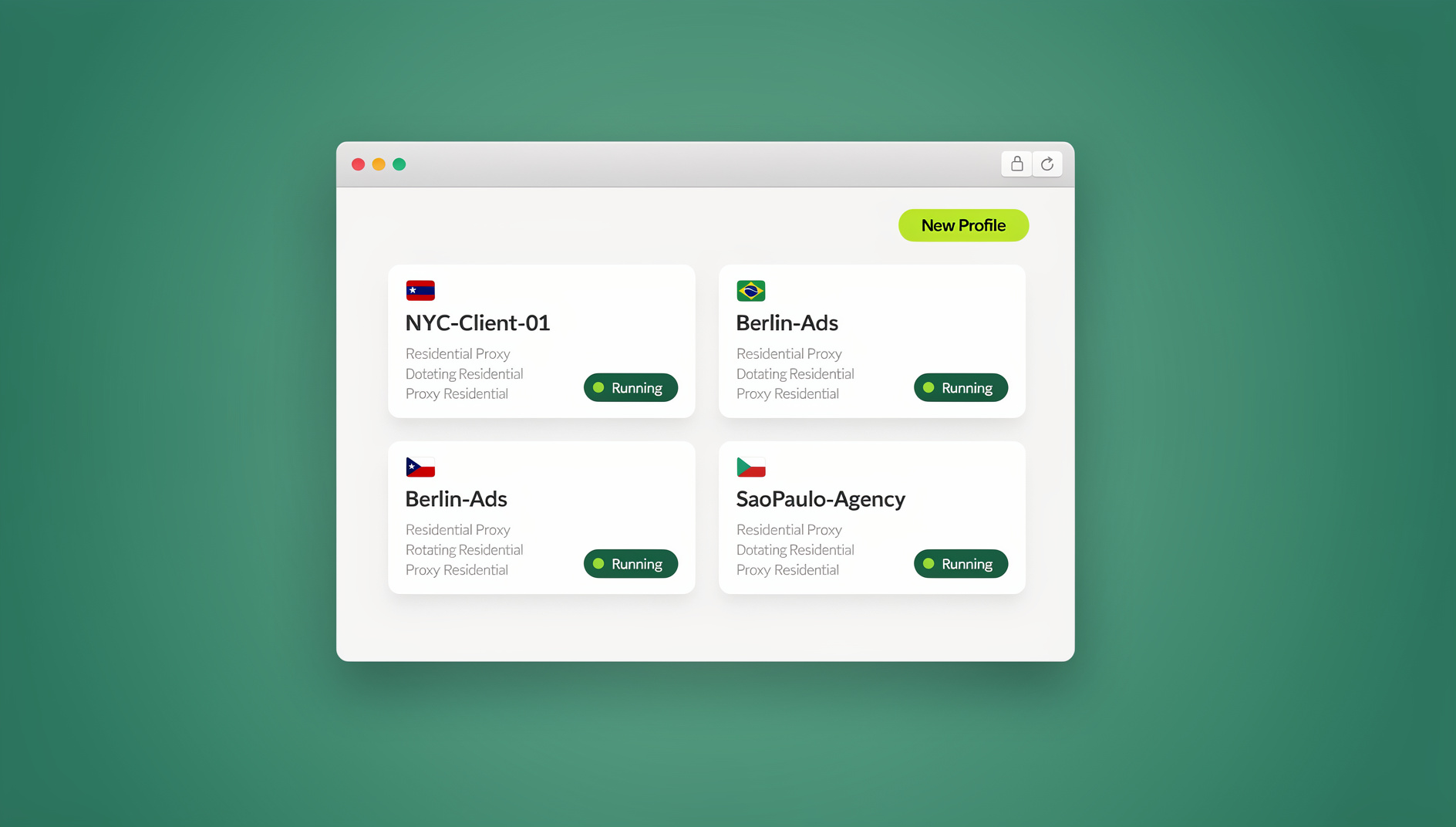
Why Sybil Detection Threatens Airdrop Farmers
How Projects Detect Multi-Wallet Farming
Blockchain teams combine several signals to spot Sybil clusters — groups of wallets that are really one person pretending to be many:
| Detection Signal | What Projects Check | Regular Browser | Isolated Airdrop Browser |
|---|---|---|---|
| Browser fingerprint | Canvas, WebGL, fonts, plugins | Identical across all wallets | Unique per profile |
| IP address | Connection IP and subnet | Same IP for every wallet | Unique proxy per profile |
| Wallet interaction patterns | Same contracts, same timing | Visibly correlated | Naturally varied |
| Fund sourcing | Initial ETH/SOL origin | Often traces to one funder | Diversified funding paths |
| Cookies / localStorage | Cross-site tracking data | Shared across tabs | Isolated per profile |
| Behavioral patterns | Navigation flow, click timing | Nearly identical | Natural variation |
The Real Cost of Getting Sybiled
- Every connected wallet gets blacklisted — zero tokens across the whole cluster, not just one wallet
- Past legitimate airdrops can be clawed back once a wallet is flagged
- Wallet addresses get permanently flagged in Sybil detection databases used across multiple protocols
- Public exposure — some projects publish Sybil hunter reports naming flagged addresses
Setting Up a Crypto Airdrop Browser
Method 1: Cloud Browser Sessions (Best for Access Anywhere)
- Create a separate cloud session for each wallet or identity
- Assign a unique residential proxy to each session, ideally in different locations
- Install MetaMask or Phantom inside each session with its own unique wallet
- Fund each wallet independently through different paths — CEX withdrawals, bridges, on-ramps
- Interact with protocols on staggered schedules rather than all at once
Cloud browser sessions — the no-install mode of platforms like Send.win — give each wallet a genuinely separate fingerprint without any manual configuration, and because there’s nothing to install, you can spin up a new isolated profile from any device in a couple of minutes. Each session functions as one of many unlimited virtual profiles, so scaling from five wallets to fifty doesn’t mean juggling separate installs.
Method 2: Sendwin Browser Desktop App (Best for Heavy Daily Use)
If you’re actively farming dozens of wallets every day, running profiles locally through the Sendwin Browser native desktop app can be faster than cloud sessions, since there’s no network round-trip for every click. Each profile still gets its own automatically generated fingerprint, cookies, and proxy assignment — the difference from cloud sessions is where the browser instance actually runs, not the isolation guarantees.
- Full local performance for teams doing high-frequency interactions across many wallets
- Works offline for read-only tasks, though funding and transactions still need a connection
- Requires installing the desktop app on Windows, macOS, or Linux — the one tradeoff versus cloud sessions
Method 3: Multiple Browser Profiles + VPN (Not Recommended)
- Separate Chrome or Firefox profiles per wallet, each behind a different VPN server
- Risk: the underlying browser fingerprint is identical across all profiles — easily detectable
- Risk: VPN exit IPs are frequently shared by thousands of users and can link wallets on the same server
Method 4: Virtual Machines (Doesn’t Scale)
- Each wallet gets its own VM (VirtualBox, VMware) with a distinct OS fingerprint
- Limitation: 4-8GB RAM per VM caps you at roughly 3-5 wallets on typical hardware
- Limitation: managing 10+ VMs manually becomes a full-time job fast
Wallet Security Fundamentals for Airdrop Farming
Isolation Rules That Actually Matter
- Never transfer directly between farm wallets — route through bridges or CEXs instead
- Never reuse a seed phrase across more than one wallet
- Store seed phrases in an encrypted password manager, never in browser notes or plaintext files
- Never connect two farm wallets to the same dApp in the same browser session
- Use a separate email address for any dApp that requires registration
Diversifying Your Funding Paths
WEAK (easily traced):
  Main Wallet -> Wallet A, Wallet B, Wallet C, Wallet D

BETTER (harder to correlate):
  CEX Account 1 -> Wallet A
  CEX Account 2 -> Wallet B
  Bridge from Chain X -> Wallet C
  DEX + Bridge -> Wallet D

STRONGEST (maximum separation):
  CEX 1 -> Bridge -> Wait -> Wallet A
  CEX 2 -> Different Bridge -> Wait -> Wallet B
  Fiat On-ramp -> Wait -> Wallet C
  P2P Purchase -> Wait -> Wallet D
Choosing the Right Proxy for Each Wallet
Proxies are the other half of isolation — a unique fingerprint paired with a shared or recycled IP still leaves wallets linkable. Residential proxies are the standard choice for airdrop farming because they route through real ISP-assigned addresses instead of easily-flagged datacenter ranges, and they’re less likely to appear on the blocklists that some dApp front ends already check against. It’s worth understanding the difference between proxy vs VPN setups before committing budget: a VPN typically routes many users through the same handful of exit servers, which is exactly the shared-IP problem airdrop farmers need to avoid, while a dedicated residential proxy per profile gives each wallet its own distinct, consistent address over time.
Proxy Selection Checklist
- One proxy per wallet, not shared across profiles — reusing an IP across two wallets defeats the purpose of separate profiles
- Match proxy geography to a plausible user story — a wallet that claims to be in Singapore but always connects from a German IP looks inconsistent
- Prefer residential or mobile IPs over datacenter ranges for anything interacting with dApps that run fraud-scoring on connection type
- Keep the same proxy assigned to the same profile long-term — rotating IPs on a single wallet looks more suspicious than keeping one consistent address, since real users don’t change countries every session
Protocols Worth Watching in 2026
| Protocol | Chain | Status | Expected Value |
|---|---|---|---|
| LayerZero V2 | Multi-chain | Active usage being tracked | High, based on the prior V1 airdrop |
| zkSync Era | Ethereum L2 | Heavy usage recommended | High |
| Scroll | Ethereum L2 | Active points program | Medium-high |
| Berachain | Own L1 | Early mainnet activity | Medium-high |
| Monad | Own L1 | Testnet stage | Medium |
Airdrop Browser Best Practices
Making Each Wallet Look Like a Real User
- Vary transaction amounts — avoid round numbers like $100 or $500 in favor of $87.34, $243.16
- Vary timing — don’t touch every wallet at the same hour of the day
- Use different dApps per wallet so interaction patterns don’t overlap exactly
- Hold positions — real users don’t withdraw the instant a transaction confirms
- Engage with governance — voting and community participation reads as genuine usage
Track Profiles Like a Spreadsheet, Not a Memory Test
Wallet | Profile # | Proxy Location | Funded Via | Last Active | Protocols Used
  A    |   Prof-1  |  US-Miami      | Coinbase   | Feb 12      | Uniswap, Aave, Scroll
  B    |   Prof-2  |  UK-London     | Kraken     | Feb 11      | SushiSwap, Compound, zkSync
  C    |   Prof-3  |  SG-Singapore  | Binance    | Feb 13      | PancakeSwap, Venus, Linea
  D    |   Prof-4  |  DE-Frankfurt  | KuCoin     | Feb 10      | Balancer, Spark, Scroll
Common Airdrop Farming Mistakes to Avoid
| Mistake | Why It Gets Caught | Fix |
|---|---|---|
| Same fingerprint across wallets | dApps log browser fingerprints via analytics scripts | Isolated profiles with unique, automatically generated fingerprints |
| Same IP for every wallet | IP logs get clustered during Sybil analysis | One residential proxy per profile, spread across locations |
| Funding from one shared source | On-chain analysis traces fund origins back to a common wallet | Different CEXs, bridges, and timing per wallet |
| Identical transaction timing | Batched transactions across wallets are an obvious red flag | Randomize with 1-24 hour delays between wallets |
| Same contract interaction order | Identical sequences flag clusters even with different IPs | Vary dApp choice and interaction order per wallet |
| Round transaction amounts | $100.00 exactly across 10 wallets is a giveaway | Irregular amounts with cents, matching real spending behavior |
Scaling Your Airdrop Operation
Small Scale: 5-10 Wallets
- Manage each profile manually
- A quick daily check-in per wallet, 15-30 minutes total
- Focus on 2-3 protocols per wallet rather than spreading thin
- A simple spreadsheet is enough for tracking
Medium Scale: 10-50 Wallets
- Cloud browser sessions or the Sendwin Browser desktop app become essential at this point — manual Chrome profile juggling stops scaling
- Automate routine, repetitive transactions where the protocol allows it
- Spread activity across the day using scheduling rather than farming in bursts
- Consider having a teammate share sessions without sharing passwords to split the workload without handing over seed phrases
Large Scale: 50+ Wallets
- Dedicated automation scripts with human-like randomization built in
- Rotating funding across multiple CEX accounts on a schedule
- Professional-grade residential proxy infrastructure, not shared datacenter IPs
- Be aware: larger operations attract disproportionately more Sybil hunter attention
🏆 Send.win Verdict
A crypto airdrop browser lives or dies on genuine profile isolation, and that’s exactly what Send.win is built for — automatically generated fingerprints, per-profile proxy assignment, and the choice between the Sendwin Browser desktop app for heavy daily use or install-free cloud sessions when you need to spin up a wallet profile fast. Neither mode replaces good on-chain hygiene, but both remove the off-chain signals that get farmers Sybiled in the first place.
Try the Send.win cloud demo — a 3-minute preview without signup, or 10 minutes a day with a free account.
Frequently Asked Questions
Is airdrop farming with multiple wallets legal?
Airdrop farming sits in a gray area. Most protocols don’t explicitly ban owning multiple wallets, but they do prohibit Sybil attacks — one person pretending to be many independent users. Where “I have several wallets for different purposes” ends and “I’m farming airdrops” begins is subjective and depends on each project’s own terms.
How many wallets is safe to run at once?
There’s no universal number, but 5-15 well-maintained wallets with genuinely diverse activity and proper isolation tend to be safer than 100 wallets that all behave identically. Quality of isolation and behavior matters more than raw wallet count.
Can on-chain analysis detect that my wallets are linked even with a good crypto airdrop browser?
Yes, if you fund wallets from the same source or transfer directly between them. Tools like Nansen and Chainalysis trace fund flows on-chain. A crypto airdrop browser only protects the off-chain signals — fingerprint, IP, cookies. You need both on-chain funding hygiene and off-chain browser isolation for real protection.
Do I need a separate MetaMask install for every wallet?
Yes, when using isolated profiles — each profile gets its own MetaMask install with its own seed phrase. This is easier than it sounds: every profile is a completely isolated session, so you install MetaMask once per profile, import the unique seed phrase, and you’re done.
What’s the minimum budget to start airdrop farming safely?
Expect gas fees per wallet (roughly $5-50 on Ethereum, $0.10-1 on most L2s), residential proxies at $2-5 per proxy per month, and a browser isolation subscription. A 10-wallet setup typically runs $50-200 per month depending on chains and proxy quality.
Should I use the Sendwin Browser desktop app or cloud sessions for airdrop farming?
It depends on frequency. If you’re touching dozens of wallets daily, the Sendwin Browser desktop app’s local performance is usually smoother. If you farm occasionally, need to access wallets from different devices, or don’t want software installed on a shared machine, cloud browser sessions cover the same isolation with zero install.
Does a crypto airdrop browser guarantee I won’t get Sybiled?
No tool guarantees immunity. Browser isolation removes the easiest detection signals — fingerprint and IP correlation — but sloppy funding patterns, identical transaction timing, or reused seed phrases can still expose a wallet cluster. Isolation is necessary, not sufficient.
Is this the same as using an antidetect browser for e-commerce or social media?
The underlying technology is the same — isolated fingerprints, cookies, and proxies per profile — but the tactics differ. Airdrop farming adds on-chain considerations (funding paths, transaction timing) that don’t apply to something like managing multiple Amazon seller accounts, so treat the on-chain side and the browser side as two separate layers of the same problem.
Bringing It All Together
A working crypto airdrop browser setup rests on three things: genuinely isolated profiles with unique fingerprints and proxies, disciplined on-chain hygiene with diversified funding and varied timing, and honest bookkeeping so you know which wallet is doing what. Skip the isolation and Sybil detection algorithms link your wallets fast; skip the on-chain hygiene and isolation alone won’t save you. Combine both, whether through the Sendwin Browser desktop app for daily heavy use or cloud sessions for flexible, install-free access, and your airdrop operation stands the best realistic chance of surviving Sybil filters intact.