What Is LinkedIn Multi Login?
LinkedIn multi login means running two or more LinkedIn accounts from the same computer without LinkedIn linking them together — the safe version relies on separate browser fingerprints and IP addresses per account, not just separate tabs or a private window. Recruiters, sales teams, and agencies do this legitimately for client work, regional coverage, or role separation, but LinkedIn’s fraud detection actively watches for shared devices. This guide covers the detection signals, the methods that actually hold up, and the daily limits that keep every account safe.
Why Professionals Need Multiple LinkedIn Accounts
LinkedIn’s User Agreement is written for individuals, but real-world business use rarely maps cleanly onto “one person, one account.” These are the legitimate scenarios that come up constantly:
- Recruitment agencies: separate recruiter accounts for different client contracts, so candidate pools and messaging don’t cross over
- Sales teams: each rep prospects from their own profile, with their own connections and tone
- Agency management: managing client company pages and the client’s personal brand from the same workstation
- Regional offices: country-specific profiles so outreach reads as local, not foreign
- Personal + professional separation: keeping a consulting identity distinct from a full-time employer’s profile
- Vertical specialization: dedicated accounts for different industries so each network stays relevant
How LinkedIn Detects Multiple Accounts
LinkedIn doesn’t need to see your login screen to know two accounts share an owner. Its anti-fraud systems correlate a stack of signals, and any one of them can be enough to trigger a review:
| Signal | What LinkedIn Checks | Risk Level |
|---|---|---|
| Browser fingerprint | Canvas, WebGL, screen resolution, installed fonts | High |
| IP address | Multiple accounts logging in from the same IP | High |
| Cookie tracking | Cross-session cookie analysis on the same device | Medium |
| Device fingerprint | Hardware identifiers, timezone, language settings | Medium |
| Login patterns | Sequential logins/logouts from the same browser session | Medium |
| Profile similarity | Overlapping work history, connections, or profile copy | Low-Medium |
| Phone/email reuse | Same verification details reused across accounts | High |
What Happens When LinkedIn Flags an Account
- Feature restrictions: connection requests, messaging, and InMail get disabled first
- Phone verification loops: repeated verification demands that never fully clear
- Temporary suspension: 24-72 hour lockouts while the account is reviewed
- Permanent ban: account restricted with no meaningful appeal path
- Linked account cascade: a ban on one account can drag down every account it’s been correlated with
Methods for LinkedIn Multi Login
Method 1: Chrome Profile Switching
The simplest approach — create a separate Chrome profile per LinkedIn account and log in to each one individually.
- Pros: free, built into Chrome, cookies stay separate per profile
- Cons: every profile still shares the same browser fingerprint and the same IP address, which is exactly what LinkedIn’s detection is built to catch
Method 2: Incognito + Regular Window
- One account in a normal Chrome window, a second in Incognito
- Pros: fast to set up for exactly two accounts
- Cons: capped at two accounts, Incognito drops the session on close, and the fingerprint is still identical to the regular window
Method 3: Multiple Browsers
- One account in Chrome, another in Firefox, another in Edge
- Pros: different rendering engines create some fingerprint variation
- Cons: realistically limited to three or four browsers, the IP address never changes, and switching between them is clunky
Method 4: Isolated Browser Profiles (Recommended)
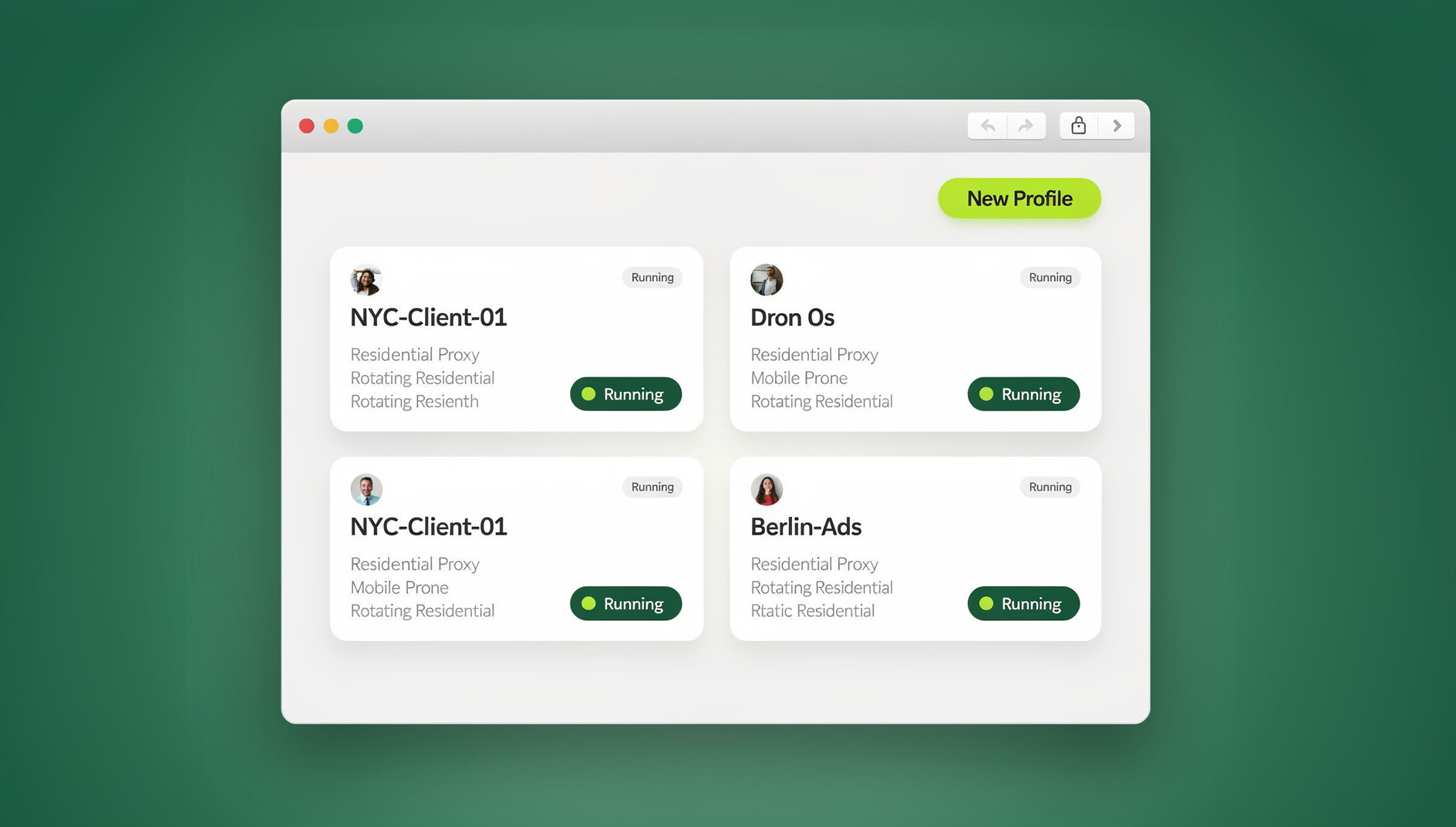
The approach that actually satisfies LinkedIn’s detection model gives each account its own isolated browser profile with a unique fingerprint and a unique IP, either through unlimited virtual browser profiles run as cloud browser sessions with no local install, or through the Sendwin Browser desktop app for teams who prefer profiles running natively on their own machine. Either mode gives you:
- A unique browser fingerprint per LinkedIn account
- A unique residential proxy per account, matched to the profile’s claimed location
- Persistent sessions, so you stay logged in between uses instead of re-authenticating every time
- Team sharing, so you can share a LinkedIn session with a teammate without sharing the password
Trade-off: this level of isolation requires a paid subscription rather than a free browser feature — but it’s the only method on this list that actually removes the shared-device signal LinkedIn is looking for.
Setting Up LinkedIn Multi Login Properly
Profile Setup Checklist
- Create a dedicated browser profile for each LinkedIn account you’ll manage
- Assign a residential proxy that matches the account’s stated location — if the profile says “San Francisco, CA,” use a San Francisco proxy; a location mismatch is one of the fastest ways to trigger a security alert
- Log in and complete any verification steps LinkedIn asks for on first login
- Save the session instead of logging in and out repeatedly — repeated auth cycles look like credential testing
- Warm the account with 3-5 days of light, human-paced browsing before any heavy outreach
Account Warming Schedule
Day 1-3: Light Activity
  - Browse feed 10-15 min
  - Like 3-5 posts per session
  - View 5-10 profiles
  - Post 0-1 updates

Day 4-7: Moderate Activity
  - Browse feed 20-30 min
  - Like 5-10 posts
  - Comment on 2-3 posts
  - Send 3-5 connection requests
  - View 10-20 profiles

Day 8+: Normal Activity
  - Full engagement within daily limits
  - Send connection requests (up to ~100/week)
  - InMail and messaging
  - Content publishing
LinkedIn Daily Activity Limits
These are the informal thresholds LinkedIn’s own systems seem to tolerate before flagging an account — they’re not published rules, but they’re consistent with what recruiters and sales teams report in practice.
| Action | Daily Limit | Weekly Limit | Notes |
|---|---|---|---|
| Connection requests | ~20-25 | ~100 | Lower for new accounts |
| Profile views | ~80-100 | ~500 | Varies by account age |
| Messages | ~50 | ~200 | Including InMail |
| Post likes | ~100 | No hard limit | Spread throughout the day |
| Comments | ~50 | No hard limit | Unique, meaningful comments |
| Post/article publishes | ~3-5 | ~10-15 | Quality over quantity |
| Group joins | ~5 | ~20 | Don’t join too many at once |
LinkedIn Multi Login for Recruiters
A Recruiting Workflow Built on Multiple Accounts
- Specialize by role type: a tech-recruiter profile, an executive-search profile, and an entry-level hiring profile each build a distinct, credible network
- Grow industry-specific connections: each account’s network stays relevant to the roles it sources for
- Source candidates properly: run LinkedIn Recruiter (paid) on each specialized account rather than one overloaded profile
- Personalize outreach: send InMail from whichever profile is most relevant to that candidate’s field
Recruiter Account Best Practices
- Give every recruiter profile a complete, niche-specific profile — not a copy-pasted template
- Build genuine connections instead of mass-adding everyone in a search result
- Share industry-relevant content from each account so it reads as active, not dormant
- Use LinkedIn Premium/Recruiter features legitimately rather than automating around them
LinkedIn Multi Login for Sales Teams
Sales Prospecting Setup
- One account per territory: each rep manages their own profile targeting their geographic or industry patch
- Thought-leadership content: share posts that position each rep as a credible voice in their space, not just a pitch machine
- Systematic connection building: methodically connect with decision-makers inside target accounts
- Lead tracking: pair LinkedIn Sales Navigator with isolated profiles so activity from one rep never bleeds into another’s
A Sample Sales Activity Framework
Morning (9-11 AM):
  - Review feed and engage (likes, comments) - 15 min
  - Send 5-10 connection requests with personalized notes
  - Check and respond to messages

Midday (12-2 PM):
  - Research target profiles - 15 min
  - Send follow-up messages to warm connections
  - Publish/share one piece of content

Afternoon (3-5 PM):
  - Send InMail to new prospects - 5-8 messages
  - Engage with prospects' content (like, comment)
  - Check for connection request acceptances
Security Considerations
Protecting Account Credentials
- Unique, strong passwords for every LinkedIn account — never reuse one across profiles
- Enable 2FA everywhere, with an authenticator app preferred over SMS
- Never share passwords — use session sharing to grant teammates access instead
- Monitor login activity under Settings → Security on each account
Common Security Mistakes to Avoid
| Mistake | Risk | Prevention |
|---|---|---|
| Reusing the same password across accounts | One breach compromises every account | Unique password per account via a password manager |
| Logging in from public Wi-Fi | Session hijacking, credential theft | Use isolated cloud browser profiles instead of open networks |
| Sharing credentials over Slack/email | Exposes the password to anyone with channel access | Share the session, not the password |
| Skipping 2FA | Account takeover via a single stolen password | Enable 2FA on every account, no exceptions |
Tools That Complement LinkedIn Multi Login
| Tool | Purpose | Works with Multi-Login |
|---|---|---|
| LinkedIn Sales Navigator | Advanced search and lead tracking | Per-account subscription |
| Expandi | Cloud-based LinkedIn automation | Run separately on each account |
| Dux-Soup | Browser-extension LinkedIn automation | Install per browser profile |
| PhantomBuster | LinkedIn data extraction | Use alongside isolated sessions |
| Crystal | DISC personality insights | Extension installed per profile |
🏆 Send.win Verdict
LinkedIn multi login only works safely when every account looks like an independent professional on an independent device. Send.win gives each LinkedIn profile its own fingerprint and a location-matched residential proxy, so recruiters, sales teams, and agencies can run several accounts from one dashboard with separate cookies, storage and fingerprint per profile. Run profiles as cloud browser sessions with nothing to install, or through the Sendwin Browser desktop app if you prefer running natively — either way, session sharing means teammates get access without ever seeing the password. Paid plans start at $19/mo, and your first card purchase is covered by a 7-day money-back guarantee — the easiest way to test it against your own accounts before committing.
Try the free Send.win cloud demo — a 3-minute preview without signup, and set up your first isolated LinkedIn profile in minutes.
Common Mistakes When Setting Up LinkedIn Multi Login
Most account restrictions don’t come from bad luck — they come from a handful of repeatable setup mistakes. Watch for these before they cost you an account:
| Mistake | Why It Backfires |
|---|---|
| Skipping the warming period on a new account | A brand-new account sending 50 connection requests on day one reads as bot behavior, not enthusiasm |
| Copy-pasting the same headline/summary across accounts | Profile-text similarity is one of LinkedIn’s correlation signals — near-identical profiles get flagged together |
| Switching proxy locations mid-session | An account that was “in Chicago” an hour ago and is suddenly “in Manila” triggers an automatic security check |
| Reusing a phone number for verification across accounts | Phone reuse is one of the highest-confidence signals LinkedIn has for linking two profiles to one owner |
| Running every account on the exact same schedule | Identical login/logout timing across “different” accounts looks scripted rather than human |
Most of these mistakes trace back to treating multiple accounts as clones of one master profile instead of genuinely separate presences. The multi-login browser approach only works long-term if each profile is actually managed like an independent professional — different proxy, different writing voice, different daily rhythm.
LinkedIn Multi Login for Agencies Managing Client Accounts
Agencies sit in a slightly different position than individual recruiters or salespeople: they’re often logging into accounts they don’t personally own, on behalf of a client who still needs visibility into what’s happening. That makes isolation and access control equally important.
- One profile per client account — never manage two different clients’ LinkedIn presences from the same browser fingerprint
- Documented handoff process — when a team member leaves, revoke their session access instead of rotating the client’s password
- Activity logs per account — clients increasingly ask for a record of what was posted or sent on their behalf
- Clear scope boundaries — agree with the client up front on connection volume, posting cadence, and which features (Sales Navigator, Recruiter) are in scope
Agencies also carry more exposure than a solo recruiter if something goes wrong — a single shared device managing ten client accounts is a much bigger blast radius than one professional running two profiles. It’s worth reading up on the risks of running multiple accounts before scaling a client roster, since the mitigations (isolated profiles, matched proxies, staggered activity) are the same ones that protect any multi-account operation.
Frequently Asked Questions
Can LinkedIn detect multiple accounts from the same person?
Yes, through browser fingerprinting, IP correlation, and behavioral analysis. Without proper isolation, LinkedIn can link accounts logged in from the same device. With isolated browser profiles that each carry a unique fingerprint and IP, every account appears as an independent user on a different device.
Is it against LinkedIn’s Terms of Service to have multiple accounts?
LinkedIn’s User Agreement states members should maintain one account. In practice, many legitimate use cases exist — agencies managing client accounts, sales teams, recruiters covering different specialties. The key is that each account serves a distinct, real purpose and doesn’t engage in artificial engagement manipulation.
What happens if LinkedIn restricts my account?
Restrictions range from temporary feature limits (no more connection requests) to permanent suspension. If you’re restricted: stop all automation immediately, complete any identity verification LinkedIn requests, appeal through LinkedIn’s help center, and wait 24-72 hours before resuming activity at a reduced volume.
Should I automate LinkedIn activity across multiple accounts?
Automation raises risk significantly. If you use tools like Dux-Soup, Expandi, or PhantomBuster, keep activity well under the daily limits above, randomize timing and actions, and never run automation on multiple accounts from the same IP or device at the same time.
How many LinkedIn accounts can I safely manage?
With proper isolation — unique fingerprint, IP, and behavior per account — there’s no hard technical ceiling. Practically, meaningful engagement takes 20-30 minutes per account per day. Most professionals manage 3-5 active accounts comfortably; agencies with dedicated teams can run 20 or more.
Do I need a different proxy for every LinkedIn account?
Yes, ideally. Two accounts sharing the same IP is one of the strongest signals LinkedIn’s fraud detection uses to link profiles. A dedicated residential proxy per account, matched to that profile’s stated location, removes that signal entirely.
What’s the fastest way to get a new LinkedIn account restricted?
Sending a burst of connection requests on day one, before the account has been warmed, is the single most common trigger. New accounts should stay well under the daily limits in the tables above for at least the first week.
Conclusion
LinkedIn multi login is essential for recruiters, sales teams, and agencies who need to run multiple professional presences at once. The key to doing it safely is complete isolation between accounts — separate fingerprints, separate IPs, and separate usage patterns — so LinkedIn sees each one as an independent professional on a unique device, not a shared one to flag.