What Is Send.win? A 2026 Overview
Send.win is a browser profile manager for professionals and teams: the native Sendwin Browser desktop app for Windows, macOS, and Linux for heavier daily use, and cloud browser sessions you can run entirely online with zero local install for quick access. Each profile keeps its own cookies, storage, sessions, fingerprint settings and proxy. If you are asking how Send.win helps a business in 2026, the honest answer is that it solves a problem almost every growing company eventually runs into: managing more accounts, more logins, and more team members than a single browser profile was ever designed to handle.
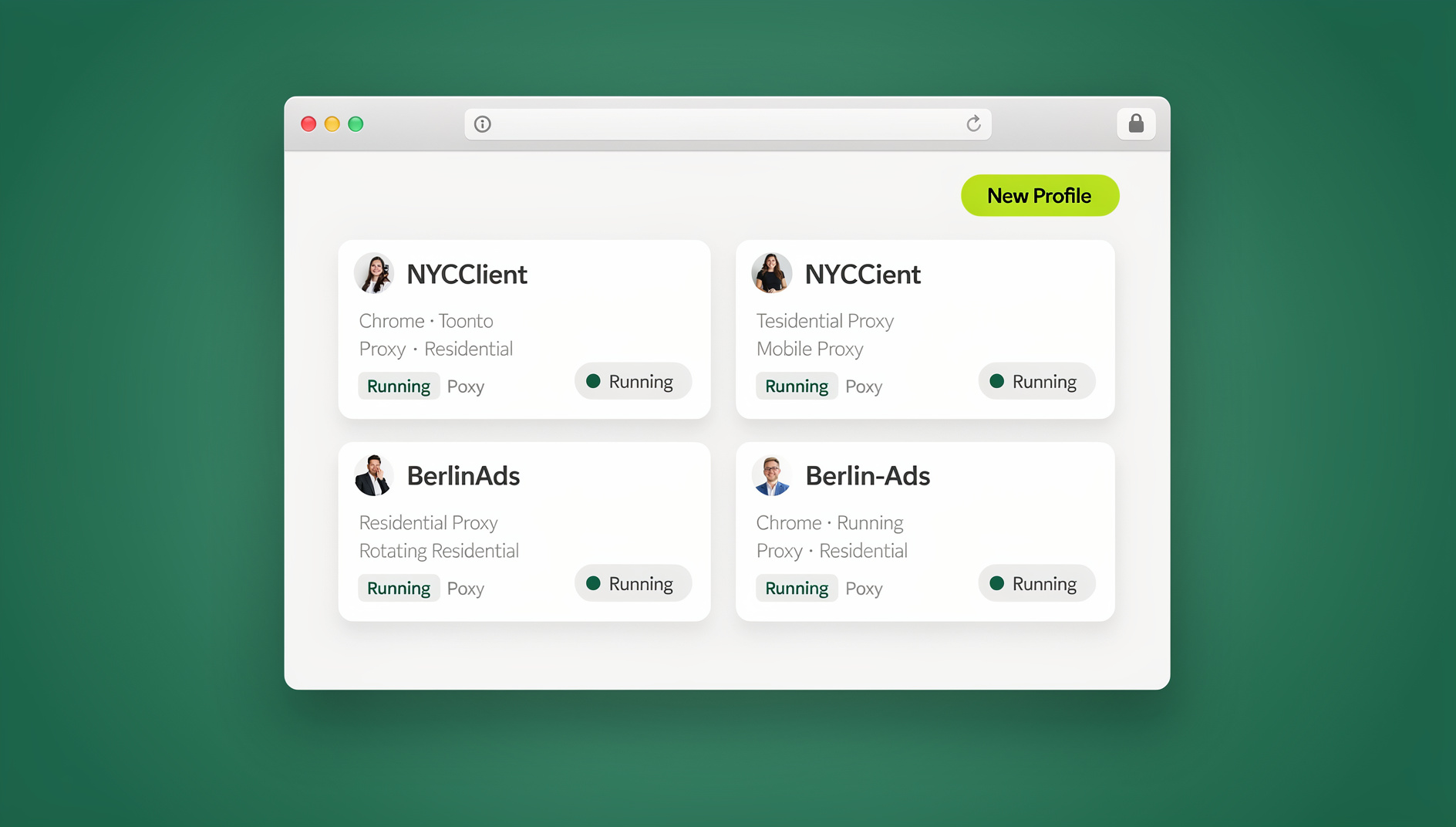
At its core, Send.win gives every account you manage its own isolated browser profile with a unique fingerprint, its own cookies, cache, and local storage, and — if you need it — its own dedicated proxy. That isolation is what separates Send.win from simply opening a new incognito window or juggling two browsers: each profile looks like a genuinely separate device and browser to every site you visit, which is exactly what platforms like Google, Meta, Amazon, and most banking or SaaS logins expect to see from unrelated users.
Why Businesses Struggle With Multiple Accounts
Most businesses don’t set out to need a tool like this — they grow into the problem. A solo freelancer picks up a second client with their own ad account. A small agency starts managing five Instagram pages instead of one. A support team needs three people logged into the same helpdesk without sharing a single password. Left unmanaged, this usually ends in one of three ways:
- Constant logging in and out of the same site to switch between accounts, wasting hours every week.
- Shared plaintext passwords in spreadsheets, Slack messages, or sticky notes — a security incident waiting to happen.
- Flagged or banned accounts because a platform’s fraud detection sees five “different” businesses logging in from the identical browser fingerprint and IP address, and assumes ban evasion or fake-account abuse.
Incognito mode does not fix any of this — it still shares the same underlying browser fingerprint (fonts, canvas rendering, WebGL signature, screen resolution, timezone) across every tab. A second physical browser is a partial fix but doesn’t scale past two or three accounts and still leaks the same IP address. This is the gap a proper multi-login browser is built to close.
Core Send.win Features Built for Business
Rather than one gimmick feature, Send.win bundles several capabilities that work together. Here’s what actually matters for a business evaluating it:
| Feature | What It Does | Why It Matters for Your Business |
|---|---|---|
| Isolated profiles & fingerprints | Each session gets a unique, consistent browser fingerprint (canvas, WebGL, fonts, timezone) | Accounts don’t get linked or flagged for looking identical |
| Built-in proxies | Residential, datacenter, and mobile proxy options attached per profile | No need to buy and configure proxies separately for geo-matching |
| Session/link sharing | Share a working login session via a link, not a password | Teammates, VAs, and contractors never see the actual credentials |
| Desktop app | Native client for Windows, macOS, and Linux | Faster, more stable session handling than extension-only tools for daily heavy use |
| Automation API (Team plan) | Not available — Send.win has no API, SDK, headless mode or Selenium/Puppeteer/Playwright support | QA, growth, and dev teams can automate testing and workflows at scale |
| Roles & team seats | Assign access levels per teammate on Team plan (up to 16 seats) | Control who can view, edit, or export sensitive sessions |
| Encryption | AES-256 for data at rest, RSA-2048 for key exchange | Session data and credentials stay protected in transit and storage |
Step-by-Step: Setting Up Send.win for Your Business
Getting a business account running takes about ten minutes. Here’s the current process:
Step 1: Choose a Paid Plan (7-Day Money-Back Guarantee)
Go to send.win and sign up. Send.win has no free trial, but the first card purchase is covered by a 7-day money-back guarantee, so you can test real workflows — including proxy setup and session sharing — before committing long-term.
Step 2: Choose the Sendwin Browser App or a Cloud Session
You have two options, and most businesses end up using both. Install the native Sendwin Browser desktop app for Windows, macOS, or Linux for daily, heavier use — especially teams managing dozens of accounts — since the desktop client handles more concurrent profiles more reliably and is the recommended setup for agencies and operations teams. For quick, occasional access with zero local install, spin up a cloud browser session instead — it runs entirely in the cloud, metered by cloud browsing time rather than a download.
Step 3: Create Your First Isolated Profile
Inside Send.win, click “New Profile,” name it (e.g., “Client A – Google Ads” or “Support Team – Zendesk”), and Send.win automatically generates a unique fingerprint for that profile. Log into the target account exactly once inside that profile — the session persists.
Step 4: Attach a Proxy (Recommended)
For any account tied to a specific region, or any account you want to keep clearly separated from your other IPs, attach one of Send.win’s built-in residential, datacenter, or mobile proxies to the profile. This matches the account’s expected geography and keeps it from sharing an IP with your other sessions.
Step 5: Share Sessions With Your Team — Without Passwords
Instead of texting a teammate a password, use Send.win’s session-sharing link. You can set a time limit, restrict what they can see, and revoke access instantly. This is the same mechanic covered in our guide to how businesses share accounts without passwords — it removes the single biggest source of credential leaks in small teams.
Step 6: Share Profiles and Sessions with Your Team
If your team runs repetitive workflows, Send.win keeps each profile isolated with its own cookies, storage, fingerprint and proxy, so work stays organised and separated across accounts.
How Send.win Helps Your Business: 7 Practical Benefits
1. Saves Time Switching Between Accounts
With every account living in its own profile, there’s no more logging out, clearing cookies, or opening a second browser to switch context. Click a profile, and you’re instantly signed in. Teams managing 10+ accounts routinely report saving hours a week just from eliminating this friction.
2. Reduces Team Workload With Secure Session Sharing
When multiple people need access to the same account — a shared support inbox, a shared ad account, a shared CMS login — session sharing lets everyone work in parallel instead of waiting their turn on a single shared login. Real-time collaboration replaces the old “who’s logged in right now?” bottleneck.
3. Provides Enterprise-Grade Security
Every session is protected with AES-256 encryption for data at rest and RSA-2048 for key exchange. Combined with never having to type or send a plaintext password to a teammate, this materially reduces the attack surface a small business exposes through casual credential sharing.
4. Protects Your Privacy and IP Address
Each profile’s built-in proxy masks your real IP address and location, so no site can correlate your business accounts back to a single home or office network. This matters for anyone doing competitive research, ad verification, or simply keeping business browsing separate from personal browsing.
5. Prevents Account Bans From Cross-Contamination
Most platform bans for “suspicious activity” or “multiple accounts” trigger because dozens of unrelated-looking accounts share one fingerprint and IP. Isolated profiles with matched proxies remove that signal entirely, which is why teams running multiple ad, marketplace, or social accounts lean on browser isolation as a first line of defense against bans, not just a convenience feature.
6. Keeps Every Profile Separate
Send.win has no automation interface: no API, SDK, headless mode or Selenium/Puppeteer/Playwright support on any plan. What it does offer is isolated browser profiles, each with its own cookies, storage, sessions, fingerprint settings and proxy, so your team’s work stays organised and separate.
7. Increases Overall Productivity
Add up the time saved on account switching, the reduced back-and-forth on password requests, and fewer support tickets from banned or locked accounts, and the net effect is straightforward: teams simply get more done per hour. This is the same reason marketing teams juggling several clients rely on Send.win to manage multiple ad accounts safely without needing a separate laptop or browser per client.
Send.win vs. Manual Workarounds
It’s worth comparing Send.win against the “free” alternatives most businesses default to before they hit a wall:
| Approach | Unique Fingerprint per Account | Built-in Proxy | Password-Free Sharing | Scales Past 5 Accounts |
|---|---|---|---|---|
| Incognito / private windows | No | No | No | No |
| Multiple physical browsers | No | No | No | Barely |
| VPN + single browser | No | Partial (IP only) | No | No |
| Send.win (desktop app + cloud sessions) | Yes | Yes | Yes | Yes |
Who Uses Send.win? Real Business Use Cases
- Marketing agencies running separate Google, Meta, and TikTok ad accounts per client without cross-contamination risk.
- E-commerce sellers operating multiple storefronts (Amazon, Etsy, Shopify) that platform rules require to stay clearly separated.
- Social media managers juggling five, ten, or fifty client profiles across Instagram, Facebook, and LinkedIn.
- Support and operations teams sharing access to shared tools without distributing passwords.
- QA and development teams running isolated, parallel test sessions in separate profiles, each with its own cookies, storage and proxy.
- Freelancers and consultants keeping each client’s accounts fully separated from their own and from each other.
Send.win Pricing in 2026
Send.win’s pricing is straightforward, and there is no free trial — paid plans start at $19/mo, with the first card purchase covered by a 7-day money-back guarantee:
| Plan | Price | Profiles | Proxy Bandwidth | Notable Feature |
|---|---|---|---|---|
| Pro | $19/mo ($6.99/mo billed annually — 63% off) | 150 | 5 GB | Core multi-login features |
| Team | $49/mo or $251.88/yr | 500 | 20 GB | 16 seats |
Add-ons are available for teams that outgrow their base allowance: extra proxy bandwidth at $6/GB and additional profiles at $0.05 each.
🏆 Send.win Verdict
If your business manages more than one account on any platform — ad accounts, storefronts, social profiles, or shared internal tools — Send.win solves the exact problems that manual workarounds like incognito mode or a second browser can’t: separate cookies, storage and fingerprint settings per profile, built-in proxies, password-free session sharing, and a native Desktop app for daily heavy use.
Try Send.win today — plans start at $19/mo, with the first card purchase covered by a 7-day money-back guarantee, and see how much time your team gets back.
Frequently Asked Questions
Is Send.win just a browser extension?
No. Send.win is not a browser extension. It’s a native Sendwin Browser desktop app for Windows, macOS, and Linux for heavier daily use, plus cloud browser sessions you can run entirely online with zero local install.
How does Send.win prevent accounts from getting banned?
Each profile gets a unique browser fingerprint and can be matched to its own proxy, so platforms don’t see multiple accounts sharing the same fingerprint or IP address — the pattern most fraud-detection systems flag as ban evasion or fake-account abuse.
Can I share an account with my team without giving them the password?
Yes. Send.win’s session-sharing feature generates a link that grants access to a live session without ever revealing the underlying password, and you can set time limits or revoke access instantly.
Does Send.win include proxies, or do I need to buy my own?
Proxies are built in. Pro and Team plans include a monthly proxy bandwidth allowance (5GB and 20GB respectively), with residential, datacenter, and mobile options, and you can add more bandwidth at $6/GB if needed.
Does Send.win offer an automation interface?
No. Send.win has no automation interface: no API, SDK, headless mode or Selenium/Puppeteer/Playwright support on any plan. Each profile instead keeps its own cookies, storage, sessions, fingerprint settings and proxy.
How much does Send.win cost?
Pro is $19/mo or $83.88/yr. Team is $49/mo or $251.88/yr, with 16 seats. There is no free trial; the first card purchase is covered by a 7-day money-back guarantee, and the only free option is the cloud demo at https://send.win/demo-browser/.
Do I need the Desktop app, or is a cloud browser session enough?
A cloud browser session is fine for occasional, light profile switching with zero install. If your business manages dozens of accounts daily or relies on team collaboration, the native Sendwin Browser desktop app for Windows, macOS, or Linux handles concurrent profiles more reliably and is the recommended setup.
Is Send.win secure enough for sensitive business accounts?
Send.win uses AES-256 encryption for data at rest and RSA-2048 for key exchange, and session sharing never exposes plaintext passwords — which is generally more secure than the spreadsheet-and-Slack-message credential sharing most small teams default to.