Why “Just Open Another Tab” Stops Working Once You Have More Than Two Social Accounts
If you have ever tried to track all social accounts from one browser, you already know the pain. You log into your personal Instagram, then need to check a client’s Twitter/X account, so you open an incognito window. Then you need Pinterest for a second brand, so you switch to Firefox. Then a third client’s LinkedIn shows up in your notifications, and now you are juggling three browsers, five tabs, and a sticky note with passwords on it. By lunchtime you have logged out of the wrong account twice and locked yourself out of one for “suspicious activity.”
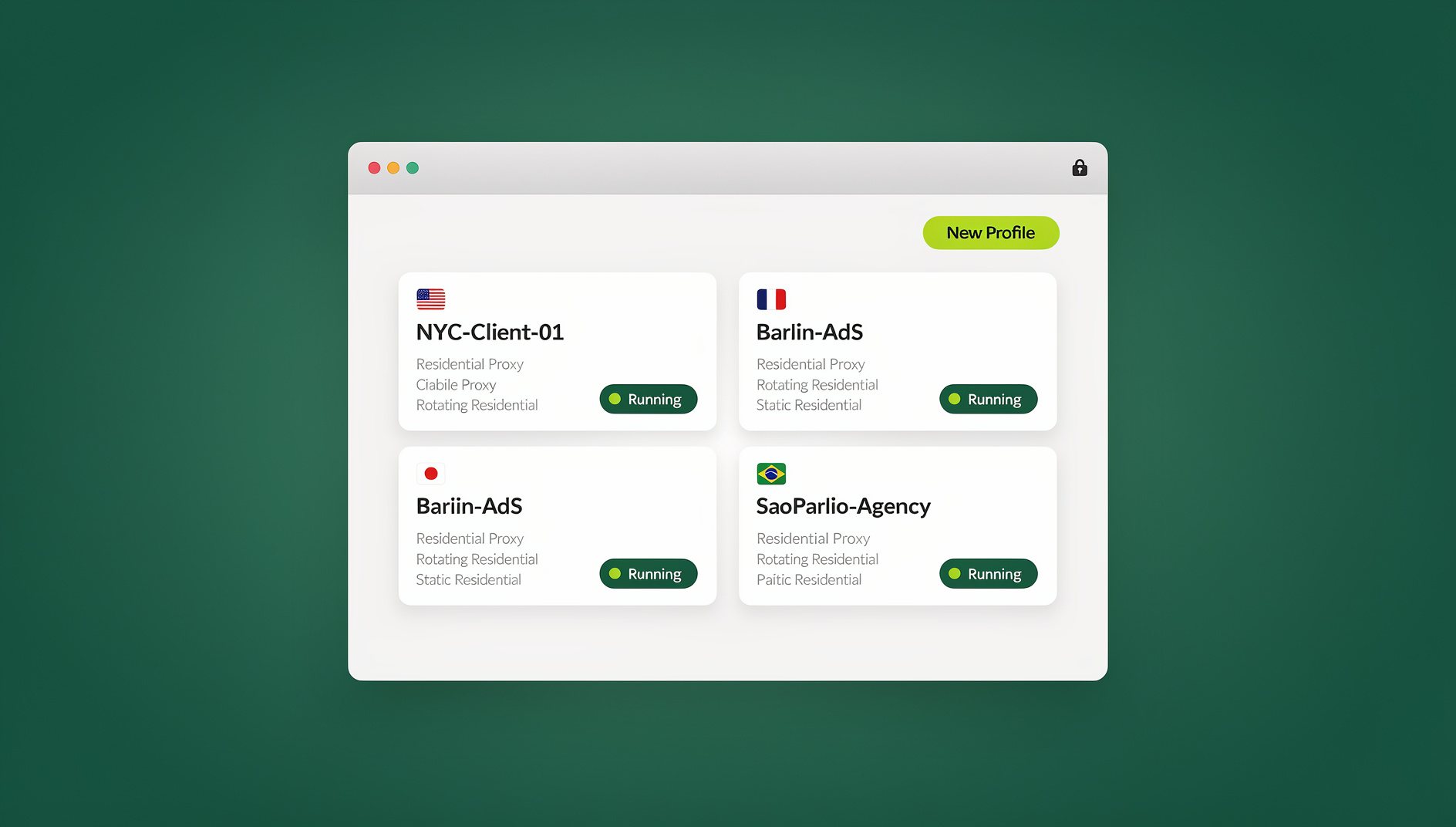
This is the exact problem Send.win was built to solve from day one: one click to jump between fully logged-in social accounts without re-entering credentials. That core idea hasn’t changed. What has evolved is the technology underneath it. In 2026, Send.win is a full browser profile manager and multi-login platform with a native desktop app (Sendwin Browser) plus cloud browser sessions that need zero local install, isolated browser fingerprints per profile, built-in residential proxies, and team sharing. This guide walks through how account tracking and management actually works today.
Why Managing All Your Social Accounts From One Place Matters
Whether you’re a solo creator running three niche pages, a social media manager handling a dozen client accounts, or an agency owner overseeing an entire team’s logins, the math is the same: every extra browser window, every re-login, and every “wait, which account am I in right now?” moment costs you time and increases the chance of a mistake. Posting from the wrong account, replying to a DM as the wrong brand, or getting a platform to flag your IP for “unusual login patterns” are all symptoms of the same root issue — you’re managing multiple identities inside a browser that was only ever designed to handle one.
Centralizing account tracking into a single tool gives you three concrete wins:
- Faster context switching — one click swaps your entire browser identity (cookies, local storage, session tokens) instead of forcing a manual logout/login cycle.
- Fewer security flags — platforms like Instagram, Twitter/X, and LinkedIn watch for accounts that share a device fingerprint or IP address. Isolated sessions reduce cross-account linking.
- Real oversight — when every account lives in its own clearly labeled profile, you can actually see what’s logged in, what’s pending, and what needs attention, instead of guessing which private window belongs to which client.
The Problem With the “Old” Ways of Tracking Multiple Accounts
Before getting into the modern solution, it’s worth being honest about why the common workarounds fall short:
Multiple browsers (Chrome + Firefox + Edge)
This works until account number four, at which point you’ve run out of browsers. You also lose any extensions, bookmarks, or workflow tools that only exist in your main browser, and you’re now maintaining separate update/security patches across three different applications.
Incognito / private windows
Private windows don’t actually give each account a unique fingerprint — canvas, WebGL, fonts, and other identifiers are usually still shared with your main profile, so platforms can still connect the dots. They also don’t persist; close the window and you’re logging in again.
Native browser profiles (Chrome “Add Person”)
Better than incognito, but still slow to switch between (a full browser relaunch per profile in many cases), and still fingerprinted almost identically to each other since they share the same underlying browser engine, GPU, and OS signals.
Logging out and back in manually
The most common method and the worst one. Every login/logout cycle is a data point platforms log, and doing this dozens of times a day across several accounts is exactly the kind of pattern that trips automated bot and ban detection.
How Session-Based Multi-Login Actually Works
Instead of forcing you to log out and back in, tools like Send.win create a separate, persistent browser profile for every account you manage. Each profile is a self-contained environment with its own:
- Cookies and local storage (so you stay logged in indefinitely)
- Canvas, WebGL, and font fingerprint values (so the account doesn’t look identical to your others)
- Optional dedicated proxy/IP address (so the account doesn’t share your home or office IP with five others)
- Timezone and locale settings matched to the proxy location
Because every profile is isolated, switching accounts is no longer a logout/login event at all — it’s just opening a different, already-authenticated window. That’s the “1 click” part of the original tutorial’s title, and it’s still the whole point in 2026.
Session isolation, explained simply
The technical term for this is session isolation, and it’s worth understanding if you manage more than a couple of accounts. Our deeper session isolation guide walks through exactly how cookies, storage, and fingerprints are kept separate between profiles — but the short version is: no data or identifying signal leaks between the accounts you’re tracking, even though they’re all sitting in the same application.
Step-by-Step: How to Track All Your Social Accounts From One Browser
Here’s the current workflow for setting this up with Send.win:
Step 1: Choose your access method — desktop app or cloud browser session
Send.win ships as a native desktop application (Sendwin Browser) for Windows, macOS, and Linux, alongside cloud browser sessions that run entirely in the cloud with zero local install. The desktop app runs each profile as its own isolated browser instance with deeper fingerprint control (hardware concurrency, device memory, WebRTC handling, and more), which makes it the better choice if you’re managing accounts professionally. Cloud browser sessions are still a great option for people who just want fast profile switching without installing anything — the free account includes 10 minutes of cloud browsing time per day and one saved cloud session.
Step 2: Create a profile for each social account
Inside Send.win, click “New Profile,” give it a clear name (e.g., “Client A — Instagram,” “Brand B — Pinterest”), and assign it a category or tag if you’re tracking a large number of accounts. This is also where you can preview or customize the fingerprint that profile will present to each site.
Step 3: Attach a proxy (recommended for anything beyond personal use)
If you’re tracking more than one or two accounts on the same platform, assign each profile its own residential or datacenter proxy from Send.win’s built-in proxy pool, or bring your own. This prevents platforms from linking accounts through a shared IP address — one of the most common reasons multi-account setups get flagged.
Step 4: Log in once per profile
Log into the social platform inside that profile exactly once. The session token, cookies, and local storage are saved automatically. From this point forward, opening that profile drops you straight into the logged-in account — no credentials, no 2FA prompts, no “verify it’s you” emails from re-authenticating on a “new device.”
Step 5: Switch between accounts with one click
With every account set up as its own profile, your dashboard becomes a live list of every social account you track. Click a profile, and a fully authenticated, isolated browser window opens for that account in seconds. This is the actual mechanism behind “tracking all social accounts from one browser” — you’re not merging accounts into one login, you’re keeping them cleanly separated but instantly reachable from one control panel.
Step 6 (optional): Share access with your team
If you manage accounts on behalf of clients or work with a team, you can share specific profiles without ever handing over the actual password. Teammates get access to the session, not the credentials — so you can revoke access instantly if someone leaves the team.
Desktop App vs Cloud Browser Sessions: Which Should You Use?
Send.win gives you two ways to run isolated profiles, and each fits a different workflow. Here’s how the two options compare for social account tracking specifically:
| Feature | Desktop App (Windows/macOS/Linux) | Cloud Browser Sessions |
|---|---|---|
| Fingerprint depth | Full control — hardware, OS, WebRTC, canvas, fonts | Managed automatically by the cloud session |
| Best for | Agencies, teams, heavy multi-account use | Personal use, quick access with zero install |
| Setup | One-time install, then fully self-contained | No install — launch a session in your regular browser tab |
| Automation API access | No | Not applicable |
| Proxy management | Per-profile, built into the app | Per-profile, included in the cloud session |
| Resource usage | Runs as its own application | Runs in the cloud, streamed to your browser tab |
If you’re only tracking two or three personal social accounts, cloud browser sessions are fast and require nothing to install. If you’re managing accounts for multiple clients, running a social media agency, or coordinating a team, the desktop app is the more serious tool.
Managing Many Accounts: For Teams That Want to Go Beyond Manual Clicking
Manually clicking through profiles works fine for a handful of accounts, but agencies tracking dozens of social accounts across multiple clients eventually want to streamline parts of the workflow — scheduled logins, health checks, posting pipelines, or QA checks that verify every profile is still authenticated. Send.win’s Team plan lets you organise profiles and share them with your team. Because each profile keeps its own isolated cookies, storage and fingerprint, every profile stays separate and organised — which matters if any part of your account tracking involves scheduled checks or bulk actions.
Real-World Use Cases Beyond Basic Social Tracking
“Tracking all social accounts from one browser” tends to expand once people see how the profile system works. Common patterns we see from Send.win users:
- Agencies tracking Instagram, Twitter/X, TikTok, and Pinterest accounts for 10-30 clients simultaneously, each in its own labeled, proxy-matched profile.
- Solo creators running a personal account plus two or three niche/brand pages without them ever appearing linked to platforms.
- Marketing teams that need shared access to ad accounts and social logins without emailing passwords around — see our guide on multi-login browser setups for teams.
- E-commerce sellers managing store social pages alongside personal accounts, keeping business reputation cleanly separate from personal browsing.
Platform-specific workflows differ slightly — for instance, our guides on managing multiple Instagram accounts and handling multiple Twitter accounts in the same browser cover platform-level quirks (like Instagram’s device-trust prompts or X’s login-verification flows) that are worth reading if you’re setting up accounts on those specific networks.
Send.win vs Other Ways to Track Multiple Social Accounts
| Method | Stays logged in? | Unique fingerprint per account? | Team sharing | Automation support |
|---|---|---|---|---|
| Multiple browsers | Yes, per browser | No — same OS/device signals | No | No |
| Incognito windows | No — resets on close | No | No | No |
| Native browser profiles | Yes | No — same engine fingerprint | No | No |
| Password manager only | No — still logs in each time | No | Partial (shared vault) | No |
| Send.win | Yes, per profile | Yes — isolated per profile | Yes, without sharing passwords | No |
Security Considerations When Tracking Multiple Accounts
- Never reuse the same proxy across accounts you want to appear unrelated — a shared IP is one of the fastest ways platforms link accounts together.
- Enable 2FA on every account you track, and store recovery codes somewhere outside the browser tool itself.
- Use profile-level sharing instead of password sharing when working with a team — this way access can be revoked instantly if someone leaves.
- Match timezone and locale to the proxy’s location for each profile — a mismatched timezone is a small but noticeable red flag to platform fraud systems.
- Review your profile list periodically and remove access to accounts you no longer manage.
Pricing: What It Costs to Track All Your Social Accounts With Send.win
Send.win has no free trial, but the first card purchase is covered by a 7-day money-back guarantee, so you can set up your first handful of profiles before committing to anything. Paid plans scale with how many accounts you’re actually tracking:
| Plan | Price | Profiles | Proxy Bandwidth | Automation |
|---|---|---|---|---|
| Pro | $19/mo ($6.99/mo billed annually — 63% off) | 150 | 5GB | No |
| Team | $49/mo ($20.99/mo billed annually — 57% off) | 500 | 20GB | Yes, 16 seats |
Extra profiles and bandwidth are available as add-ons ($6/GB, $0.05 per extra profile) if you’re tracking more accounts than your plan’s base allotment.
🏆 Send.win Verdict
If you’re still juggling multiple browsers or logging out and back in every time you switch social accounts, you’re doing this the hard way. Send.win replaces that entire routine with one-click profile switching, isolated fingerprints per account, built-in proxies, and — for agencies and teams — profile sharing and organisation. Whether you’re tracking two personal pages or two hundred client accounts, the setup described in this guide takes about ten minutes and pays for itself the first time you don’t have to re-login to something.
Try Send.win today — the first card purchase is covered by a 7-day money-back guarantee, so you can see if one-click account tracking is as good as it sounds.
Frequently Asked Questions
What does it mean to “track all social accounts from one browser”?
It means using a single tool to hold and manage logins for every social account you use — personal, business, or client — so you can switch between them instantly without logging out and back in each time. Instead of one shared browser session, each account gets its own isolated profile inside the same application.
Is it safe to log into multiple social accounts from the same device?
It’s safe as long as each account has its own isolated browser fingerprint and, ideally, its own proxy/IP address. Logging into unrelated accounts from identical browser fingerprints and the same IP is what tends to trigger platform flags — not the number of accounts itself.
Do I need a proxy for every social account I track?
Not always. If the accounts are all yours and you don’t mind platforms seeing them as related, a shared IP is usually fine. If you’re managing accounts for different clients or brands that should appear unrelated, a dedicated proxy per account (or per client) is strongly recommended.
What’s the difference between the Send.win desktop app and cloud browser sessions?
The desktop app (Sendwin Browser) is a standalone application for Windows, macOS, and Linux that gives deeper fingerprint control. Cloud browser sessions run entirely in the cloud with zero local install and are a faster, lighter option for personal use or smaller account counts.
Can I automate logins and checks across all my tracked accounts?
Send.win has no automation interface: there is no API, SDK, headless mode or Selenium/Puppeteer/Playwright support on any plan. You manage profiles manually through the desktop app or cloud browser sessions.
Will switching accounts this way get me banned from social platforms?
Using isolated profiles is specifically designed to reduce the risk of account linking and bans compared to sharing one fingerprint/IP across accounts. That said, always follow each platform’s terms of service — Send.win manages the technical isolation, not platform policy compliance.
How many social accounts can I realistically track with Send.win?
The Pro plan supports up to 150 profiles and the Team plan supports up to 500, with the option to add more. Most individual creators need fewer than 10, while agencies tracking accounts for many clients typically land in the Team tier.
Can my team access accounts without knowing the passwords?
Yes. Send.win lets you share specific profiles with teammates so they get working access to the session without ever seeing the underlying credentials, and you can revoke that access instantly if needed.