Manage multiple Twitter accounts — or, as the platform has been rebranded, multiple X accounts — is one of the most common headaches for social media managers, agencies, dropshippers, and personal brand builders in 2026. Twitter/X still detects and links accounts that share the same device fingerprint, IP address, or cookies, and a single flagged pattern can get every linked account suspended at once. If you’ve been juggling incognito windows, a second physical browser, or a separate laptop just to stay logged into two accounts at the same time, there’s a faster, safer way: Send.win.
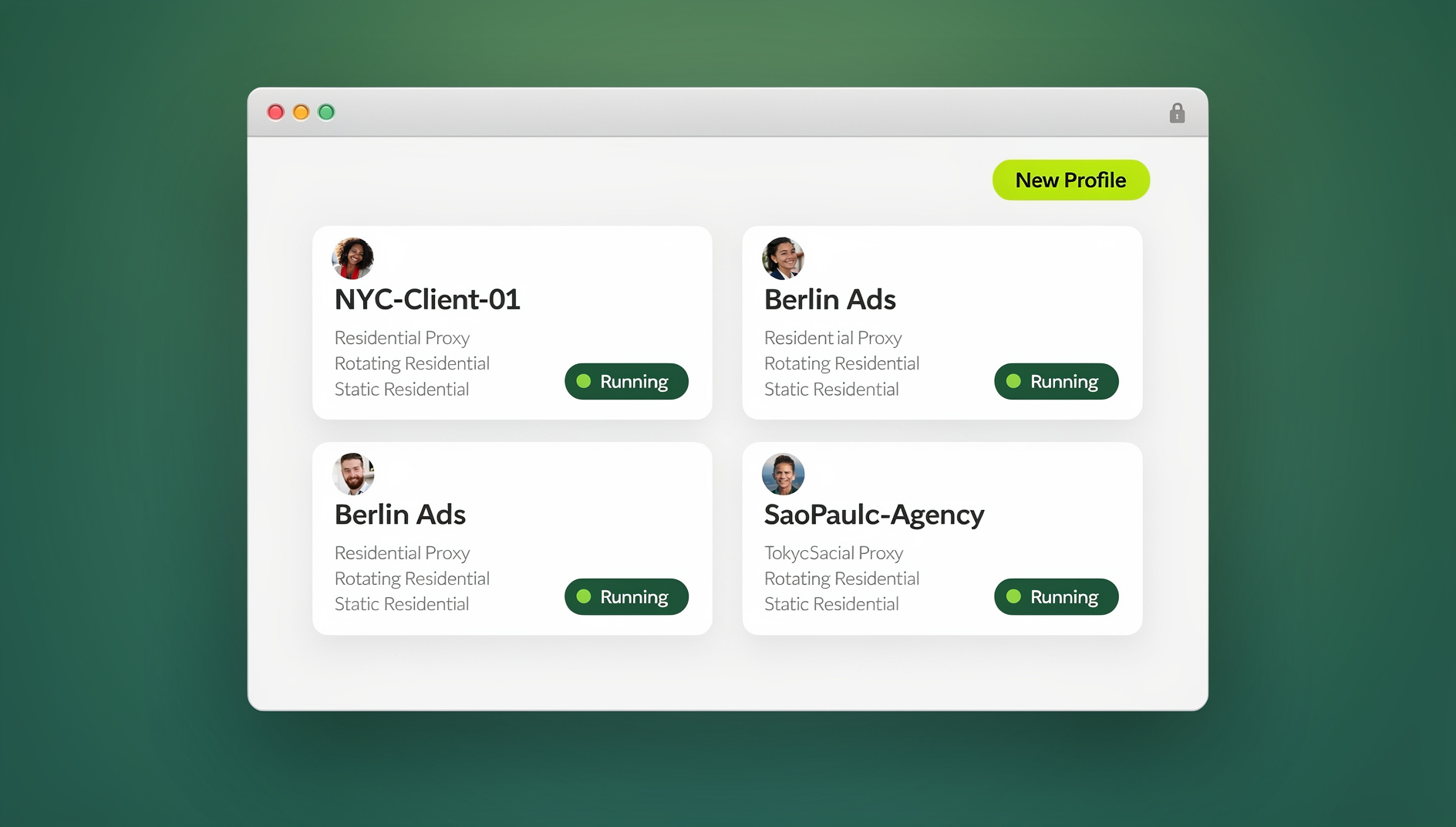
This guide has been fully updated for 2026 to reflect how Send.win actually works today — as a browser profile manager with a native desktop app and cloud browser sessions.
Why Managing Multiple Twitter (X) Accounts Got Harder in 2026
Twitter/X’s anti-spam and anti-bot systems have become significantly more aggressive since the platform’s rebrand and subsequent policy tightening. The platform doesn’t just look at your login credentials — it fingerprints your browser (canvas rendering, WebGL output, installed fonts, screen resolution, timezone, audio stack), tracks your IP address and ASN, and correlates session cookies across tabs. When two “different” accounts share enough of these signals, X’s trust and safety systems treat them as a single operator running a network of accounts — a violation that frequently results in an entire cluster of accounts being suspended together, even ones that never individually broke any rule.
The Ban-Wave Problem
This is the single biggest risk for anyone managing multiple Twitter/X accounts in 2026. If you log into Account B on the same physical browser profile as Account A — even in a “private” or incognito tab — the underlying device and network fingerprint is often identical or near-identical. X doesn’t need cookies to link you; the browser fingerprint alone can do it. That means one account getting reported or flagged can take down every account that shares its fingerprint and IP, wiping out months of audience-building overnight.
Why Incognito Mode and Multiple Browsers Aren’t a Real Fix
Incognito mode clears cookies but does nothing about the underlying browser fingerprint — the canvas hash, WebGL renderer string, font list, and hardware signals stay identical to your main profile. Running a second physical browser (say, Chrome for Account A and Firefox for Account B) helps a little, but you’re still on the same IP address, same OS-level fonts, same hardware — all signals X’s detection models weigh heavily. A second laptop solves the fingerprint problem but is expensive, doesn’t scale past two or three accounts, and is a logistical nightmare for a team.
What Is Send.win and How Does It Solve This?
Send.win is a browser profile manager built specifically for people and teams who need to run several accounts on the same website without cross-contamination. Instead of one browser trying to juggle multiple identities, Send.win creates completely isolated browser profiles — each with its own unique, consistent fingerprint (canvas, WebGL, fonts, timezone, user-agent), its own cookie jar, its own local storage, and, if you choose, its own dedicated proxy/IP. Each profile keeps its own separate cookies, storage and fingerprint, so profiles do not share one browser identity.
This is a fundamentally different approach from browser extensions that just switch cookies, or “multi-account container” tabs that share the same underlying engine and fingerprint. Send.win profiles are truly isolated at the browser-engine level, which is why it’s trusted by social media managers, e-commerce sellers, affiliate marketers, and agencies running dozens (sometimes hundreds) of accounts simultaneously.
Key Features That Make Send.win Ideal for Twitter/X Account Management
| Feature | Why It Matters for Twitter/X |
|---|---|
| Unique fingerprint per profile | Each account gets its own canvas/WebGL/font/timezone signature, so X can’t correlate accounts by device fingerprint |
| Built-in proxy support | Assign a separate residential or datacenter IP to each profile so accounts don’t share network origin |
| Session isolation | Cookies, local storage, and cache never leak between profiles — no accidental cross-login |
| Native Desktop app | A dedicated Windows/macOS/Linux client for running profiles locally with full performance, not just a browser tab |
| Cloud browser sessions | Spin up a profile in the cloud with no local install, metered by monthly cloud browsing time — useful when you’re on a shared or locked-down machine |
| Team sharing | Share specific profiles with teammates without ever handing over the actual Twitter/X password |
| Automation API (Team plan) | Not available — Send.win has no API, SDK, headless mode or Selenium/Puppeteer/Playwright support on any plan |
| Unlimited saved sessions | Organize accounts into named groups (e.g., “Client A”, “Personal”, “Brand Accounts”) for fast switching |
Step-by-Step: How to Manage Multiple Twitter/X Accounts With Send.win
Here’s the exact workflow to get from “one Twitter account, one browser” to safely running as many isolated Twitter/X profiles as your workflow requires.
Step 1: Create Your Send.win Account
Sign up at send.win and choose a paid plan — Pro at $19/mo or $83.88/yr, or Team at $49/mo or $251.88/yr — with the first card purchase covered by a 7-day money-back guarantee. You can also preview it for free with the cloud demo at send.win/demo-browser/ before committing to a paid plan.
Step 2: Choose How You Want to Run Profiles
Send.win gives you two ways to run isolated browser profiles, and it’s worth picking the right one for your setup:
- Sendwin Browser (desktop app) — install the native Windows, macOS, or Linux client for the fastest local performance. This is the best option if you’re managing accounts from your own computer every day.
- Cloud browser session — launch a profile entirely in the cloud with zero local installation, ideal if you’re working from a shared computer, a Chromebook, or want to keep profiles running even when your own machine is off.
Step 3: Create a New Isolated Profile for Each Twitter/X Account
Inside Send.win, click New Profile. Give the profile a clear name and group — for example, “Twitter — Brand Account” or “X — Client 3” — so you can find it instantly later. Send.win automatically generates a unique, consistent browser fingerprint for this profile: a distinct canvas signature, WebGL renderer, font set, timezone, and user-agent string.
Step 4: Attach a Proxy to the Profile
For genuine account separation, pair each profile with its own residential or datacenter proxy through Send.win’s built-in proxy add-on. This means Account A and Account B aren’t just fingerprint-different — they’re also IP-different, which matters enormously for X’s network-level detection. If two accounts genuinely represent two different people or regions (e.g., a US brand account and a UK client account), matching the proxy’s geography to the account’s stated location adds another layer of realism.
Step 5: Log In to Twitter/X Inside the New Profile
Open the profile and navigate to x.com (or twitter.com). Log in normally with that account’s credentials. Because this profile is fully isolated, this login has zero connection to any other Twitter/X session you have open elsewhere in Send.win — no shared cookies, no shared fingerprint, no shared IP if you attached a proxy.
Step 6: Repeat for Every Additional Account
Create a new profile for each additional Twitter/X account you manage — personal, brand, client, or backup. Send.win supports unlimited saved sessions, so whether you’re running 3 accounts or 100, the workflow is identical: new profile, unique fingerprint, dedicated proxy, log in, save.
Step 7: Switch Between Accounts Instantly
Once profiles are set up, switching between Twitter/X accounts is a single click from the Send.win dashboard or desktop app — no logging out, no clearing cookies, no waiting for a session to reset. Each profile stays logged in and isolated in the background.
Step 8: Share Access With Your Team (If Needed)
If you’re an agency or team managing client Twitter/X accounts, Send.win lets you share a specific profile with a teammate without ever revealing the underlying password. You control what’s shared and can revoke access instantly if a team member leaves.
Step 9 (Team Plan): Collaborate With Team Seats
If you need to work across your Twitter/X profiles with colleagues, Send.win’s Team plan adds multiple team seats and higher proxy bandwidth allowances, so you can share access to real, isolated browser profiles instead of passing around a single browser session.
Desktop App vs. Cloud Browser: Which Should You Use?
| Mode | Best For | Installation | Performance |
|---|---|---|---|
| Desktop App (Windows/macOS/Linux) | Daily power users, larger account rosters | Native installer, standalone app | Best — dedicated engine per profile, no browser-tab overhead |
| Cloud Browser Session | Shared/locked-down machines, remote teams, no-install needs | None — runs entirely in the cloud | Depends on connection; consumes monthly cloud browsing time |
Most agencies managing 100+ X accounts from one browser lean on the desktop app for their day-to-day team, with cloud sessions reserved for staff working from client-provided or locked-down machines.
Best Practices for Avoiding Twitter/X Suspensions When Running Multiple Accounts
- Never reuse a profile across accounts. One profile, one account, always.
- Match proxy geography to account identity — if an account claims to be based in a certain city or country, its proxy should originate from there.
- Warm up new accounts slowly. Avoid immediately following hundreds of accounts, posting dozens of tweets, or DMing en masse from a brand-new profile.
- Vary posting patterns between accounts. Identical posting times, identical caption structures, and identical hashtag sets across accounts are behavioral fingerprints too.
- Keep session isolation intact — don’t manually copy cookies or export/import sessions between unrelated profiles.
- Use strong browser fingerprinting protection rather than relying on incognito mode or a second browser alone.
- Review account health regularly. If one account gets a temporary limit or warning, don’t immediately log into a related account from the same network — investigate first.
Understanding session isolation in depth is worth the extra ten minutes — it’s the single concept that separates a safe multi-account setup from one that collapses the moment X tightens enforcement.
Common Use Cases for Multi-Account Twitter/X Management
- Social media managers running separate brand voice accounts for multiple clients from one workstation.
- Agencies that need to hand off specific client accounts to specific team members without password sharing.
- Personal brand builders keeping a professional account and a personal/anonymous account fully separate.
- Affiliate marketers and growth hackers testing content strategies across multiple niche accounts in parallel.
- E-commerce sellers running promotional accounts alongside a main storefront account without risking cross-contamination bans.
- QA and automation teams testing how a product or campaign renders across different logged-in account states using separate isolated profiles.
Send.win Pricing for Multi-Account Twitter/X Management
| Plan | Price | Best For |
|---|---|---|
| Free Trial | 30 days, no credit card required | Testing the full workflow before committing |
| Pro | $19/mo | Solo social media managers and small brand portfolios |
| Team | $49/mo | Agencies and teams — no automation interface (no API, SDK, headless mode or Selenium/Puppeteer/Playwright support) |
Every plan includes isolated profile creation, proxy support, session sharing, and access to the desktop app and cloud browser sessions. The Team plan additionally unlocks multiple team seats and higher proxy bandwidth allowances — the natural upgrade path once you’re managing Twitter/X accounts for multiple clients.
For a broader look at how Send.win stacks up against other options on the market, our browser profile manager comparison breaks down feature parity, pricing, and performance across the top tools in this category.
🏆 Send.win Verdict
If you’re managing more than one Twitter/X account, Send.win directly addresses the exact problem that gets multi-account setups suspended: shared fingerprints and shared IPs. Isolated profiles, built-in proxies, a native desktop app for daily use, and cloud sessions for on-the-go access make it a complete solution for anyone running 2 to 200+ Twitter/X accounts in 2026.
Try Send.win today — choose a paid plan (Pro $19/mo or $83.88/yr, Team $49/mo or $251.88/yr), with the first card purchase covered by a 7-day money-back guarantee, and set up your first isolated Twitter/X profile in minutes.
Frequently Asked Questions
Can Twitter/X detect that I’m using Send.win?
Send.win profiles are designed to keep each profile’s own consistent browser fingerprint, with separate cookies and storage per profile, rather than sharing one browser identity across accounts. As with any tool, responsible usage patterns (see the best practices section above) matter as much as the technology itself.
How many Twitter/X accounts can I manage with Send.win?
There’s no hard cap on the number of profiles you can create — the Pro plan supports up to 150 profiles and the Team plan supports up to 500, with the option to add extra profiles for a small per-profile fee if you need more.
Do I need a proxy for every Twitter/X account?
It’s strongly recommended, especially past 2-3 accounts. A unique fingerprint alone helps, but pairing it with a unique IP through Send.win’s built-in proxy add-on gives you the strongest separation between accounts and is the closest thing to how X would see genuinely different users.
What’s the difference between the Sendwin Browser desktop app and cloud browser sessions?
Sendwin Browser is a native Windows, macOS, or Linux app that runs each profile as its own dedicated local instance for the best performance and stability. Cloud browser sessions run entirely on Send.win’s servers with zero local install, which is ideal for shared or locked-down machines, and are metered by cloud browsing time instead of a flat monthly fee.
Can my team share access to Twitter/X profiles?
Yes. The Team plan includes multiple team seats, so colleagues can work with the same isolated profiles — each with its own separate cookies, storage and fingerprint — instead of sharing a single browser session.
Is Send.win only for Twitter/X, or does it work for other platforms too?
Send.win works on any website, not just Twitter/X. The same isolated-profile approach applies equally well to Instagram, Facebook, LinkedIn, TikTok, Reddit, Amazon, eBay, and dozens of other platforms where multi-account management is common.
What happens if I lose access to my computer — do I lose my saved Twitter/X sessions?
No. Profiles and sessions are tied to your Send.win account, not your local machine. You can log into Send.win from another computer, install the desktop app there, or launch a cloud browser session, and all your saved profiles and logins will be available.
Is there a free trial before I commit to a paid plan?
Send.win has no free trial. Paid plans are Pro ($19/mo or $83.88/yr) and Team ($49/mo or $251.88/yr), with the first card purchase covered by a 7-day money-back guarantee. The only free option is the cloud demo at send.win/demo-browser/, which gives you a 3-minute preview without signup or 10 minutes a day with a free account.
Can I share a Twitter/X account with a teammate without giving them the password?
Yes. Send.win’s session sharing feature lets you share a specific isolated profile with a teammate — they get working access to the logged-in account without ever seeing the actual password, and you can revoke that access at any time.