ChatGPT risks and benefits are no longer a hypothetical debate for businesses in 2026 — they’re a daily operational reality. What started in 2023 as a novelty chatbot has grown into an agentic AI assistant that drafts contracts, writes production code, analyzes spreadsheets, browses the web, and holds context across weeks of conversation. That evolution has multiplied both the upside and the exposure. Teams that once worried about “a chatbot giving a weird answer” now have to think about data leakage, shared-account bans, prompt injection, and compliance audits.
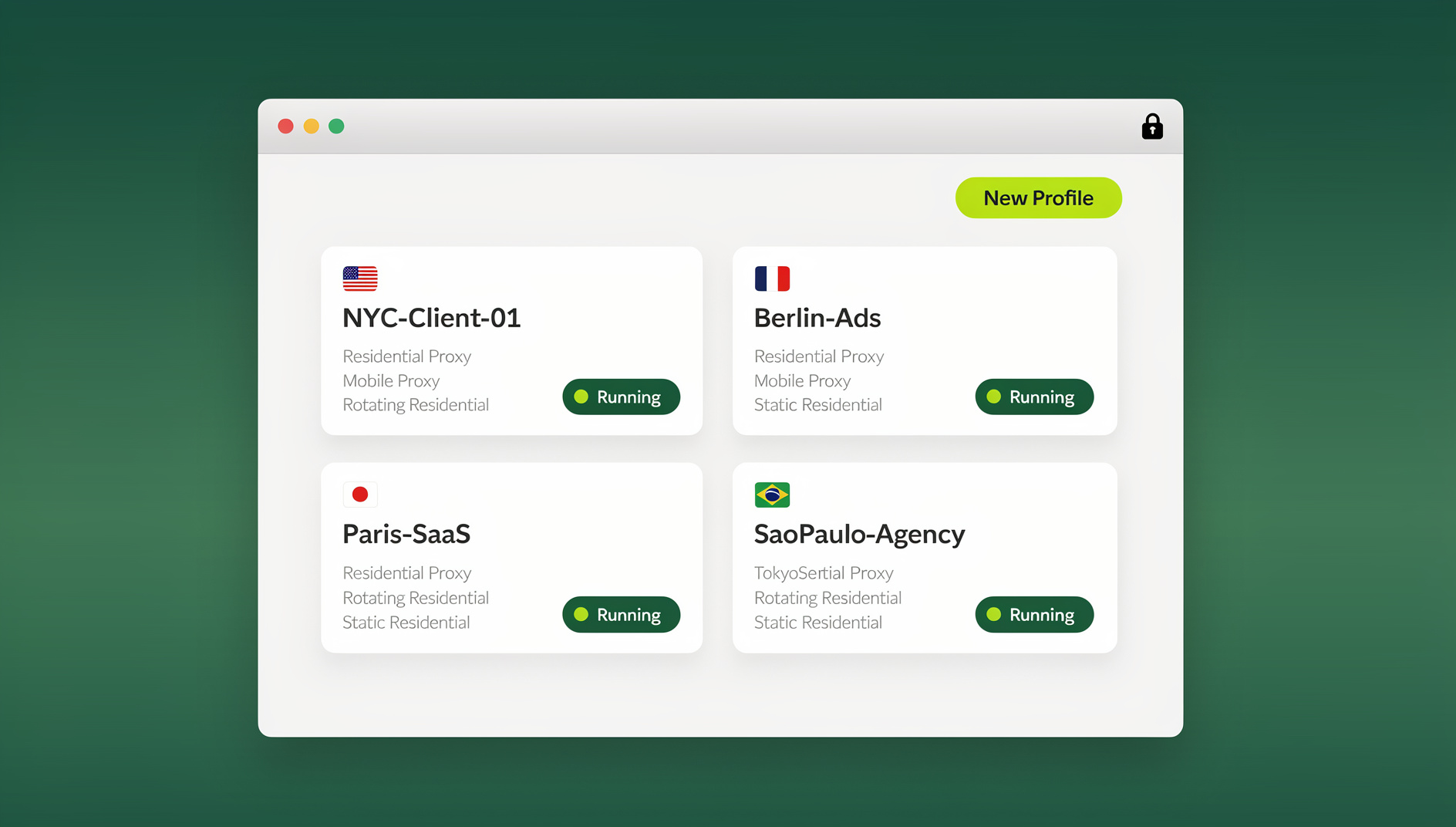
This guide breaks down exactly what ChatGPT is capable of today, the concrete benefits businesses are capturing, the risks that actually matter in 2026 (not the ones from outdated 2023 explainers), and the practical steps — including browser-level safeguards like Send.win — that let you use ChatGPT aggressively without the downside catching up with you.
What Is ChatGPT in 2026?
ChatGPT has moved well past its original “type a question, get an answer” format. By 2026, it functions as a multimodal, agentic assistant that can:
- Browse the live web and cite sources instead of relying purely on training data
- Read and generate images, audio, and documents, not just text
- Execute code and run multi-step tasks with limited human supervision (often called “agent mode”)
- Retain memory across sessions, building a persistent profile of a user’s preferences and prior work
- Integrate with business tools via plugins, APIs, and custom GPTs tailored to a company’s workflows
That expanded capability is exactly why the “risk and benefit” conversation has changed. A tool that only answered trivia questions carried low stakes. A tool that can read your customer database, draft outbound emails, and act semi-autonomously inside your browser carries real operational risk if it’s misconfigured, shared carelessly, or given more access than it should have.
Key Benefits of ChatGPT for Businesses and Individuals
The benefits are real, and they compound when ChatGPT is deployed properly across a team rather than used ad hoc by individuals.
1. Dramatic Efficiency Gains
ChatGPT collapses tasks that used to take hours into minutes: drafting first-pass customer replies, summarizing long documents, generating meeting notes, or producing a rough marketing brief. Support teams report first-response times dropping sharply when ChatGPT-assisted drafting is layered onto existing helpdesk software, because agents edit a generated draft instead of writing from a blank page.
2. Meaningful Cost Savings
Instead of hiring additional headcount for repetitive drafting, research, or tier-1 support work, teams use ChatGPT to absorb volume spikes. This doesn’t replace skilled staff outright, but it does let a lean team handle a larger workload without proportional cost increases.
3. Personalization at Scale
Where a static FAQ page treats every visitor identically, ChatGPT-powered assistants can tailor tone, depth, and recommendations to the specific question asked, which measurably improves conversion and satisfaction scores in customer-facing deployments.
4. Faster Research, Drafting, and Coding
Developers use ChatGPT to scaffold code, explain unfamiliar codebases, and catch bugs before code review. Marketers use it to produce first drafts of campaigns, ad copy, and SEO content. Analysts use it to summarize reports and extract insights from messy data. Across every one of these use cases, the human still edits and approves the output — but the first draft no longer starts from zero.
5. Always-On Availability
Unlike a human support team, ChatGPT-based assistants don’t need shifts, time zones, or breaks, which matters for global businesses serving customers around the clock.
| Benefit | Where It Shows Up | Typical Impact |
|---|---|---|
| Efficiency | Support tickets, internal documentation | Faster first response, shorter resolution time |
| Cost savings | Content production, tier-1 support | Lower cost per ticket / per asset produced |
| Personalization | Sales and customer-facing chat | Higher conversion, better CSAT scores |
| Faster drafting | Code, copy, research summaries | Reduced time-to-first-draft |
| 24/7 availability | Global support and multi-timezone teams | No coverage gaps |
The Real Risks of ChatGPT in 2026
The risks that matter in 2026 look different from the 2023 conversation about “chatbots sounding robotic.” The stakes are now operational, legal, and security-related.
1. Data Privacy and Confidential Information Leakage
The single most common enterprise risk is an employee pasting confidential material — customer PII, unreleased product plans, source code, contract terms — into a chat window that isn’t covered by an enterprise data agreement. Depending on the plan and settings, that data can be retained or used to improve models unless explicitly opted out. Every business using ChatGPT at scale needs a written policy on what can and cannot be pasted into it.
2. Shared-Account and Multi-Login Risk
Many teams still share a single ChatGPT login across multiple employees to save on seats — a habit inherited from the early “one Netflix password for the whole team” era. This creates two distinct problems: simultaneous-session conflicts that get accounts flagged or temporarily locked, and a total loss of audit trail, since there’s no way to tell which team member generated which output if something goes wrong. We’ve covered this exact failure mode in detail in our guide on sharing a ChatGPT account safely, including what OpenAI’s terms actually allow and the secure alternatives that don’t put your account at risk.
3. Hallucination and Overreliance
ChatGPT still generates plausible-sounding but incorrect information, particularly for niche technical facts, legal citations, and anything requiring precise up-to-the-minute figures. The 2026-specific risk isn’t that the model hallucinates — every LLM does — it’s that teams have grown comfortable enough with the tool to skip the verification step they used to apply religiously in 2023.
4. Prompt Injection and Automation Abuse
As ChatGPT gains browsing and agentic capabilities, it becomes a target for prompt injection: malicious instructions hidden in a webpage, document, or email that hijack the assistant’s next action. Businesses layering ChatGPT into automated workflows need to sandbox what the assistant can actually touch — file systems, payment tools, customer records — rather than granting broad access by default.
5. Detection, Bans, and Fingerprint-Based Flags
Because ChatGPT (like most large platforms) uses browser fingerprinting and device signals to detect suspicious login patterns, an account accessed from wildly different devices, IPs, and browser configurations in a short window can get flagged for review or locked outright, even when the usage itself was legitimate. Understanding what a browser fingerprint actually is and how it’s built from canvas, WebGL, fonts, and timezone data explains why a team logging into the same account from five different laptops looks suspicious to the platform, even when every login is authorized.
6. Skills Erosion and Job Displacement Concerns
This risk is less technical and more organizational: teams that lean too heavily on ChatGPT for drafting and analysis can see junior staff skip the reps needed to build independent judgment. The fix isn’t banning the tool — it’s using it as a first draft, not a final answer, and keeping humans accountable for the output.
| Risk | Why It Matters in 2026 | Mitigation |
|---|---|---|
| Data leakage | Confidential data pasted into chat can be retained | Written data policy, enterprise/team plan with opt-outs |
| Shared accounts | Flags, lockouts, no audit trail | Individual seats or isolated browser profiles per user |
| Hallucination | Comfort breeds skipped verification | Mandatory human review for factual/legal claims |
| Prompt injection | Agentic browsing expands attack surface | Sandbox what the assistant can access or execute |
| Fingerprint flags | Cross-device logins look like account abuse | Consistent, isolated browser fingerprints per account |
| Skills erosion | Junior staff skip independent reasoning | Treat output as a first draft, not a final answer |
Is ChatGPT Safe to Use in 2026?
Yes — with the same caveat that applied in 2023 and still applies today: safety depends entirely on how it’s configured and governed, not on the model itself. OpenAI has continued to build out enterprise-grade safeguards (data retention controls, admin consoles, audit logs on business plans), but those protections only work if a company actually turns them on and enforces them. An unmanaged, individually-purchased ChatGPT account shared informally across a team is meaningfully less safe than the exact same tool deployed under a business plan with proper access controls.
Best Practices for Safe ChatGPT Use in Teams
- Use business or team-tier plans rather than personal accounts, so data handling and admin controls actually apply.
- Write a one-page usage policy covering what data can never be pasted into a prompt (customer PII, credentials, unreleased financials, source code under NDA).
- Give every employee their own login instead of sharing one password across a team — this preserves an audit trail and avoids simultaneous-session lockouts.
- Isolate browser sessions per account so login patterns don’t look like credential sharing to the platform’s fraud detection.
- Review AI-generated output before it ships — treat every draft as unverified until a human checks facts, tone, and compliance.
- Restrict agentic/browsing permissions to only the systems that genuinely need automation, and audit what those integrations can touch.
How Businesses Manage Multiple ChatGPT Accounts Safely
A pattern we see constantly in 2026: agencies, dev shops, and multi-brand companies need more than one ChatGPT account — one per client, one per brand voice, one for internal testing versus production. Running all of them from a single browser profile is exactly what triggers the fingerprint-based flags covered above, because every account inherits the same cookies, device signals, and IP history.
This is where a multi-login browser earns its keep. Send.win gives every ChatGPT (or any other) account its own isolated browser profile — a unique fingerprint, its own cookie jar, and optionally its own proxy — so five accounts look like five genuinely separate users instead of one person juggling tabs. Each profile also gets true session isolation, so a login issue or flag on one client’s account never bleeds into another.
For teams that need to hand a ChatGPT-adjacent workflow to a client or contractor without sharing the actual password, Send.win’s profile-sharing feature sends secure access to a teammate — they get to use the session, never the credentials. And for QA teams testing how an AI-powered chat widget behaves across accounts, regions, or browser conditions, Send.win’s isolated, fingerprinted profiles let those tests run against separate profiles instead of one shared testing account.
None of this requires giving up the desktop workflow teams are used to, either — Send.win ships a native Desktop app for Windows, macOS, and Linux, so switching between five ChatGPT-powered client accounts is a click between profiles inside one application, not five separate browser installs or five sets of saved passwords in a spreadsheet.
ChatGPT vs. Other AI Assistants: A Quick Comparison
Part of managing risk well is knowing when ChatGPT is the right tool versus when a competing model fits better. This isn’t a “which is best” ranking — it’s a practical map of trade-offs.
| Assistant | Strongest For | Watch Out For |
|---|---|---|
| ChatGPT | General-purpose drafting, coding, agentic browsing, huge plugin ecosystem | Data retention defaults vary by plan; verify settings |
| Claude | Long-document analysis, careful reasoning, safety-conscious output | Smaller plugin/integration ecosystem than ChatGPT |
| Gemini | Deep integration with Google Workspace and Search | Ties usage closely to a Google account and its data |
| Open-source / self-hosted models | Full data control, no third-party retention at all | Requires infrastructure and ongoing maintenance |
Most mature teams end up running more than one of these in parallel — which only reinforces the account-isolation problem above. If your team is testing ChatGPT against Claude or Gemini side by side, you’re back to needing multiple logins per platform managed without cross-contamination, which is precisely the use case anonymous, isolated browsing profiles solve.
A Simple ChatGPT Governance Checklist for 2026
- Confirm which plan you’re on and whether chat data is used for training by default
- Document a one-page “never paste this” list for employees
- Assign individual logins, never one shared password per team
- Separate browser profiles for personal, client, and internal-testing accounts
- Log and review any agentic/browsing permissions granted to the assistant
- Re-verify outputs used in anything customer-facing, legal, or financial
- Revisit the policy quarterly — the product changes fast enough that a 2025 policy is already stale
🏆 Send.win Verdict
ChatGPT’s benefits in 2026 are real, but most of its risk isn’t in the model — it’s in how accounts get shared, logged into, and automated. Send.win removes the messiest part of that equation: every ChatGPT account (client, brand, or test) gets its own isolated fingerprint and cookie jar, so multi-account teams keep their sessions separate and organised. Add the native Desktop app for day-to-day account switching, and you’ve got the infrastructure to scale ChatGPT usage across a whole team without the shared-password chaos.
Try Send.win today — plans start at $19/mo, the first card purchase is covered by a 7-day money-back guarantee, and you can see how isolated profiles keep every AI account exactly where it belongs.
Frequently Asked Questions
Is ChatGPT safe to use for business data in 2026?
It can be, but safety depends on the plan and settings, not the model alone. Business and team plans typically include data-retention controls and admin oversight that personal accounts don’t, so always confirm your plan’s data policy before sharing sensitive information.
What is the biggest risk of using ChatGPT in a company?
The most common real-world risk isn’t the AI’s answers — it’s employees pasting confidential data into an unmanaged chat window, or teams sharing one login across many people and losing any audit trail of who generated what.
Can multiple employees share one ChatGPT account?
Technically yes, but it’s risky: simultaneous logins from different devices and locations can trigger account flags or lockouts, and there’s no way to trace which output came from which employee. Individual logins, or isolated browser profiles per user, are the safer approach.
Does ChatGPT use my conversations to train its models?
It depends on the plan and your settings — some tiers retain chat history for training by default unless you opt out, while business/enterprise tiers generally exclude prompts from training. Always check the current data controls in your account settings rather than assuming.
Why would my ChatGPT account get flagged or restricted?
Platforms use browser fingerprinting and login-pattern analysis to catch account abuse. Logging into the same account from many different devices, IPs, and browser configurations in a short window can resemble credential sharing even when it’s a single legitimate user, which is why consistent, isolated browser profiles help.
How can a browser tool like Send.win reduce ChatGPT risk?
By giving each ChatGPT account its own isolated browser fingerprint, cookies, and optional proxy, Send.win prevents multiple legitimate accounts from looking like one person cycling through logins — which is the pattern that usually triggers platform-side fraud flags on shared or multi-client setups.
Is it better to use ChatGPT’s agentic/browsing features for business tasks?
They’re powerful but expand your attack surface through prompt injection risk. Restrict agentic permissions to only the systems that genuinely need automation, and audit what those integrations can access before turning them on broadly.
Should businesses ban ChatGPT to avoid the risk entirely?
Rarely a good idea — banning it usually just pushes employees toward unmanaged personal accounts with zero oversight, which is worse. A written usage policy, individual logins, and isolated account management typically capture the benefits while containing the actual risk.