The Case for a Dedicated Multiple Account Manager
Yes — if you run more than two or three accounts on any platform that bans linked profiles (Facebook, Amazon, eBay, TikTok), a multiple account manager is not optional, it is insurance. The right tool isolates each account’s browser fingerprint, cookies, and IP address so platforms see independent users instead of one person running a network. Chrome profiles and password managers help you switch faster, but only dedicated multi-account software — isolated browser profiles running locally or in the cloud — actually prevents the cross-account bans that shut down businesses overnight.
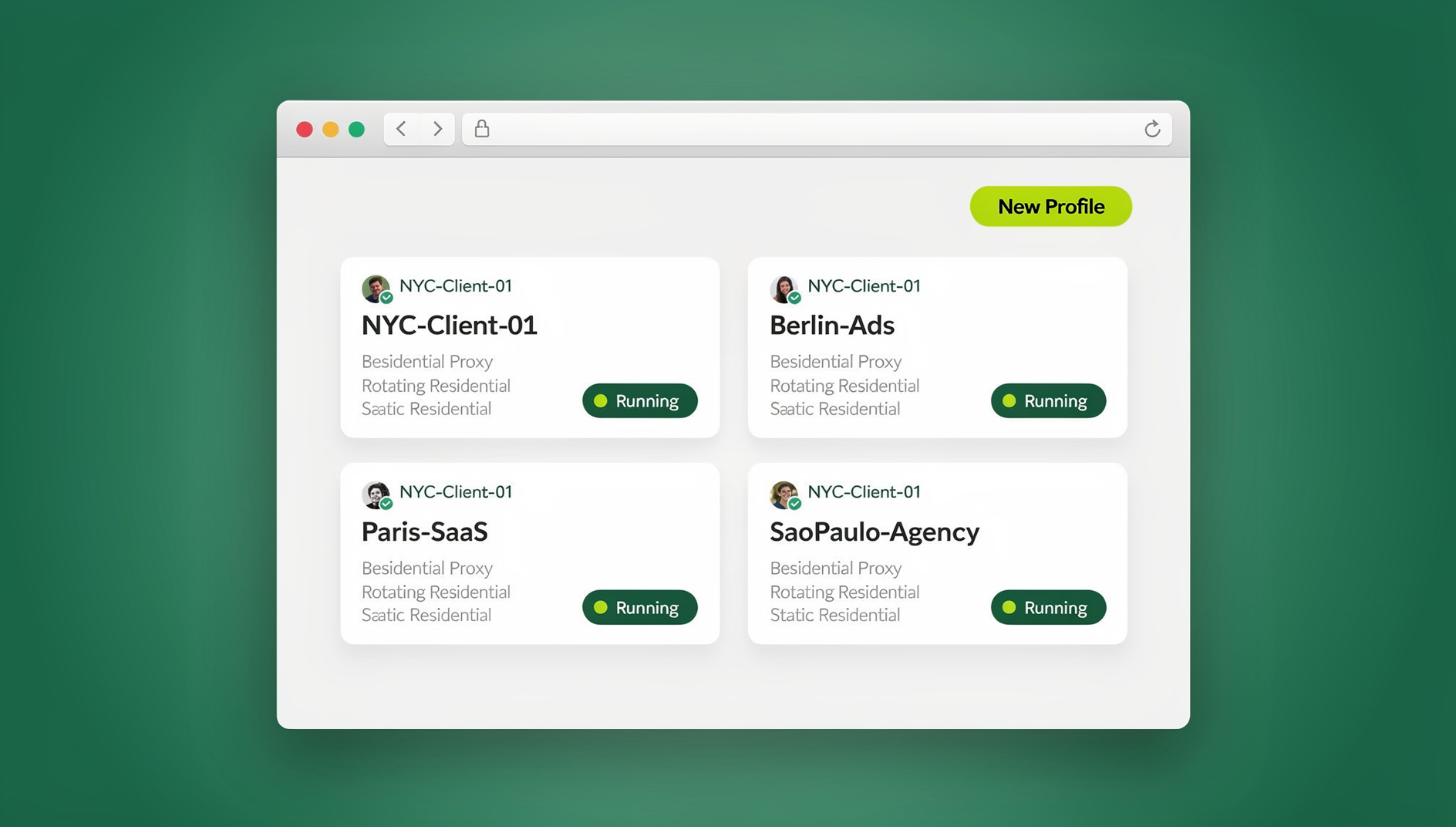
What Counts as a Multiple Account Manager
A multiple account manager is any tool built to let you operate several online accounts at once without constant logins and without one account’s ban spreading to the rest. Social media marketers juggling twenty client profiles, e-commerce sellers running multiple storefronts, and affiliates splitting ad spend across accounts all rely on some version of this category.
The problem is not convenience — it is survival. Facebook, Instagram, Amazon, and eBay actively look for signals that one person controls multiple accounts from the same device. When their systems detect a shared canvas fingerprint, shared cookies, or a shared IP address, they link every connected account and suspend all of them together. A real multiple account manager stops this by giving each identity its own isolated environment instead of a shared one.
Why DIY Solutions Break Down at Scale
Before comparing dedicated tools, it helps to understand exactly why the free, improvised options fail once you pass a handful of accounts.
The Chrome Profile Trap
Most people start by creating a separate Chrome profile per account. This keeps cookies and bookmarks apart, but it solves neither of the two problems that actually get accounts banned:
- One shared IP address: every Chrome profile still routes through the same home or office internet connection, so a platform sees fifteen “different” accounts logging in from one residential IP.
- One identical hardware fingerprint: your browser fingerprint — canvas hash, WebGL renderer, screen resolution, installed fonts, timezone — stays the same across every profile on the same machine. Anti-fraud systems on Amazon and Meta are specifically built to catch this.
The VPN Misconception
A VPN fixes the IP problem and immediately creates two new ones. Most consumer VPNs route through datacenter IP ranges that Amazon, Meta, and payment processors already flag as high-risk. VPNs also do nothing for fingerprint isolation — your canvas and WebGL signatures pass straight through. And if you forget to rotate servers between accounts, you have just linked two “separate” accounts to the exact same VPN exit node.
The Three Real Categories of Multi-Account Tools
1. Social Scheduling Platforms
Hootsuite, Buffer, Later, and Sprout Social queue posts across multiple social accounts from a single dashboard.
Best for: content calendars, publishing, and basic analytics.
Limitations: these tools work through official platform APIs, so they cannot browse feeds, join groups, reply to Stories, or manage ad accounts natively. Any hands-on engagement work still needs a real browser session.
2. Password Managers with Multi-Vault Support
1Password, Bitwarden, and similar tools store credentials for hundreds of logins and speed up switching between them.
Best for: organizing and autofilling credentials quickly.
Limitations: a password manager gets you logged in faster, but it does nothing to separate your browsing environment. You remain fully exposed to fingerprint-based linking and IP correlation.
3. Isolated Browser Profiles
This is the category built specifically to solve the ban problem. Send.win and comparable tools create genuinely separate browser environments for every account — either through Sendwin Browser, a native desktop app you install on Windows, macOS, or Linux, or through cloud browser sessions that run entirely in the cloud with no local install at all.
Best for: anyone managing five or more accounts on platforms with aggressive anti-fraud systems (Facebook, Amazon, eBay, TikTok, Google).
Why this category wins:
- Each profile gets its own unique, spoofed browser fingerprint.
- Cookies, cache, and local storage stay fully isolated per profile — real session isolation, not just separate tabs.
- You can assign a dedicated residential proxy to each profile for IP separation.
- Sessions persist, so you log in once and stay logged in.
Sendwin Browser vs. Cloud Browser Sessions
Send.win offers two genuinely different ways to run isolated profiles, and picking the right one for a given account matters more than most guides admit.
- Sendwin Browser (native desktop app): installed locally on Windows, macOS, or Linux. This is the primary way most individual operators and small teams run their day-to-day profiles.
- Cloud browser sessions: run entirely in the cloud with no local install at all, metered by monthly cloud browsing time rather than a flat seat fee. This mode fits agencies handing off access to freelancers on locked-down work laptops, or anyone who needs to reach a profile from a device where installing software isn’t an option.
Most agencies end up using both: Sendwin Browser for the core team’s daily accounts, and cloud sessions for the accounts they need to share out to contractors or clients without ever exposing the underlying credentials.
Feature Comparison
Here is how the three categories stack up on the dimensions that actually determine whether your accounts survive:
| Feature | Social Schedulers | Password Managers | Isolated Browser Profiles (Send.win) |
|---|---|---|---|
| Fingerprint isolation | No | No | Yes |
| Per-profile proxy assignment | N/A (API-based) | No | Yes |
| Cookie/storage isolation | N/A | No | Yes |
| Persistent sessions | N/A | No | Yes |
| Native browser access | No (API only) | Yes | Yes |
| Team session sharing | Yes | Yes (passwords only) | Yes (live sessions, no passwords) |
| Content scheduling | Yes | No | No (pair with a scheduler) |
Use Case: Social Media Agencies
An agency running thirty client Instagram accounts needs both layers working together. A scheduler like Later queues Reels and feed posts through the official API, while isolated browser profiles handle the native work a scheduler cannot touch — replying to DMs, engaging with Stories, moderating comments — without tripping Instagram’s action-block detection.
Use Case: E-Commerce Sellers
Running multiple Amazon seller accounts is one of the single most common reasons people search for a multiple account manager. Amazon’s Seller Performance team aggressively links accounts that share a fingerprint, cookies, or an IP address, and getting caught almost always means a permanent suspension with no realistic appeal path.
A properly isolated setup gives each storefront its own profile, its own fingerprint, and its own proxy, so Amazon’s systems see two genuinely independent sellers rather than one operator running two stores.
Use Case: Affiliate Marketers
Affiliates commonly run multiple ad accounts to test creative, split budgets, and avoid a single point of failure. If one Facebook ad account gets restricted, a properly isolated backup account — its own profile, its own proxy — means campaigns keep running instead of stalling for days while support tickets sit unanswered.
How to Migrate From Chrome Profiles to Isolated Profiles
Switching from a shared browser to genuinely isolated profiles is a one-afternoon project, not a rebuild. The migration generally follows the same five steps regardless of which platforms you manage:
- Audit your current accounts. List every account, the platform it lives on, and which ones have ever shared a browser, IP, or device with another account in the list. This tells you which accounts are already at risk of being linked.
- Create one isolated profile per account. Each profile gets its own fingerprint automatically — you do not need to configure canvas or WebGL values by hand.
- Assign a dedicated proxy to high-risk accounts first. Start with whichever accounts sit on platforms that ban aggressively (Amazon, Facebook, eBay) rather than trying to convert everything on day one.
- Log in fresh inside each profile. Do not copy cookies over from your old browser — a copied cookie can still carry linking signals. A clean login inside the new isolated profile is what actually breaks the connection to your old shared environment.
- Retire the old shared browser for account work. Keep using it for your own personal browsing if you like, but stop logging any managed account into it going forward.
Agencies migrating fifteen or more client accounts typically stagger this over a week, prioritizing whichever clients have the most to lose from a ban, rather than trying to convert every account in a single sitting.
Security Best Practices
1. Enable 2FA on Every Account
Two-factor authentication is the foundation of multi-account security. Use an authenticator app (Google Authenticator, Authy) instead of SMS codes, which remain vulnerable to SIM-swap attacks.
2. Use Residential Proxies, Not Datacenter
Datacenter proxies are cheap and easy to detect. For platforms with serious anti-fraud systems — Facebook, Amazon, Google — residential proxies that mimic a real home connection are worth the extra cost.
3. Warm Up New Accounts
A freshly created account inside an isolated profile should not immediately run high-volume actions. Ramp activity up gradually over one to two weeks so the account builds a natural behavioral pattern before you push it hard.
4. Share Sessions, Not Passwords
Never hand raw passwords to a team member. Session-sharing features let a teammate use an account without ever seeing the credentials, and it also stops them from accidentally logging in from a personal device and contaminating a carefully isolated profile.
🏆 Send.win Verdict
If you are managing five or more accounts on platforms that ban aggressively, Chrome profiles and password managers will eventually fail you — they don’t touch fingerprinting or IP correlation. Send.win gives every profile its own fingerprint and its own proxy slot, available through the native Sendwin Browser desktop app or through cloud browser sessions when you’d rather not install anything locally. Paid plans start at Pro $19/mo or $83.88/yr, and the first card purchase is covered by a 7-day money-back guarantee. You can also try the free cloud demo at https://send.win/demo-browser/ before committing.
Try Send.win free today — set up your first isolated profile in minutes.
Frequently Asked Questions
Is it legal to manage multiple accounts?
Yes, managing multiple accounts is legal. Specific platforms — Amazon and eBay in particular — prohibit one person from controlling multiple accounts under their own Terms of Service, so the risk is contractual, not criminal. What matters legally is how the accounts are used, not the fact that more than one exists.
What is the best free multiple account manager?
Firefox Multi-Account Containers is the strongest free option for basic cookie isolation. It does not spoof fingerprints or assign proxies, though, so it is not enough on its own for platforms running aggressive anti-fraud detection like Amazon or Meta.
How many accounts can I manage with Send.win?
Send.win does not cap the number of browser profiles you can create. Your plan determines how many concurrent sessions and how much cloud browsing time you get, but the number of isolated profiles themselves is unlimited.
Does Send.win work as a browser extension?
No. Send.win runs as the native Sendwin Browser desktop app, or as a cloud browser session you access with no local install at all. It is not a Chrome, Firefox, or Edge extension.
Do I need a different proxy for every single account?
For high-risk platforms like Amazon, eBay, and Facebook, yes — one dedicated residential proxy per account is the safer default. For lower-risk platforms such as LinkedIn or Pinterest, sharing a proxy across two or three geographically close accounts is generally tolerated.
Can I use a multiple account manager for a small team?
Yes. Session-sharing features let you grant a teammate access to a specific account without handing over the password, and the Team plan adds seats and higher proxy bandwidth for agencies coordinating several people across many client accounts.
What happens if I get caught running linked accounts without isolation?
Consequences range from a single account suspension to a full network ban across every account the platform can trace back to the same fingerprint or IP. Amazon and eBay in particular treat this as grounds for permanent suspension with limited appeal options.
Conclusion
The right multiple account manager depends on scale and risk tolerance. Someone juggling two or three low-stakes accounts can get by with Chrome profiles. Anyone managing ten or more accounts on ban-heavy platforms needs genuine browser isolation — separate cookies, storage, and fingerprint per profile, dedicated proxies, and persistent sessions — which is exactly what Send.win is built to provide.