Yes, you can have multiple Amazon accounts, but only if you meet Amazon’s narrow criteria for a second Seller Central account or you keep every account completely isolated from the others at the browser, network, and business-entity level. Sellers who skip the isolation step get all linked accounts suspended together, funds frozen, and inventory stranded in FBA warehouses — so the technical setup matters as much as the paperwork.
This guide walks through Amazon’s actual multiple-account policy, how its detection systems link accounts behind the scenes, and the step-by-step process — legal structure, browser isolation, and a proper warm-up schedule — for running more than one Amazon account without losing any of them.
Can You Have Multiple Amazon Accounts?
Amazon’s Seller Account policy is direct about this:
“Sellers may only maintain one Seller Central account for each region in which they sell unless you have a legitimate business need to open a second account and all of your accounts are in good standing.”
That single sentence is the whole rulebook. It means multiple accounts are allowed, but only under specific, provable circumstances — and only if none of your existing accounts has a policy strike against it. Sellers who open a second account “just in case” or to test a new niche without a qualifying reason are the ones who get caught in sweeps.
Legitimate Reasons for Multiple Accounts
Amazon will approve — or at least tolerate — a second seller account for these situations:
- Separate business entities – Different LLCs or corporations selling genuinely distinct product lines
- Brand separation – Two brands that shouldn’t be publicly associated with each other
- Acquired businesses – You bought an existing Amazon storefront and want to keep it running under its own account
- Different marketplaces – Selling into separate geographic regions that Amazon treats as distinct storefronts
- Business partnerships – Joint ventures that require independent bookkeeping and reporting
None of these reasons protect you automatically. Amazon still expects each account to look, technically and financially, like it belongs to a different operator — which is where most sellers get tripped up.
How Amazon Detects Multiple Accounts
Amazon’s fraud and account-linking systems cross-reference dozens of signals every time you log in:
- Browser fingerprinting – Canvas, WebGL, audio, and hardware signatures unique to your device
- IP address tracking – The same IP showing up across “unrelated” accounts
- Cookies and session data – Shared local storage, cache, or session tokens
- Bank and card information – Identical bank accounts, routing numbers, or credit cards on file
- Tax information – Matching SSNs, EINs, or registered business addresses
- Product listings – Duplicate photos, descriptions, or pricing patterns lifted between stores
- Fulfillment details – Shared FBA warehouses or identical shipping origins
- Behavioral patterns – Login times, click patterns, and session length that match too closely
Any one of these on its own might not flag an account. Several of them lining up at once almost always does.
Consequences of Account Linking
When Amazon’s systems connect two or more accounts without an approved reason on file, the fallout hits every account at once:
- Immediate suspension of all connected accounts, not just the newest one
- Funds held for 90+ days, and in some cases indefinitely
- Inventory stranded in FBA warehouses with no easy way to retrieve it
- Permanent revocation of selling privileges
- Your personal information blacklisted against future account creation
- Appeals that take months and rarely succeed once linking is confirmed
This is why the technical side of running multiple Amazon accounts deserves at least as much attention as the legal side.
Complete Strategy for Multiple Amazon Accounts
Step 1: Legal Business Structure
Start with genuinely separate business entities, not just separate logins:
- Separate LLCs – Form a distinct LLC for each Amazon account
- Unique EINs – Every LLC needs its own Employer Identification Number
- Distinct business addresses – Use different registered agent services rather than one shared address
- Separate banking – Open an independent business checking account for each entity
Step 2: Technical Isolation
This is the step most guides gloss over, and it’s the one Amazon’s systems actually check first.
Browser fingerprint isolation:
- Give each account its own browser profile with a unique, consistent fingerprint
- Randomize canvas, WebGL, audio, and font signatures per profile
- Keep the fingerprint stable across sessions — random-every-visit fingerprints look more suspicious than a real device, not less
Cookie and session isolation:
- Fully separate browser profiles with no shared cookies
- Independent local storage and cache per account
- No logging into a second account from the same browser window, even in a private tab
IP address separation:
- A dedicated residential proxy per account
- Sticky sessions so the same account always exits through the same IP
- Geographic matching between the proxy location and the registered business address
- Clean IPs that have never touched Amazon before
Step 3: Unique Registration Information
Every account needs entirely separate:
- Email addresses – Different providers, never reused or forwarded between accounts
- Phone numbers – Separate lines or dedicated VoIP numbers
- Payment cards – Different card numbers (virtual cards work well here)
- Bank accounts – Independent business checking accounts, one per entity
- Business details – Different LLC names, EINs, and registered addresses
Step 4: Operational Separation
Keep the day-to-day running of each account distinct too:
- Different product categories or niches per account
- Original product photos and descriptions — never copy-pasted between stores
- Independent pricing strategies rather than mirrored discounts
- Separate supplier relationships where feasible
- Different FBA inventory locations when possible
- Distinct customer-service tone and response patterns
How Send.win Keeps Multiple Amazon Accounts Isolated
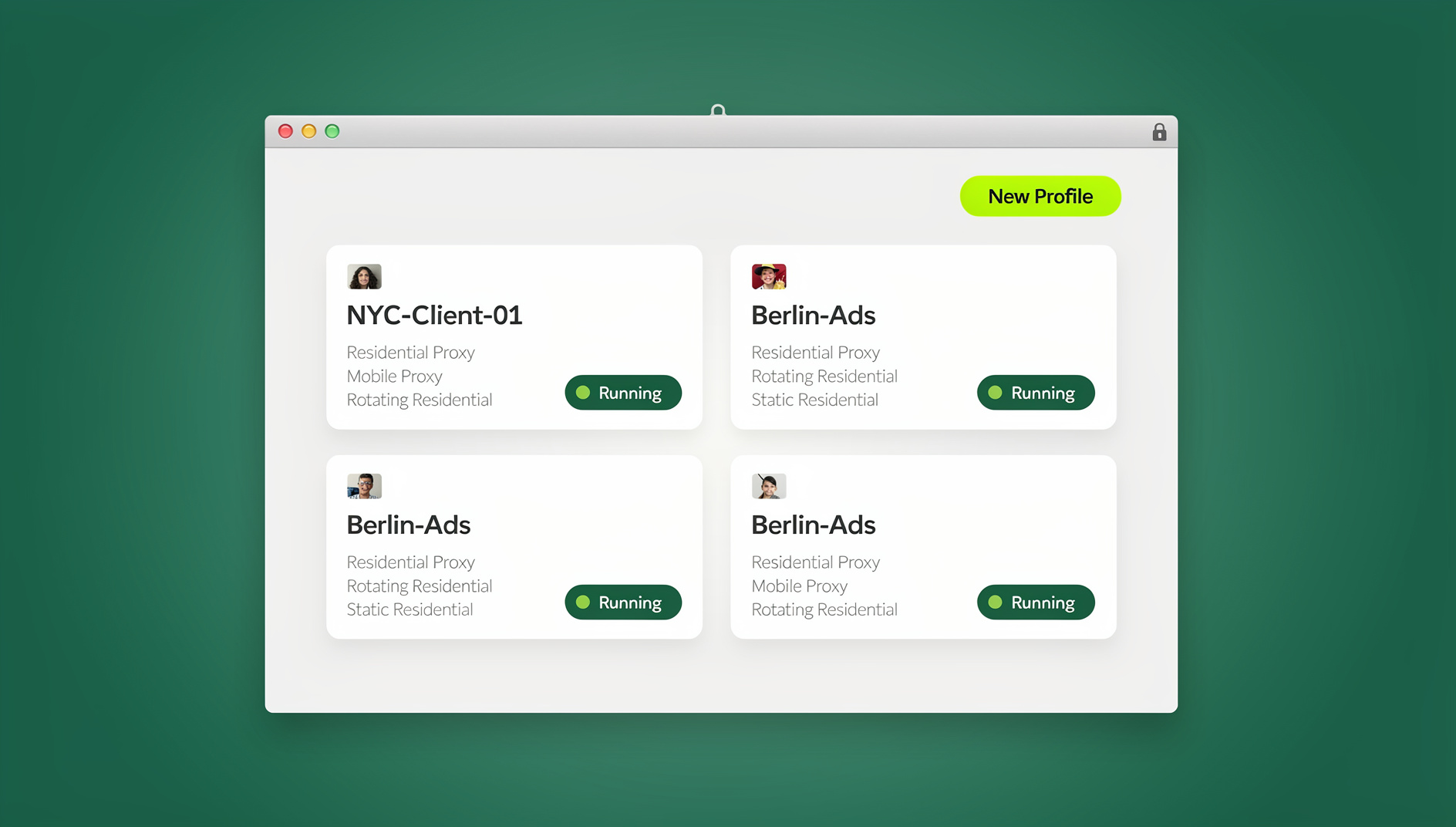
Technical isolation is the part of this playbook that’s hardest to do manually, and it’s exactly what Send.win is built for. Instead of juggling multiple physical computers or fighting with browser profiles that leak data between tabs, Send.win gives every Amazon account its own genuinely separate environment.
Send.win works in two modes, and sellers typically use both depending on the account:
- Sendwin Browser – a native desktop app for Windows, macOS, and Linux. It’s local-first, so your Amazon sessions run on your own machine with your own residential proxy, and profiles sync through encrypted cloud backup so you never lose a warmed-up account to a crashed hard drive.
- Cloud browser sessions – if you’d rather not install anything, or you’re managing accounts from a shared or low-powered device, Send.win can run the entire browser session in the cloud with zero local footprint, metered by cloud browsing time.
Each Amazon profile — whether local or cloud — gets its own canvas, WebGL, audio, and font fingerprint, its own cookie jar, and its own proxy assignment, so nothing about one account is visible to another. For sellers who want to automate parts of the warm-up process (like scheduled browsing sessions or listing checks), Send.win’s Automation API lets you drive the desktop app with Selenium, Puppeteer, or Playwright starting on the Pro plan — the automation runs against your real, isolated browser profile rather than a shared headless instance, which keeps the fingerprint consistent instead of resetting it every run.
If you’re already running multiple Etsy accounts or multiple Shopify stores alongside Amazon, the same profiles handle all of them — you don’t need a separate tool per marketplace. And because isolation is the entire point of the product, it fits directly into the broader playbook for multi-account management for e-commerce sellers who are trying to scale without tripping ban systems.
Send.win vs Desktop Antidetect Browsers for Amazon Sellers
| Feature | Desktop Antidetect Browsers | Send.win |
|---|---|---|
| Setup per profile | 30-60 minutes of manual configuration | Under a minute |
| Proxy integration | Manual entry per profile | One-click assignment with sticky sessions |
| Where it runs | Single computer only | Native desktop app (Windows/macOS/Linux) or fully cloud-based sessions |
| Automation | Varies by vendor, often extra cost | Selenium/Puppeteer/Playwright Automation API from the Pro plan |
| Team access | Usually single-seat licensing | 16 seats on the Team plan, share profiles without sharing passwords |
| Pricing | $99-$399/month, commonly annual-only | 30-day free trial, then $9.99/mo (Pro) or $29.99/mo (Team), no credit card to start |
The Pro plan covers 150 profiles and 5GB of proxy bandwidth — enough for most sellers running a handful of Amazon storefronts. Larger operations running dozens of accounts and multiple team members typically move to the Team plan, which adds 500 profiles, 20GB of bandwidth, and 16 seats for VAs or partners.
Amazon Account Warm-Up Protocol
New accounts need a gradual ramp-up. Amazon’s fraud detection is tuned to flag accounts that go from zero activity to full-scale selling overnight.
Week 1-2: Preparation
- Set up the browser profile with a unique, stable fingerprint before touching Seller Central
- Browse Amazon as a buyer first — don’t log into Seller Central on day one
- Make a few small purchases to build ordinary account history
- Complete every verification step carefully; rushed verification is a common rejection trigger
Week 3-4: Initial Listings
- List 5-10 low-risk products to start
- Use FBA where possible — it adds credibility to a new account
- Price competitively without going suspiciously low
- Respond to buyer messages quickly during this window
Month 2-3: Scaling
- Increase listing count gradually rather than in one large batch
- Keep shipping, review, and response metrics as clean as possible
- Expand into new categories carefully, one at a time
- Check the account health dashboard daily during the ramp-up period
Common Mistakes to Avoid
1. Using Personal Devices or Incognito Mode
Logging into a second Amazon account from your everyday browser — even in a private/incognito tab — still exposes the same device fingerprint. Incognito hides history locally; it does nothing to hide canvas or WebGL signatures from Amazon’s servers. Always use a genuinely isolated profile instead.
2. Sharing Wi-Fi Networks
Two accounts logging in from the same home or office IP get linked almost instantly. Each account needs its own dedicated residential proxy, not just a different device on the same router.
3. Reusing Product Listings
Identical photos, descriptions, or bullet points across stores are an easy pattern match for Amazon’s systems. Write unique content for every account, even when the products are similar.
4. Linked Payment Methods
Sharing a credit card, bank account, or PayPal balance between two accounts is the single most common way sellers get linked. Keep financial separation absolute, down to the virtual card number.
5. Rushing the Warm-Up
Listing hundreds of products the day an account is approved is a classic fraud-detection trigger. Scale gradually over weeks, not days — see the warm-up protocol above.
🏆 Send.win Verdict
Running multiple Amazon accounts safely comes down to two things: a legitimate business reason on paper, and technical isolation that holds up under Amazon’s fingerprinting and IP checks. Send.win handles the second half — unique fingerprints, one-click residential proxies, and sticky sessions per account, whether you run the native desktop app or a fully cloud-based session — so your legal separation actually translates into technical separation Amazon can’t link.
Try Send.win free today — start your 30-day trial, no credit card required, and warm up your next Amazon account the right way.
Frequently Asked Questions
Is having multiple Amazon accounts legal?
Yes. It’s legal in the general sense — there’s no law against it. It does, however, violate Amazon’s Terms of Service unless you have a qualifying business reason and Amazon has approved it. The real risk is account termination, not legal prosecution.
How long before Amazon detects linked accounts?
It can happen immediately at registration or surface months later during a routine review. Amazon’s detection runs continuously in the background, which is why isolation has to be correct from the very first login, not added after the fact.
Can I transfer products between accounts?
Moving ASINs or brand registry between accounts that Amazon might already suspect are related can itself trigger a linking review. If a transfer is unavoidable, treat it as one-way and close the old account permanently afterward.
What happens if one account gets suspended?
With proper isolation, a suspension on one account shouldn’t touch the others. If Amazon has already linked them, though, all connected accounts go down together — which is exactly what a suspended Amazon account recovery case usually confirms after the fact. Strict separation from day one is the only real protection.
Do I need residential proxies for Amazon?
Yes. Datacenter proxies are flagged frequently and are not worth the risk. Every account needs its own dedicated residential IP that matches the geographic location on file for that business.
How many Amazon accounts can one seller run?
There’s no fixed number in Amazon’s policy — what matters is whether each additional account has a documented, legitimate business reason and passes technical isolation. Sellers scaling past two or three accounts usually need a tool built for managing dozens of isolated profiles rather than juggling separate physical devices.
Does a VPN work instead of a residential proxy?
Not reliably. Most consumer VPN IP ranges are already known to Amazon and shared across thousands of unrelated users, which increases the chance of a false-positive link or an IP-based block. A dedicated residential proxy with a sticky session is the safer choice for seller accounts.
Is it worth doing this without a browser isolation tool?
Technically, yes — you can configure isolation manually with separate physical devices, dedicated proxies, and careful discipline about credentials. In practice, most sellers find that a dedicated multi-profile tool is far cheaper than the time it takes to replicate the same isolation by hand, and far cheaper than losing an account to a linking mistake.
Conclusion
Running multiple Amazon accounts safely is entirely possible, but it takes two layers working together: a genuine legal reason for the second account, and technical isolation thorough enough that Amazon’s detection systems never connect the dots. Skimping on either one puts every account you have at risk, not just the newest one.
The investment in proper tooling — a browser isolation platform like Send.win, paired with quality residential proxies — is small compared to the cost of losing an established seller account with real order history and reviews behind it. Start with the legal structure, isolate the technical layer from the very first login, and follow a slow, deliberate warm-up for every new account you bring online.