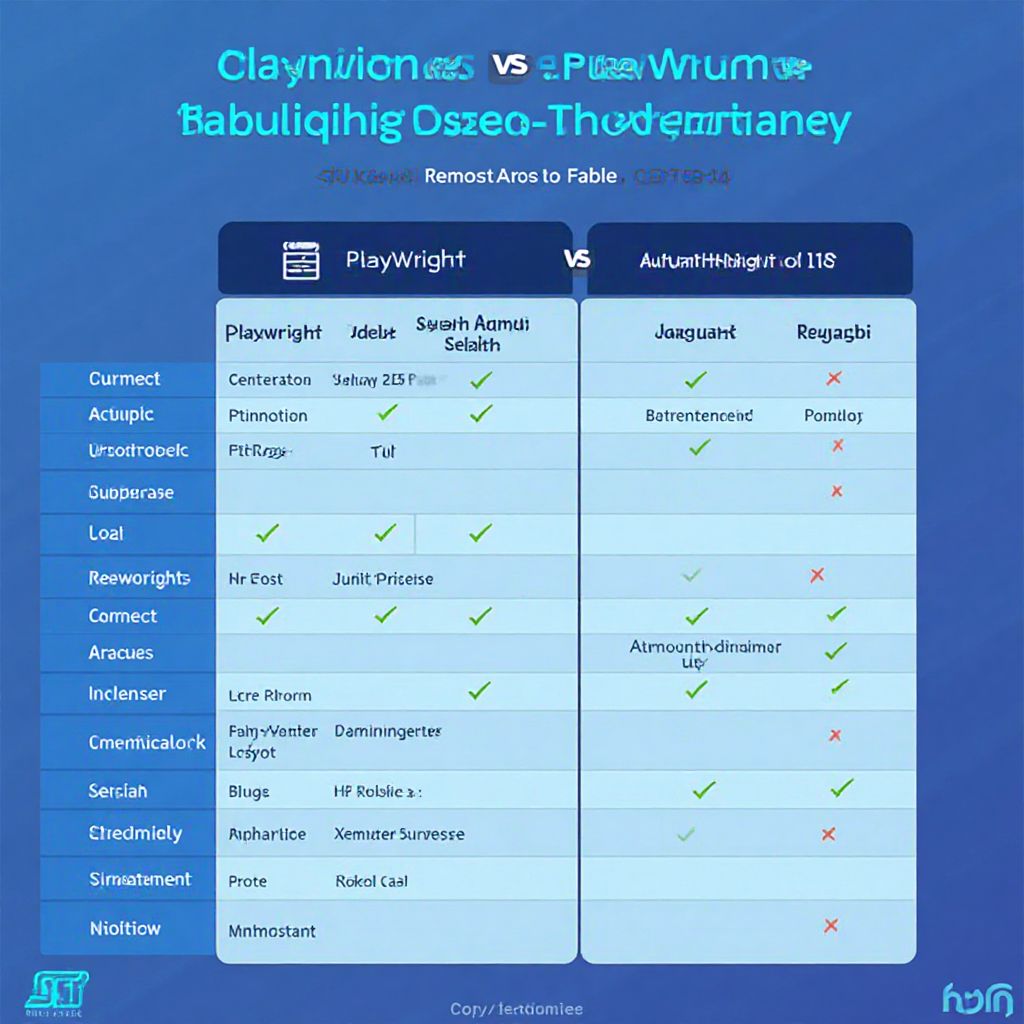
Playwright vs Selenium Stealth Detection: Which Framework Actually Evades Anti-Bot Systems?
The battle of Playwright vs Selenium stealth detection has become one of the most debated topics among web scraping engineers, QA automation specialists, and multi-account managers in 2026. Both frameworks power millions of automated browser sessions daily, but their ability to evade increasingly sophisticated anti-bot systems varies dramatically. Whether you are scraping competitive intelligence, running automated tests behind authentication walls, or managing multiple accounts, choosing the right framework — and understanding its stealth limitations — can make or break your operation.
In this comprehensive guide, we will dissect how modern detection systems identify Playwright and Selenium, evaluate every major stealth plugin and patch available, compare fingerprint evasion capabilities side by side, and explain why purpose-built cloud antidetect browsers ultimately outperform both frameworks when stealth is the priority.
How Anti-Bot Systems Detect Automation Frameworks
Before comparing Playwright and Selenium stealth capabilities, you need to understand what you are up against. Modern anti-bot platforms like Cloudflare Turnstile, DataDome, PerimeterX (now HUMAN Security), Kasada, and Akamai Bot Manager employ multiple detection layers that work in concert.
JavaScript Environment Fingerprinting
Detection scripts probe the browser’s JavaScript environment for automation artifacts. Both Playwright and Selenium inject objects and modify prototypes in ways that differ from genuine user browsers. Selenium, for example, sets navigator.webdriver to true and exposes a $cdc_ (ChromeDriver) variable on the document object. Playwright modifies the navigator object and creates utility domains that leave detectable traces in window.__playwright or equivalent internal bindings.
WebDriver Protocol Leaks
The WebDriver protocol itself creates artifacts. Selenium communicates with browsers through ChromeDriver or GeckoDriver, which open debugging ports and modify browser launch flags. Playwright uses the Chrome DevTools Protocol (CDP) for Chromium, which also leaves distinctive traces in the browser’s internal state. Detection systems query these artifacts through clever JavaScript probes.
Browser Fingerprint Inconsistencies
Automated browsers often have mismatched fingerprints. Screen resolution might not match the viewport. Font lists may be shorter than expected. WebGL renderer strings might indicate a headless GPU. Canvas fingerprints can differ from expected patterns. For a deeper understanding of how these signals combine, our guide on browser fingerprint explained covers each signal type in detail.
Behavioral Analysis
Advanced anti-bot systems analyze mouse movement patterns, keystroke timing, scroll behavior, and navigation patterns. Automated frameworks produce unnaturally precise, linear movements and instantaneous interactions that differ from human input.
TLS and HTTP/2 Fingerprinting
The TLS ClientHello message and HTTP/2 settings frame create fingerprints (JA3/JA4 and Akamai fingerprints) that can identify the underlying browser engine and version. Automation tools using modified or outdated browser builds produce fingerprints that diverge from legitimate browser populations.
Selenium Stealth: Capabilities and Limitations
Selenium is the oldest and most widely used browser automation framework, which means both its strengths and weaknesses are extensively documented — by defenders and attackers alike.
Native Selenium Detection Vectors
Out of the box, Selenium is trivially detected. Here are the primary vectors:
- navigator.webdriver flag — Set to
trueby default in all major browsers when controlled by WebDriver - ChromeDriver artifacts — The
$cdc_variable,$chrome_asyncScriptInfo, and modified DOM properties - Automation-controlled flag — Chrome shows an “Chrome is being controlled by automated test software” infobar
- Missing plugins and mime types — Default Selenium profiles have minimal plugin arrays
- Headless indicators — When running headless,
navigator.plugins.length === 0, missing Chrome runtime objects, and alteredwindow.chromeobject structure
Selenium Stealth Plugins
The community has built several stealth solutions for Selenium:
| Plugin/Approach | What It Does | Effectiveness (2026) |
|---|---|---|
| selenium-stealth (Python) | Patches navigator.webdriver, languages, plugins, vendor | ⚠️ Low — detected by most commercial anti-bot systems |
| undetected-chromedriver | Patches ChromeDriver binary to remove $cdc_ variables, uses real Chrome | ⚠️ Medium — works against basic detection, fails against DataDome/Kasada |
| SeleniumBase (UC Mode) | Combines undetected-chromedriver with additional patches and reconnect logic | ✅ Medium-High — best Selenium-based solution, still struggles with advanced systems |
| Custom CDP patches | Manual JavaScript injection to override detection-prone properties | ⚠️ Variable — requires constant maintenance as detection evolves |
The fundamental problem with Selenium stealth is that you are trying to disguise an automation tool as a real browser. Every patch is reactive — created after a detection method is discovered — and detection companies continuously add new checks. Our in-depth Selenium browser fingerprint guide covers the full spectrum of detectable artifacts and which patches address each one.
Playwright Stealth: Capabilities and Limitations
Playwright, developed by Microsoft, is architecturally different from Selenium. It communicates directly with browser engines via the Chrome DevTools Protocol (for Chromium), which gives it deeper control over the browser environment — but also creates its own set of detection vectors.
Native Playwright Detection Vectors
- navigator.webdriver flag — Also set to
trueby default - Playwright-specific runtime objects — Internal bindings for inter-process communication
- Modified browser launch arguments — Playwright adds specific flags that differ from normal Chrome startup
- Missing or modified browser features — Certain Web APIs behave differently under Playwright control
- Headless detection — Playwright’s headless mode (especially the older version) has distinct fingerprint characteristics
Playwright Stealth Plugins
| Plugin/Approach | What It Does | Effectiveness (2026) |
|---|---|---|
| playwright-stealth (npm) | Port of puppeteer-extra-plugin-stealth, patches navigator, chrome runtime, codecs | ⚠️ Medium — more comprehensive patches than Selenium equivalents |
| playwright-extra + stealth plugin | Plugin framework with modular evasion techniques | ⚠️ Medium — similar coverage to playwright-stealth |
| Rebrowser patches | Patches Playwright source code to remove CDP detection artifacts | ✅ Medium-High — addresses runtime leak issues other plugins miss |
| Custom context configuration | Manual viewport, user-agent, locale, timezone, geolocation setup | ⚠️ Low alone — necessary but insufficient without additional patches |
Playwright’s Architectural Advantages
Playwright does have genuine advantages over Selenium for stealth scenarios:
- Browser context isolation — Each context runs with independent cookies, storage, and can have distinct fingerprint configurations without launching separate browser instances
- Built-in network interception — Modify requests and responses at the protocol level to strip detection headers or inject fingerprint data
- Better headless mode — Playwright’s “new headless” mode is closer to headed Chrome, reducing headless-specific detection vectors
- Deeper CDP access — Direct protocol control allows overriding more browser behaviors at a lower level
Head-to-Head Comparison: Playwright vs Selenium Stealth Detection
Here is how the two frameworks compare across every stealth-relevant dimension when both are using their best available stealth configurations:
| Detection Category | Selenium (Best Config) | Playwright (Best Config) | Winner |
|---|---|---|---|
| navigator.webdriver bypass | ✅ Patched by UC/stealth | ✅ Patched by stealth plugin | Tie |
| ChromeDriver/CDP artifact removal | ✅ UC patches binary | ✅ Rebrowser patches source | Playwright (cleaner) |
| Headless detection evasion | ⚠️ Partial — relies on Xvfb workarounds | ✅ New headless mode is strong | Playwright |
| Fingerprint customization | ⚠️ Limited — mostly user-agent only | ✅ Viewport, locale, timezone, geolocation per context | Playwright |
| Canvas/WebGL fingerprinting | ❌ No native solution | ❌ No native solution | Tie (both fail) |
| TLS/JA3 fingerprint | ❌ Inherits browser’s fingerprint | ❌ Inherits browser’s fingerprint | Tie (both limited) |
| Multi-profile management | ❌ Requires separate browser instances | ✅ Browser contexts are lightweight | Playwright |
| Behavioral bot detection | ❌ No built-in humanization | ❌ No built-in humanization | Tie (both fail) |
| Cloudflare Turnstile bypass | ⚠️ UC Mode can pass basic challenges | ⚠️ Stealth plugin passes some challenges | Selenium (UC slightly better) |
| DataDome/Kasada bypass | ❌ Fails consistently | ❌ Fails consistently | Tie (both fail) |
The verdict on frameworks alone: Playwright is generally better for stealth due to its architectural advantages — browser contexts, better headless mode, and deeper control over fingerprint parameters. However, neither framework can reliably evade enterprise-grade anti-bot systems without significant additional tooling, and both fail entirely at canvas fingerprinting, WebGL spoofing, and behavioral analysis.
Why Both Frameworks Fail at True Stealth
Understanding the playwright vs selenium stealth detection comparison ultimately leads to a critical realization: both frameworks were designed for testing, not stealth. They share fundamental limitations that no plugin can fully resolve.
The Patching Arms Race
Every stealth plugin is reactive. Detection companies like HUMAN Security and Cloudflare employ dedicated teams that discover new detection vectors faster than open-source communities can patch them. A stealth patch that works today may be detected next week. This creates an exhausting maintenance burden where your automation can break at any time without warning.
Incomplete Fingerprint Control
Neither Playwright nor Selenium provides comprehensive fingerprint management. They cannot natively:
- Generate consistent canvas fingerprints that match real hardware profiles
- Spoof WebGL renderer/vendor strings with matching performance characteristics
- Produce AudioContext fingerprints that are internally consistent
- Manage font enumeration to match specific OS configurations
- Create coherent hardware fingerprints where CPU cores, memory, screen properties, and GPU all match a real device profile
Missing Infrastructure-Level Stealth
Even with perfect browser-level stealth, your infrastructure betrays you. Datacenter IP addresses are flagged by default. TLS fingerprints from automation-modified browsers are catalogued. HTTP/2 settings frames expose non-standard configurations. These signals exist below the browser layer where neither Playwright nor Selenium has any control.
For teams serious about evading detection, the real question is not which framework to patch — it is whether to use frameworks at all. To learn the full spectrum of anti-bot techniques and countermeasures, our comprehensive guide on how to bypass anti-bot systems covers strategies from basic to enterprise-grade.
The Cloud Antidetect Browser Alternative
Cloud-based browser profile managers like Send.win take a fundamentally different approach. Instead of patching an automation framework to look like a real browser, they provide actual browser environments — real browsers running on real infrastructure, each profile with its own cookies, storage, sessions and fingerprint settings.
How Send.win Approaches Browser Isolation
| Challenge | Framework Approach | Send.win Approach |
|---|---|---|
| Automation detection | Patch and pray — constant maintenance | No automation interface — profiles run as real browser sessions |
| Browser fingerprinting | Partial spoofing with inconsistencies | Complete, coherent fingerprint profiles generated from real hardware data |
| IP reputation | Requires separate proxy management | Cloud infrastructure with residential-grade IP routing |
| TLS/JA3 fingerprinting | No control — locked to browser build | Standard browser TLS stacks produce genuine fingerprints |
| Multi-account isolation | Separate browsers or fragile contexts | Isolated cloud profiles with independent fingerprints, cookies, and storage |
| Maintenance burden | Constant updates to counter new detection methods | No automation patches to maintain — profiles keep their own consistent fingerprint |
When to Use What
That said, each approach has its place:
- Playwright/Selenium without stealth patches — Ideal for internal QA testing, CI/CD pipelines, and scraping sites without anti-bot protection
- Playwright with stealth plugins — Acceptable for light scraping of sites with basic Cloudflare protection, where occasional failures are tolerable
- Selenium with UC Mode — Suitable for similar use cases to Playwright stealth, with slightly better Cloudflare bypass but less fingerprint control
- Cloud browser profile manager (Send.win) — Suited to multi-account management and scenarios where each account needs its own isolated cookies, storage and fingerprint
Where Send.win Fits
Send.win keeps each browser profile isolated, with its own cookies, storage and fingerprint settings:
- Browser Isolation – Every tab runs in a sandboxed environment
- Cloud Sync – Access your sessions from any device
- Multi-Account Management – Manage unlimited accounts safely
- No Installation Required – Works instantly in your browser
- Affordable Pricing – Enterprise features without enterprise costs
Try Send.win – Paid Plans With a 7-Day Money-Back Guarantee
Experience the power of browser isolation with our free demo:
- Instant Access – Start testing in seconds
- Full Features – Try all capabilities
- Secure – Bank-level encryption
- Cross-Platform – Works on desktop, mobile, tablet
- 14-Day Money-Back Guarantee
Ready to upgrade? View pricing plans starting at just $9/month.
For a thorough understanding of how browser profile managers differ from patched automation frameworks, our browser profile manager guide covers the complete landscape of solutions available in 2026.
Practical Stealth Configuration Tips
If you choose to use Playwright or Selenium for stealth scenarios despite the limitations, here are the most effective configurations for each framework in 2026.
Best Playwright Stealth Configuration
For Playwright, combine the stealth plugin with careful context configuration:
- Use the new headless mode (
headless: "new"in Chromium) — it is significantly harder to detect than the old headless mode - Set realistic viewport dimensions matching common screen resolutions (1920×1080, 1366×768, 1440×900)
- Configure locale, timezone, and geolocation to match your proxy location
- Apply playwright-stealth or playwright-extra with all evasion modules enabled
- Add random delays between actions (200-800ms for clicks, 50-150ms between keystrokes)
- Use persistent contexts with saved storage state to maintain session continuity across runs
Best Selenium Stealth Configuration
For Selenium, SeleniumBase UC Mode is the strongest option:
- Use SeleniumBase with UC Mode enabled — it handles ChromeDriver patching, reconnect logic, and basic fingerprint masking
- Run in headed mode with a virtual display (Xvfb on Linux) rather than true headless
- Use a real Chrome installation rather than the bundled Chromium
- Apply chrome options: disable automation-related flags, set window size, remove infobars
- Implement human-like interaction patterns with randomized delays and mouse movements
- Rotate user agents from a curated list matching your Chrome version
Detection Testing: How to Verify Your Stealth Setup
Before deploying any stealth configuration to production, verify it against these testing tools:
- BotD by FingerprintJS — Open-source bot detection library that checks common automation artifacts
- CreepJS — Comprehensive fingerprinting tool that checks for inconsistencies across dozens of browser features
- Pixelscan — Tests browser fingerprint coherence and detects common spoofing artifacts
- Browserleaks.com — Individual tests for WebGL, canvas, fonts, WebRTC, and other fingerprint components
- Sannysoft bot detection page — Quick test for the most common automation detection vectors
Run your automation setup through all five tools and compare the results against a genuine, manually-operated Chrome instance. Any discrepancies indicate detection vectors that will be caught by commercial anti-bot systems.
🏆 Send.win Verdict
In the Playwright vs Selenium stealth detection debate, Playwright holds a clear architectural advantage thanks to browser contexts, a better headless mode, and deeper fingerprint control. However, neither framework was designed for stealth, and both require fragile, constantly-maintained patches to evade even mid-tier anti-bot systems. For professionals who need reliable browser isolation — multi-account managers, competitive intelligence teams, and e-commerce operators — a purpose-built browser profile manager removes the need for that patching arms race. Send.win provides real browser sessions with coherent fingerprints and isolated profiles, so each account keeps its own cookies, storage and fingerprint.
Try the Send.win cloud demo — stop patching frameworks and start using isolated browser profiles with their own cookies, storage and fingerprint settings.
Frequently Asked Questions
Is Playwright harder to detect than Selenium?
Yes, Playwright is generally harder to detect than Selenium. Its newer architecture, better headless mode, and browser context isolation create fewer detectable artifacts out of the box. However, both frameworks are detectable by enterprise-grade anti-bot systems like DataDome and Kasada without additional stealth patches. The detection difficulty difference is meaningful for sites with basic protection but negligible against advanced anti-bot platforms.
Does undetected-chromedriver still work in 2026?
Undetected-chromedriver still works against basic bot detection (simple navigator.webdriver checks, basic Cloudflare challenges) but is consistently detected by advanced anti-bot systems. Its effectiveness has declined as detection companies have catalogued its specific patches. SeleniumBase UC Mode, which builds on undetected-chromedriver with additional evasions, is the more reliable choice if you must use Selenium.
Can Playwright stealth plugins bypass Cloudflare?
Playwright stealth plugins can bypass basic Cloudflare protection (JavaScript challenges, simple bot detection) on many sites. However, Cloudflare Turnstile’s managed challenge mode and sites with Cloudflare’s Bot Management product configured at higher sensitivity levels are significantly harder. Success rates vary by site configuration and tend to degrade over time as Cloudflare updates its detection models.
What is the biggest weakness of both Playwright and Selenium for stealth?
The biggest weakness is that both frameworks lack comprehensive fingerprint management. They cannot create coherent, realistic browser fingerprints where canvas, WebGL, AudioContext, fonts, hardware specs, and screen properties all match a genuine device profile. This fingerprint inconsistency is the primary signal that advanced anti-bot systems use to identify automated browsers, regardless of how many other patches are applied.
Do I need proxies when using Playwright or Selenium stealth?
Absolutely. Even with perfect browser-level stealth, using datacenter IP addresses will get you blocked immediately by most anti-bot systems. You need residential or ISP proxies with good reputation scores. Additionally, your proxy location should match the timezone, locale, and geolocation configured in your browser context to avoid fingerprint inconsistency signals.
How does a cloud antidetect browser differ from a stealth-patched automation framework?
A cloud antidetect browser runs real browser instances in isolated cloud environments with professionally managed fingerprints, genuine browser binaries, and clean infrastructure. There are no automation artifacts to detect because the browser is not being controlled by an automation protocol — it is a real browser session. Stealth-patched frameworks, by contrast, are automation tools disguised as real browsers, and every disguise has detectable seams.
Can I combine Playwright with an antidetect browser?
Some antidetect browsers offer API access or Playwright/Puppeteer integration for automated control. This combines the fingerprint management and stealth infrastructure of the antidetect browser with the automation capabilities of Playwright. This hybrid approach is far more effective than using Playwright alone with stealth plugins, though it typically requires a paid antidetect browser subscription.
Which framework should I choose for web scraping in 2026?
For sites without anti-bot protection, use whichever framework your team prefers — Playwright is faster and more modern, while Selenium has a larger ecosystem. For sites with anti-bot protection, Playwright with stealth plugins is the better starting point. For sites with enterprise-grade protection (DataDome, Kasada, PerimeterX), neither framework alone will suffice — you need either a specialized scraping API or a captcha-solving service combined with residential proxies. Send.win is a separate option: a browser profile manager where each profile keeps its own cookies, storage and fingerprint settings.