The best Rambox alternative for most people isn’t another desktop app — it’s the browser you already have, upgraded with a few native features plus Send.win for running multiple accounts on the same site at once. Browser profiles, installable web apps, and tab groups replicate almost everything Rambox, Wavebox, and Franz promise, without the extra Electron runtime sitting on top of your existing browser.
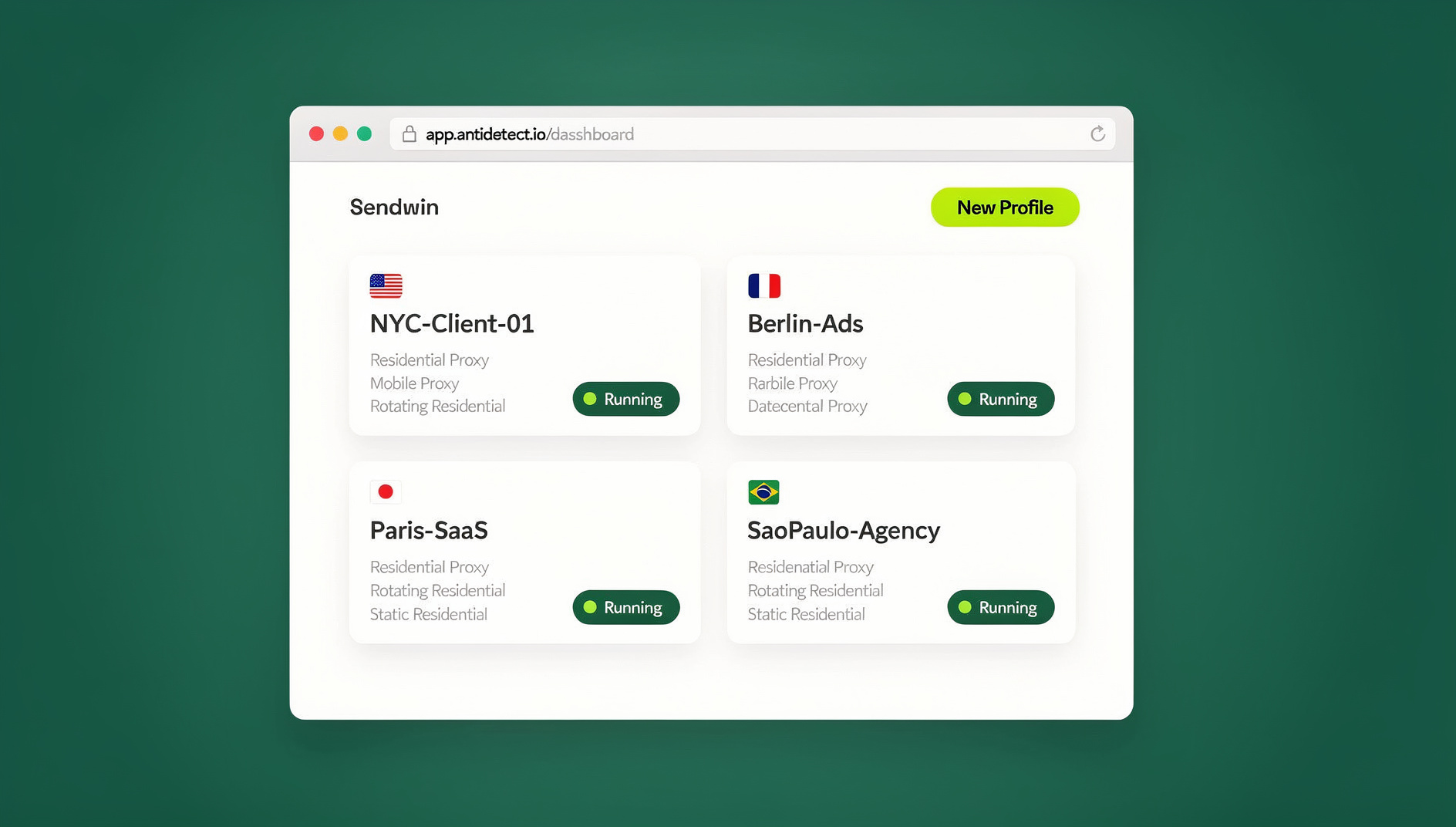
Why People Go Looking for a Rambox, Wavebox, or Franz Alternative
Most teams now run on a sprawling stack of web tools — email, chat, CRM, ad platforms, help desks, docs, billing, analytics. Industry surveys regularly put the average company’s SaaS count somewhere north of a hundred apps. That volume creates two very concrete problems:
- Context switching is expensive. Jumping between a CRM update, a Slack thread, a design approval, and an ad account dashboard forces your brain to “re-dock” every single time. The more accounts and apps you juggle, the more of that switching cost you pay, all day, every day.
- App-hub desktops add a second browser you didn’t ask for. Rambox, Wavebox, and Franz are almost all built on Electron, which means each one bundles an entire Chromium engine inside its own window. If you already live in Chrome, Edge, or Firefox, running a second Chromium instance just to hold your tabs is redundant — and it shows up in your RAM usage.
So the real question isn’t “which app-hub tool is best” — it’s whether you need an app-hub tool at all. Your existing browser can already do workspaces, desktop-style app windows, and notifications. The one piece it’s missing — clean multiple-account logins on the same site — is exactly what Send.win was built to solve.
What Rambox, Wavebox, and Franz Actually Do
Before replacing them, it’s worth being precise about what each tool is actually good at:
| Tool | Core idea | Best for | Main trade-off |
|---|---|---|---|
| Rambox | Desktop workspace organizer — add many services into one window | People who want one app icon for everything | Separate Electron runtime, paid tiers for advanced features |
| Wavebox | “Productivity browser” with tab management and account switching | Teams that want a browser replacement built around SaaS tools | Asks you to leave your default browser behind entirely |
| Franz | Multi-messenger hub (WhatsApp, Slack, Telegram, etc.) | People juggling many chat apps specifically | Narrower focus than a full workspace tool |
All three are genuinely useful if you want a single packaged app. But the underlying wins — organized workspaces, multiple logged-in accounts, desktop-like windows, and OS notifications — are all things a modern browser can already do, once you add the one missing ingredient: reliable multi-account sessions.
The Browser-First Blueprint
1. Carve out workspaces with profiles and containers
Create separate browser profiles for Work, Personal, or individual clients. Each profile keeps its own cookies, history, and extensions, so nothing collides. Firefox users get an even lighter option: Multi-Account Containers isolate cookies per tab, which is ideal for opening two logins of the same site side by side. Edge’s Workspaces feature does something similar for grouping project tabs and switching in one click.
2. Turn your daily-use sites into desktop-style apps
Install heavy-use tools — Slack, Notion, Asana, Linear, your CRM — as Progressive Web Apps using the browser’s “Install as app” option. Each one opens in its own minimal window with no address bar, sits on your taskbar or dock, and can send native OS notifications. You get the “separate app” feeling without adding a second heavyweight desktop wrapper on top of your normal browser.
3. Add Send.win for multiple logins on the same site
This is the piece Rambox, Wavebox, and Franz can’t really replace on their own, because tabs in the same browser window share cookies — open two Gmail tabs and they fight over the same session. Send.win solves this by giving each account its own isolated session, so you can be logged into several accounts on the same site simultaneously: two Gmail inboxes, five Google Ads accounts, three Shopify stores, or a personal and a business Slack workspace, all open at once with no incognito juggling and no constant logout-login cycle.
Send.win ships in two shapes, and it’s worth knowing which one fits your workflow. The Sendwin Browser is a native desktop app for Windows, macOS, and Linux — you download and install it once, it runs locally on your machine, and your sessions sync to the cloud in encrypted form so they follow you across devices. If you’d rather not install anything at all, Send.win also offers cloud browser sessions that run entirely on remote infrastructure and stream to any device with zero local footprint, metered by cloud browsing time. Either way, the isolation between accounts is the same — it’s simply a question of whether you want the sessions running on your own hardware or in the cloud.
4. Group tabs for at-a-glance clarity
Use Tab Groups to cluster by project or client, pin the tabs you always need open (calendar, billing, dashboards), and color-code groups so your brain recognizes “Client A” versus “Client B” instantly. If you’d rather have a dedicated tool for saving and recalling entire tab sets, it’s worth comparing how a tab collection manager handles saved sessions versus native browser tab groups — some teams prefer the extra structure, others find built-in groups are enough.
5. Keep notifications sane
Let only the apps that truly need your attention make noise. PWAs and modern browsers support OS-level notifications, so you can allow alerts from your help desk or chat tool while muting everything else. Fewer apps competing for your attention translates into a noticeable focus boost within days.
Send.win vs. a Dedicated Workspace Manager
If your app-hub habit was really about keeping a curated set of tabs organized rather than about multiple logins, a dedicated tab or workspace manager might be closer to what you need than an all-in-one hub. It’s worth reading through how a tab workspace management tool organizes projects before deciding, since some of these tools overlap meaningfully with what browser profiles already do for free. The honest answer for most people is a combination: profiles or containers for the workspace layer, and Send.win for the account layer, since the two solve genuinely different problems.
Real-World Examples: Browser-First Setups That Replaced an App Hub
Example 1: A marketing agency running 30+ client accounts
The problem: Dozens of ad platforms and analytics dashboards, with consultants constantly logging in and out of shared accounts or keeping extra browsers around just to avoid session conflicts. Meetings started with “wait, which login is this?”
The setup: A single Chrome profile named “Agency” with three core Tab Groups — Acquisition, Content, Reporting — and sub-groups per client inside Acquisition. Slack, Notion, Asana, and the time tracker are installed as PWAs. Every client’s Google Ads, Meta Business Manager, GA4 property, and Shopify storefront gets its own Send.win session, kept open side by side.
What changed in week one: analysts kept four or five ad accounts open at once and switched between them instantly, reporting calls started with dashboards already live in the right session, and the team dropped one heavy desktop app from every laptop.
Example 2: A support team juggling shared inboxes
The problem: Agents needed a personal inbox, a shared queue, and a training/QA login for the same help desk. Using incognito windows for the extra login was fragile, and notifications were either too noisy or missing entirely.
The setup: Firefox Containers for Personal, Shared, and QA, each mapped to the same help desk domain. Send.win keeps all three logged in simultaneously with no surprise logouts. The help desk and internal chat run as standalone PWAs, with only urgent channels allowed to send notifications.
What changed in week one: mis-replies from the wrong inbox dropped to zero because it’s visually obvious which tab belongs to which role, and the notification noise became predictable enough that agents stopped missing time-sensitive messages.
Example 3: A founder juggling multiple ventures
The problem: Three ventures at different stages plus a couple of side projects, each with its own Stripe, Notion, Slack, email, and social accounts. Constant login babysitting was eating into actual work time.
The setup: One profile per venture — MainCo, NewCo, Studio — plus a Personal profile. Slack, Linear, Notion, and the finance dashboard installed as PWAs. Separate Send.win sessions for Stripe, X, and email across every venture.
What changed in week one: switching companies became a one-click profile swap, with every account inside that profile already pre-authenticated, and the founder stopped bouncing between a browser and a separate “workspace app” entirely.
Browser-First vs. App-Hub Desktops: Pros and Cons
| Approach | Pros | Cons |
|---|---|---|
| Browser-first (profiles/containers + PWAs + Send.win) | Lower overhead, native-feeling app windows, proper multi-account sessions, works across Chrome, Edge, and Firefox | Takes an hour of upfront setup; needs a bit of extension hygiene |
| App-hub desktops (Rambox, Wavebox, Franz) | Single packaged app to start, some built-in tiling and boost/sleep features | Bundles a second Chromium engine, another UI to learn, power features often paywalled |
Build Your Browser-First Productivity Stack, Step by Step
A solo setup takes under an hour. For a team, plan a 30 to 60 minute onboarding call.
1. Map your roles and app clusters
List out the buckets you actually work in — Sales (CRM, email, calendar, dialer), Marketing (social, ad platforms, CMS), Support (help desk, chat, knowledge base), Ops/Finance (billing, payroll), and Personal. This step prevents over-engineering: only build spaces for roles you genuinely perform.
2. Create a profile or container per role
In Chrome or Edge, add a profile per role or client, with a distinct icon and theme color so it’s obvious which one you’re in. In Firefox, set up Multi-Account Containers for Work, Personal, and any client that needs isolation. Keep the Personal profile free of work logins so you can actually switch off.
3. Install your daily drivers as PWAs
Open each tool, choose “Install” or “Install this site as an app,” and pin the result to your dock or taskbar. Start with your top five — Slack, calendar, Notion, Linear, and your CRM cover most workflows.
4. Add Send.win and create a session per account
Set up a Send.win session for every account you routinely switch between: personal, work, and shared email; one session per ad client; one per storefront; one per brand’s social accounts; personal, shared, and QA logins for a help desk. Name each session clearly — “Client-A Ads,” “Brand-B Twitter” — so a new teammate understands the setup at a glance.
5. Group and pin tabs
Use Tab Groups to cluster client or project work, adopt a consistent color convention (blue for internal, green for client, purple for finance), and pin always-on tabs like calendar or task list to the left edge.
6. Tune notifications
Let priority apps interrupt you and silence the rest. Review notification permissions monthly, since your threshold for what’s “urgent” will shift as your workload changes.
7. Optional: share a starting layout with your team
If your team is on Edge, Workspaces let you share a curated set of tabs for a project so everyone opens the same starting lineup with one click.
When You Might Still Choose Rambox, Wavebox, or Franz
- You genuinely prefer one packaged app with a custom interface for tiles and split views, rather than assembling the pieces yourself.
- You want app-specific extras — sleep/boost modes, a built-in sidebar — that aren’t easy to approximate with plain browser settings.
- Your company already standardized on one of these tools and retraining everyone right now isn’t worth the disruption.
All reasonable reasons. Just know you’re trading the simplicity of one vendor app for the cost of running an extra desktop runtime and learning a second UI on top of the browser you already use daily.
Security and Privacy Notes for a Browser-First Setup
- Stick to reputable extensions and review their permissions occasionally — fewer extensions means a smaller attack surface.
- Isolate logins by role. Profiles, containers, and Send.win sessions reduce accidental cross-account mistakes, like posting to the wrong brand’s account.
- Right-size notifications. Grant only what’s genuinely necessary and revoke anything that turns out to be noise.
- Layer in standard enterprise controls for larger teams — password managers, SSO, device encryption, and MDM policies all work fine alongside this setup.
Anyone comparing options across this category will also want to see how the best browsers for managing multiple accounts stack up, and whether Send.win versus native Chrome profiles is the right call for their specific mix of shared logins and solo accounts — the two tools solve overlapping but distinct problems, and most serious setups end up using both.
🏆 Send.win Verdict
If the only reason you’re eyeing Rambox, Wavebox, or Franz is to keep multiple accounts on the same site logged in at once, you don’t need another desktop app — you need Send.win. Pair it with browser profiles or containers for workspace separation and PWAs for desktop-style windows, and you get the entire promise of an app hub without a second Chromium engine running in the background. Send.win comes as either a native Sendwin Browser app for Windows, macOS, and Linux with encrypted cloud sync, or as fully cloud-based sessions with zero local install — pick whichever fits how you work.
Try Send.win today — plans start at $19/mo, and your first card purchase is covered by a 7-day money-back guarantee.
Frequently Asked Questions
What’s the best Rambox alternative if I mainly need multiple logins?
Use Send.win inside your existing browser. It creates a genuinely isolated session per account, so you can run multiple logins for the same site at once without incognito windows or constant sign-outs.
Is there a Wavebox alternative that feels browser-native?
Yes — combine browser profiles (or Firefox containers) with installable PWAs and Send.win. Together they cover organized spaces, multiple accounts, and desktop-style app windows, all inside Chrome, Edge, or Firefox rather than a separate browser replacement.
What about a Franz alternative for chat apps specifically?
Install your messaging apps as PWAs where available, then use Send.win to run more than one login side by side — a personal and a business account on the same messenger, for example.
Can PWAs actually send notifications like a desktop app?
Yes. Modern browsers support installable web apps with OS-level notifications, so you can allow alerts for the handful of apps that truly matter and mute everything else.
Won’t I lose the “workspace” feeling without a hub app?
Not really. Profiles, containers, Edge Workspaces, and Tab Groups all create clean separations that feel like dedicated workspaces, minus the extra desktop layer running underneath.
Is a browser-first setup lighter on system resources?
Generally, yes, since you reuse your primary browser instead of running a second full browser engine packaged inside a separate desktop app.
Does Send.win replace desktop apps entirely?
No — desktop apps still make sense for things like design tools, IDEs, and video editing. Send.win specifically targets the multi-account, multi-session problem: keeping many logins for the same web service tidy and simultaneously accessible.
Does Send.win include automation support for repetitive account tasks?
Send.win does not offer an automation interface: there is no API, SDK, headless mode or Selenium/Puppeteer/Playwright support on any plan. Teams instead manage their accounts through isolated browser profiles, each with its own cookies, storage, sessions and fingerprint settings.
The Bottom Line
If the goal is a clean, multi-app workspace without extra bloat, going browser-first is the more direct path. Use profiles or containers for separation, install your daily tools as PWAs for a desktop feel, and rely on Send.win to unlock genuinely simultaneous multi-account sessions. You get the core promise of an app hub — organized, focused, fast — without running a second full browser inside a desktop wrapper. Send.win has no free trial; Pro is $19/month or $83.88/year, and Team is $49/month or $251.88/year, with the first card purchase covered by a 7-day money-back guarantee. You can also preview it for free in the cloud demo at https://send.win/demo-browser/.