A browser profile manager stack combines isolated browser profiles, per-profile proxies, and remote or local execution so that each profile keeps its own cookies, storage, sessions and fingerprint. Send.win delivers this as a native Sendwin Browser desktop app for Windows, macOS, and Linux with encrypted cloud sync, plus on-demand cloud browser sessions for zero-install work — giving SEO teams, agencies, and e-commerce sellers a practical way to run parallel accounts with separate cookies, storage and fingerprint per profile.
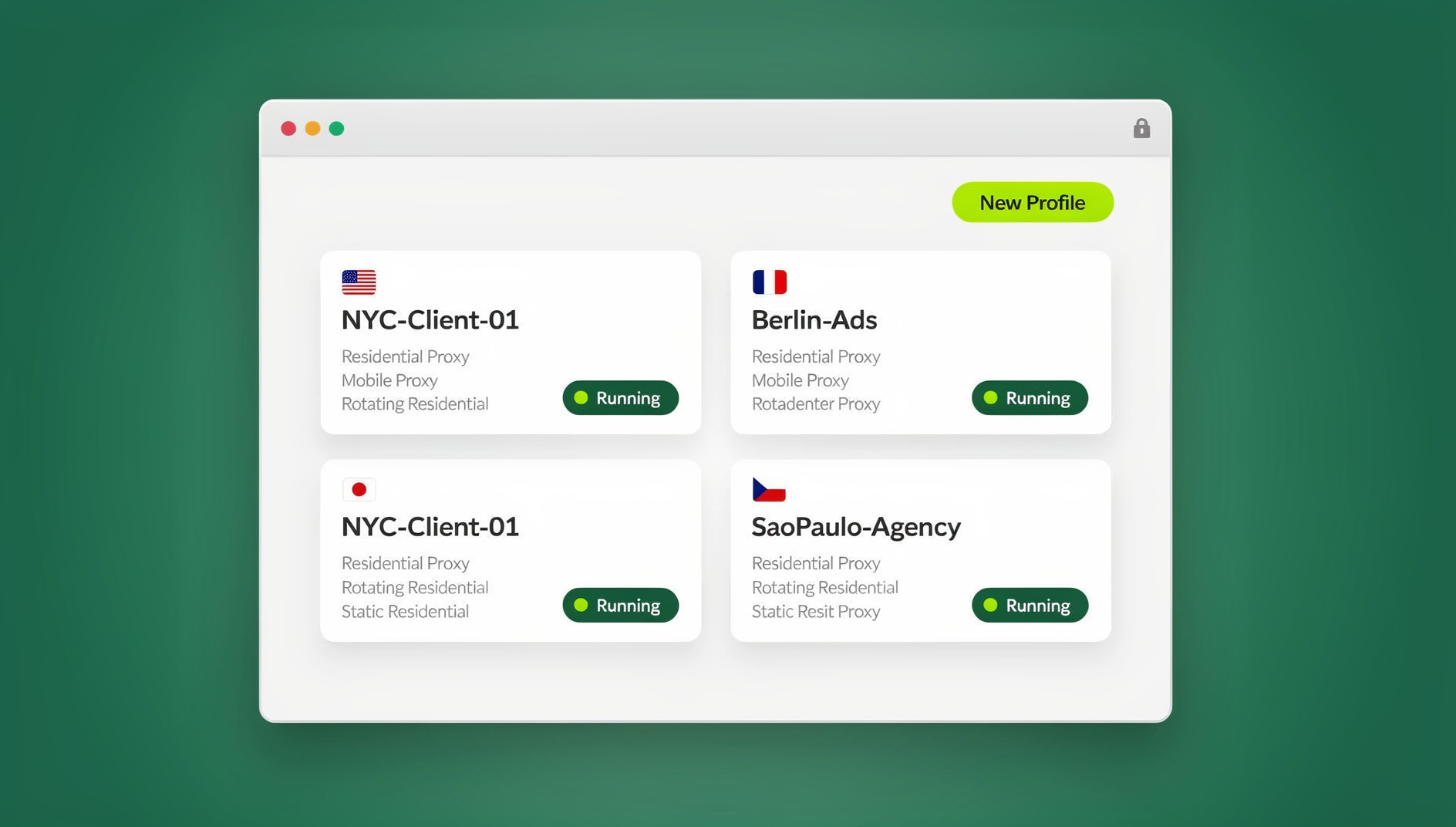
Browser fingerprinting collects dozens of small signals — screen size, installed fonts, WebGL renderer, timezone, canvas output, and more — to recognize a device even after cookies are cleared. That’s why privacy-conscious teams now treat profile isolation and identity control as core infrastructure rather than a nice-to-have. VPNs, tracker blockers, and hardened browsers still help, but fingerprinting keeps evolving, and even mainstream browsers are shipping anti-fingerprinting defaults. The practical fix is a stack that keeps unrelated profiles from touching each other, stabilizes network identity per task, and gives you the option to keep risky browsing off your main machine entirely.
What Actually Links Your Accounts Online
Most accidental account linking has nothing to do with IP addresses. It happens because two “separate” logins share the same browser storage, the same device fingerprint, or the same predictable network path. A platform doesn’t need to prove you’re the same person — it just needs enough correlated signals to flag a pattern. Understanding how a browser fingerprint is built is the first step to controlling it, because randomizing one signal while leaving ten others untouched rarely fools modern detection — it often makes a session look more suspicious, not less.
- Storage bleed: Cookies, localStorage, and cache shared between tabs or profiles silently connect accounts that were supposed to stay separate.
- Fingerprint overlap: Two “different” browser profiles running on the same machine with identical fonts, GPU, and timezone still look related.
- Network inconsistency: Logging into a US-based account from a rotating residential IP in three different countries within an hour reads as suspicious, whether or not anything malicious is happening.
- Credential sprawl: Sharing plain passwords across a team multiplies the number of places a login can leak or be reused insecurely.
Meet Send.win: One Native App, Two Ways to Browse
Send.win is built around two modes that cover both ends of the isolation spectrum. The first is Sendwin Browser, a native, downloadable desktop application for Windows, macOS, and Linux. It’s local-first — your profiles and data live on your machine — with encrypted cloud sync so the same profiles, bookmarks, and saved sessions follow you to another computer. The second mode is cloud browser sessions, which run entirely on Send.win’s infrastructure with zero local installation and are metered by cloud browsing time — useful when you need a disposable environment, a shared session for a teammate, or a quick session from a machine where you don’t want to install anything.
Both modes share the same core idea: every profile is its own isolated container with independent cookies, cache, local storage, and (optionally) its own proxy. Nothing about opening a second profile touches the first. You choose whether that container runs on your desktop through Sendwin Browser or in the cloud through a browser session, based on whether you want local performance and offline access or zero-install portability.
Sendwin Browser (native desktop app)
Install once on Windows, macOS, or Linux and manage as many isolated profiles as your plan allows. Because it’s local-first, pages render using your own machine’s resources — no streaming lag — and your profile data still syncs to the cloud so you can pick up the same session from another installed copy of the app.
Cloud browser sessions (zero install)
Need a browser on a shared computer, a locked-down office laptop, or a device you don’t control? Launch a cloud session instead. It behaves like a normal profile — its own storage, its own optional proxy — but the browsing itself happens off your device and is billed against your plan’s cloud browsing time rather than run locally.
How Send.win Reduces Fingerprint Linkages
Rather than trying to alter every fingerprintable signal — an approach that frequently backfires because randomized values are themselves a tell — Send.win leans on isolation:
- Storage isolation: Every profile is its own container. Cookies and localStorage from Profile A never leak into Profile B, whether that profile runs locally in Sendwin Browser or as a cloud session.
- Per-profile network identity: Attach a dedicated proxy to a profile so its IP, ASN, and rough geography stay consistent across every visit, instead of shifting every time you reconnect.
- Consistent, not randomized, fingerprints: Instead of scrambling canvas, WebGL, and user-agent values on every load (which sites increasingly flag), Send.win keeps a profile’s environment stable and simply keeps it separate from every other profile. You can dig deeper into the mechanics in this browser fingerprinting protection breakdown.
- Optional off-device execution: When you choose a cloud session instead of the local app, the page never actually executes on your endpoint, which is useful for opening unfamiliar links without risking your own machine.
The bottom line: reducing linkages at the storage and network layers is a durable countermeasure that doesn’t require breaking how the web renders for you.
Features That Power Multi-Account Operations
1. Isolated profiles at scale
Open two, twenty, or a hundred and fifty profiles — each its own clean container. Switch between them with one click, and nothing you do in one profile is visible from another.
2. Proxy per profile
Attach a unique proxy to a profile, or route through a shared regional endpoint, to keep IP geography consistent for a brand, client, or region. Send.win’s Pro plan ships with 5GB of proxy bandwidth and Team with 20GB, so heavier operations aren’t stuck rationing traffic. The step-by-step for adding a proxy to a session takes a couple of minutes.
3. Share access without sharing passwords
Generate a live, logged-in session link for a teammate or contractor instead of handing over a password. Set a time limit, mask sensitive pages like billing, and revoke access the moment the work is done. Here’s the full walkthrough for how to share sessions with your team safely.
4. Cloud Browser Sessions (Pro and above)
5. Encrypted sync across devices
Because Sendwin Browser is local-first, your profiles live on your machine by default, but encrypted cloud sync means switching laptops — or falling back to a cloud session — doesn’t mean starting from scratch.
Real-World Scenarios
SEO teams: multi-region SERP checks without cross-talk
- Create three profiles.
- Attach proxies for New York, London, and Singapore to each one respectively.
- Run identical queries and compare SERP features side by side. Because profiles don’t share storage, personalization and stray cookies don’t skew the comparison.
Fingerprinting and personalized storage persist beyond what a cookie-clear removes, so keeping each region in its own permanent profile keeps your data clean for reporting.
Performance marketers: cleaner ad account reviews
Spin up an isolated profile per ad account, invite a buyer or reviewer with a time-boxed session link, blur the billing page, and revoke access once the creative is approved. No passwords change hands, and approvals move faster because nobody is waiting on a shared login.
E-commerce: parallel storefront operations
Keep staff logins for Store A and Store B in separate profiles, test checkout flows without polluting carts or analytics, and validate geo-specific promotions using a proxy that matches the target region.
Security and IT: safer access to unfamiliar links
When a vendor email includes a link you don’t fully trust, open it in a cloud browser session instead of your primary machine. The page executes off-device, so if it turns out to be malicious, your laptop was never exposed. Close the session when you’re done and start fresh next time.
Send.win Pricing in 2026
Send.win has no free trial; paid plans start at $19/mo for Pro, and the first card purchase is covered by a 7-day money-back guarantee. You can also preview the cloud browser for free at the demo.
| Plan | Monthly price | Annual price | Profiles | Proxy bandwidth | Seats | |
|---|---|---|---|---|---|---|
| Pro | $19/mo | $6.99/mo billed annually | 150 | 5GB | Included | 1 |
| Team | $49/mo | $20.99/mo billed annually | 500 | 20GB | Included | 16 |
Both plans include the same core browser profile manager features, so smaller teams don’t need to jump straight to the Team tier just to get started. Team makes sense once you need more than a handful of seats or your proxy usage regularly exceeds 5GB a month.
Send.win vs Other Browser Profile Managers
Plenty of browser profile managers lean on aggressive spoofing — randomizing canvas hashes, faking WebGL renderers, rotating user-agents on every load. That approach can work, but it also tends to break sites that fingerprint for fraud prevention rather than tracking, and it requires constant tuning as detection methods change. Send.win takes the isolation route instead: keep each profile’s environment stable and consistent, keep profiles from ever sharing storage or network identity, and let sites render normally because nothing about the profile looks artificially randomized.
| Approach | Strength | Trade-off |
|---|---|---|
| Heavy fingerprint spoofing | Can mask device identity aggressively | Brittle; breaks as detection evolves; can itself look suspicious |
| Send.win (isolation-first) | Stable, low-maintenance separation between profiles; local app or cloud session by choice | Doesn’t attempt to hide that a profile exists — relies on separation, not disguise |
Compliance, Ethics, and Platform Rules
Antidetect and multi-profile tools are dual-use. Legitimate, compliant uses include QA, ad auditing, geo-testing, and keeping unrelated client accounts strictly separated. Using such tools to evade bans, impersonate other people, or deceive a platform’s terms of service carries real account and, in some cases, legal risk. Reputable teams stick to workflows that don’t violate the rules of the platforms they’re operating on.
In the EU, browser and device fingerprinting for tracking purposes typically falls under the ePrivacy Directive’s Article 5(3), which generally requires consent with only narrow exemptions. If your own workflow involves fingerprinting real visitors for analytics or testing, get the right legal basis in place and consult counsel for your specific situation.
Getting Started: A Quick Send.win Playbook
- Start on a paid plan — the first card purchase is covered by a 7-day money-back guarantee, or try the free cloud demo first.
- Pick your mode: download Sendwin Browser for local-first, offline-capable profiles, or launch a cloud session for zero-install, on-demand browsing.
- Create your first profiles and name them clearly (Brand | Platform | Region) so nothing gets mixed up later.
- Attach a proxy per profile to stabilize geography and network identity for that specific account or region.
- Share access safely using time-boxed session links instead of passwords when a teammate or contractor needs in.
🏆 Send.win Verdict
If your work involves running more than a couple of unrelated accounts, Send.win’s combination of a native, local-first desktop app and on-demand cloud sessions covers both ends of the problem — fast local browsing when you want it, zero-install portability when you don’t — with each profile keeping its own consistent browser fingerprint. Isolated profiles, per-profile proxies, and password-free sharing keep each profile’s cookies, storage and sessions separate.
Try the Send.win cloud demo — a 3-minute preview without signup, 10 minutes a day with a free account.
FAQ
Is Send.win a browser profile manager?
Send.win is a browser profile manager: every profile keeps its own cookies, storage, sessions and fingerprint settings, and optionally its own proxy, whether it runs in the native Sendwin Browser app or as a cloud session.
Does Send.win replace a VPN?
Not exactly. A VPN tunnels your traffic but doesn’t isolate storage or fingerprints between accounts. Send.win lets you attach a per-profile proxy and keep each login in its own container, which is more useful for clean multi-account work. Many teams use a VPN and Send.win together for different purposes.
What’s the difference between Sendwin Browser and a cloud session?
Sendwin Browser is a native app you install on Windows, macOS, or Linux; your profiles live locally with encrypted cloud sync. A cloud browser session runs entirely on Send.win’s servers with no install, metered by cloud browsing time — handy for shared or locked-down devices.
Does Send.win offer a free trial?
No — there is no free trial. Paid plans start at $19/mo for Pro, and the first card purchase is covered by a 7-day money-back guarantee. The only free option is the cloud demo, a 3-minute preview without signup (10 minutes a day with a free account).
How much do the paid plans cost?
Pro is $19/mo or $83.88/yr with 150 profiles and 5GB of proxy bandwidth. Team is $49/mo or $251.88/yr with 500 profiles, 20GB of proxy bandwidth, and 16 seats. Neither plan includes an automation interface.
Can I automate Send.win with Selenium or Playwright?
No. Send.win has no automation interface — no API, SDK, headless mode or Selenium/Puppeteer/Playwright support on any plan.
How do I share access with a teammate without giving them my password?
Generate a time-boxed session link from the profile you want to share, blur or block sensitive pages like billing, and revoke the link once the work is finished. No password ever changes hands.
Is this compliant with GDPR and ePrivacy rules?
Send.win is a browser platform. If your own use of it involves fingerprinting or tracking real visitors, EU regulators generally require consent under ePrivacy Article 5(3). Use the tool for legitimate account separation and get legal advice for your specific use case.
Conclusion: A More Durable Way to Run Parallel Accounts
Juggling dozens of logins with a single browser profile and a VPN is fragile in 2026. Send.win gives you a choice — a native, local-first desktop app with encrypted sync, or an on-demand cloud session with zero install — plus per-profile proxies and password-free sharing. Whether you’re an SEO team comparing regional SERPs, an agency handling ad account reviews, or a solo seller running two storefronts, the isolation-first approach keeps accounts from cross-contaminating without the maintenance burden of aggressive spoofing.
Start on a paid plan — the first card purchase is covered by a 7-day money-back guarantee — or try the free cloud demo first. Create a couple of profiles, attach a proxy to each, and try sharing one session with a teammate before you decide which plan fits. When you’re ready to scale, compare the Pro and Team plans directly at Send.win’s pricing page.