Why “Time Management” Means Something Different When You Run Multiple Accounts
Most time-management advice was written for people who have one inbox, one set of logins, and one browser profile to worry about. Prioritize your to-do list. Block your calendar. Turn off notifications. Good advice — but useless for the growing number of freelancers, agency owners, social media managers, and e-commerce sellers who spend their entire day logging out of one account and back into another.
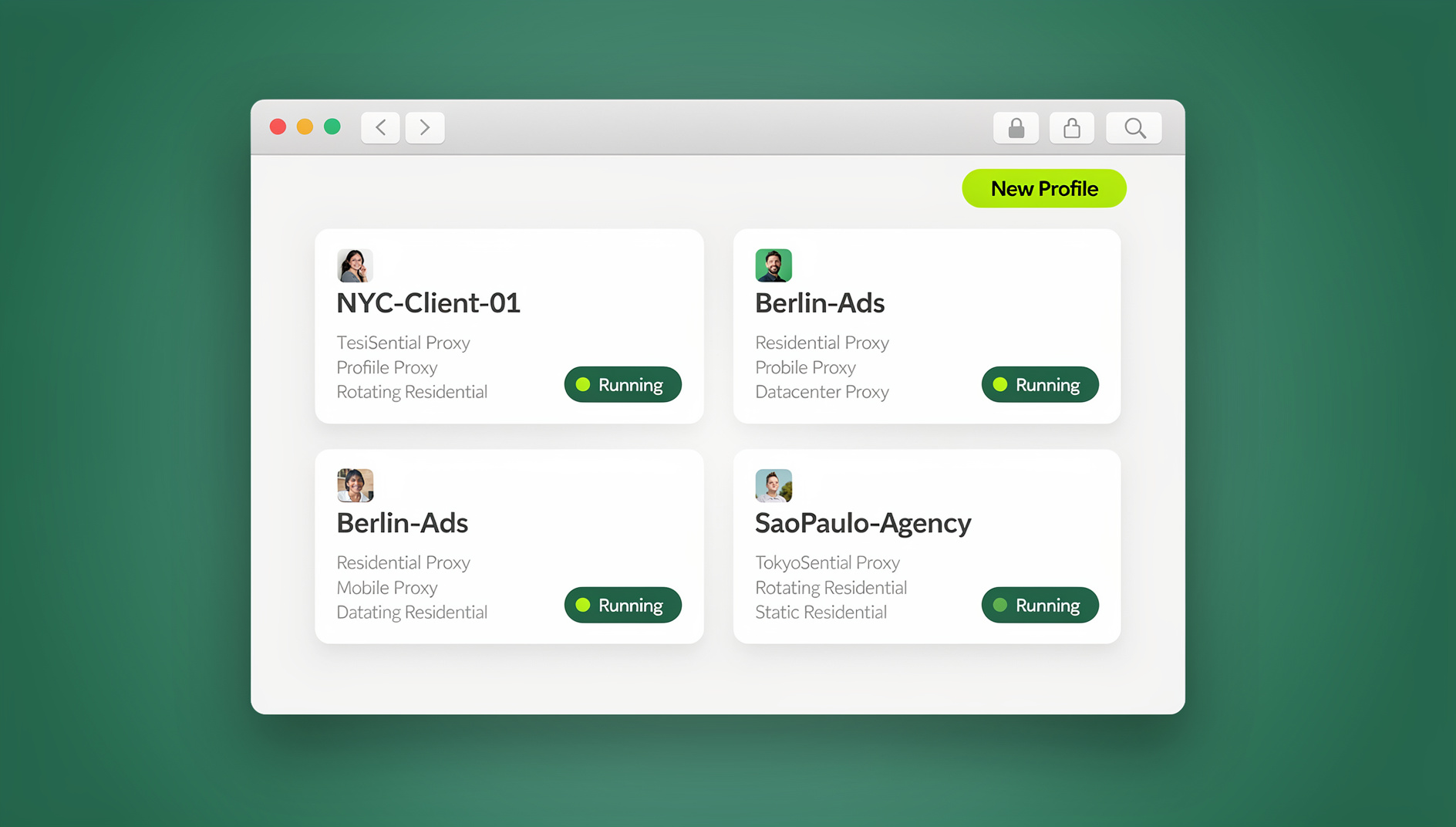
If you manage more than two or three accounts on the same platform — client Gmail inboxes, multiple Facebook Business Manager profiles, a stack of Amazon or Etsy stores, a dozen client social channels — your biggest time leak isn’t procrastination. It’s context-switching overhead: the seconds and minutes lost every single time you log out, open an incognito window, clear cookies, or fumble for a password manager entry just to check a different account on the same site.
This is a full rewrite of our original 2022 post on time management, updated for 2026 with the actual tool that solves this specific problem — Send.win, a browser profile manager built for exactly this kind of workflow. Below, we’ll quantify where the time actually goes, walk through a practical system for getting it back, and show you where Send.win’s browser profiles, built-in proxies, and desktop app fit into that system.
Where Your Time Actually Goes in a Multi-Account Workflow
Before fixing a time-management problem, you have to measure it. Most people underestimate how much time account-switching costs because each individual switch feels trivial — 20 seconds here, a minute there. Multiplied across a full workday and a full year, it adds up to real, measurable hours.
| Task | Typical Time Cost (Per Occurrence) | Occurrences Per Day | Estimated Annual Cost |
|---|---|---|---|
| Logging out / logging back into a different account on the same site | 30–60 seconds | 15–30 | 30–60 hours/year |
| Opening a fresh incognito window to avoid session conflicts | 15–20 seconds | 10–20 | 10–17 hours/year |
| Reconnecting a VPN before switching to a different client/region | 1–3 minutes | 5–10 | 20–75 hours/year |
| Re-entering credentials shared by a teammate (password lookups, 2FA codes) | 1–2 minutes | 3–8 | 10–40 hours/year |
| Re-establishing tabs, bookmarks, and layout after a profile switch | 1–2 minutes | 5–10 | 20–40 hours/year |
Add it up and it’s common for people managing 5+ accounts across multiple platforms to lose 90 to 200+ hours a year — the equivalent of 2 to 5 full working weeks — purely to account-switching friction. None of that time shows up on a task list. It just quietly disappears.
Traditional Time-Management Tips vs. What Actually Works for Multi-Account Work
Classic time-management frameworks (Getting Things Done, the Eisenhower Matrix, Pomodoro) are still valuable for prioritizing what you work on. But they don’t address the mechanical friction of how you get into the accounts you need to work in. Here’s the honest comparison.
| Classic Time-Management Tip | Why It Falls Short for Multi-Account Work | What Actually Closes the Gap |
|---|---|---|
| “Batch similar tasks together” | Doesn’t help if batching 10 Instagram accounts still means 10 separate logins | Isolated browser profiles you switch between with one click, no logout required |
| “Turn off notifications and focus” | Doesn’t solve the actual account-access bottleneck | Pre-authenticated sessions that stay logged in per profile |
| “Use a password manager” | Speeds up typing a password, but you still log out/in each time | Session sharing that hands off an already-logged-in browser, no password needed |
| “Delegate repetitive tasks” | Hard to delegate account access without handing over real credentials | Team session sharing with role-based, revocable access |
| “Automate repetitive workflows” | Most automation tools get flagged or blocked because of inconsistent browser fingerprints | Isolated, fingerprint-consistent profiles that keep each account’s cookies, storage and fingerprint separate |
How Send.win Closes the Multi-Account Time Gap
Send.win is a multi-login browser designed specifically for people who need to run several accounts on the same platform without the accounts interfering with each other, getting flagged, or costing you hours of manual switching every day. Here’s how each piece of it maps directly back to the time sinks in the table above.
Isolated Browser Profiles — No More Manual Login/Logout
Every account you manage in Send.win gets its own isolated profile: its own cookies, local storage, and browser fingerprint. That means you can have five different Gmail accounts, ten Facebook Business Manager profiles, or twenty Amazon seller accounts open and logged in simultaneously, in separate tabs, in the same browser window. Switching between them is a single click — not a logout, not a fresh incognito session, not a “which password was this again” delay. If you’re currently juggling accounts through browser profiles or an multi-login browser workflow that still requires re-authentication each time, this is the single biggest time recovery lever available.
Built-In Proxies — Skip the VPN Juggling
Instead of manually connecting and disconnecting a VPN every time you switch accounts or clients, Send.win pairs each profile with its own residential, datacenter, or mobile proxy and geo/timezone matching baked in. You set it once per profile and never touch it again. That alone removes one of the biggest line items from the time-cost table above — the 1-to-3-minute VPN reconnect that happens 5 to 10 times a day for anyone managing region-specific or client-specific accounts.
Session Sharing — Stop Re-Sending Passwords to Teammates
If you run a team, agency, or manage clients, you already know the pain of sharing account access: sending a password over Slack, resetting 2FA when someone forgets it, or worse, losing track of who has access to what. Send.win lets you share an already-authenticated session with a teammate — they get working access without ever seeing the underlying password. This is a direct fix for the “re-entering shared credentials” line in our time-cost table, and it’s a big part of saving time managing multiple Gmail and social accounts across a team rather than as a solo operator.
The Send.win Desktop App — A Dedicated, Always-Available Workspace
One thing our original 2022 post never mentioned — because it didn’t exist yet — is the Send.win desktop app. Send.win now ships a native application for Windows, macOS, and Linux, a full desktop client in its own right. The desktop app gives you a dedicated, always-available workspace: instant profile launches, one-click access to every account you manage, and a stable environment for people who keep dozens of profiles open across a full workday. For anyone managing a large account list, moving that workflow into the desktop app is itself a meaningful time-management upgrade — every profile is right there, ready to click into, the moment you open the app.
Isolated Profiles — Keep Repetitive Work Organized
For power users and agencies, the biggest time-management unlock isn’t a faster manual process — it’s removing the manual process altogether. Send.win’s isolated browser profiles keep each account’s cookies, storage, sessions and fingerprint separate, so repetitive, high-volume account tasks (posting schedules, data pulls, routine account maintenance) stay organized instead of bleeding into one another. Because each profile keeps its own consistent fingerprint, your sessions stay separate and predictable rather than sharing one browser identity. If your team is juggling dozens of accounts in a single browser, moving that work into Send.win profiles is one of the highest-leverage time-management changes available to you.
A Practical Time-Management System for Multi-Account Work
Tools alone don’t fix time management — a system does. Here’s a straightforward five-step system that combines classic time-management discipline with the account-access fixes above.
- Audit your account count. List every platform where you manage more than one account. This is the list you’ll set up as separate Send.win profiles.
- Create one profile per account, not per platform. Each Gmail address, each Facebook page, each Amazon store gets its own isolated profile with its own proxy assigned.
- Batch by profile, not by task type. Instead of “do all my email today, then all my social media,” work through each profile fully before switching — you’ll get the benefit of both batching and one-click switching.
- Time-block switching, not tasks. Set fixed windows (e.g., every 90 minutes) to move between profiles rather than reacting to notifications from every account throughout the day.
- Hand off, don’t hand over. For anything you delegate, share the session rather than the password — it saves the 2FA-reset time cost and keeps a clean audit trail of who accessed what.
Time-Management Techniques That Pair Well With Send.win
| Technique | What It Solves | How It Pairs With Send.win |
|---|---|---|
| Time blocking | Prevents context-switching between unrelated tasks | Block by profile — one block per client/account group |
| Pomodoro (25-min focus sprints) | Sustains focus, reduces fatigue | Run a full Pomodoro session inside one profile without interruption from other logins |
| Batching | Groups similar work to reduce setup/teardown time | Batch all posting/replying for one profile before switching to the next |
| Eisenhower Matrix | Prioritizes urgent vs. important work | Reserve low-urgency, high-volume repetitive tasks for dedicated isolated profiles |
| Weekly review | Keeps workload visible and manageable | Review which profiles/proxies are still active and archive unused ones |
Real-World Time Savings: A Before/After Breakdown
Here’s a realistic before/after for someone managing 8 accounts across 3 platforms — a common setup for freelancers juggling several clients, which is the exact workflow covered in our piece on the tool freelancers use to juggle clients without burning out.
| Activity | Before (Manual Switching) | After (Send.win Profiles) |
|---|---|---|
| Switching between 8 accounts, 4x/day | ~40 minutes/day | ~5 minutes/day |
| VPN reconnects for region-specific clients | ~25 minutes/day | 0 minutes/day (proxy per profile) |
| Sharing access with a virtual assistant | ~15 minutes/week (password resets, 2FA) | ~2 minutes/week (session share) |
| Estimated weekly time recovered | — | ~5.5 hours/week |
Over a year, that’s roughly 280 hours — seven full working weeks — recovered from pure account-switching friction, without changing anything about the actual client work itself.
Who Benefits Most From This Approach
- Freelancers and consultants juggling separate logins for each client’s tools and social accounts.
- Social media managers and agencies running multiple client profiles across the same platforms, which is exactly the scenario in our productivity hacks guide for managing multiple social channels.
- E-commerce sellers operating multiple storefronts (Amazon, Etsy, Shopify) that platform rules require to stay separated.
- Marketing teams running parallel ad accounts across Meta, Google, and TikTok without cross-account contamination.
- Remote and distributed teams who need to share account access without emailing passwords around.
- Students and researchers managing separate accounts for coursework, research groups, or side projects who want a cleaner, faster daily workflow.
Common Time-Management Mistakes Multi-Account Users Make
Treating Every Switch as “Free”
A 30-second switch feels negligible in the moment. Multiplied by dozens of switches a day, it’s the single largest hidden time cost in a multi-account workflow — and it’s invisible until you actually track it for a week.
Sharing Real Passwords Instead of Sessions
Beyond the security risk, sharing raw credentials means every password reset, every 2FA prompt, and every “wait, which login is this” moment becomes a shared time cost across your whole team.
Relying on Browser Profiles That Share a Fingerprint
Chrome and Firefox’s built-in “profiles” separate cookies but not the underlying browser fingerprint, which is often what actually triggers platform flags — leading to more time lost to account reviews, verification steps, and support tickets than the switching itself.
Automating Without Isolation
Running Selenium or Playwright scripts against a single shared browser environment for multiple accounts is a fast way to get flagged. Automation only saves time when it runs against consistent, isolated profiles — otherwise you spend more time cleaning up flagged accounts than the automation ever saved you.
Send.win Pricing (2026)
Send.win has no free trial, but the first card purchase is covered by a 7-day money-back guarantee, so you can test the actual time savings on your own account list before committing. There’s also a free cloud demo at https://send.win/demo-browser/ if you want a quick preview without signing up.
| Plan | Monthly Price | Annual Price | Profiles | Proxy Bandwidth | Key Features |
|---|---|---|---|---|---|
| Pro | $19/mo | $6.99/mo | 150 | 5GB | Isolated profiles, built-in proxies, desktop app |
| Team | $49/mo | $251.88/yr | 500 | 20GB | Everything in Pro + 16 seats, session sharing |
Add-ons are available for teams that outgrow their plan: extra proxy bandwidth at $6/GB and additional profiles at $0.05 each.
🏆 Send.win Verdict
Time management for multi-account work isn’t a discipline problem — it’s an access problem. Isolated profiles, built-in proxies, session sharing, and a native desktop app address the actual mechanical friction that eats hours out of every week, not just the symptoms a to-do list app can fix. If you’re losing time to logging in and out of accounts every day, that’s the exact gap Send.win is built to close.
Try Send.win today — plans start at $19/mo, and your first card purchase is covered by a 7-day money-back guarantee. See how many hours you get back this week.
Frequently Asked Questions
How much time can I realistically save by fixing multi-account switching?
It depends on how many accounts you manage and how often you switch, but people managing 5 or more accounts across multiple platforms commonly lose 90–200+ hours a year to account-switching friction alone. Fixing the mechanical login/logout overhead — not the actual work itself — is where most of that time comes back.
Is Send.win only for social media accounts, or does it work for any platform?
Send.win works with any website or web app — email providers, e-commerce platforms, ad managers, banking dashboards, SaaS tools, and social networks. Each profile is just an isolated browser environment, so it applies wherever you need separate, non-conflicting logins on the same site.
Do I need to install anything, or does Send.win run entirely in the browser?
Send.win offers a native desktop app for Windows, macOS, and Linux, plus cloud browser sessions that run entirely in the cloud with zero local install when you just need quick access. For full functionality and the most stable day-to-day workflow, the desktop app is the recommended way to run your profiles, giving you a dedicated, always-available workspace for everything you manage.
Can I share account access with my team without sharing passwords?
Yes. Send.win lets you share an already-authenticated session directly with a teammate, so they get working access without ever seeing the actual password. This removes both the security risk and the time cost of password resets and repeated 2FA prompts.
Does Send.win have an automation interface?
Send.win has no automation interface — no API, SDK, headless mode or Selenium/Puppeteer/Playwright support on any plan. Instead, it focuses on isolated browser profiles that keep each account’s cookies, storage, sessions and fingerprint separate, so high-volume, repetitive work stays organized and predictable.
Does Send.win include proxies, or do I need to buy my own?
Built-in residential, datacenter, and mobile proxies are included and can be assigned per profile, with geo and timezone matching handled automatically. You don’t need to run a separate VPN or manually manage your own proxy list.
How is this different from just using Chrome’s built-in profile switcher?
Chrome profiles separate cookies and bookmarks, but they typically share enough of the underlying browser fingerprint that platforms can still associate the accounts with each other. Send.win gives each profile its own distinct fingerprint and proxy, which is what actually prevents cross-account flags — on top of being faster to switch between.
Is there a free way to try Send.win before committing to a paid plan?
There is no free trial. Paid plans start at $19/mo for Pro, and the first card purchase is covered by a 7-day money-back guarantee, so you can set up your actual accounts, measure the time you save, and decide before committing further. The only free option is the cloud demo at https://send.win/demo-browser/.