Session isolation is the security principle that keeps one browser session’s cookies, cache, local storage, and fingerprint completely separate from every other session running on the same machine. In plain terms: if you’re logged into two Gmail accounts, three ad platforms, or five marketplace stores, session isolation is what stops those sessions from bleeding into each other and getting you flagged, logged out, or banned.
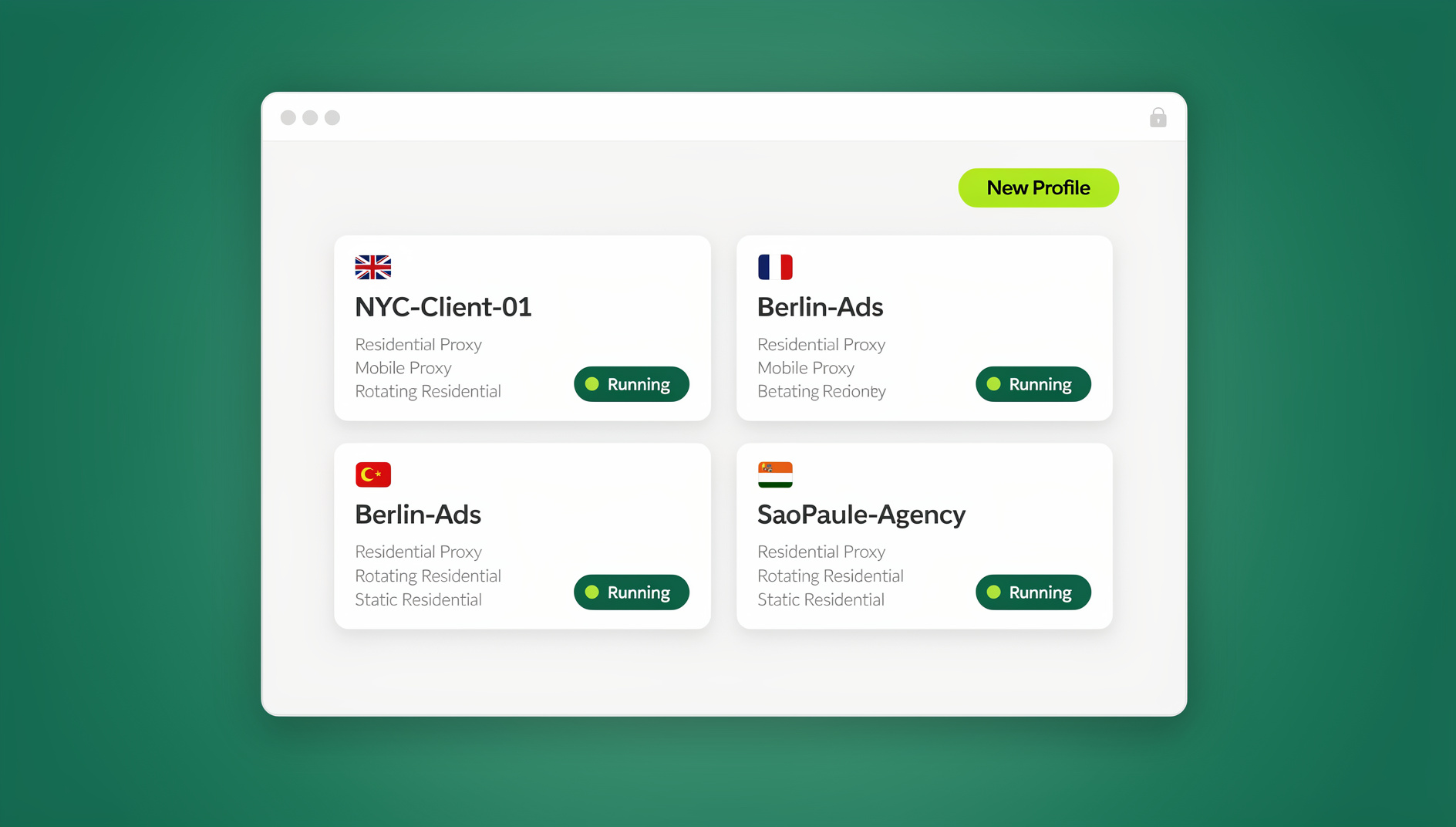
This guide rewrites our original 2023 explainer with a much deeper, up-to-date look at how session isolation actually works, why “bookmarking a session” the old-fashioned way (a star icon and a saved URL) doesn’t solve the real problem, and what a genuinely isolated, persistent, revisitable session looks like in 2026 — including how a purpose-built tool like Send.win handles it with isolated profiles and a native Desktop app.
What Is Session Isolation?
Every time you log into a website, your browser stores a bundle of identifying data tied to that visit: session cookies, authentication tokens, local storage entries, cached scripts, and — increasingly — a fingerprint made up of your screen resolution, timezone, installed fonts, WebGL renderer, canvas hash, and dozens of other signals. Session isolation is the practice of keeping each of these bundles walled off from every other bundle, so that Account A’s cookies never touch Account B’s cookies, even if both are open in the same browser at the same time.
Without isolation, a browser treats all open tabs as one identity. Log into a second account in a new tab and most sites will simply overwrite your first session’s cookies, log you out of the first account, or — worse — connect the two accounts together behind the scenes through shared local storage, shared device fingerprints, or shared IP history. That’s exactly the kind of cross-contamination that gets social media, marketplace, and ad accounts suspended.
How Session Isolation Works Under the Hood
At a technical level, isolation is enforced at a few different layers, and the strength of your isolation depends on which layers you actually separate:
- Cookie jars — each isolated session gets its own cookie storage, so authentication tokens can’t leak between sessions.
- Local storage & IndexedDB — modern sites store far more than cookies; isolation has to cover these too or “isolated” sessions still share data.
- Cache and service workers — cached scripts and background workers can silently sync data between tabs if they’re not scoped per session.
- Browser fingerprint — canvas, WebGL, audio context, fonts, and hardware concurrency values that sites use to re-identify you even after you clear cookies.
- Network origin — the IP address and geolocation your session appears to come from, usually handled with a dedicated proxy per session.
True session isolation separates all five layers per profile. Partial isolation (like clearing cookies but keeping the same fingerprint and IP) is why many people think they’re “safe” and still get accounts linked and banned.
Session Isolation vs. Related Concepts
People often confuse session isolation with private browsing, VPNs, or plain proxies. They solve different problems:
| Approach | What It Actually Isolates | Persistent Across Restarts? | Good For |
|---|---|---|---|
| Incognito / Private mode | Cookies and history for that window only | No — wiped on close | One-off private browsing |
| VPN | Network origin (IP) only | Yes, but shared across all tabs | Hiding your IP, not multi-account management |
| Plain proxy | Network origin only | Depends on setup | Geo-routing traffic |
| Browser containers (e.g., Firefox) | Cookies, cache, local storage | Yes, within one browser | Light personal multi-account use |
| Browser profile manager (Send.win) | Cookies, storage, fingerprint, and IP together, per profile | Yes, fully persistent profiles | Business-grade multi-account management, teams |
Why Session Isolation Matters in 2026
Session isolation used to be a niche security topic. Today it’s a daily operational requirement for anyone juggling more than one account on the same platform:
- Marketplace and e-commerce sellers running multiple Amazon, eBay, Etsy, or Shopify stores need each store’s session fully separated to avoid “linked account” suspensions.
- Agencies and marketers managing dozens of client ad accounts across Facebook, Google, and TikTok need isolation so one flagged account doesn’t drag down the rest.
- Remote teams sharing access to shared tools need to hand off a working, logged-in session without ever exposing the underlying password.
- QA and automation engineers testing logged-in flows need clean, reproducible sessions that don’t carry state from the last test run.
- Privacy-conscious individuals simply don’t want ad networks correlating their personal browsing with their work browsing.
Platforms have also gotten dramatically better at detecting shared fingerprints and IP overlap since 2023, which is exactly why the “clear your cookies and you’re fine” advice from a few years ago no longer holds up.
Methods of Achieving Session Isolation
There are several practical ways to isolate sessions today, ranging from built-in browser features to dedicated multi-login browsers.
1. Native Browser Profiles
Chrome, Edge, and Firefox all let you create separate user profiles. Each profile gets its own cookie jar and local storage, but they typically still share the same underlying device fingerprint and IP address — which is often enough to correlate two “separate” profiles as the same person.
2. Container Tabs
Firefox’s container tabs isolate cookies and storage per tab color without needing a full separate profile. It’s lightweight and great for casual use, but it isn’t designed for fingerprint-level isolation or for sharing sessions with a team. If you want the deeper mechanics, our Firefox containers guide breaks down exactly what containers do and don’t protect.
3. Virtual Machines or Separate Devices
Running each account on its own VM or physical device gives you true isolation, but it’s expensive, slow to spin up, and impossible to scale past a handful of accounts.
4. Antidetect / Multi-Login Browsers
Purpose-built tools like Send.win create a distinct, persistent browser profile for every session — each with its own cookie jar, local storage, canvas/WebGL fingerprint, and (optionally) a dedicated residential or datacenter proxy. Unlike containers or VMs, these profiles are designed from the ground up to be saved, reopened, and shared, which is exactly the “bookmarked session” experience most people are actually looking for.
What Does It Mean to “Bookmark” a Session?
The phrase “bookmark your session” is a holdover from an era when the only tool people had was the browser’s star icon. It’s worth being precise about what a regular bookmark actually saves — and what it doesn’t.
The Problem With Regular Browser Bookmarks
A standard bookmark only stores a URL. It does not store:
- Your login state or authentication tokens
- Form data, filters, or scroll position
- Cookies tied to that specific account
- Any fingerprint or proxy configuration
That’s why clicking an old bookmark so often lands you on a login screen instead of exactly where you left off. If you’re trying to manage a bookmark-management extension for hundreds of saved URLs, that’s a separate (and valid) problem — our bookmark management extension guide covers the best tools for organizing plain URL bookmarks. But organizing links isn’t the same as preserving a logged-in, isolated session.
A Better Approach: Persistent, Isolated Session Profiles
What people actually want when they say “bookmark my session” is a way to return to a fully logged-in, isolated environment exactly as they left it — same cookies, same local storage, same fingerprint, same IP — without re-authenticating or risking cross-contamination with any other account. That’s precisely what a persistent profile in a multi-login browser gives you. Instead of bookmarking a URL, you’re bookmarking an entire environment. Managing the cookies and cached data inside that environment correctly also matters a lot here — see our cookie management tool guide for how to keep session cookies clean without breaking your login state.
How to Create a Persistent, Bookmark-Like Session With Send.win
Send.win is a browser profile manager built specifically around isolated, persistent profiles — each one behaving like a fully separate, “bookmarked” browser environment. Here’s the step-by-step process:
- Choose a paid plan. Send.win has no free trial; plans start at Pro for $19/month or $83.88/year, and the first card purchase is covered by a 7-day money-back guarantee. You can also preview it with the free cloud demo before committing.
- Install the Desktop app. Send.win ships a native Desktop application for Windows, macOS, and Linux. Download it, sign in, and you’ll see your profile dashboard — this is where every isolated session lives.
- Create a new profile (session). Click “New Profile,” name it something recognizable (e.g., “Etsy Store 2” or “Client A — Facebook Ads”), and Send.win generates a unique, consistent browser fingerprint for it automatically.
- Attach a proxy. Add a residential, datacenter, or mobile proxy to the profile — built-in proxies are available directly inside Send.win, or bring your own. This locks the session’s network origin to match its fingerprint and geography.
- Log in once, then close it. Log into the target account inside that profile. Cookies, local storage, and session tokens are saved to the profile permanently — this is your “bookmark.”
- Reopen it anytime. Next time you need that account, just launch the same profile from the dashboard. You land back in, still logged in, with the exact same fingerprint and IP as before — no re-authentication, no risk of tripping a “new device” flag.
- Share it with your team (optional). On the Team plan, you can share a working profile with a teammate without ever handing over the underlying password. For the full click-through walkthrough, see our tutorial on creating sessions in Send.win.
Session Isolation for Teams and Businesses
Individual isolation is one problem; team-scale isolation is another. When multiple people need access to the same set of accounts, password sharing is both a security risk and an isolation risk — every person who logs in from their own device/IP muddies the fingerprint history of that account. Sharing a pre-authenticated, isolated profile instead solves both problems at once: teammates get instant access to a working session, and the account’s fingerprint and IP history stay consistent no matter who’s driving it that day.
Best Practices for Session Isolation
- Never reuse a fingerprint across accounts that should stay separate — even briefly.
- Match your proxy’s geography to your fingerprint’s timezone and language settings; mismatches are one of the most common detection triggers.
- Don’t clear cookies as your only isolation strategy — pair it with a distinct fingerprint and IP or you’re only solving one-third of the problem.
- Name your profiles clearly so a growing list of sessions doesn’t turn into a guessing game of which profile belongs to which account.
- Use persistent profiles instead of incognito for any account you’ll return to — incognito wipes everything on close, which defeats the “bookmark” goal entirely.
- Share sessions, not passwords, when working with a team.
Session Isolation Tools Compared
| Tool | Fingerprint Isolation | Built-in Proxies | Team Sharing | Desktop App | Automation API |
|---|---|---|---|---|---|
| Send.win | Yes, per profile | Yes | Yes (Team plan) | Yes (Windows/macOS/Linux) | No |
| Firefox Containers | No | No | No | N/A (built into Firefox) | No |
| Incognito/Private mode | No | No | No | N/A | No |
| VPN only | No | No (IP only) | No | Varies | No |
🏆 Send.win Verdict
If what you actually want from “bookmarking a session” is a way to return to a fully logged-in, isolated environment without re-authenticating or risking cross-contamination, a plain browser bookmark was never going to get you there. Send.win solves this directly: every profile is a persistent session with its own cookies, storage, fingerprint, and (optionally) a matched proxy — reopen it from the Desktop app anytime and you’re exactly where you left off. Add team sharing, and it scales from a single bookmarked session to hundreds of isolated ones.
Try Send.win today — plans start at Pro for $19/month or $83.88/year, with the first card purchase covered by a 7-day money-back guarantee, and turn your first session into a permanent, isolated profile in minutes.
Frequently Asked Questions
What is session isolation in simple terms?
Session isolation means keeping the cookies, storage, and identifying data from one browsing session completely separate from every other session, so that logging into multiple accounts never causes them to interfere with or expose each other.
Is clearing cookies the same as session isolation?
No. Clearing cookies removes one signal, but your device’s fingerprint (canvas, WebGL, fonts, timezone) and IP address remain the same, so accounts can still be linked. Full session isolation requires separating cookies, storage, fingerprint, and network origin together.
Can I bookmark a logged-in session in Chrome?
A regular Chrome bookmark only saves the URL, not your login state, cookies, or session data. To return to a fully logged-in environment, you need a persistent browser profile — like those created in Send.win — rather than a standard bookmark.
What’s the difference between session isolation and private browsing?
Private/incognito mode isolates cookies for the duration of that window only, and wipes everything when you close it. Session isolation, as used in multi-login browsers, is persistent — the isolated profile stays saved and ready to reopen indefinitely.
Do I need a proxy for proper session isolation?
For business-critical accounts, yes. Pairing a unique fingerprint with a matching proxy (so the IP’s geography lines up with the fingerprint’s timezone and language) is what prevents platforms from correlating “separate” sessions back to the same operator.
Does Send.win have a desktop app, or is it browser-only?
Send.win ships a native Desktop application for Windows, macOS, and Linux. All profile management, fingerprint generation, and proxy configuration happens through the Desktop app.
Can I automate isolated sessions with scripts?
No. Send.win has no automation interface — no API, SDK, headless mode or Selenium/Puppeteer/Playwright support on any plan.
How much does Send.win cost?
Send.win has no free trial. Paid plans start at Pro for $19/month or $83.88/year, and Team for $49/month or $251.88/year, with the first card purchase covered by a 7-day money-back guarantee. The only free option is the cloud demo.