Digital marketing tips that actually move the needle in 2026 look different from the checklist that worked back in 2020. Algorithms shifted, ad costs climbed, customers grew numb to generic content, and marketers are now running more channels, more accounts, and more campaigns at once than ever before. If you are a business owner, freelancer, or in-house marketer trying to figure out where to focus your limited time and budget, this guide breaks down the 10 essential tips that still deliver results — plus the operational challenge (managing dozens of logins, ad accounts, and client profiles) that most “digital marketing tips” articles never mention.
What Is Digital Marketing in 2026? A Quick Refresher
Digital marketing is the practice of promoting products, services, or brands using online channels — search engines, social media, email, SMS, paid advertising, and owned websites — instead of (or alongside) traditional print, TV, and radio. What has changed by 2026 is scale and fragmentation: the average small business now manages a presence across 5-8 platforms simultaneously, often juggling multiple ad accounts, client logins, and team members who all need access without stepping on each other’s sessions.
That fragmentation is exactly why this guide pairs classic marketing fundamentals with a practical look at the tools — including multi-login browsers — that keep multi-account marketing operations from collapsing into chaos.
Why Digital Marketing Still Matters More Than Ever
Digital channels now account for the majority of new customer acquisition for most industries. Compared to traditional marketing, digital marketing offers:
- Precise targeting — reach a specific age group, location, interest, or buying stage instead of broadcasting to everyone.
- Always-on presence — connect with prospects at any hour through search, social, email, or SMS.
- Lower cost per result compared to traditional advertising, especially for small and mid-sized businesses.
- Measurable data on what is actually working — clicks, conversions, time on page, and customer behavior.
- Automation potential that frees up hours previously spent on manual, repetitive tasks.
The tips below turn those advantages into a repeatable system rather than a list of disconnected tactics.
The 10 Essential Digital Marketing Tips for 2026
1. Create Content That Actually Stops the Scroll
Attention is the scarcest resource in marketing. Your content needs to be genuinely useful or genuinely entertaining within the first three seconds, or the scroll wins. Favor short-form video, before/after visuals, and data-backed claims over generic stock-photo posts. Build content around real customer questions (pull them straight from support tickets, reviews, and comment sections) rather than guessing what your audience wants to hear. Repurpose every long-form piece — a blog post can become five short videos, ten social captions, and one email — so a single research session fuels a week of output instead of one post.
2. Build a Lean, Purpose-Built Marketing Tool Stack
Extensions and apps extend what your browser and team can do without custom development. A modern marketing stack usually includes a writing assistant (like Grammarly), a focus tool to protect deep work time, an analytics dashboard, and — increasingly important as teams manage multiple client or brand accounts — a multi-login browser such as Send.win that keeps each account’s cookies, cache, and fingerprint fully isolated. Pick tools that solve a specific, recurring pain point rather than collecting software for its own sake; every extra login and subscription is friction your team has to manage.
3. Maintain a Consistent Presence Across Social Platforms
Consistency, not omnipresence, is what builds recognition. Choose the two or three platforms where your actual customers spend time, post on a predictable schedule, and use each platform’s native format (short vertical video, carousel, or thread) instead of copy-pasting the same asset everywhere. Social presence is also a feedback channel — comments and DMs surface objections and feature requests faster than any survey. If you run separate accounts for multiple brands, clients, or regional pages, keeping each one logged in and isolated on a single device becomes its own operational challenge, which is where tools like our multi-login browser for marketers guide becomes relevant.
4. Optimize Every Website Asset for Mobile-First Users
More than 60% of web traffic is now mobile, and Google indexes the mobile version of your site by default. That means responsive design isn’t optional: compress images, lazy-load below-the-fold content, keep forms short enough to fill with a thumb, and test page speed on a mid-range phone, not just your laptop. A one-second delay in mobile load time can meaningfully cut conversion rates, so treat Core Web Vitals as a marketing metric, not just a developer concern.
5. Run Smarter, More Targeted Paid Advertising
Digital advertising spans search ads, social ads, display networks, and increasingly retail media. The businesses that win aren’t the ones with the biggest budget — they’re the ones that test methodically: one variable per experiment, a clear hypothesis, and a defined sample size before declaring a winner. Segment campaigns by intent (cold audience vs. retargeting vs. existing customers) rather than running one generic ad to everyone. If you manage ad accounts for several clients or brands, managing multiple ad accounts safely — without mixing pixels, cookies, or triggering platform reviews — is just as important as the creative itself.
6. Know Your Customers Through Real Data, Not Guesswork
Every platform you use generates behavioral data: what people click, how long they stay, where they drop off. Build a simple customer profile from that data — demographics, common objections, preferred channel, average time-to-purchase — and revisit it quarterly. Knowing your customer isn’t a one-time exercise; buying behavior shifts with the economy, competitors, and even the season, so treat customer research as an ongoing input, not a box you check once at launch.
7. Turn Customer Feedback Into a Real Feedback Loop
Reviews, support tickets, NPS surveys, and social comments are free market research if you actually act on them. Set up a lightweight process — even a shared spreadsheet — to tag recurring complaints and requests, then route that data to whoever owns product, content, or customer service. Businesses that close the loop (telling customers “we heard you and changed X”) consistently see stronger retention than those that collect feedback and never visibly respond to it.
8. Research Competitors Without Blowing Your Cover
Understanding what competitors are doing — their pricing pages, ad creative, email sequences, and site changes — helps you spot gaps and avoid repeating their mistakes. The catch: logging into a competitor’s free trial, checking their retargeting ads, or monitoring their social accounts repeatedly from your normal work browser can flag your own IP and fingerprint, sometimes even getting you blocked from viewing their public pages. Marketers increasingly handle this with an antidetect browser that gives each research session its own clean fingerprint and IP, so competitive research doesn’t cross-contaminate your main accounts.
9. Build an Email List You Actually Own
Unlike social followers, your email list is an asset you control regardless of algorithm changes or platform policy shifts. Grow it through gated content, checkout opt-ins, and website forms, then segment subscribers by interest or purchase stage so every email feels relevant rather than generic. Send consistently but sparingly — a predictable weekly or biweekly cadence with genuinely useful content outperforms sporadic blasts that train subscribers to ignore you.
10. Layer in SMS and Omnichannel Messaging
SMS marketing routinely sees open rates above 90%, far higher than email, which makes it ideal for time-sensitive offers, shipping updates, and abandoned-cart recovery. The strongest 2026 strategies don’t pick one channel — they sequence messages across email, SMS, and social retargeting so a single customer touchpoint reinforces the next, rather than treating each channel as a separate silo with its own disconnected calendar.
The Multi-Account Problem Most Digital Marketing Guides Skip
Here is what almost never gets mentioned in a “10 tips” article: nearly every tip above assumes you’re running more than one account. You might manage five Facebook Ad accounts for different clients, a dozen social profiles across brands, a handful of email sending domains, and several competitor-research logins — all at once, often on the same laptop. Doing that in a single regular browser causes real problems:
- Cross-contamination — cookies, pixels, and cached logins bleed between accounts, which platforms like Meta and Google interpret as suspicious linked-account activity.
- Accidental logouts — switching between five Gmail-based client logins in one browser constantly kicks you out of the wrong account.
- Team access risk — sharing a password in Slack or a spreadsheet so a teammate can post to a client’s account is a security incident waiting to happen.
- Flagged or banned accounts — platforms increasingly detect when several “different” accounts share the same browser fingerprint, IP, and device signals, leading to review holds or suspensions.
This is the operational side of digital marketing that determines whether your strategy above actually survives contact with a real, multi-client, multi-brand workload.
Where Send.win Fits Into a Modern Marketing Stack
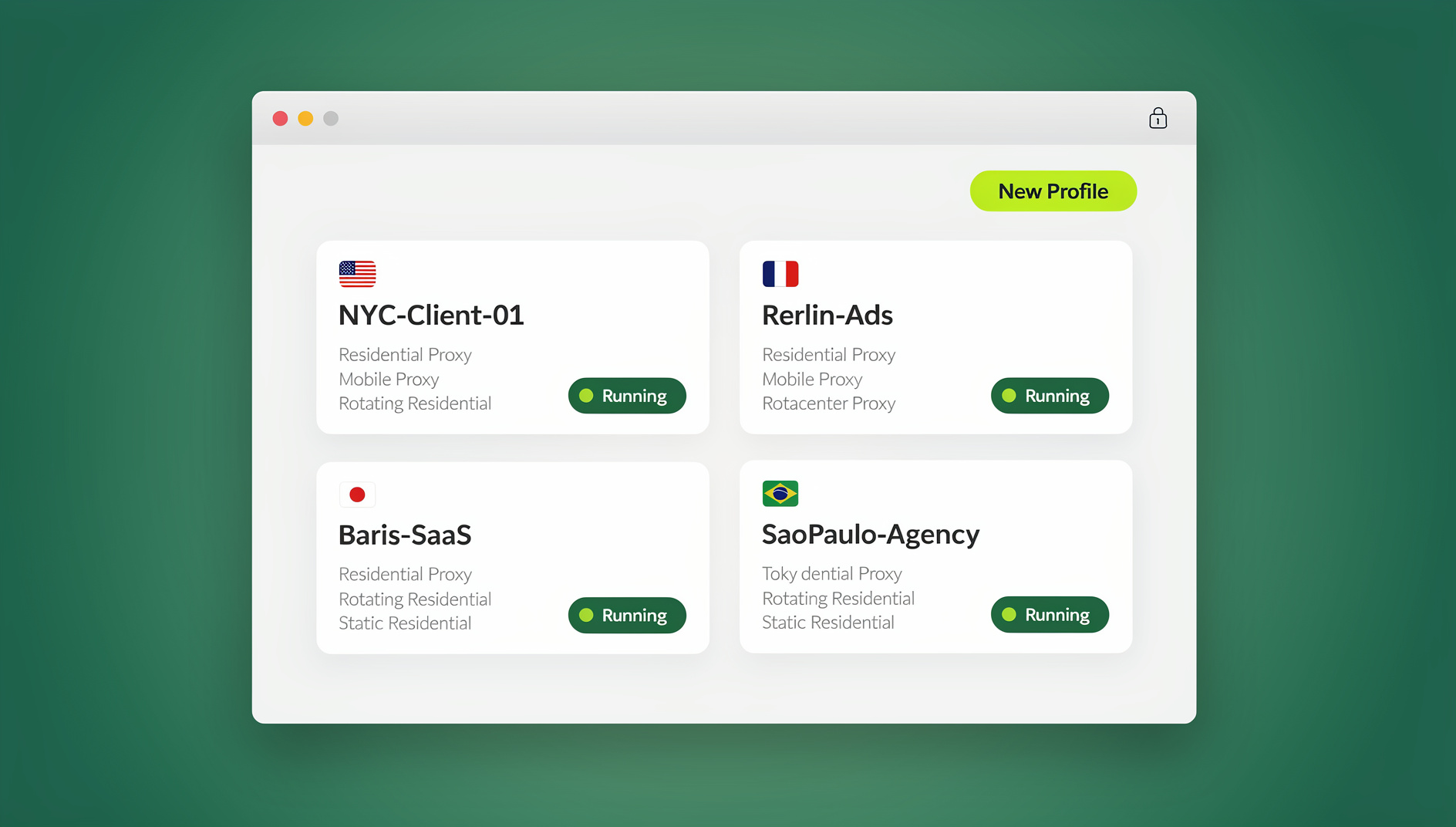
Send.win is a browser profile manager built to solve exactly this problem. Instead of one browser profile shared across every account, it creates isolated environments — each with its own cookies, storage, and browser fingerprint — so you can run multiple ad accounts, social profiles, and client logins side by side without cross-contamination or accidental logouts. A few capabilities marketers use directly:
- Unique fingerprints per profile — each client or brand account looks like a genuinely separate device to ad platforms and websites, reducing linked-account flags.
- Built-in proxies — assign a different IP per profile so accounts for different regions or clients aren’t sharing a single office IP address.
- Team sharing — hand a teammate, freelancer, or client access to a specific profile without ever sharing the underlying password.
- Native Desktop app — a real Windows, macOS, and Linux client (not just a web dashboard), so agencies can run dozens of isolated profiles locally with full performance rather than relying on a browser extension alone.
For agencies specifically, our breakdown on how to run Facebook, Instagram, and Google Ads in parallel without cross-contamination walks through the exact profile setup most marketing teams need.
Comparing Your Options for Multi-Account Marketing
| Approach | Account Isolation | Team Access | Automation | Best For |
|---|---|---|---|---|
| Regular browser, multiple tabs | None — shared cookies/fingerprint | Password sharing only | None | Solo use, single account |
| Browser profiles (Chrome/Firefox) | Partial — same device fingerprint | Manual, per-device | None | A few low-risk accounts |
| VPN only | IP changes only, fingerprint unchanged | N/A | None | General privacy, not account isolation |
| Send.win multi-login browser | Full — unique fingerprint + proxy per profile | Built-in, share without passwords | No | Agencies, e-commerce sellers, marketers running many accounts |
If you’re deciding between a VPN and a dedicated browser for this use case, this comparison of proxy vs VPN for marketers covers the security and IP-masking differences in more depth.
A Simple 30-Day Plan to Put These Tips Into Practice
- Week 1 — Audit and organize: List every account, ad platform, and login your marketing touches. Note which ones currently share a browser or password.
- Week 2 — Fix the content engine: Pick one piece of pillar content and repurpose it across three formats and two channels. Set up (or clean up) your email segments.
- Week 3 — Separate and secure accounts: Move client and brand accounts into isolated profiles, assign proxies where needed, and share team access without handing out raw passwords.
- Week 4 — Test and measure: Launch one new paid campaign test, review the last 30 days of customer feedback for recurring themes, and check what your top two competitors changed this month.
Common Digital Marketing Mistakes That Undo Good Strategy
- Chasing every new platform instead of doubling down on the two or three channels that already convert.
- Ignoring mobile performance because the desktop version “looks fine.”
- Running paid ads without a landing page built for that specific offer, sending traffic to a generic homepage instead.
- Sharing logins and passwords across a team instead of using isolated, revocable access per person.
- Mixing multiple client or brand accounts in one browser, risking platform flags, bans, and accidental cross-posting.
- Collecting feedback and never acting on it, which trains customers to stop giving it.
🏆 Send.win Verdict
Great digital marketing strategy falls apart when the accounts behind it are tangled together in one browser. Send.win gives every ad account, social profile, and client login its own isolated cookies, storage, and fingerprint, so your team can execute the 10 tips above at scale — across dozens of accounts — without sharing passwords or losing hours to accidental logouts. With a native Desktop app for Windows, macOS, and Linux, it scales from a solo marketer to a full agency workflow.
Try Send.win today — plans start at $19/month, and your first card purchase is covered by a 7-day money-back guarantee.
Frequently Asked Questions
What is the most important digital marketing tip for a small business just starting out?
Focus on one or two channels where your actual customers already spend time, rather than spreading thin across every platform. Consistent, useful content on a couple of channels beats sporadic posting everywhere.
How much should a small business budget for digital marketing?
Many small businesses start with 5-10% of revenue and adjust based on what channels show measurable ROI. Start smaller with paid ads, prove out a profitable campaign, then scale the budget behind what’s already working.
Is SEO still worth it in 2026?
Yes — organic search remains one of the highest-ROI channels because it keeps compounding over time instead of stopping the moment you pause spending, unlike paid ads. It takes longer to show results, which is why many businesses run both in parallel.
How do I manage multiple social media or ad accounts without getting flagged?
Use a dedicated profile per account with its own cookies, cache, and fingerprint instead of switching accounts in one shared browser. A multi-login browser like Send.win isolates each profile and can assign a separate proxy, which is exactly what platforms expect from genuinely separate accounts or clients.
What tools do professional digital marketers actually rely on daily?
Most stacks include a writing/grammar assistant, an analytics dashboard, an email platform, a scheduling tool for social posts, and — for anyone managing more than one account or client — a multi-login browser to keep logins isolated and secure.
How often should I post on social media?
Consistency matters more than frequency. A realistic, sustainable schedule (for example, 3-4 times per week) that you can maintain long-term beats an ambitious daily schedule that burns out after a month.
Can I safely research my competitors’ ads and pricing pages?
Yes, but repeatedly visiting a competitor’s site or ad account from your normal work browser can expose your identity through cookies and fingerprinting. Using an isolated browser profile with its own IP keeps competitive research separate from your day-to-day accounts.
Does Send.win work for agencies managing many client accounts?
Yes. Agencies use Send.win to give each client their own isolated profile and share access with teammates without handing out passwords.