The best productivity websites in 2026 share three traits: they load instantly in a browser, cost little or nothing to try, and solve one job extremely well instead of trying to be everything. This list ranks 17 of them, led by Send.win for multi-account browser management, then covers docs, whiteboards, focus tools, file sharing, and AI research assistants you can put to work today.
How we picked these productivity powerhouses
Speed over sprawl. Every tool on this list loads fast in a browser and helps you ship faster, not slower.
Free or generously freemium. You can test the real product without a credit card, or with a genuine free trial.
Focus on outcomes. Whether it’s separating logins, sketching an idea, or sending a file, each site helps you finish a task instead of inflating your toolstack.
Secure by default. Privacy and safe collaboration matter, especially when you’re sharing sessions, files, or client work online.
1) Send.win — the multi-account browser platform that makes login juggling disappear
Website: https://send.win
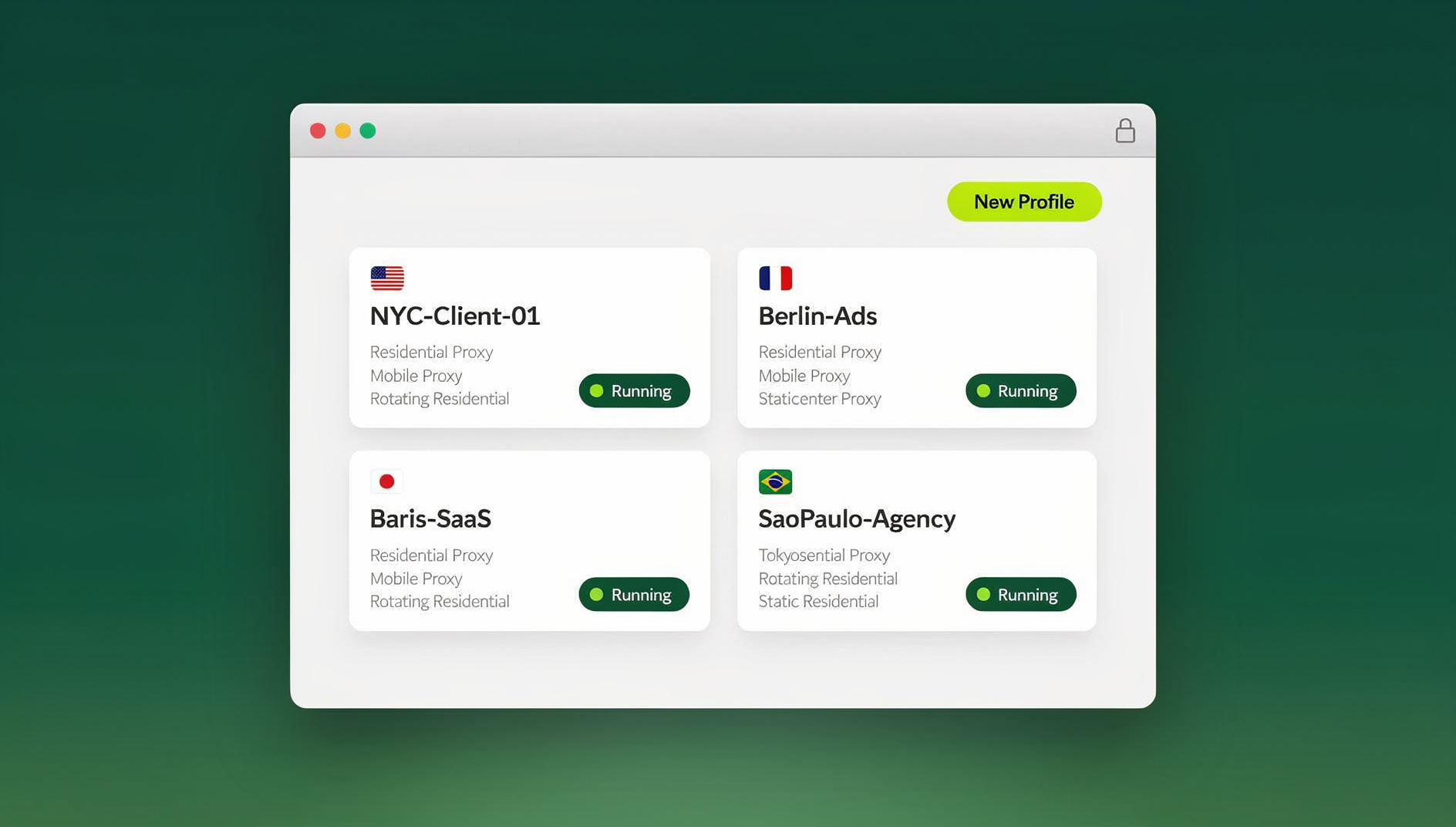
What it is: Send.win is built for anyone who has to juggle logins across ad accounts, storefronts, social profiles, or client work without accounts bleeding into each other. It runs in two ways. The first is Sendwin Browser, a native desktop app for Windows, macOS, and Linux that keeps your profiles local-first with encrypted cloud sync, so your sessions travel with you across machines but never leave your control. The second is a cloud browser session, which runs entirely on Send.win’s infrastructure with zero local install and is metered by cloud browsing time — ideal for a locked-down office machine, a quick one-off task, or testing from a location you don’t want to route your main device through. Either way, every profile gets its own isolated cookies, cache, and local storage, so switching between ten client accounts feels the same as switching between ten separate physical computers.
Why it punches above its weight
- Real profile isolation, not just tabs. Each Send.win profile has its own cookie jar and storage, so logging into a second Instagram or Amazon account doesn’t risk logging you out of the first or triggering a ban for suspicious activity.
- Two ways to run it. Install Sendwin Browser as your daily driver for deep, local-first work, or spin up a cloud browser session when you need zero-install access from any device.
- Encrypted sync you actually control. Profiles created in the desktop app sync across your machines using AES-256 symmetric and RSA-2048 asymmetric encryption, so a lost laptop doesn’t mean a lost session.
- No automation interface. Send.win does not offer an API, SDK, headless mode or Selenium, Puppeteer or Playwright support on any plan, so repetitive account tasks stay manual.
- Share the session, not the password. Give a teammate, contractor, or client access to a specific profile without ever handing over the underlying credentials.
- Session timers and blur. Cap how long a shared session stays live (30 minutes, an hour, a day) and blur sensitive fields like billing details before you hand off access.
- Per-profile proxy support. Bring your own proxy and assign it to a single profile, so each account keeps a consistent, separate network fingerprint.
- Global, low-latency endpoints. Cloud sessions run close to you whether you’re in the Americas, Europe, or Asia.
- A way to try it before paying. Send.win has no free trial, but the first card purchase is covered by a 7-day money-back guarantee, and there is a free cloud demo at send.win/demo-browser — a 3-minute preview without signup, 10 minutes a day with a free account.
Who it’s for
- Marketers and advertisers: keep multiple ad accounts cleanly separated, compare creative variations, and collaborate without swapping logins all day.
- E-commerce sellers: run several storefronts without the cache crossover or shared-fingerprint mistakes that trigger account reviews.
- Agencies and remote teams: a shared set of multi-login profiles for teams keeps every client’s accounts in clean, parallel sessions instead of one shared browser everyone half-remembers the password for.
- Developers and QA engineers: spin up a fresh, disposable environment to reproduce a bug or test a staging build — a cloud browser for QA testing means you’re never debugging against a machine full of leftover state.
- Freelancers and power users: run work, personal, and client identities side by side in one organized window instead of constant re-logins.
Plans and pricing
Pricing page: https://send.win/pricing
| Plan | Monthly | Billed annually | Profiles | Proxy bandwidth | Seats | |
|---|---|---|---|---|---|---|
| Pro | $19/mo | $6.99/mo | 150 | 5GB | Yes | 1 |
| Team | $49/mo | $20.99/mo | 500 | 20GB | Yes | 16 |
Send.win has no free trial. Paid plans start at $19 a month, and the first card purchase is covered by a 7-day money-back guarantee, so you can confirm the workflow fits before you commit. The only free option is the cloud demo at send.win/demo-browser.
Getting started (it’s quick)
- Create your account. Head to send.win and pick a paid plan — there is no free trial, but the first card purchase is covered by a 7-day money-back guarantee.
- Pick your mode. Download Sendwin Browser for local-first daily use, or launch a cloud browser session straight from your dashboard when you need zero-install access.
- Build your first profiles. Create a profile per account, client, or project, assign a proxy if you need one, and start switching between them with a single click.
The rest of the stack: 16 more best productivity websites
Below are 16 complementary tools that pair well with Send.win. They’re grouped by job-to-be-done so you can assemble a fast, focused, budget-friendly workflow instead of collecting apps you’ll never open twice. This mirrors the approach in our broader list of best productivity software for solo makers, where fewer, sharper tools consistently beat a bloated stack.
A) Tasks, docs, and projects
2) Notion — all-in-one workspace for docs, projects, and wikis
Notion blends documents, tasks, and a knowledge base into one flexible workspace, with AI features for search, summarizing, and drafting. It suits individuals and teams who want docs, lightweight project tracking, and simple databases without juggling three separate apps. Quick wins include publishing a team wiki, centralizing SOPs, and building a content pipeline with linked databases.
Best for: living documentation, project hubs, editorial calendars. Why it punches above its weight: one canvas replaces three or four point tools and scales as the team grows.
3) Trello — visual boards that make work click
Trello’s card-and-board model remains one of the simplest ways to run a project or a personal workflow. Sprint boards, content Kanban, even household chores all fit comfortably. The free tier is generous and setup takes minutes, not hours.
Best for: visual planners, small teams, simple pipelines. Why it punches above its weight: there’s essentially no learning curve — the board metaphor is instantly understood.
4) ClickUp — tasks, docs, goals, and chat in one
ClickUp positions itself as an everything app for work. If you want goal tracking, sprints, and docs in one unified system, its free tier and template library help you move fast while keeping hierarchy and reporting intact as the team grows.
Best for: teams outgrowing basic Kanban who need goals, dashboards, and permissions. Why it punches above its weight: a broad feature set that still stays browser-first.
5) Google Docs — real-time collaborative writing
For sheer ubiquity and reliability, Google Docs is still a staple. Real-time editing, comments, and version history make it easy to co-write proposals, specs, meeting notes, and blog drafts directly in the browser, with zero setup.
Best for: distributed teams, client drafts, fast iteration. Why it punches above its weight: everyone already knows how to use it, and collaboration just works.
6) Coda — docs with the power of apps
Coda merges the flexibility of a document with the structure of a spreadsheet and the logic of a small app. You can build interactive docs with tables, buttons, automations, and third-party Packs, all without leaving the page.
Best for: product specs, team rituals, interactive playbooks. Why it punches above its weight: you can ship a mini internal tool inside a doc instead of commissioning a separate app.
B) Whiteboards and visual thinking
7) Excalidraw — sketch ideas with a hand-drawn feel
Excalidraw is a delightfully simple, collaborative whiteboard with a sketchy aesthetic that lowers the stakes and encourages rough ideas. It’s great for system diagrams, user flows, and quick wireframes, and there’s no sign-up wall between you and a blank canvas.
Best for: rapid ideation, diagrams, workshops. Why it punches above its weight: an instant canvas with charming visuals and painless sharing.
8) tldraw — free, instant collaborative whiteboarding
tldraw is another fast, free whiteboard that loads instantly and supports real-time collaboration. Its simplicity and speed make it ideal for quick maps and brainstorms when you don’t need the overhead of a heavier board tool.
Best for: teams who want frictionless sketching anywhere. Why it punches above its weight: open, fast, and shareable with a single link.
9) Miro — infinite, template-rich collaboration
When you need an infinite canvas with templates for everything from design sprints to customer journey maps, Miro’s free tier gets you started quickly and scales into full workshops and cross-functional rituals.
Best for: structured workshops, cross-functional product work. Why it punches above its weight: the template library and integrations save hours of setup.
C) Focus, time, and deep-work helpers
10) Pomofocus — a clean, customizable Pomodoro timer
Need to get into flow fast? Pomofocus gives you a dead-simple Pomodoro timer with task lists, configurable interval lengths, and basic reports. Use the classic 25/5 cycle or tune it to your own rhythm.
Best for: writers, students, and engineers battling distraction. Why it punches above its weight: almost zero setup — press start and go.
11) Noisli — mix ambient sounds that help you concentrate
Noisli’s background soundscapes — rain, wind, ocean, white noise — mask distractions and help prime your brain for focus. Build your own mix and save it for different tasks or times of day.
Best for: open offices, cafés, or homes with unpredictable noise. Why it punches above its weight: a small tool with an outsized effect on concentration and mood.
12) Clockify — free time tracking that actually scales
Clockify offers unlimited time tracking on its free tier, making it a strong pick for freelancers and teams who need simple timesheets and basic reporting without a surprise bill later.
Best for: billing, capacity tracking, and building habit awareness. Why it punches above its weight: a genuinely generous free plan with a frictionless browser experience.
D) Files and sharing
13) WeTransfer — send big files fast, no account required
When you need to ship a large file right now, WeTransfer is hard to beat. It requires no sign-in to get started and supports free transfers up to 2GB, with simple links your recipients can open anywhere.
Best for: creatives, clients, and anyone who hates a signup wall. Why it punches above its weight: the entire flow — upload, get a link, share — takes minutes.
14) Google Drive — your default cloud drive, in the browser
Drive is everywhere, integrates tightly with Google’s editors, and makes it simple to store, share, and co-edit files across devices. If you already collaborate in Google Docs, using Drive for file organization is close to a no-brainer.
Best for: teams standardized on Google Workspace and anyone who wants simple personal cloud storage. Why it punches above its weight: generous free storage, universal access, and tight editor integration.
E) Automation and AI helpers
15) Zapier — glue your apps together, no code required
Zapier connects thousands of apps so you can trigger actions — send an email, move a row, create a task — whenever an event happens elsewhere. It’s the browser-first automation hub that lets you build real workflows without waiting on an engineer.
Best for: ops teams, marketers, and anyone eliminating manual copy-paste. Why it punches above its weight: you can ship a working automation in minutes, not sprints.
16) IFTTT — simple automations for work and life
IFTTT shines at easy, single-purpose automations, especially when mixing web apps with smart devices. Its Applets are approachable and quick to set up, and the free tier covers plenty of common recipes.
Best for: personal workflows, smart-home-plus-web triggers, and lightweight routines. Why it punches above its weight: an extensive directory of ready-made automations and a genuine start-simple philosophy.
17) Perplexity — a fast, cited answer engine
Perplexity is an AI-powered answer engine that excels at real-time, sourced answers, which makes it useful for research, quick briefs, and staying current without juggling a dozen open tabs. Use it to draft outlines, compare options, and gather references faster.
Best for: research, briefs, and content ideation. Why it punches above its weight: concise answers with citations built in, so you can verify instead of just trusting.
How to assemble your lean productivity stack
Here’s a sample setup that many solo operators and small teams settle on:
- Identity and account management: Send.win for multi-account browsing, session sharing, and testing.
- Docs and projects: Notion (wiki plus tasks) or ClickUp (projects plus goals), with Google Docs for external collaboration.
- Whiteboarding: Excalidraw or tldraw for quick sketches; Miro when you need templates or stakeholder workshops.
- Focus and time: Pomofocus for cycles, Noisli for soundscapes, Clockify for tracking.
- Files: WeTransfer for sending; Drive for storing and co-editing.
- Automation and AI: Zapier or IFTTT to connect the dots; Perplexity for quick, credible research.
From zero to done: create a Send.win profile per client or project, assign a proxy if you need one, keep your docs and boards open in their own tabs, and you’ve got a distraction-resistant setup for deep work and fast context switches — without the cross-contamination that usually comes from sharing one browser across everything.
Why Send.win is the right first pick for this stack
Most productivity problems start with identity and context: overlapping cookies, mixed-up logins, and the drag of switching accounts all day. Send.win fixes that at the foundation:
- Isolation by default — fewer bugs, cleaner testing, safer browsing across every account you manage.
- Shareable profiles — collaborate with teammates or contractors without ever sharing a password.
- Per-profile proxies — test geo-specific experiences and keep account attribution separate.
- Two deployment modes — a local-first desktop app when you want control, or a cloud session when you want zero install.
- No automation interface — Send.win has no API, SDK or headless mode, so the repetitive parts of account management stay manual.
With that friction removed at the browser level, everything else on this list — the docs, the boards, the automations — simply feels faster, because it is.
🏆 Send.win Verdict
Of the 17 tools on this list, Send.win is the one that changes how every other tool behaves. If your work involves more than one login — ad accounts, storefronts, client sites, social profiles — the browser profile manager belongs at the top of your stack, not as an afterthought. Choose Sendwin Browser for daily-driver, local-first work with encrypted sync, or spin up a cloud session when you need zero-install access from anywhere. Either way, there is no free trial, but the first card purchase is covered by a 7-day money-back guarantee, and the free cloud demo makes it an easy first thing to try from this list.
Try Send.win free today — build your first profiles in minutes and see how much friction disappears.
Frequently asked questions
What are the best productivity websites for someone juggling multiple accounts?
Start with Send.win for account and session management, then layer in a docs tool like Notion or ClickUp, a whiteboard like Excalidraw or Miro, and a focus timer like Pomofocus. The combination covers identity, planning, thinking, and execution without requiring a dozen separate subscriptions.
Is Send.win better than using browser profiles or incognito mode?
For casual, single-account use, built-in browser profiles are fine. But profiles and incognito windows still live on your local machine, and cross-contamination happens in subtle ways through shared caches and device fingerprints. Our detailed Send.win vs. Chrome profiles breakdown covers this in depth, but the short version is: Send.win gives every account its own isolated storage, whether you run it through the desktop app or a cloud session, so sessions genuinely don’t bleed into each other, and you can share one without exposing the password.
Should I use Sendwin Browser or a cloud browser session?
Use Sendwin Browser, the native desktop app for Windows, macOS, and Linux, when you want a local-first daily driver with encrypted cloud sync across your machines. Use a cloud browser session when you’re on a device you don’t fully control, need to test from another region, or want to spin up disposable access without installing anything.
Can I automate tasks inside Send.win?
No. Send.win has no automation interface on any plan: there is no API, SDK, headless mode or Selenium, Puppeteer or Playwright support, so repetitive account tasks have to be done manually.
How much does Send.win cost, and is there a free trial?
Pro runs $19 a month, or $83.88 a year, with 150 profiles and 5GB of proxy bandwidth. Team runs $49 a month, or $251.88 a year, with 500 profiles, 20GB of bandwidth, and 16 seats. There is no free trial, but the first card purchase is covered by a 7-day money-back guarantee.
Can I really run multiple shop or ad accounts at once without getting flagged?
That’s the core use case. Keep each storefront or ad account in its own isolated profile, with its own proxy if you need one, and switch between them with a single click — no re-logins, no cookie drama, and no posting from the wrong brand by accident.
Do I need to pay for all 17 tools to build a good stack?
No. Most of the 16 companion tools have workable free tiers — Trello, Excalidraw, tldraw, Pomofocus, Noisli, WeTransfer, and IFTTT all offer enough for free to run a real workflow. Send.win is the one paid foundation worth budgeting for, since it’s solving the identity and account-isolation problem the other tools can’t touch.
What’s the fastest way to try this whole stack today?
Start with Send.win — there is no free trial, but the first card purchase is covered by a 7-day money-back guarantee — and create your first two or three profiles, open a Notion or Google Docs tab for planning, sketch your next project in Excalidraw, and set a Pomofocus timer for your first focused block. That’s a complete, working stack in under fifteen minutes.
Quick start playbook (today)
- Create a Send.win account and pick a paid plan — there is no free trial, but the first card purchase is covered by a 7-day money-back guarantee. Build a profile for each account or client you manage, and assign a proxy to any that need one.
- Spin up a workspace in Notion or ClickUp. Add the templates you need and connect your calendar or inbox if useful.
- Sketch your roadmap in Excalidraw or tldraw, and move to Miro once you need templates or stakeholder workshops.
- Set a Pomodoro cadence with Pomofocus, add a Noisli soundscape, and track your hours in Clockify.
- Share files with WeTransfer, and store or co-edit the rest in Drive.
- Automate the busywork with Zapier or IFTTT — for example, “new Drive file → notify Slack” or “new Trello card → add to spreadsheet.” Use Perplexity to gather references and draft briefs faster.
Final thoughts
You don’t need a bloated stack to get real work done. Pair a multi-account browser platform with true profile isolation (Send.win) with a tight roster of free, browser-based tools for docs, boards, focus, sharing, and AI. Together they give you speed to launch, switch, and share in seconds; safety through isolated credentials and protected devices; simplicity from fewer installs and fewer “it works on my machine” moments; and room to scale as you add profiles, projects, and collaborators without slowing down.
If you try just one thing from this list, make it Send.win — the rest of your web tools will feel faster and safer the moment your accounts are isolated and shareable by design.
Recap: the 17 best productivity websites
- Send.win — multi-account browser platform with real profile isolation.
- Notion — docs, tasks, and wiki in one flexible workspace.
- Trello — intuitive Kanban for personal and team projects.
- ClickUp — the everything app for work: tasks, docs, goals, chat.
- Google Docs — real-time collaborative writing in the browser.
- Coda — docs with spreadsheet power and app-like features.
- Excalidraw — hand-drawn-style collaborative whiteboard.
- tldraw — free, instant collaborative whiteboarding.
- Miro — infinite canvas with templates for everything.
- Pomofocus — clean, configurable Pomodoro timer.
- Noisli — ambient soundscapes to boost focus.
- Clockify — unlimited time tracking on the free plan.
- WeTransfer — send large files fast, free up to 2GB.
- Google Drive — cloud storage, sharing, and co-editing.
- Zapier — connect apps and automate busywork.
- IFTTT — simple automations for home and work.
- Perplexity — fast, cited AI answers for research.
Ready to work faster with less friction? Start with Send.win to isolate your accounts, protect your credentials, and switch between profiles with one click, then layer in the sites above for docs, boards, focus, files, and AI. Your browser will feel lighter, your workflows tighter, and your output higher, without blowing the budget.