The best SessionBox alternative in 2026 is Send.win, because it replaces SessionBox’s shared-fingerprint cookie containers with genuine per-profile isolation — delivered either through the native Sendwin Browser desktop app or a fully cloud-hosted browser session. If you currently rely on SessionBox to juggle multiple logins, its extension-based architecture can still expose you to fingerprint-based account linking, which is exactly the gap Send.win is built to close.
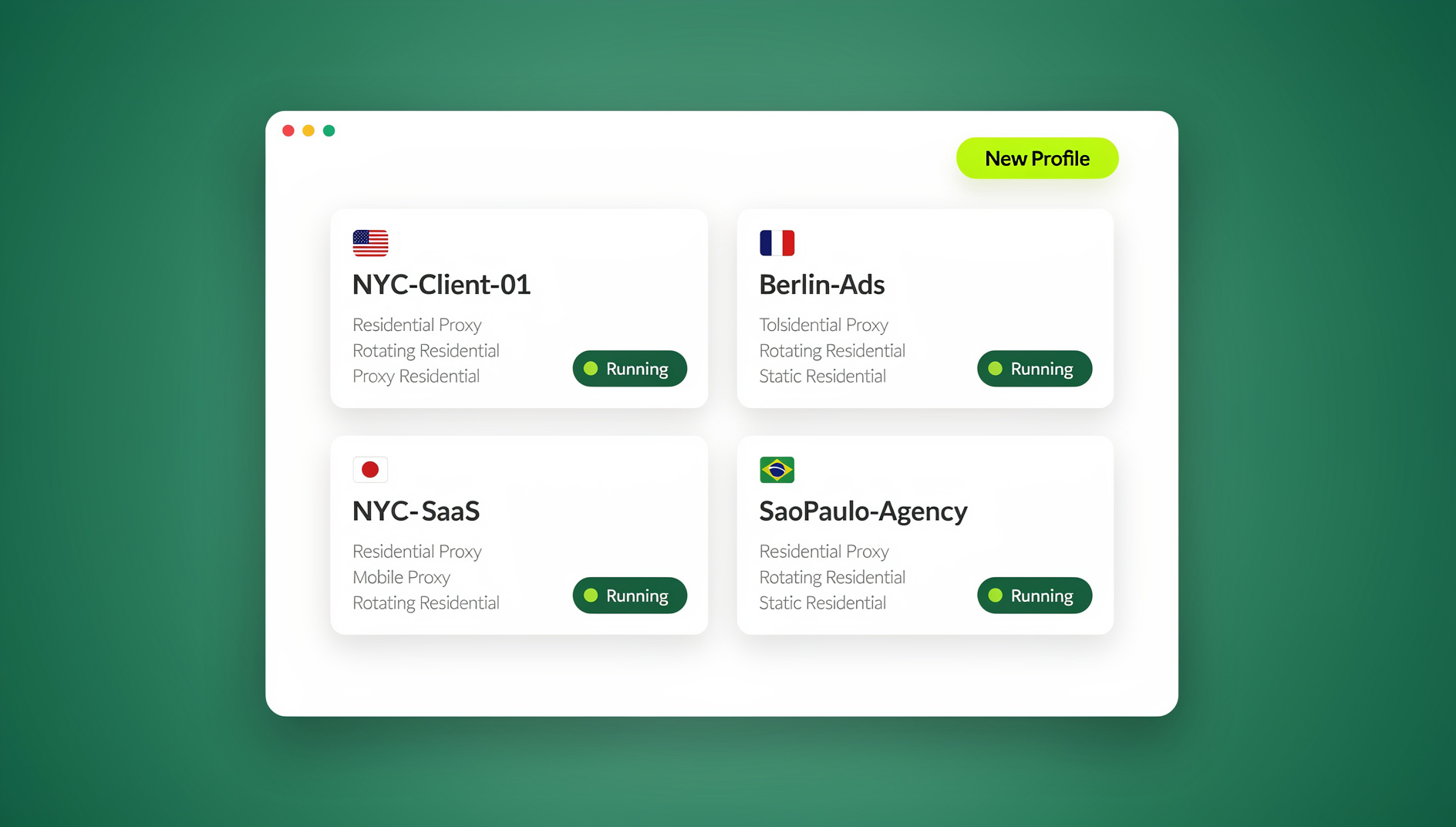
What Is SessionBox?
SessionBox is a browser extension for Chrome, Firefox, and Edge that lets you open several isolated “sessions” inside the same browser window. Each session gets its own cookie jar, local storage, and cache, so you can sign into the same website — Gmail, Amazon, Facebook — with different accounts in separate tabs without constantly logging in and out.
How SessionBox Works
SessionBox operates entirely at the extension level. It installs into your existing browser, creates a separate cookie container for every session you open, and keeps those containers apart so sites don’t immediately merge your logins. Sessions can sync across devices through a SessionBox account, and they typically persist across browser restarts.
SessionBox Key Features
- Multiple simultaneous sessions per website
- Session sync across devices tied to a SessionBox account
- Keyboard shortcuts for switching between sessions
- Color-coded session tabs for quick identification
- Extension-only architecture, with no standalone browser engine
- Sessions share the host browser’s fingerprint
- Proxy assignment is possible, but fiddly to configure per session
Where SessionBox Falls Short
1. Cookie Isolation Is Not Fingerprint Isolation
The core limitation of any browser extension, including SessionBox, is that every session still runs inside the same underlying browser engine. Canvas rendering, WebGL output, installed fonts, screen resolution, timezone, and dozens of other signals stay identical across every “isolated” session. Platforms with serious anti-fraud systems — Amazon, Meta, most affiliate networks — don’t only look at cookies; they read the browser fingerprint itself, and a shared fingerprint is often enough to flag accounts as linked even when the cookies are perfectly separated. A WebRTC leak can also expose your real IP address underneath whatever proxy you’ve configured, undermining the entire point of running separate sessions.
2. Pricing That Adds Up
SessionBox’s free tier caps out at around five sessions, which is rarely enough for anyone managing more than one or two extra accounts. Premium pricing runs close to $10/month for unlimited sessions, and team plans are billed per seat — reasonable on paper, but you’re paying that price for cookie separation alone, without the fingerprint protection that actually matters for higher-value accounts.
3. Performance and Sync Issues
Because every session runs inside the same browser process, heavy SessionBox users frequently report climbing RAM usage, slower page loads, and occasional session corruption after a crash or update. Sync between devices can also drift out of step, leaving you to manually reconcile sessions that should have matched.
4. Browser-Bound, With No True Cross-Device Access
SessionBox only runs inside a small set of desktop browsers. There’s no mobile version, and every machine you work from needs its own install and its own sync. If your workflow spans a laptop, a desktop, and occasional access from a device that isn’t yours, SessionBox simply doesn’t follow you there.
Best SessionBox Alternatives in 2026
SessionBox isn’t the only option for managing multiple accounts, and it isn’t the strongest one either. Here’s how the main alternatives stack up before we go deeper on each.
| Tool | Isolation Type | Starting Price | Best For |
|---|---|---|---|
| Send.win | True per-profile fingerprint isolation | 30-day free trial, then $19/mo | Professionals who need real isolation, not just cookie separation |
| Firefox Multi-Account Containers | Cookie isolation only | Free | Casual Firefox users with low-risk accounts |
| Multilogin | True fingerprint isolation | ~€99+/mo | Large enterprise teams with big budgets |
| GoLogin | Fingerprint isolation (web and desktop) | Free tier (3 profiles), then ~$24/mo | Solo users testing multi-account workflows |
1. Send.win (Best Overall Alternative)
Send.win replaces SessionBox’s “one browser, many cookie containers” model with two ways to get a genuinely separate browser identity per account. The first is Sendwin Browser, a native desktop app for Windows, macOS, and Linux that runs local-first on your machine and encrypts your profiles as they sync to the cloud. The second is a fully cloud browser session that runs entirely on Send.win’s servers with zero local install — you open a tab and the isolated browser is already running, metered by cloud browsing time instead of your device’s resources. Either way, every profile gets its own canvas, WebGL, font list, and hardware signature, so accounts genuinely don’t share a fingerprint the way they do in SessionBox.
Why Send.win Beats SessionBox on the Things That Matter
- True fingerprint isolation — unique canvas, WebGL, and font signatures per profile, not just separate cookies
- Lower account-linking risk — because the underlying browser fingerprint differs, platforms can’t tie your profiles together the way they can with SessionBox
- Two access modes — a downloadable desktop app for local-first work, or a cloud browser session when you want zero install and access from any machine
- Real proxy support — HTTP, SOCKS5, and residential proxies attach cleanly to each profile
- Automation API — starting on the Pro plan, you can script the Sendwin Browser desktop app locally with Selenium, Puppeteer, or Playwright for repeatable workflows
Send.win Pricing
Send.win offers a 30-day free trial with no credit card required, considerably more generous than SessionBox’s five-session free cap. After the trial, pricing is straightforward:
| Plan | Monthly | Billed Annually | Profiles | Proxy Bandwidth | Automation API | Seats |
|---|---|---|---|---|---|---|
| Pro | $19/mo | $6.99/mo | 150 | 5GB | Included | 1 |
| Team | $49/mo | $20.99/mo | 500 | 20GB | Included | 16 |
Both plans include the Automation API, so you don’t need to jump to the most expensive tier just to script your sessions — a meaningful difference from tools that gate automation behind their top plan. For teams handing sessions to multiple people without sharing passwords, the best browser for multiple accounts usually comes down to how cleanly profiles and seats scale together, and Send.win’s Team plan is built around exactly that.
Send.win Use Cases
- Social media management across Facebook, Instagram, and TikTok without cross-account flags
- E-commerce sellers running multiple Amazon, eBay, or Etsy stores
- Affiliate marketers managing separate campaign identities
- Agencies running parallel ad accounts for different clients
- QA and automation engineers who need disposable, scriptable browser environments
2. Firefox Multi-Account Containers
Mozilla’s built-in container feature is a genuinely useful free option if your needs are modest.
Pros:
- Free and open-source
- Built natively into Firefox, with no extra install
- Solid cookie isolation
Cons:
- Firefox only — no Chrome, Edge, or Safari support
- Shares the same browser fingerprint across containers, just like SessionBox
- No cloud sync between devices
- No built-in proxy assignment per container
Best for: casual users who only need Firefox and aren’t managing accounts that face fingerprint-based detection.
3. Multilogin (Enterprise Alternative)
Multilogin is a dedicated antidetect browser aimed at enterprise and agency use.
Pros:
- True fingerprint isolation
- Two separate browser engine cores
- Deep fingerprint customization
Cons:
- Expensive, with plans starting around €99+/month
- Desktop software only, with no cloud-session option
- Steeper learning curve to configure
Best for: large teams with the budget for enterprise antidetect tooling. If Multilogin’s price is the blocker, it’s worth reading a dedicated Multilogin alternative comparison before committing to an annual contract.
4. GoLogin
GoLogin sits between SessionBox and Multilogin, offering both web and desktop clients.
Pros:
- Free tier available
- Both web and desktop versions
- Reasonable fingerprint customization
Cons:
- Free tier limited to 3 profiles
- Around $24/month once you need more profiles
- Users report inconsistent performance under load
Best for: solo operators testing whether multi-profile workflows are worth adopting before scaling up.
SessionBox vs Send.win: Detailed Comparison
| Feature | SessionBox | Send.win |
|---|---|---|
| Type | Browser extension | Native desktop app or cloud browser session |
| Fingerprint Isolation | Shared across sessions | Unique per profile |
| Device Access | Desktop browsers only | Windows, macOS, Linux, or any device via cloud session |
| Installation | Extension required | Optional — desktop app or zero-install cloud session |
| Proxy Support | Limited, manual setup | Full HTTP/SOCKS5/residential per profile |
| Automation | Not available | Selenium/Puppeteer/Playwright locally, from Pro plan up |
| Free Tier | 5 sessions | 30-day free trial, no credit card |
| Starting Price | ~$10/month | $19/mo ($6.99/mo billed annually — 63% off) |
| Team Seats | Per-seat billing | 16 seats included on Team plan |
| Account-Linking Risk | High (shared fingerprint) | Low (isolated fingerprints) |
When to Use SessionBox vs Send.win
Use SessionBox If:
- You only need basic cookie separation for low-risk browsing
- You’re a casual user managing two or three personal accounts
- You don’t need proxy support or cross-device access
- You’re fine staying inside a single desktop browser
Use Send.win If:
- You manage accounts on platforms with serious fingerprint-based detection, like Amazon, Meta, or ad networks
- You need to reach your profiles from more than one device, or without installing anything locally
- You rely on proxies to assign a distinct location to each profile
- You want to automate repetitive logins or workflows with Selenium, Puppeteer, or Playwright
- You’re scaling past a handful of accounts and need real per-seat team management
How to Migrate from SessionBox to Send.win
- Inventory your sessions. List every SessionBox session, the account it’s tied to, and any proxy assigned to it.
- Start your Send.win free trial. Sign up at send.win — the 30-day trial doesn’t require a credit card, so you can test everything before choosing a plan.
- Choose your mode. Decide whether each workflow suits the downloadable Sendwin Browser (good for a primary work machine) or a cloud browser session (good for occasional or shared access).
- Recreate your profiles. Build one Send.win profile per SessionBox session, attach the same proxy if you used one, and log back into the account — there’s no automatic import between the two, since the underlying technology is different.
- Test and verify. Confirm each account logs in cleanly and stays isolated from the others.
- Remove the SessionBox extension. Once you’ve confirmed everything works, uninstall it to free up browser resources.
Send.win Verdict
SessionBox pioneered browser-extension session management, but its architecture caps out at cookie isolation — every session still shares the host browser’s fingerprint, which sophisticated platforms can and do detect. Send.win closes that gap with true per-profile fingerprint isolation, delivered through either a native desktop app or a fully cloud-hosted browser session, plus real proxy support and an Automation API that SessionBox doesn’t offer at any price.
Try Send.win free today — start your 30-day trial, no credit card required.
Frequently Asked Questions
What makes SessionBox risky for high-value accounts?
SessionBox separates cookies but not the underlying browser fingerprint — canvas, WebGL, fonts, and hardware signals stay identical across every session. Platforms with fraud detection built around fingerprinting, not just cookies, can still connect your accounts even though SessionBox looks like it’s isolating them.
Can I use SessionBox safely for e-commerce accounts like Amazon or eBay?
It’s possible but risky. Amazon and similar marketplaces are known for fingerprint-based detection, and sellers have reported linked and suspended accounts despite using SessionBox. A tool with true per-profile fingerprint isolation, like Send.win, is the safer choice for multi-store selling.
Does Send.win work across multiple devices?
Yes. You can install the native Sendwin Browser on Windows, macOS, or Linux for local-first work with encrypted cloud sync, or open a fully cloud-hosted browser session from any device with zero install — useful when you’re working from a machine that isn’t your own.
Is Send.win more expensive than SessionBox?
Not really. SessionBox Premium runs close to $10/month for cookie isolation alone. Send.win’s Pro plan is $19/month ($6.99/month billed annually — 63% savings) and includes true fingerprint isolation, proxy support, and the Automation API — plus a 30-day free trial with no credit card required.
Can I import my SessionBox sessions directly into Send.win?
There’s no automatic import, since the two tools use fundamentally different technology — SessionBox separates cookies inside your existing browser, while Send.win runs isolated browser profiles either locally or in the cloud. You’ll need to recreate each profile and log back into the associated account.
What’s the difference between Sendwin Browser and a cloud browser session?
Sendwin Browser is a native app you download and run on your own machine; it’s local-first, meaning your data lives on your device and syncs to the cloud in encrypted form. A cloud browser session runs entirely on Send.win’s servers with no local install at all, and usage is metered by cloud browsing time rather than tied to your device’s resources.
Does Send.win support automation tools like Selenium or Playwright?
Yes. Starting on the Pro plan, Send.win’s Automation API lets you drive the Sendwin Browser desktop app locally with standard tools like Selenium, Puppeteer, or Playwright, so you can script repeatable logins and workflows instead of running them manually.
Is there a free trial, and does it require a credit card?
Yes — Send.win offers a 30-day free trial with no credit card required, giving you enough time to fully test fingerprint isolation, proxy support, and the Automation API before choosing a plan.
Final Thoughts
SessionBox solved a real problem — juggling multiple logins without constant sign-outs — but it solved it at the extension level, which was never going to deliver true isolation. For anyone managing accounts on platforms that actually look at browser fingerprints, that gap matters. Send.win closes it with a native desktop app and cloud browser sessions that give every profile its own fingerprint, real proxy support, and an Automation API, at a price that undercuts SessionBox’s own premium tier.