A proxy browser routes your web traffic through a separate server so websites see the proxy’s IP address instead of yours — useful for hiding your location, running multiple accounts, or scraping data without getting rate-limited. On its own, though, a proxy only masks your IP; it does nothing to hide the browser fingerprint that most platforms actually use to link your accounts. Send.win pairs proxy support with full fingerprint isolation, in either its native desktop app or a cloud browser session, so the identity split is actually complete.
What Is a Proxy Browser?
A proxy browser is any browser configured to send its traffic through a proxy server instead of connecting to websites directly. That creates an extra hop in the connection:
- Your browser connects to the proxy server
- The proxy server forwards the request to the website
- The website sees the proxy’s IP address, not yours
- The response routes back through the proxy to your browser
That single hop is enough to change your apparent location and identity to any site you visit — but as you’ll see further down, it’s only half of what platforms check.
Why People Use a Proxy Browser
- IP and location masking: appear to browse from a different city or country
- Multi-account management: a distinct IP per account reduces the chance platforms link them
- Privacy protection: keep your home or office IP out of server logs
- Geo-restricted content: reach region-locked pages, pricing, or catalogs
- Web scraping: spread requests across IPs to avoid rate limits
- Market research: see how a site actually renders for users in another country
Types of Proxy Servers
Not all proxies behave the same way, and the type you pick has a direct effect on speed, cost, and how easily a platform can flag you. Here’s how the five common types compare:
| Proxy Type | IP Source | Detection Risk | Typical Cost | Best For |
|---|---|---|---|---|
| HTTP/HTTPS | Shared server pool | Moderate | Low | General web browsing, API calls |
| SOCKS5 | Shared server pool | Moderate | Low-medium | Any protocol, torrenting, advanced apps |
| Datacenter | Hosting providers | Higher | $0.50-$2/proxy/month | High-volume scraping, speed-sensitive tasks |
| Residential | Real ISP connections | Low | $5-$15/GB | Social media, e-commerce, ad accounts |
| Mobile | 4G/5G carrier networks | Very low | $80-$200/proxy/month | Ad platforms, highest-trust needs |
HTTP proxies are fast and simple but limited to web traffic. SOCKS5 handles any protocol and authenticates more reliably, at a small speed cost. Datacenter IPs are cheap and quick but easy for anti-fraud systems to fingerprint as non-residential. Residential and mobile proxies route through real consumer connections, so they look like ordinary users — which is why they’re the default choice for account-sensitive work.
Manual Proxy Browser Setup: Chrome, Edge, and Firefox
Before looking at a dedicated tool, it’s worth understanding how proxy configuration works natively, since it explains why most people eventually look for something better.
Chrome and Edge route proxy settings through the operating system. On Windows that means Settings → Network & Internet → Proxy → Manual proxy setup, where you enter the proxy IP and port. On macOS it’s System Settings → Network → Advanced → Proxies, where you enable “Web Proxy (HTTP)” or “Secure Web Proxy (HTTPS)” and enter the server details.
Firefox is a partial exception — its proxy settings live under Settings → Network Settings → Settings, with a “Manual proxy configuration” option that applies only to Firefox rather than the whole system.
Both approaches run into the same wall once you need more than one identity:
- Chrome/Edge proxy changes are system-wide, affecting every app on the machine, not just the browser
- Neither browser lets you run a different proxy per profile without extra tooling
- Switching proxies means re-entering settings each time
- There’s no built-in way to test whether the proxy connection is actually clean
Third-party extensions such as FoxyProxy or Proxy SwitchyOmega make switching between saved proxy profiles faster, but they only manage the IP layer — they don’t touch your browser fingerprint, which is the piece platforms increasingly rely on.
The Hidden Problem: Proxies Don’t Hide Your Browser Fingerprint
This is the part manual proxy setups miss entirely, and it’s why “using a proxy” and “being untraceable” are not the same thing.
Fingerprint Leakage
Changing your IP does nothing to your canvas fingerprint, WebGL signature, installed fonts, screen resolution, or timezone. Platforms that fingerprint devices can link two “different” accounts logged in from two different proxy IPs the moment those fingerprints match.
WebRTC IP Leaks
WebRTC, the technology behind in-browser video calls, can establish a direct peer connection that bypasses your configured proxy entirely and exposes your real IP address — even while the address bar shows you’re “using a proxy.” Read our guide to WebRTC leak protection for how this actually happens.
DNS Leaks
Depending on your operating system and network configuration, DNS lookups (which translate site names into IP addresses) can travel outside the proxy tunnel, revealing which sites you’re visiting and often your real ISP.
Configuration and Maintenance Overhead
Beyond the leaks, manual setups are simply tedious to run at scale: authenticating each proxy, testing whether it’s actually working, rotating out proxies that get flagged, and keeping track of which proxy belongs to which account across dozens of logins.
Send.win: Proxy Routing With Full Fingerprint Isolation
Send.win closes both gaps at once — the IP layer and the fingerprint layer — and gives you two ways to run it depending on how you work.
The Sendwin Browser is a native desktop app for Windows, macOS, and Linux. It’s local-first, meaning your sessions live on your machine, with encrypted cloud sync so profiles stay backed up and available across devices. For teams that would rather not install anything, cloud browser sessions run entirely on Send.win’s infrastructure with zero local install, billed by cloud browsing time instead of a flat seat fee.
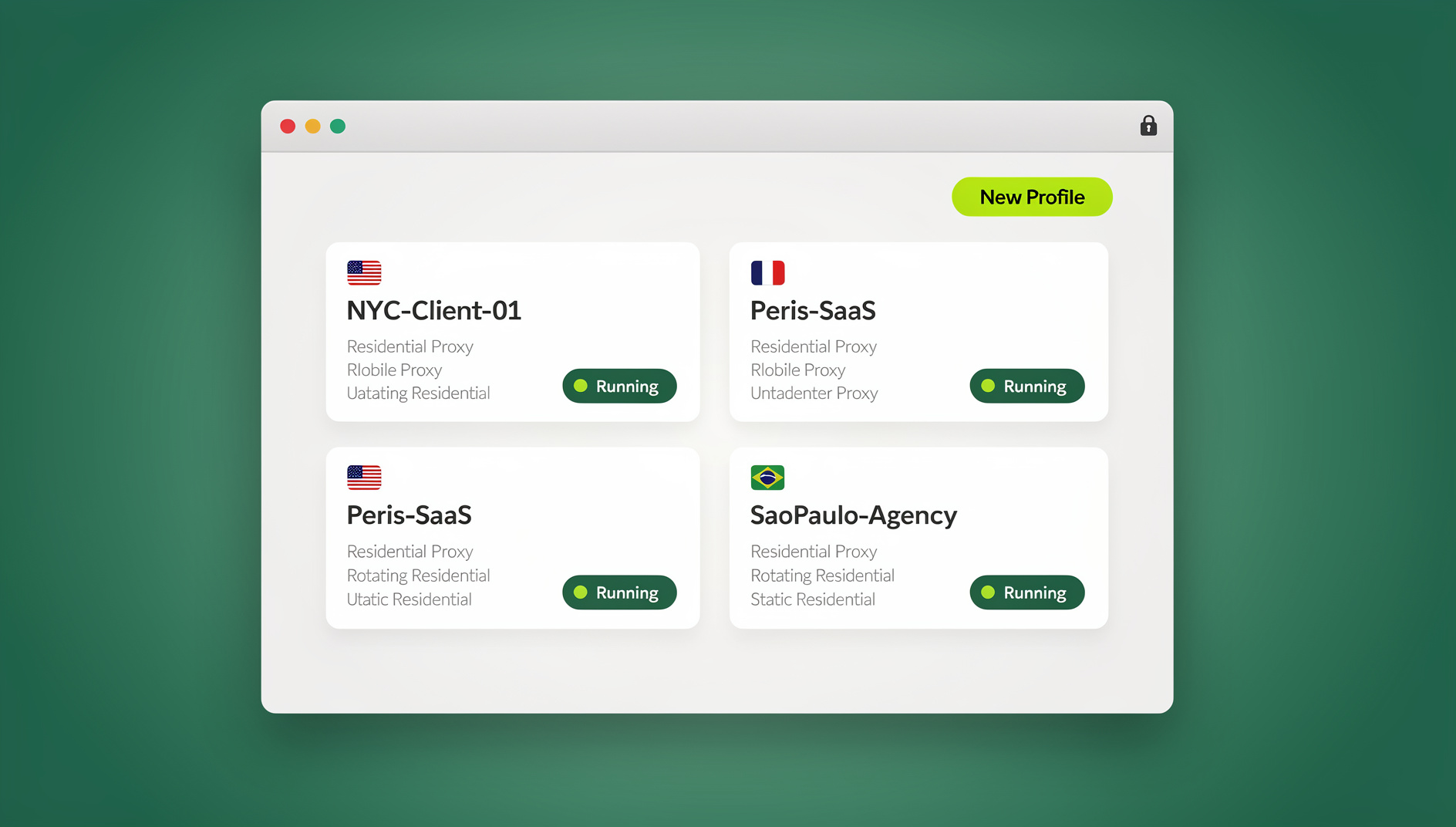
In either mode, each profile gets its own isolated fingerprint (canvas, WebGL, fonts, screen and timezone signals) alongside its own proxy connection, so two profiles browsing the same site never look like the same visitor. When you’re on a cloud browser session specifically, WebRTC negotiation and DNS resolution happen on Send.win’s server, not your device — which removes the two leak vectors that undo most manual proxy setups. You can read more about how a proxy protects your privacy when it’s paired with proper isolation.
Every profile supports HTTP, HTTPS, SOCKS5, residential, datacenter, and mobile proxies with authentication, plus a built-in connection test so you can confirm the proxy is live and check its reported IP and location before you launch.
Send.win has no free trial. Pro is $19/month or $83.88/year, and Team is $49/month or $251.88/year. The first card purchase is covered by a 7-day money-back guarantee, and the only free option is the cloud demo at https://send.win/demo-browser/.
Proxy Browser Use Cases
Multi-Account Social Media Management
Agencies running client accounts assign a location-matched proxy per client — an LA client gets an LA residential IP, an NYC client gets an NYC IP — so each account looks native to its market instead of linked to the others.
E-Commerce Seller Accounts
Sellers running multiple storefronts on Amazon, eBay, or Etsy match each account’s proxy to its registered business location, which is a common requirement for avoiding suspension. Our guide to running multiple Amazon stores safely covers the account-separation side of this in more detail.
Ad Account Management
Facebook and Google Ads accounts are especially sensitive to IP consistency with billing address, so mobile or residential proxies matched per account are standard here. See our guide to browsers for ads management for the broader setup.
Market Research and Localization Testing
Switching a session’s proxy to Germany or Japan shows you real localized pricing, search results, and ad creative, without a VPN affecting your whole device.
Web Scraping
Rotating through a proxy pool spreads scraping requests across many IPs so no single address gets rate-limited or blocked, with datacenter proxies typically handling the volume most cheaply.
Choosing the Right Proxy Type for Your Use Case
| Use Case | Recommended Proxy | Why |
|---|---|---|
| Social media accounts | Residential or mobile | Highest trust score, hardest to flag |
| E-commerce stores | Static residential | Consistent IP that reads as a real home user |
| Ad accounts | Mobile | Matches how most real customers connect |
| Web scraping | Rotating datacenter | Fast and inexpensive at high volume |
| Market research | Residential | Shows the experience a real local user gets |
| General privacy browsing | HTTP or SOCKS5 | Simple, cheap, and sufficient for basic masking |
Where to Get Proxies
Send.win doesn’t sell proxies itself — you bring credentials from a dedicated provider and attach them to a profile or session. For residential pools, Bright Data and Smartproxy are common starting points, with Oxylabs as a premium option and IPRoyal for smaller budgets. For datacenter IPs, providers like MyPrivateProxy and Proxy-Seller are reliable and cheap. For mobile proxies, Soax and Proxy-Cheap both offer carrier-based pools. Our roundup of the best proxy server services goes deeper on pricing and pool sizes if you’re comparing vendors.
Setting Up a Proxy in Send.win
Step 1: Get Proxy Credentials
From your provider, collect the proxy IP address, port, protocol (HTTP or SOCKS5), and username/password if authentication is required.
Step 2: Create or Open a Profile
In the Sendwin Browser or a cloud browser session, create a new profile and give it a name tied to the account or client it’s for.
Step 3: Attach and Test the Proxy
Open the profile’s proxy settings, select the protocol, enter the IP, port, and credentials, then run the built-in connection test to confirm it connects and returns the expected location. Our walkthrough on how to assign a proxy to each session in Send.win covers this step by step with screenshots.
Step 4: Launch and Verify
Launch the profile and check an IP-lookup site like whatismyip.com — it should show the proxy’s IP and location, not your own.
🏆 Send.win Verdict
A proxy alone only solves half the problem: it changes your IP but leaves your browser fingerprint exposed, and manual setups still leak through WebRTC and DNS. Send.win closes both gaps by pairing proxy support with per-profile fingerprint isolation, in a native desktop app or a fully cloud-hosted session, so every account you run is genuinely separate rather than just differently addressed.
Try the Send.win cloud demo — a 3-minute preview without signup, or 10 minutes a day with a free account.
Frequently Asked Questions
Do I need a proxy and a VPN together?
Usually not. Both change your visible IP, but a proxy is the better fit for browser-based work because you can run a different proxy per profile, while a VPN reroutes your entire device’s traffic at once.
Can websites still detect that I’m using a proxy?
Sometimes, depending on proxy quality. Residential and mobile proxies are hardest to flag; datacenter proxies are easier to detect. Fingerprint isolation on top of a good proxy makes detection meaningfully harder regardless of proxy type.
Will a proxy slow down my browsing?
A little. Datacenter proxies typically add 10-50ms of latency, residential proxies 50-200ms, and mobile proxies 100-300ms. In everyday browsing, this is rarely noticeable.
Should I use free proxies?
It’s not a good idea for anything serious. Free proxies tend to be slow, unreliable, quickly blocked, and in some cases log the traffic that passes through them. Paid proxies from a reputable provider are worth the cost for account or business use.
How many proxies do I need for multiple accounts?
Generally one unique proxy per account you’re managing. If you’re running ten seller accounts, plan for ten separate proxies rather than sharing one across all of them.
What’s the difference between the Sendwin Browser app and cloud browser sessions?
The Sendwin Browser is a native app you install on Windows, macOS, or Linux, storing profiles locally with encrypted cloud sync. Cloud browser sessions run entirely on Send.win’s servers with no local install, and usage is metered by cloud browsing time instead.
Can I automate a proxy-connected profile with Selenium or Playwright?
No. Send.win has no automation interface: no API, SDK, headless mode or Selenium/Puppeteer/Playwright support on any plan.
Is there a free trial?
No — Send.win has no free trial. You can test proxy assignment and fingerprint isolation with the free cloud demo at https://send.win/demo-browser/ before choosing Pro or Team, and the first card purchase is covered by a 7-day money-back guarantee.