A multi login browser is a tool that lets you stay logged into several accounts on the same website at the same time, without one session kicking out another or the platform noticing the accounts share a device. It works by giving each account its own isolated profile — separate cookies, cache, and browser fingerprint — so every login looks like it’s coming from a different machine. Send.win is one option built specifically for this problem, combining a native desktop app with cloud-based sessions so individuals and teams can run dozens of accounts without triggering bans.
What Is a Multi Login Browser?
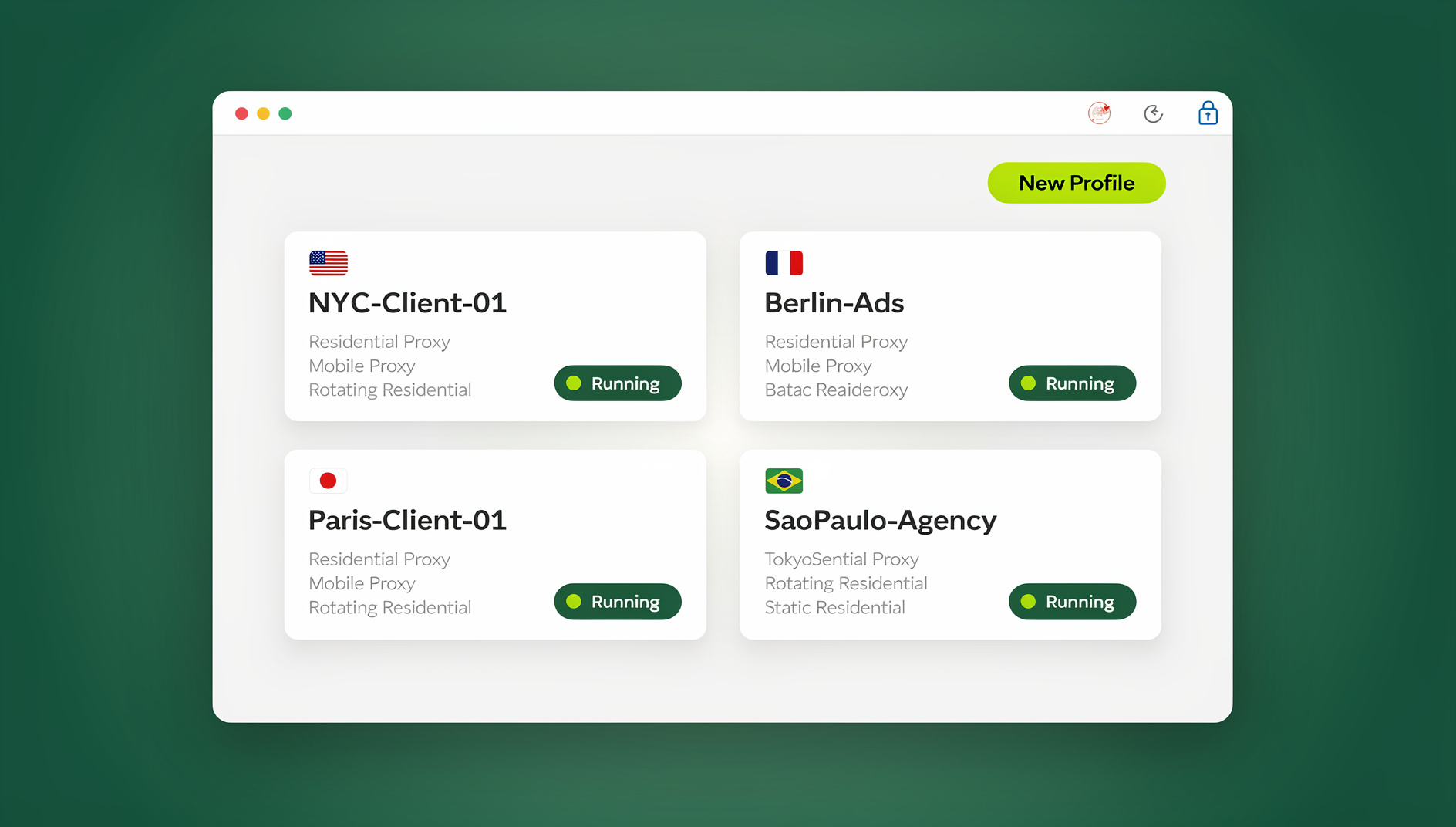
A multi login browser is purpose-built software that creates multiple, fully isolated browsing environments inside a single application. Instead of one browser window sharing cookies, local storage, and a device fingerprint across every tab, each “profile” behaves like its own separate computer. Log into Instagram in profile one and Instagram in profile two, and neither session interferes with the other, and neither platform can easily tell the two logins came from the same person.
This matters because most consumer platforms — Facebook, Google, Amazon, eBay, LinkedIn, TikTok, and hundreds of others — actively look for signals that multiple accounts belong to the same operator. A regular browser, even with multiple tabs or windows open, leaks the same fingerprint everywhere. A multi login browser exists specifically to break that link.
How Does a Multi Login Browser Work?
Under the hood, multi login browsers rely on three layered technologies working together. Understanding each one helps you evaluate whether a tool is doing this properly or just slapping a UI on top of Chrome profiles.
1. Profile Isolation
The foundation is separate browser profiles, each with its own cookies, cache, local storage, and session data. Every profile behaves like an independent browser instance, which is what lets you stay logged into the same website twice without one login overwriting the other.
2. Fingerprint Randomization
Profile isolation alone isn’t enough, because websites can still identify you through your browser fingerprint — the combination of Canvas rendering, WebGL output, installed fonts, audio stack behavior, screen resolution, and user-agent string that’s often unique to a single device. Serious multi login browsers generate a distinct, internally consistent fingerprint for every profile so that each one looks like a genuinely different computer, not just a different set of cookies.
3. Proxy Integration
The last layer is IP address. Professional tools let you attach a residential, datacenter, or mobile proxy to each profile with a click, so every account appears to browse from a different physical location. Combined with profile isolation and fingerprint randomization, this is what makes an account genuinely indistinguishable from one operated by an unrelated person.
Why You Need a Multi Login Browser (Not Just Chrome Profiles)
Chrome profiles, Firefox containers, and incognito windows all feel like a free version of the same idea, but they fall apart under real usage:
- No fingerprint protection — Chrome profiles on the same machine share the same underlying fingerprint, so platforms can still link them.
- Session bleed — cookies and cached scripts occasionally leak between profiles, causing random logouts.
- Easy platform detection — Facebook, Google, and Amazon all run fingerprinting checks that flag “different accounts, same device” patterns.
- Cascading bans — without real isolation, one flagged account can drag down every account linked to the same fingerprint.
- Poor scalability — juggling more than 10–15 Chrome profiles quickly becomes unmanageable and slows the browser to a crawl.
Once you’re managing more than a handful of accounts — client social profiles, ad accounts, marketplace stores — the free built-in options stop being a real substitute for a purpose-built tool.
Best Multi Login Browser Tools in 2026
The category has matured quickly, and pricing, fingerprinting quality, and automation support now vary a lot between vendors. Here’s how the main options stack up if you’re comparing the best browser for multiple accounts for your specific workload.
1. Multilogin
Multilogin is the category pioneer, running two proprietary browser cores (Mimic and Stealthfox) built specifically to resist fingerprint detection.
Key features: advanced fingerprint spoofing, team collaboration tools, API access for automation, and dedicated protection for Canvas, WebGL, and audio fingerprint vectors.
Pricing: roughly $99–$399/month. Best for: larger agencies managing 50+ client accounts. Cons: expensive for solo operators and small teams, with a real learning curve.
2. GoLogin
GoLogin offers a more affordable entry point with cloud-stored profiles you can access from any device.
Key features: cloud browser profiles, mobile (Android/iOS) fingerprints, a built-in proxy manager, and automation support.
Pricing: roughly $24–$149/month. Best for: social media managers and affiliate marketers. Cons: fingerprint quality trails the premium tier, with occasional detection on Facebook and Google.
3. AdsPower
AdsPower targets e-commerce and social media account management, with a genuinely usable free tier.
Key features: free plan with 2 profiles, browser automation (RPA-style), team collaboration, and bulk operations.
Pricing: free (2 profiles) up to roughly $9–$30/month. Best for: e-commerce sellers and dropshippers. Cons: limited fingerprint customization compared to premium tools.
4. Kameleo
Kameleo offers unlimited locally stored browser profiles with real mobile device emulation.
Key features: unlimited local profiles, genuine Android/iOS fingerprinting, Selenium automation support.
Pricing: roughly $59–$399/month. Best for: developers and automation specialists. Cons: no cloud storage — profiles are tied to a single machine unless you back them up manually.
5. Incogniton
Incogniton is a Chromium-based tool aimed at simplicity and price, with a generous free tier.
Key features: free plan with 10 profiles, human-like typing simulation, cookie import/export, and profile templates.
Pricing: free (10 profiles) up to roughly $29.99–$149.99/month. Best for: beginners and small-scale account managers. Cons: fingerprinting technology is less mature, with a smaller support community.
6. Send.win
Send.win takes a slightly different approach than the tools above. Rather than choosing between “local app” or “cloud service,” it gives you both: the Sendwin Browser, a native desktop app for Windows, macOS, and Linux that keeps profiles local-first with encrypted cloud sync, or cloud browser sessions that run entirely on Send.win’s servers with zero local install, billed by cloud browsing time. That flexibility, paired with an Automation API available starting on the Pro plan, makes it worth putting on your shortlist regardless of team size. We cover the full breakdown further down, including exactly how Send.win compares to other multi login browsers.
Multi Login Browser vs. Regular Browser: Key Differences
| Feature | Regular Browser (Chrome/Firefox) | Multi Login Browser |
|---|---|---|
| Profile capacity | 10–20 profiles before performance degrades | Built to scale to hundreds of profiles |
| Fingerprint protection | All profiles share one device fingerprint | Unique, consistent fingerprint per profile |
| Proxy integration | Manual, per-profile setup, no automation | One-click proxy assignment per profile |
| Account-linking risk | High — platforms can link accounts easily | Low — isolation is designed to prevent detection |
| Team collaboration | Not supported | Shared profiles, roles, and activity logs |
| Automation support | Basic developer tools only | Selenium/Puppeteer/Playwright-friendly APIs |
Common Use Cases for Multi Login Browsers
1. Social Media Management
Agencies running client accounts across Facebook, Instagram, LinkedIn, X, and TikTok use multi login browsers to switch between client accounts instantly, avoid platform detection and suspensions, run parallel ad campaigns, and schedule content across time zones without cross-contamination.
2. E-Commerce Account Management
Sellers on Amazon, eBay, Walmart, Etsy, and Shopify rely on isolated profiles to manage multiple stores without linking them, compare pricing and inventory across markets, test listings regionally, and avoid the cascading bans that come from operating “related” accounts on the same device.
3. Affiliate Marketing
Affiliates managing campaigns across multiple ad networks need isolated profiles to run several Google Ads or Meta Ads accounts, test landing pages against different visitor fingerprints, and access affiliate networks and geographic markets without detection.
4. Web Development and QA Testing
Developers and QA teams use multi login browsers to test how an app behaves for different account types and permission levels, verify authentication flows across concurrent sessions, simulate different devices and browsers, and debug session-management bugs that only show up with real, separated cookies.
5. Market Research and Competitive Analysis
Analysts tracking competitors use isolated profiles to monitor competitor pricing without getting blocked, view region-restricted content from different locations, and compare search results across genuinely distinct user profiles rather than a single logged-in identity.
How to Choose the Best Multi Login Browser
Before committing to a subscription, weigh these factors against how you actually plan to use the tool.
1. Number of Profiles Needed
Managing 2–5 accounts, a free tier is often enough. Ten to fifty accounts calls for a mid-tier plan. Agencies running 100+ accounts need a plan built for unlimited or near-unlimited scaling.
2. Fingerprint Quality
Test the tool directly on your target platforms. If test accounts get flagged quickly, the fingerprinting engine isn’t sophisticated enough for that platform’s detection.
3. Proxy Support
Confirm the browser supports the proxy types you actually use — residential, datacenter, mobile, or sticky sessions — and that assigning them per profile doesn’t require manual configuration each time.
4. Automation Needs
If you plan to script repetitive tasks, verify the tool exposes a real automation path for Selenium, Puppeteer, or Playwright rather than a closed, proprietary macro system.
5. Team Collaboration
Agencies and teams should prioritize tools with shared profiles, granular permission controls, and activity logs so you can audit who accessed what.
6. Budget
Prices range from free (limited profiles) to several hundred dollars a month at the enterprise end. Weigh the subscription cost against the cost of a single banned account — it’s rarely close.
Send.win: Native App and Cloud Sessions for Multi-Account Work
Where most tools on this list force you to pick one architecture, Send.win offers two modes and lets you choose per use case:
- Sendwin Browser (desktop app) — a native, downloadable application for Windows, macOS, and Linux. Profiles are local-first for speed, with encrypted cloud sync so your sessions, cookies, and settings follow you to another installed machine.
- Cloud browser sessions — run entirely on Send.win’s infrastructure with zero local installation. Nothing touches your machine; usage is metered by cloud browsing time, which suits anyone who wants disposable, always-fresh sessions or needs to work from a locked-down device.
For teams that need to script repetitive account tasks — bulk logins, form testing, scheduled checks — Send.win’s Automation API lets you drive the desktop app with standard Selenium, Puppeteer, or Playwright code. Unlike some competitors that reserve automation for their most expensive tier, it’s available starting on the Pro plan.
Every plan includes a 30-day free trial with no credit card required, so you can test fingerprint quality and proxy assignment against your own accounts before paying anything.
| Plan | Price | Profiles | Proxy Bandwidth | Automation API | Seats |
|---|---|---|---|---|---|
| Pro | $19/mo ($6.99/mo billed annually — 63% off) | 150 | 5GB | Included | 1 |
| Team | $49/mo ($20.99/mo billed annually — 57% off) | 500 | 20GB | Included | 16 |
Both plans include the same core isolation technology — the difference is scale and seats, not feature gating on automation, which keeps the pricing straightforward compared to vendors that upsell automation as an enterprise add-on.
Getting Started with Send.win
You can be testing multi-account isolation within a few minutes:
- Sign up for the 30-day free trial at Send.win — no credit card required.
- Choose your mode: download the Sendwin Browser desktop app for Windows, macOS, or Linux, or launch a cloud browser session directly with no install.
- Create your first profiles and confirm each one gets a distinct, consistent fingerprint.
- Attach a proxy to each profile if you need geographic separation.
- Log into your accounts and confirm sessions stay isolated across profiles.
- If you need to automate repetitive tasks, connect the Automation API to Selenium, Puppeteer, or Playwright on the Pro plan or above.
You can review full plan details any time on the Send.win pricing page, and if you’re still weighing options, it’s worth reading a broader rundown of how the top multi login tools compare on features, pricing, and ease of use before committing to a plan.
🏆 Send.win Verdict
If you want a multi login browser that doesn’t force you into a single architecture, Send.win is one of the few options that genuinely gives you a choice: a native desktop app for local-first speed with encrypted cloud sync, or fully cloud-hosted sessions with nothing to install. Add an Automation API that’s available from the Pro plan rather than locked to an enterprise tier, and pricing that starts well below most fingerprint-focused competitors, and it’s a strong default pick whether you’re managing five accounts or five hundred.
Try Send.win free today — start your 30-day trial, no credit card required.
Frequently Asked Questions
Is using a multi login browser legal?
Yes. Multi login browsers are legal tools used by businesses, agencies, and individuals for legitimate account management. What’s not permitted is using them to violate a platform’s terms of service — creating fake accounts, running spam, or committing fraud is still against the rules regardless of what browser you use.
Can platforms detect multi login browsers?
Low-quality tools can be detected through fingerprint analysis, since a lazy implementation just changes a user-agent string and calls it done. Reputable, well-built tools generate consistent, realistic fingerprints across every detection vector, which is why testing on your actual target platforms before committing to a plan matters more than marketing claims.
Do I need proxies with a multi login browser?
Not always. For basic account separation on the same general location, proxies aren’t strictly required. But if you’re managing accounts across different geographic regions, or a platform actively tracks IP addresses as part of its ban detection, proxies become essential alongside fingerprint isolation.
What’s the difference between a multi login browser and a VPN?
A VPN only changes your IP address — it does nothing about cookies, cache, or your device’s browser fingerprint. A multi login browser provides complete session isolation, with unique storage and a distinct fingerprint per account. A VPN alone can’t prevent fingerprint-based account linking.
How many profiles do I actually need?
Start with the number of accounts you’re actively managing today, then add headroom for growth. Most people managing 2–10 accounts do fine on an entry-level plan; agencies and larger e-commerce operations typically need a plan supporting 100+ profiles.
Does Send.win require installing software?
It’s your choice. Download the Sendwin Browser desktop app for Windows, macOS, or Linux if you want local-first performance with encrypted cloud sync, or launch a cloud browser session straight from your existing browser if you’d rather not install anything — that mode runs entirely on Send.win’s servers and is billed by cloud browsing time.
Can I automate tasks inside a multi login browser?
With the right tool, yes. Send.win’s Automation API supports standard frameworks like Selenium, Puppeteer, and Playwright against the desktop app, available starting on the Pro plan — useful for bulk logins, scheduled checks, or repetitive QA testing across many profiles at once.
How much does a multi login browser cost?
Pricing spans free tiers with a handful of profiles up to several hundred dollars a month for enterprise-grade fingerprinting and unlimited scale. Send.win’s Pro plan starts at $19/month ($6.99/month billed annually — 63% savings) with 150 profiles, while Team runs $49/month ($20.99/month billed annually — 57% savings) for 500 profiles and 16 seats — both include the Automation API.
Conclusion: Choosing the Right Multi Login Browser
Multi login browsers have gone from a niche tool for ad-tech specialists to a baseline requirement for anyone managing more than a couple of accounts on the same platform. The right pick depends on scale and workflow: beginners testing the waters can start with a free tier, growing teams need real fingerprint quality and proxy support, and agencies need collaboration features and automation on top of everything else.
Send.win’s combination of a native desktop app, zero-install cloud sessions, and an Automation API that isn’t locked behind the most expensive plan makes it a practical starting point for most of these use cases. The 30-day free trial with no credit card required means there’s little reason not to test it against your own accounts before deciding.