What Is a Browser Profile API?
A browser profile API lets you create, launch, configure, and tear down isolated browser profiles entirely through code — no clicking through a dashboard. You send an HTTP request (or call an SDK method), and a profile with its own fingerprint, proxy, and cookie jar spins up on demand. That’s what makes API-driven profile management the backbone of any workflow that needs more than a handful of accounts running at once.
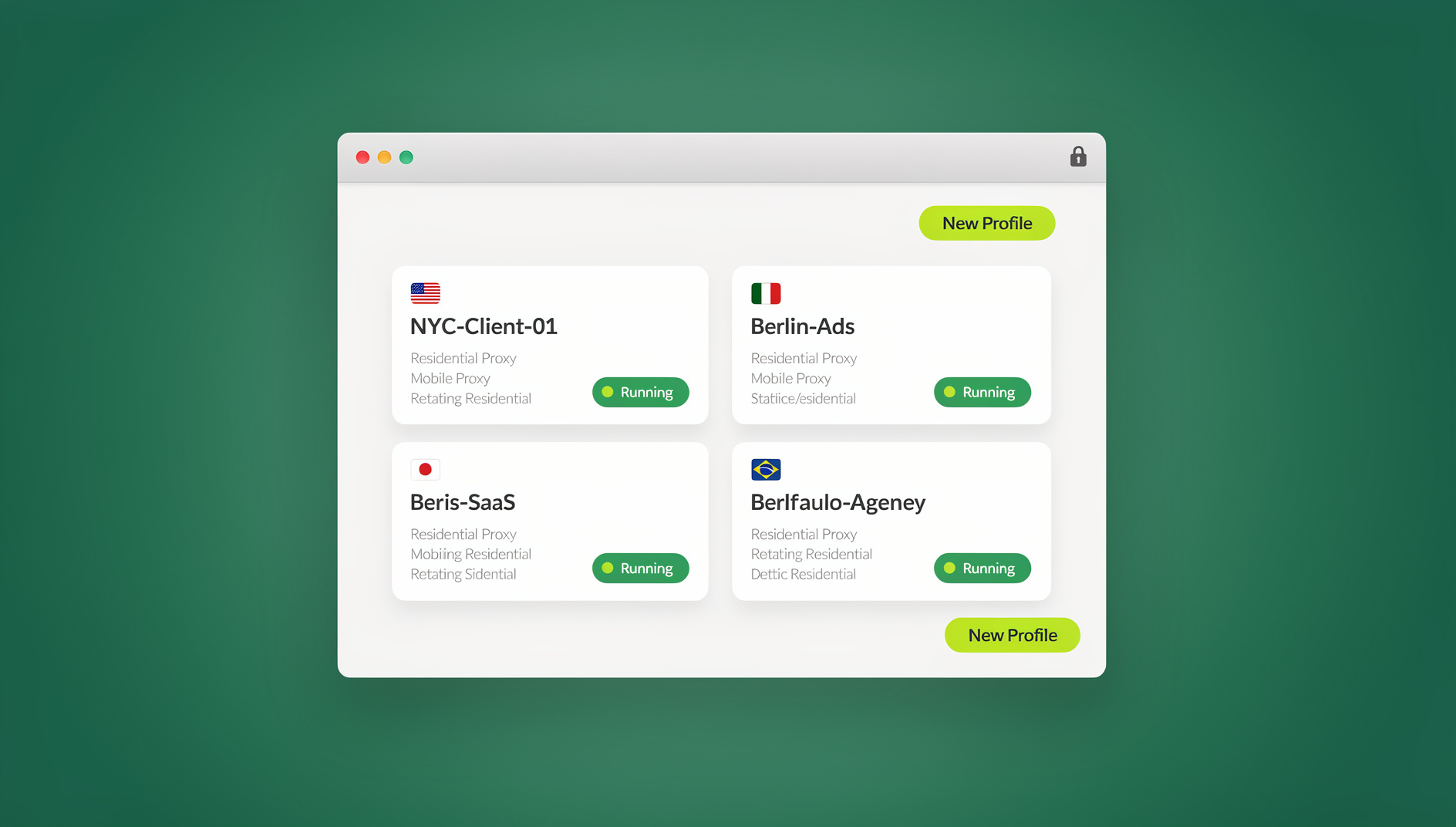
Instead of manually creating profiles, assigning proxies, and adjusting fingerprint settings one click at a time, you integrate profile management directly into your existing scripts, CI/CD pipelines, and internal tools. Whether you’re running 10 social accounts or automating 1,000 e-commerce storefronts, the API is what turns a manual chore into a repeatable, testable process.
Why Automate Browser Profile Management?
Manual vs. API-Driven Profile Management
| Task | Manual (GUI) | API-Driven |
|---|---|---|
| Create 100 profiles | 2-3 hours clicking through a UI | Under a minute via script |
| Update proxy on every profile | Edit each profile individually | One API call inside a loop |
| Launch profiles in sequence | Click “Start” on each one | Scheduled and automated |
| Export a profile status report | Manual tracking in a spreadsheet | Single API query returns JSON |
| Integrate with a CRM or ERP | Not realistically possible | Direct integration via API |
| Recover from a crashed session | Manual restart | Automatic retry and health checks |
The pattern is consistent: anything you do more than a few times a day belongs behind an API call, not a mouse click.
Core Browser Profile API Operations
CRUD Operations
// Create a new browser profile
POST /api/v1/profiles
{
  "name": "Facebook-Account-1",
  "browser": "chrome",
  "os": "windows",
  "proxy": {
    "type": "http",
    "host": "proxy.example.com",
    "port": 8080,
    "username": "user",
    "password": "pass"
  },
  "fingerprint": {
    "screen": "1920x1080",
    "language": "en-US",
    "timezone": "America/New_York",
    "webgl": "auto",
    "canvas": "noise"
  }
}

// List all profiles
GET /api/v1/profiles?page=1&limit=50

// Get profile details
GET /api/v1/profiles/{profile_id}

// Update profile configuration
PATCH /api/v1/profiles/{profile_id}
{
  "proxy": {
    "host": "new-proxy.example.com",
    "port": 9090
  }
}

// Delete a profile
DELETE /api/v1/profiles/{profile_id}
Session Management
// Start a browser session
POST /api/v1/profiles/{profile_id}/start
Response: {
  "session_id": "abc123",
  "ws_endpoint": "ws://localhost:9222/devtools/browser/abc123",
  "debug_port": 9222
}

// Connect Puppeteer/Playwright to the running session
const browser = await puppeteer.connect({
  browserWSEndpoint: response.ws_endpoint
});

// Stop a session
POST /api/v1/profiles/{profile_id}/stop

// Get active sessions
GET /api/v1/sessions?status=active
Popular Browser Profile APIs Compared
| Platform | API Type | Automation Support | Pricing |
|---|---|---|---|
| Multilogin | REST API + Local API | Selenium, Puppeteer, Playwright | From €99/month |
| AdsPower | Local REST API | Selenium, Puppeteer | From $9/month |
| GoLogin | REST API | Selenium, Puppeteer, Playwright | From $49/month |
| Dolphin Anty | REST API | Selenium, Puppeteer | From $89/month |
| Browserless | HTTP API | Puppeteer, Playwright (headless) | From $0 (self-hosted) |
| Send.win | Automation API (Pro plan) | Selenium, Puppeteer, Playwright against the Sendwin Browser desktop app | From $6.99/month (Pro, billed annually) |
Note that Send.win’s Automation API ships on the Pro plan, not gated behind an enterprise-only Team tier — a meaningful difference from platforms that reserve automation for their most expensive plan.
Integrating Browser Profile APIs With Automation Frameworks
Puppeteer Integration
const puppeteer = require('puppeteer-core');

async function runWithProfile(profileId) {
  // 1. Start profile via API
  const response = await fetch(`http://localhost:3001/api/v1/profiles/${profileId}/start`, {
    method: 'POST',
    headers: { 'Authorization': 'Bearer YOUR_API_KEY' }
  });
  const { ws_endpoint } = await response.json();

  // 2. Connect Puppeteer to the running profile
  const browser = await puppeteer.connect({
    browserWSEndpoint: ws_endpoint,
    defaultViewport: null
  });

  // 3. Automate actions
  const page = await browser.newPage();
  await page.goto('https://example.com');
  await page.type('#username', 'my_username');
  await page.type('#password', 'my_password');
  await page.click('#login-button');

  // 4. Close and stop the profile
  await browser.disconnect();
  await fetch(`http://localhost:3001/api/v1/profiles/${profileId}/stop`, {
    method: 'POST',
    headers: { 'Authorization': 'Bearer YOUR_API_KEY' }
  });
}
Playwright Integration
const { chromium } = require('playwright');

async function automateProfile(profileId) {
  // Start session via API
  const res = await fetch(`/api/profiles/${profileId}/start`, { method: 'POST' });
  const { ws_endpoint } = await res.json();

  // Connect Playwright over CDP
  const browser = await chromium.connectOverCDP(ws_endpoint);
  const context = browser.contexts()[0];
  const page = context.pages()[0] || await context.newPage();

  // Run automation
  await page.goto('https://target-site.com');
  const title = await page.evaluate(() => document.title);
  console.log('Page title:', title);

  await browser.close();
}
Selenium Integration
from selenium import webdriver
from selenium.webdriver.chrome.options import Options
import requests

def run_with_profile(profile_id):
    # Start profile via API
    resp = requests.post(
        f'http://localhost:3001/api/v1/profiles/{profile_id}/start',
        headers={'Authorization': 'Bearer YOUR_API_KEY'}
    )
    debug_port = resp.json()['debug_port']

    # Connect Selenium to the running Chrome instance
    options = Options()
    options.debugger_address = f'127.0.0.1:{debug_port}'
    driver = webdriver.Chrome(options=options)

    # Automate
    driver.get('https://example.com')
    print(driver.title)

    # Cleanup
    driver.quit()
    requests.post(f'http://localhost:3001/api/v1/profiles/{profile_id}/stop')
Building Scalable Multi-Account Workflows
Architecture Pattern: Worker Pool
Worker Pool Architecture:
+------------------------------+
|     Task Queue (Redis)       |
|  [Task1] [Task2] [Task3]...  |
+--------------+---------------+
               |
      +--------+--------+
      v        v        v
  +------+ +------+ +------+
  |Worker| |Worker| |Worker|
  |  1   | |  2   | |  3   |
  +--+---+ +--+---+ +--+---+
     |        |        |
     v        v        v
  +------+ +------+ +------+
  |Prof. | |Prof. | |Prof. |
  |API   | |API   | |API   |
  |Start | |Start | |Start |
  +------+ +------+ +------+
Example: Posting Across 50 Accounts
import asyncio
import aiohttp

API_BASE = 'http://localhost:3001/api/v1'
API_KEY = 'YOUR_API_KEY'

async def post_to_account(session, profile_id, content):
    # Start profile
    async with session.post(
        f'{API_BASE}/profiles/{profile_id}/start',
        headers={'Authorization': f'Bearer {API_KEY}'}
    ) as resp:
        data = await resp.json()
        ws_endpoint = data['ws_endpoint']

    # Connect and post (simplified)
    # ... Puppeteer/Playwright automation here ...

    # Stop profile
    await session.post(f'{API_BASE}/profiles/{profile_id}/stop')

async def main():
    profiles = await get_all_profiles()  # GET /api/v1/profiles
    content = "Today's scheduled post content"

    async with aiohttp.ClientSession() as session:
        semaphore = asyncio.Semaphore(5)
        async def worker(profile):
            async with semaphore:
                await post_to_account(session, profile['id'], content)

        await asyncio.gather(*[worker(p) for p in profiles])

asyncio.run(main())Fingerprint Configuration via API
| Parameter | API Field | Options |
|---|---|---|
| Screen resolution | fingerprint.screen |
“1920×1080”, “1366×768”, “2560×1440” |
| Canvas noise | fingerprint.canvas |
“noise”, “block”, “real” |
| WebGL renderer | fingerprint.webgl |
“auto”, custom vendor/renderer string |
| Timezone | fingerprint.timezone |
IANA timezone (e.g., “America/Chicago”) |
| Language | fingerprint.language |
BCP-47 (e.g., “en-US”, “de-DE”) |
| User-Agent | fingerprint.userAgent |
Custom string or “auto” for a realistic UA |
| Platform | fingerprint.platform |
“Win32”, “MacIntel”, “Linux x86_64” |
Security Best Practices for Browser Profile APIs
Authentication and Authorization
- API key rotation: rotate keys at least every 90 days
- Rate limiting: cap requests per key to prevent abuse
- IP allowlisting: restrict API access to known server IPs
- Scoped permissions: read-only keys for monitoring, write keys for management
Credential Management
- Never hardcode API keys or proxy credentials in source code
- Use environment variables or a secrets manager (AWS Secrets Manager, HashiCorp Vault)
- Encrypt stored proxy credentials at rest
- Audit API access logs on a regular schedule
Cloud vs. Local Browser Profile APIs
| Factor | Local API (Desktop App) | Cloud API |
|---|---|---|
| Latency | Very low (localhost) | Depends on network |
| Scalability | Limited by local hardware | Scales with cloud capacity |
| Resource usage | Heavy local CPU/RAM | Minimal local resources |
| Cross-device access | Tied to one machine | Accessible from anywhere |
| Team access | Complex to share | Built-in session sharing on cloud platforms |
| Maintenance | Self-managed updates | Fully managed by the provider |
Send.win covers both sides of this table: the Sendwin Browser desktop app runs profiles locally with the Automation API talking to it directly, while cloud browser sessions run the same isolated, fingerprinted profiles remotely with no install at all — useful when a workflow needs to scale past what one machine can handle.
Common Use Cases
1. E-Commerce Multi-Store Management
The API creates and manages one browser profile per store. Automation logs into each store, checks orders, updates inventory, and replies to customer messages — each with its own isolated fingerprint and IP, so platforms don’t flag the accounts as linked to each other.
2. Social Media Scheduling
API-managed profiles connect to scheduling tools. Each social account gets its own consistent fingerprint, so automated posts look like they’re coming from ordinary human activity rather than a bot farm.
3. Web Scraping at Scale
Profiles are configured via API with rotating proxies and randomized fingerprints, with new isolated browser profiles spun up automatically whenever a scraping session gets blocked. Data collection keeps running around the clock without a human babysitting it.
4. QA Test Automation
CI/CD pipelines create a temporary browser profile via API for every end-to-end test run. Each run starts from a clean, isolated profile, and the profile is destroyed automatically once the tests finish — no leftover cookies bleeding into the next run.
How Send.win Fits Into API-Driven Workflows
If your workflow needs more than the local, single-machine ceiling most desktop antidetect browsers hit, Send.win covers both ends: run profiles locally through the Sendwin Browser desktop app with the Automation API (Selenium, Puppeteer, and Playwright are all supported, included on the Pro plan), or run the same isolated profiles as cloud browser sessions with zero installation when you need to scale past your own hardware. Proxies can be assigned per session rather than per account, which keeps fingerprint and IP config consistent across an entire automated fleet.
🏆 Send.win Verdict
A browser profile API is only as useful as the infrastructure behind it. Send.win pairs a real Automation API (Pro plan, Selenium/Puppeteer/Playwright support) with both a native desktop app and no-install cloud browser sessions — so you can automate 5 profiles or 500 without re-architecting your scripts.
Try Send.win free today — start a 30-day free trial, no credit card required.
Frequently Asked Questions
Do all antidetect browsers offer a browser profile API?
Most major platforms offer some form of API, but the depth varies a lot. Multilogin and GoLogin have mature REST APIs; AdsPower offers a local API; Browserless is API-only by design. Always check a platform’s actual API docs before committing to it for an automation-heavy use case.
Can I use Selenium with a browser profile API?
Yes. Most browser profile APIs expose a debug port or WebSocket endpoint that Selenium, Puppeteer, or Playwright can connect to directly. The typical flow: start the profile via API, grab the connection endpoint from the response, connect your automation framework, run your tasks, then stop the profile via API.
How many concurrent profiles can an API handle?
Local APIs are limited by your hardware — typically 5 to 20 concurrent profiles on a standard machine, since each profile uses roughly 1-2GB of RAM. Cloud-based APIs can run hundreds of concurrent profiles because the browsers execute on remote infrastructure instead of your laptop.
Is browser profile API access included on every plan?
Usually not. API access tends to sit on mid-tier or higher plans, and free tiers rarely include it. Send.win includes its Automation API on the Pro plan, so it’s worth checking whether a competitor gates the same feature behind a pricier enterprise tier.
What’s the difference between a browser profile API and a headless browser tool?
Headless tools like Puppeteer and Playwright control a browser programmatically, but they don’t manage persistent, fingerprinted profiles on their own. A browser profile API adds the missing layer — persistent cookies, a unique fingerprint, and proxy assignment — on top of whatever automation framework you’re already using.
Does Send.win have a browser profile API?
Yes. Send.win’s Automation API is available on the Pro plan and works against the Sendwin Browser desktop app, supporting Selenium, Puppeteer, and Playwright. Send.win does not offer a browser extension of any kind — automation connects to the desktop app or a cloud browser session, not to an add-on.
Do I need to host my own server to use a browser profile API?
For local APIs (the kind that ship with desktop antidetect browsers), no server hosting is needed — the API runs on your own machine. Cloud APIs handle the infrastructure entirely on the provider’s side, so you only need to make HTTP calls from wherever your automation script runs.
Can a browser profile API rotate proxies automatically?
Yes, if the platform supports it. You can typically update a profile’s proxy field via a PATCH request, and many teams script periodic proxy rotation on a schedule or trigger it whenever a profile hits a rate limit or block.
Conclusion
A browser profile API turns multi-account management from a manual, error-prone chore into a scalable, automated system. By programmatically creating profiles, assigning fingerprints and proxies, and wiring up your automation framework of choice, you can manage hundreds of accounts with the reliability of code instead of the limits of human clicking.
For teams that want API-driven, multi-account management without building the infrastructure from scratch, Send.win pairs a real Automation API on the Pro plan with both a local desktop app and cloud browser sessions — so the automation logic is the only thing you have to build.