An anonymous browser hides your identity and activity from trackers, websites, and your own device by keeping cookies, history, and fingerprints from piling up locally. In 2026, the most reliable way to get that is a browser that never fully runs on your machine at all: Send.win offers both a native Sendwin Browser desktop app with encrypted cloud sync, and fully cloud-hosted browser sessions, so every login stays isolated and your location stays under your control without leaving a trail on your device.
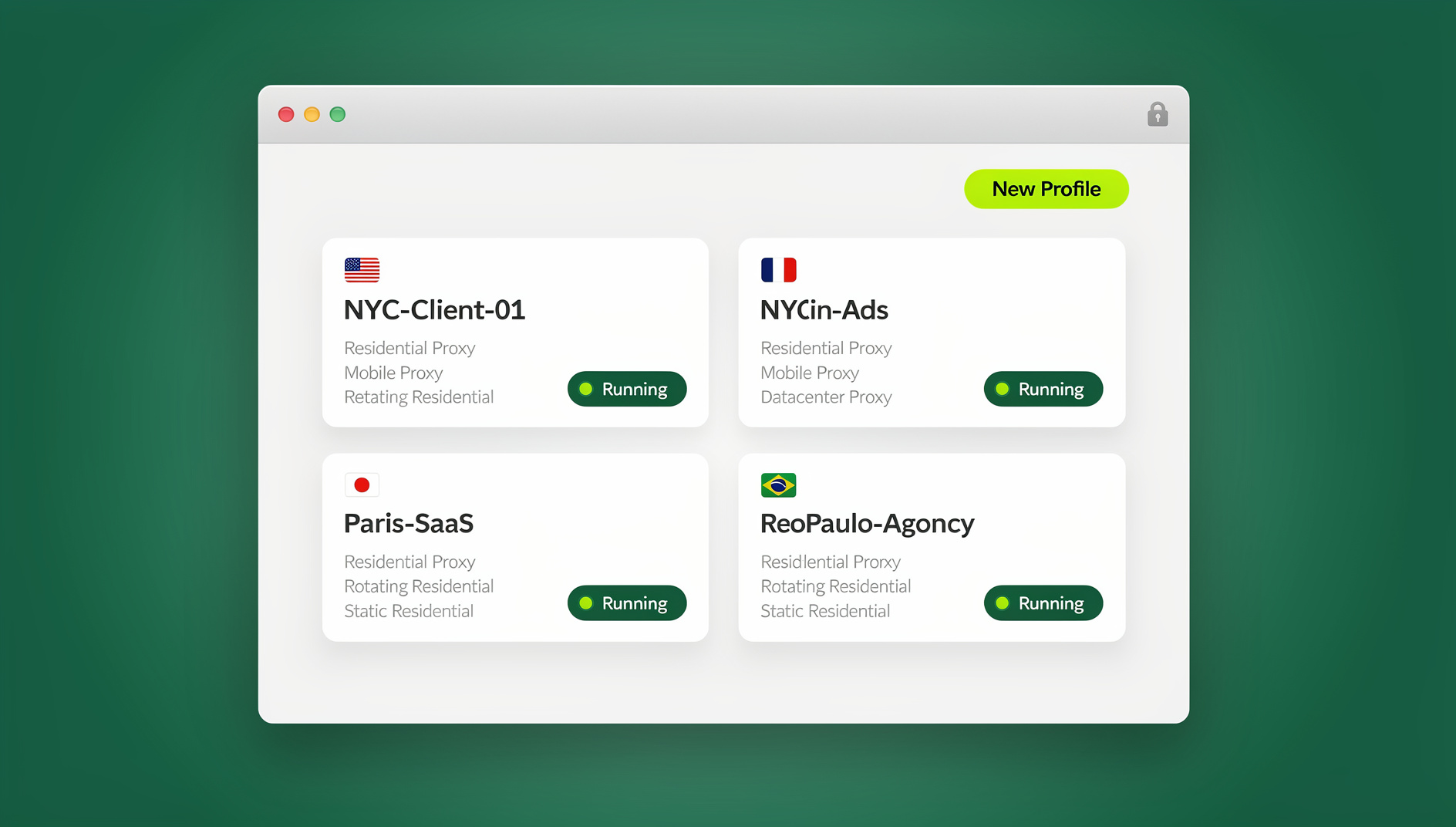
This guide breaks down what “anonymous browsing” actually requires today, how Send.win’s two browsing modes deliver it, and how to set up a private, multi-login workflow that holds up whether you’re researching competitors, managing client ad accounts, or just keeping your personal logins separate from your work ones.
What “Anonymous Browser” Really Means in 2026
A decade ago, “anonymous browsing” meant opening an incognito window or installing an ad-blocker. Neither one does much anymore. Incognito mode still runs on your local machine, still exposes your real IP address, and still leaves your device’s canvas, WebGL, and font fingerprint fully visible to any site that wants to read it. Trackers stopped needing cookies years ago — cross-site fingerprinting can re-identify a “private” session in seconds.
A genuinely anonymous browsing setup in 2026 needs to solve four separate problems at once:
- Local execution risk: Every page you open runs code on your device by default. Malicious scripts, drive-by downloads, and phishing kits all rely on that. Removing local execution removes most of that risk surface entirely.
- Session isolation: Each login you keep open — client accounts, personal profiles, test accounts — needs its own cookie jar and storage so nothing bleeds between them and no single fingerprint links them together.
- IP and location control: Your apparent location needs to be adjustable per task, not tied to a single always-on VPN tunnel that changes your whole device’s traffic.
- Fingerprint consistency: Even with a masked IP, a mismatched canvas or browser fingerprint can undo the anonymity a proxy was supposed to provide.
Ad-blockers and multiple local browser profiles can chip away at parts of this, but they still execute in your real browser, on your real machine. If the goal is to actually browse without leaving traces, the execution itself has to move somewhere else.
Two Ways to Browse Anonymously with Send.win
Send.win takes that “move execution somewhere else” idea and gives you two ways to act on it, depending on how you like to work.
Sendwin Browser: the native desktop app
Sendwin Browser is a downloadable, native application for Windows, macOS, and Linux. It’s local-first — your sessions and profiles live on your machine for speed — but everything syncs to the cloud in encrypted form, so you can pick up the same isolated profiles from another device without losing your setup. It’s the better fit if you want the raw performance of a local app while still keeping every login, cookie jar, and identity cleanly separated from the others.
Cloud browser sessions: zero local install
The second mode runs entirely in the cloud. Nothing is installed locally at all — you open a session from your dashboard in any regular browser, and the page renders remotely while you interact with a live stream of it. Because the page never actually executes on your device, there’s effectively nothing left behind locally: no cache entries tied to that session, no local cookies, no downloaded scripts. Cloud sessions are metered by cloud browsing time, which makes them a natural fit for occasional research, one-off account access, or sharing a login with someone else without ever handing over the password.
Both modes keep your everyday browser completely separate from the sensitive or multi-login work you’re doing in Send.win, so nothing from your regular browsing ever mixes with the isolated profiles or sessions you manage there.
Core Privacy and Security Features
Whichever mode you use, the same underlying protections apply. Here’s what actually keeps your activity anonymous and your accounts clean.
Per-profile session isolation
Every profile you create gets its own cookie jar, local storage, and cache. Log into five different client accounts on the same platform and each one behaves like it’s on a completely separate device — no cross-contamination, no surprise logouts from one account bleeding into another. That’s the backbone of session isolation, and it’s what stops platforms from linking accounts that share a device fingerprint.
IP and location control via proxies
Attach your own proxy to any profile or session to control the IP address and apparent region a site sees. This is more precise than a system-wide VPN because you can run five sessions with five different apparent locations simultaneously, instead of routing your whole device through one tunnel. If you’re weighing which approach fits your workflow, this proxy vs VPN comparison walks through the tradeoffs in more depth.
Share the session, not the password
Instead of handing a teammate or client your actual login credentials, send them a session link. They work inside the account without ever seeing the password, and you can revoke access instantly when the project ends. No shared spreadsheets of passwords, no awkward MFA hand-offs.
Blur and block sensitive pages
Before sharing a session, blur or block specific pages — billing, account settings, payment details — so collaborators can do their job without seeing information they don’t need to.
Session timers
Time-box access to 30 minutes, an hour, or 24 hours so shared sessions expire automatically. That’s useful for agencies and contractors who need temporary access rather than standing credentials.
Cloud browser sessions
Send.win is a browser profile manager: each profile keeps its own cookies, storage, sessions and fingerprint settings, so you can run repetitive, logged-in research tasks (checking rankings across profiles, verifying listings, pulling data from a dashboard) in separate profiles without juggling separate infrastructure. Send.win does not offer an automation interface — there is no API, SDK, headless mode or Selenium/Puppeteer/Playwright support on any plan.
Why Cloud Anonymous Browsing Beats “Private” Local Browsing
Even careful local browsing hygiene leaves residue: browser caches, local storage, saved form data, and a device fingerprint that’s yours no matter which window you opened. A cloud-hosted session sidesteps all of that because the page simply never runs on your machine.
- Nothing executes locally: You’re interacting with a rendered stream, so malicious code delivered by a compromised ad or a phishing link has nowhere to land on your device.
- Isolated identities by default: Every session or profile is its own sealed container — no accidental account carryover, no shared fingerprint across logins.
- Region-consistent research: Pick a region or attach a proxy per session, which matters for SEO checks, ad previews, and marketplace QA where local IP consistency affects what you see.
- No system-wide VPN tunnel: Keep IP and location control scoped to the session that needs it, instead of rerouting every app on your device.
If you’ve been juggling multiple local browser profiles, a secondary browser just for “the other account,” or constantly clearing cookies between logins, that friction is the actual signal that local browsing has hit its limit — not a personal failing, just a structural one.
Anonymous Browsing Approaches Compared
| Capability | Incognito / Local Profiles | VPN + Local Browser | Send.win (Native App or Cloud Session) |
|---|---|---|---|
| Where pages execute | Locally, full risk exposure | Locally | Local app (own device) or fully remote (cloud sessions) |
| Session isolation | Inconsistent; can leak between tabs | Inconsistent | Per-profile containers by design |
| IP / location control | None | System-wide, one region at a time | Per-session, with your own proxies |
| Sharing access | Password hand-offs | Same | Session links with timers, blur/block |
| Local traces left behind | Cache, storage, fingerprint | Cache, storage, fingerprint | Minimal to none, depending on mode |
Who Actually Needs an Anonymous Browser
Anonymous, isolated browsing isn’t just for the privacy-obsessed — it’s a practical requirement for anyone juggling more than one identity online.
- Marketers and advertisers: Manage multiple ad accounts and hand off review access to clients or contractors without ever sharing a password, while keeping region settings consistent per campaign.
- E-commerce sellers: Run several store or marketplace accounts without cross-account signals that can trigger a platform ban, and share read-only sessions for order verification.
- SEO professionals: Check rankings and SERP features from different regions without juggling browser profiles or a whole-device VPN for every location.
- Developers and QA testers: Spin up disposable sessions to reproduce bugs or test staging environments, then discard them without leaving anything behind.
- Remote teams and agencies: Collaborate inside logged-in sessions, time-box access for contractors, and blur sensitive pages before handing off a link.
Getting Started with Anonymous Browsing on Send.win
- Sign up: Create an account at send.win — there is no free trial; paid plans start at $19/mo (Pro) and the first card purchase is covered by a 7-day money-back guarantee. You can also preview the cloud browser for free at the demo.
- Choose your mode: Install the native Sendwin Browser desktop app if you want local speed with encrypted cloud sync, or launch cloud browser sessions from your dashboard if you want zero local install.
- Create isolated profiles: Set up a separate profile for each account or client, and attach a proxy to any profile that needs a specific region or IP.
- Share carefully: When you need to collaborate, send a session link instead of a password, add a timer, and blur anything sensitive before sharing.
Send.win Pricing for Anonymous, Multi-Login Browsing
Send.win has no free trial; paid plans start at $19/mo for Pro or $83.88/yr, and the first card purchase is covered by a 7-day money-back guarantee. The only free option is the cloud demo, so you can preview the workflow before committing to a plan.
| Plan | Monthly | Billed Annually | Profiles | Proxy Bandwidth | Seats | |
|---|---|---|---|---|---|---|
| Pro | $19/mo | $6.99/mo | 150 | 5GB | Included | 1 |
| Team | $49/mo | $20.99/mo | 500 | 20GB | Included | 16 |
Both plans are paid subscriptions, so even solo users on Pro get the full desktop app for Windows, macOS and Linux, plus the cloud browser that runs on Send.win’s server in the EU. Team adds more seats, profiles, and proxy bandwidth for agencies managing client work at scale.
🏆 Send.win Verdict
If you want an anonymous browser that actually removes local traces instead of just hiding them, Send.win’s combination of a native desktop app with encrypted cloud sync and fully cloud-hosted sessions covers both ends of the spectrum — one for everyday isolated multi-login speed, one for zero-footprint, share-without-a-password work. Per-profile isolation, your own proxies, and session links with timers handle the anonymity and collaboration problems that incognito mode and VPNs never fully solved.
Try the Send.win cloud demo — a 3-minute preview without signup, 10 minutes a day with a free account.
Frequently Asked Questions
What is an anonymous browser and how is it different from incognito mode?
An anonymous browser prevents your activity from being tied back to your device or identity, which requires more than just skipping the local history log. Incognito mode still runs on your machine, still exposes your real IP, and still leaves a full browser fingerprint visible to any site. A true anonymous browsing setup either isolates each session in its own container or runs execution somewhere other than your local device entirely.
How does Send.win keep multiple logins from linking to each other?
Each profile or session gets its own cookie jar, local storage, and cache, so there’s no shared state between them. Combined with per-session proxy support, this prevents platforms from correlating accounts through a shared IP or shared fingerprint.
Do I need a VPN if I’m already using Send.win?
Not necessarily. You can attach your own proxy to individual sessions or profiles for region and IP control, which is more granular than a system-wide VPN since different sessions can appear to come from different locations at the same time.
What’s the difference between the Sendwin Browser app and cloud sessions?
Sendwin Browser is a native app you install on Windows, macOS, or Linux — local-first for speed, with encrypted cloud sync so your profiles follow you across devices. Cloud browser sessions run entirely on remote infrastructure with nothing installed locally, metered by cloud browsing time, which is ideal when you want to leave essentially no local trace or share a session without installing anything on the other end.
Can I share an account without giving out the password?
Yes. Generate a session link for the account you want to share, set an expiration timer, and optionally blur sensitive pages like billing before sending it. The recipient works inside the live session without ever seeing the credentials, and you can revoke the link at any time.
Is there a free trial?
Send.win has no free trial; paid plans start at $19/mo for Pro or $83.88/yr, and the first card purchase is covered by a 7-day money-back guarantee. You can preview isolated profiles, proxy assignment, and session sharing for free in the cloud demo before choosing between the Pro and Team plans.
Does Send.win support browser automation?
No. Send.win has no automation interface on any plan — no API, SDK, headless mode or Selenium/Puppeteer/Playwright support. What each profile does give you is its own cookies, storage, sessions and fingerprint settings, so you can run repetitive logged-in tasks in separate profiles.
An anonymous browser in 2026 comes down to four things: no unnecessary local execution, isolated sessions per login, IP and location control that doesn’t require a system-wide VPN, and a way to collaborate without ever handing out a password. Send.win’s native Sendwin Browser and cloud sessions cover both sides of that equation, whether you want local speed with encrypted sync or a session that leaves nothing behind at all.