Why Managing Multiple Facebook Accounts From One Browser Is Trickier Than It Sounds
If you have ever tried to run more than one Facebook account — a personal profile plus a business page login, a client account, a second brand, or a backup profile for testing ads — you already know the pain. Facebook does not want you to have more than one active account per person, and its detection systems are built to notice when two “different” accounts share the same browser fingerprint, IP address, cookies, and device signals. Log out, log back in, clear cookies, repeat — it is slow, it is annoying, and it is exactly the kind of repetitive pattern that gets accounts flagged for review.
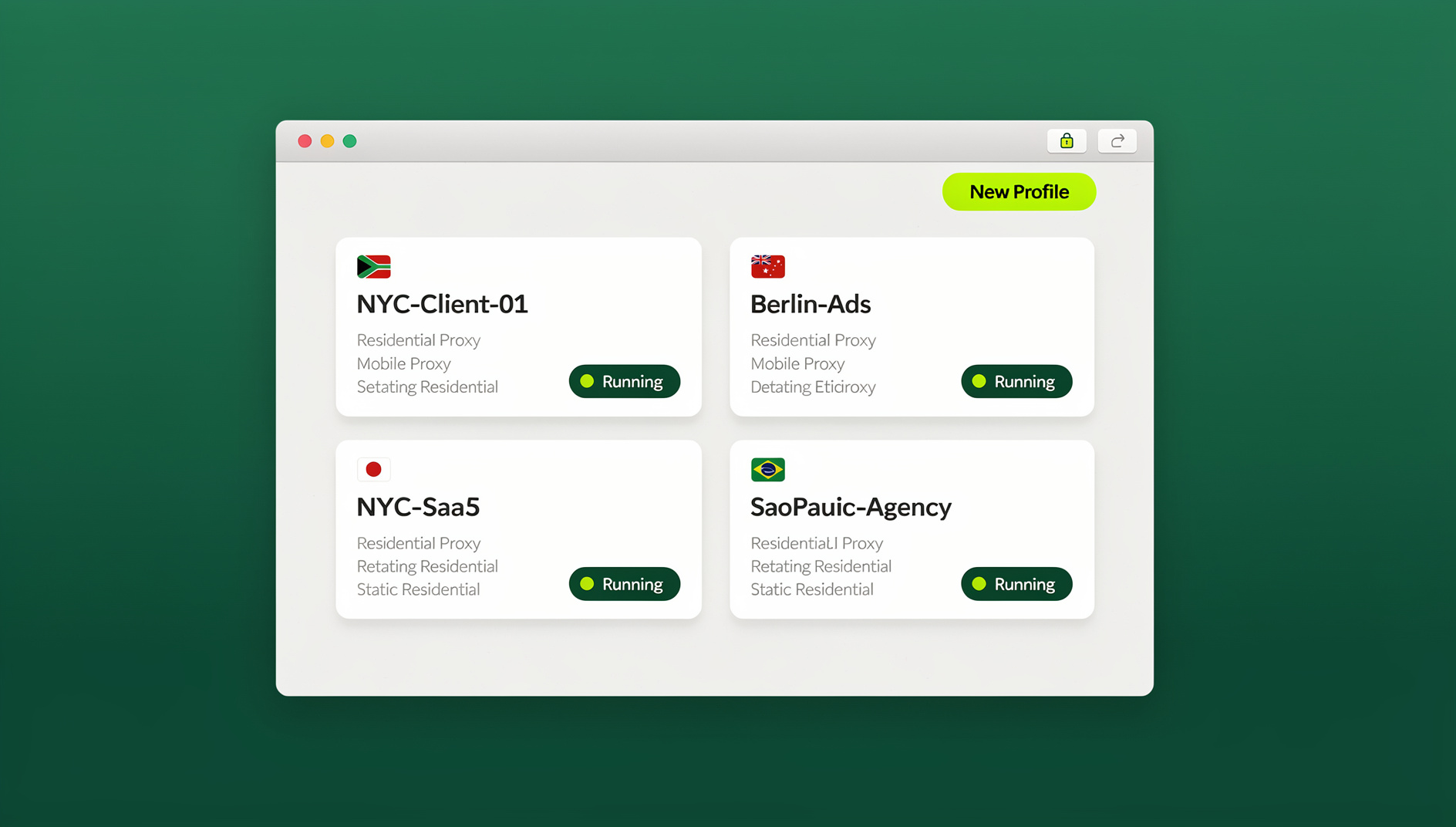
The good news: you do not need ten browsers, ten devices, or a pile of sticky notes with passwords to manage multiple Facebook accounts from one browser safely in 2026. Purpose-built multi-login tools like Send.win now let you open several Facebook accounts side-by-side in the same window, each one isolated behind its own fingerprint and proxy, with zero risk of cross-contamination between sessions. This guide walks through exactly how it works, how to set it up step by step, and how to keep every account looking completely independent to Facebook’s systems.
Why Chrome Profiles, Incognito Mode, and Multiple Browsers Don’t Actually Work
Before looking at the fix, it helps to understand why the “free” workarounds people try first tend to backfire.
Chrome Profiles Share More Than You Think
Chrome’s built-in profiles keep bookmarks and extensions separate, but they do not randomize your canvas fingerprint, WebGL renderer, audio context, font list, or hardware signals. Two Chrome profiles on the same machine still look like the same device to Facebook’s fraud-detection layer — because they are the same device.
Incognito Mode Isn’t Built For This
Private/incognito windows clear cookies when you close them, but they still route through your real IP address and expose the same underlying browser fingerprint. Facebook can still correlate two “anonymous” sessions opened from the same network and hardware within minutes of each other.
Juggling Multiple Physical Browsers Doesn’t Scale
Some people install Chrome, Firefox, Edge, Brave, and Opera just to get five “separate” logins. It works for a day or two, but it is painful to maintain, still leaks your real IP to every account, and falls apart completely the moment you need a sixth or seventh profile.
Logging In and Out Repeatedly Is a Red Flag
Manually signing out of one account and into another, over and over, from the same IP and device, creates exactly the kind of access pattern Facebook’s automated systems are trained to catch. It also means you lose your session state constantly and waste real time every single day.
What Is Send.win and How Does It Solve This?
Send.win is a browser profile manager built specifically for people who need to run several accounts on the same platform with separate cookies and storage. Instead of one browser identity, Send.win creates isolated profiles — each with its own cookies, local storage, cache, and its own consistent browser fingerprint (canvas, WebGL, fonts, timezone, and more). Each profile can also be assigned its own residential, datacenter, or mobile proxy, so every Facebook account you manage logs in from its own IP, its own device, and its own browser — even though you are working from a single machine and, in most cases, a single browser window.
Send.win in 2026 gives you two ways to work: the native Sendwin Browser — a local-first desktop app for Windows, macOS, and Linux with encrypted cloud sync — and fully cloud-hosted cloud browser sessions that run entirely in the cloud with zero local install, metered by cloud browsing time. That means whether you are a solo creator managing two personal profiles or an agency running hundreds of client accounts, there is a workflow that fits.
How to Manage Multiple Facebook Accounts in One Browser With Send.win (Step-by-Step)
Here is the exact process, updated for the current Send.win platform.
Step 1: Choose Your Setup — Desktop App or Cloud Browser Session
Send.win now offers two ways to work. The Sendwin Browser desktop app (native to Windows, macOS, and Linux) gives you a dedicated application window for managing all your profiles, isolated from your everyday browser entirely — the recommended option if you are running more than a handful of accounts. A cloud browser session is a lighter option if you just want to run a browsing session entirely in the cloud with zero local install. Both connect to the same account and the same saved sessions, so you can switch between them freely.
Step 2: Create Your Send.win Account
Sign up at send.win — paid plans start at $19/mo, and your first card purchase is covered by a 7-day money-back guarantee. You can also try the free cloud demo at send.win/demo-browser/ before paying anything.
Step 3: Create a New Profile for Each Facebook Account
Inside the Send.win dashboard (or Desktop app), click to create a new profile. Give it a clear name — for example “FB — Personal” or “FB — Client A” — and, if you use groups, tag it under a “Facebook” group so all your Facebook profiles stay organized together.
Step 4: Assign a Unique Proxy and Fingerprint
Each profile can be paired with its own proxy (Send.win includes built-in proxy options, or you can bring your own residential/mobile IPs). Set the timezone, language, and geolocation to match the proxy’s location — this consistency matters far more to detection systems than most people expect. Send.win auto-generates a stable, unique fingerprint for the profile so it persists across sessions instead of changing every time you log in.
Step 5: Open Facebook Inside the Isolated Profile
Launch the profile and navigate to facebook.com exactly as you normally would. Log in with that account’s credentials. Because the profile has its own cookies, storage, and fingerprint, Facebook sees this as a completely separate browser and device from any other profile you run — including your primary account.
Step 6: Save the Session for One-Click Access
Choose to save the session so you don’t have to re-enter credentials next time. A saved session remembers your login state; an unsaved (temporary) session clears out after you close it — useful for one-off testing but not for daily-use accounts.
Step 7: Repeat for Every Facebook Account You Need
Create as many profiles as you need — Send.win plans support anywhere from dozens to hundreds of profiles depending on tier. Each one opens in its own isolated tab or window, so you can genuinely have five, ten, or fifty Facebook accounts logged in simultaneously, side by side, without any of them being able to see or influence the others.
Step 8 (Team Plan): Share Profiles Without Sharing Passwords
If you manage Facebook accounts for clients or with a team, the Team plan lets you share specific profiles with teammates — they get working access to the logged-in session without ever seeing the actual password. Access can be revoked instantly the moment someone leaves the project.
Desktop App vs Cloud Browser Sessions: Which Should You Use?
| Factor | Desktop App | Cloud Browser Sessions |
|---|---|---|
| Best for | Managing many profiles daily, agencies, teams | Casual or occasional use, quick access with no install |
| Isolation | Fully separate app window per profile | Fully isolated session running entirely in the cloud |
| Installation | Native install for Windows, macOS, Linux | None — runs entirely in the cloud, nothing to download |
| Automation API access | No — Send.win has no automation interface on any plan | No — the Automation API runs against the Desktop app |
| Resource usage | Slightly heavier, but more stable at scale | Runs on Send.win’s infrastructure, metered by cloud browsing time |
Managing Facebook Accounts at Scale
Manually clicking through dozens of Facebook profiles every morning does not scale once you are managing accounts for multiple clients or running large-scale social operations. Send.win keeps each profile isolated with its own cookies, storage, and fingerprint, so you can organise logins, posting schedules, or monitoring tasks across many accounts from one place.
Best Practices for Managing Multiple Facebook Accounts Safely in 2026
- Never reuse a proxy across two Facebook profiles. One IP per profile is the single biggest factor in staying undetected.
- Match timezone, language, and locale to the proxy’s country. A profile with a US proxy but a browser set to a different timezone is an easy signal to catch.
- Warm up new accounts slowly. Avoid instantly friending hundreds of people or joining dozens of groups the moment an account is created.
- Don’t switch between profiles too rapidly. Rapid back-to-back logins across many accounts from the same operator can still look unusual even with perfect isolation.
- Keep saved sessions organized by client or purpose so you never accidentally post from the wrong account.
- Review the session isolation settings periodically to make sure cookies and cache truly aren’t leaking between profiles.
Common Use Cases for Multi-Account Facebook Management
Social Media Managers and Agencies
Running Facebook Pages and ad accounts for multiple clients from one workstation, without ever mixing up logins or exposing client passwords to junior staff.
Marketers and Advertisers
Testing ad creative or targeting across several ad accounts in parallel, and keeping each account’s performance data isolated so one flagged account doesn’t put the rest at risk. This is closely related to how marketers and advertisers use Send.win to manage multiple ad accounts safely across Meta and other ad platforms.
Community and Group Admins
Moderating multiple Facebook Groups or Pages under different personal identities without needing separate devices.
Personal Users With Separate Profiles
Keeping a personal account and a hobby/business account fully separate, without Facebook prompting to merge or flag either one.
Send.win vs. Chrome Profiles vs. Other Multi-Login Tools
| Feature | Send.win | Chrome Profiles | Generic Antidetect Tools |
|---|---|---|---|
| Unique fingerprint per profile | Yes, automatic | No | Varies |
| Built-in proxy assignment | Yes | No | Sometimes, extra cost |
| Native Desktop app | Yes (Win/macOS/Linux) | N/A | Varies |
| Team profile sharing (no password sharing) | Yes (Team plan) | No | Rare |
| Automation API (Selenium/Puppeteer/Playwright) | No | No | Rare, often extra-cost |
| Free trial | No — 7-day money-back guarantee on first card purchase; free cloud demo available | Free | Varies |
For a more detailed breakdown of exactly when built-in browser profiles fall short, see our comparison of Send.win vs. Chrome profiles, and if you specifically want the fastest path inside Chrome itself, our guide to logging into multiple Facebook accounts in Chrome walks through that Chrome-based setup in more detail.
Send.win Pricing in 2026
| Plan | Price | Best For |
|---|---|---|
| Free Trial | 30 days, no credit card required | Testing the full workflow risk-free |
| Pro | $19/mo ($6.99/mo billed annually — 63% off) | Solo users managing several personal/client accounts (150 profiles, 5GB proxy bandwidth) |
| Team | $49/mo or $251.88/yr | Agencies and teams (500 profiles, 20GB bandwidth, 16 seats) |
🏆 Send.win Verdict
If you need to manage multiple Facebook accounts from one browser, Send.win remains the most complete option in 2026. Every profile gets its own fingerprint, its own proxy, and its own cookie jar — so each Facebook account keeps its own separate cookies, storage and browser identity. Add the native Sendwin Browser desktop app for heavier daily use and cloud browser sessions for lighter, install-free workflows, and you have a setup that scales from one extra profile to hundreds.
Try Send.win today — paid plans start at $19/mo with a 7-day money-back guarantee on your first card purchase, and you can preview it free in the cloud demo.
Frequently Asked Questions
Is it against Facebook’s rules to have multiple accounts?
Facebook’s terms generally expect one account per real identity for personal profiles, though businesses commonly run separate Pages, ad accounts, and Business Manager logins. The safest approach is to keep each account’s activity, device signals, and network fully isolated so accounts are evaluated independently rather than linked together.
Can Facebook detect that I’m using a multi-login tool?
Facebook can detect obvious patterns like shared IPs, identical fingerprints, or rapid account switching from the same device. A properly configured multi-login profile — unique fingerprint, unique proxy, matched timezone/language — is designed specifically to avoid those shared signals.
Do I need a different proxy for every Facebook account?
Yes, this is strongly recommended. Sharing one IP address across multiple profiles is the single most common reason otherwise well-isolated accounts still get linked together.
What’s the difference between the Send.win Desktop app and cloud browser sessions?
Send.win doesn’t offer a browser extension. Instead, you choose between the native Sendwin Browser desktop app — a separate application for Windows, macOS, and Linux that’s built for managing larger numbers of profiles with more stability and organization — or a cloud browser session that runs entirely in the cloud with no local install, which is convenient for quick or occasional access. Both connect to the same saved sessions, and the Desktop app is the recommended option for agencies or anyone running more than a few accounts daily.
Can I automate logins and posting across multiple Facebook accounts?
No. Send.win has no automation interface — no API, SDK, headless mode or Selenium/Puppeteer/Playwright support on any plan. Each profile stays isolated with its own cookies, storage and fingerprint, and you manage accounts through the desktop app or cloud browser sessions.
Can I share a Facebook account with a teammate without giving them the password?
Yes. Send.win’s Team plan supports sharing specific saved sessions/profiles with teammates. They get working access to the logged-in account without ever seeing the underlying password, and access can be revoked instantly.
Will using Chrome’s built-in profiles work just as well?
No — Chrome profiles separate bookmarks and extensions but do not randomize the underlying browser fingerprint or route traffic through different IPs, so two Chrome profiles on the same device still look like the same browser to Facebook.
How much does Send.win cost?
Send.win has no free trial. Pro is $19/mo or $83.88/yr and Team is $49/mo or $251.88/yr, and your first card purchase is covered by a 7-day money-back guarantee. The only free option is the cloud demo at send.win/demo-browser/.