How to Share a Facebook Account Without Sharing the Password
Sharing a Facebook account without sharing the password is one of those problems that sounds trivial until you actually try to do it safely. Maybe you run a business page with a co-founder, manage client ad accounts as a freelancer, hand off community moderation to a virtual assistant, or simply want a family member to help you post without handing over your actual login. Typing your Facebook password into a group chat or a shared notes doc feels wrong — because it is. It breaks Facebook’s terms of service, kills your two-factor authentication, and leaves you with zero visibility into who logged in, when, or from where.
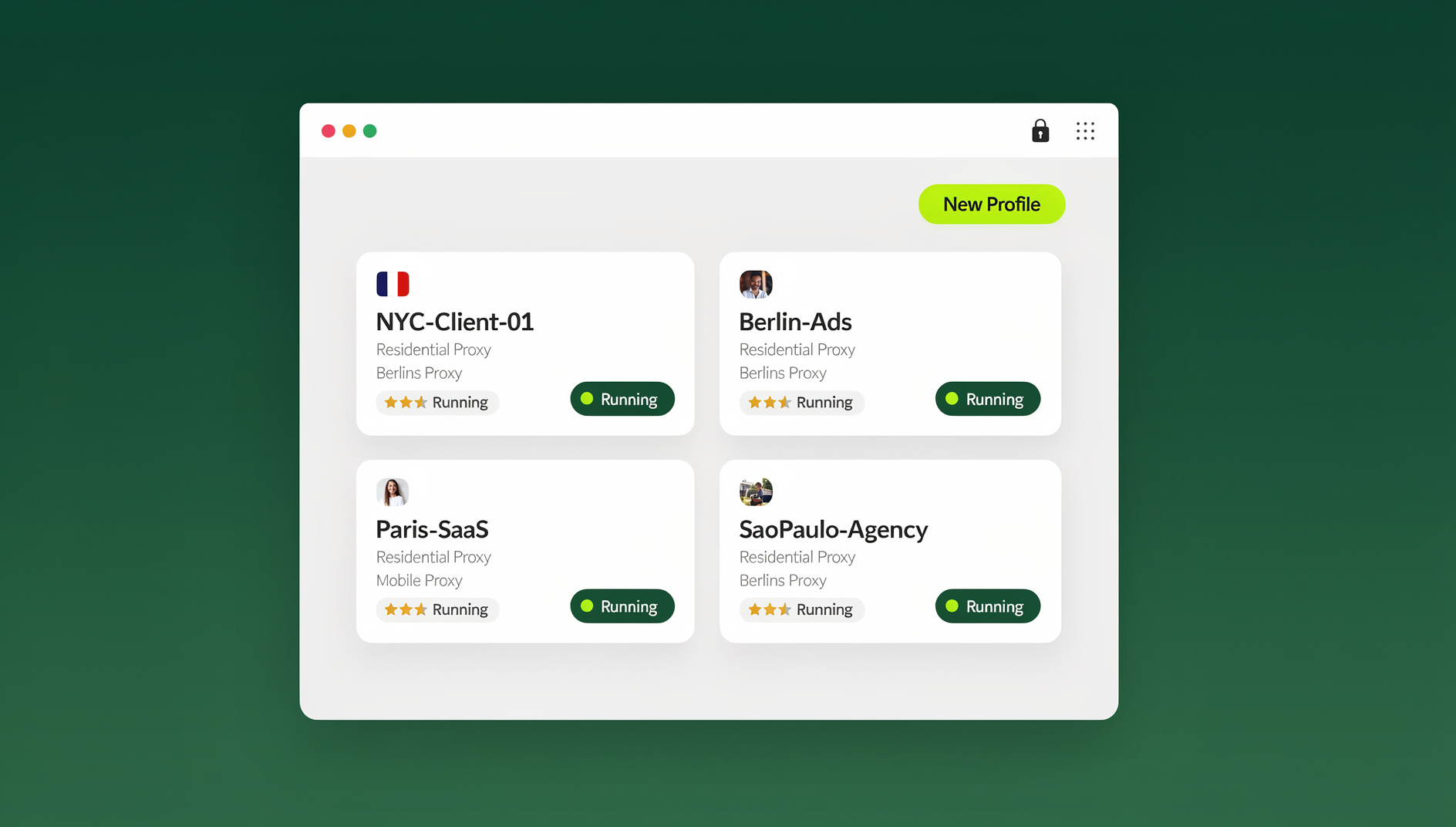
The good news: you don’t have to choose between “share the password” and “do everything yourself.” In 2026, tools built specifically for multi-user account access — like Send.win — let you hand someone a working, logged-in Facebook session without ever revealing your credentials. This guide walks through exactly why raw password sharing is risky, what the realistic alternatives are, and how to set up secure, revocable Facebook access in about five minutes.
Why Sharing Your Facebook Password Directly Is a Bad Idea
It’s tempting to just type the password into Slack or WhatsApp and move on. Here’s what that decision actually costs you:
- It violates Facebook’s Terms of Service. Meta explicitly prohibits sharing login credentials, and accounts flagged for suspicious concurrent logins from multiple locations can be temporarily locked or permanently disabled.
- Two-factor authentication becomes a liability. Once someone else has your password, you either have to share your 2FA codes too (defeating the purpose of 2FA) or you become the bottleneck every time they need to log in.
- You lose the ability to revoke access cleanly. If a freelancer’s contract ends or a team member leaves, “revoking access” means changing the password — which also logs out every other legitimate device and session tied to that account.
- There’s no audit trail. If something goes wrong on the page — a bad post, a deleted asset, an unauthorized ad spend — you have no way to know who was logged in when it happened.
- Password fatigue leads to reuse. Once a password is shared over text or email, it usually ends up copy-pasted into other tools, screenshots, or password managers that were never meant to hold it.
- New device logins trigger security checks. Facebook’s fraud detection flags logins from unfamiliar devices and IP addresses, which can mean the person you shared access with gets hit with identity verification challenges — using your name and your recovery email.
None of this is theoretical. Agencies managing dozens of client Facebook Business Pages, e-commerce teams running parallel ad accounts, and even small teams sharing a single company page run into these exact problems constantly. The fix isn’t better password hygiene — it’s not sharing the password at all.
The Old Workarounds (and Why They Fall Short)
Password Managers
Tools like a shared vault in a password manager are a step up from a text message, but they still hand over the raw credential. Anyone with vault access can log in from anywhere, change the recovery email, or lock you out entirely. It solves the “where do I store this” problem, not the “who can actually use this” problem.
Browser Profile Handoff
Some people try exporting cookies or copying an entire browser profile folder to another device. This is fragile (session cookies expire, browser updates break the format), insecure (anyone who intercepts the file has full access forever), and doesn’t scale past one person.
Giving Full Admin Access on the Business Page
Facebook Business Manager does let you add people as page admins or editors without sharing your personal password — and that’s genuinely useful for permanent team members. But it doesn’t work for personal profiles, doesn’t help when you need someone to temporarily “be” the account for testing or support, and Business Manager’s own permission structure is notoriously confusing to set up correctly.
Remote Desktop / Screen Sharing
Screen-sharing your own logged-in session works, but it’s synchronous — both people need to be online at the same time, and it’s useless for asynchronous workflows like scheduling posts overnight or letting a VA handle messages while you sleep.
The Real Solution: Session Sharing Instead of Password Sharing
The core idea behind modern multi-login browsers is simple: instead of sharing a secret (the password), you share access to an already-authenticated, isolated browser environment. The person on the other end gets a fully logged-in Facebook profile they can use immediately — but they never see the password, never touch your recovery email, and can be cut off instantly whenever you want.
This is exactly what Send.win was built for. Send.win creates isolated browser profiles, each with its own cookies, cache, local storage, and browser fingerprint, and lets you securely share accounts without passwords across your team. Each profile behaves like a completely separate physical computer to Facebook, so there’s no cross-contamination between your other logins and no suspicious “impossible travel” flags triggered by two people using the same raw session from different IPs.
How Session Sharing Actually Works
- You log into Facebook once inside a dedicated Send.win profile — this becomes the “master” session tied to that profile.
- Send.win encrypts and stores the session (cookies, local storage, fingerprint configuration) rather than the password itself.
- You invite a teammate or share the profile through Send.win’s team-sharing controls, assigning them a specific role (view-only, editor, or full access).
- They open the shared profile and land directly inside a logged-in Facebook session — no password prompt, no OTP, no credential exposure.
- You can revoke access at any time from your dashboard, instantly cutting off that person’s ability to open the profile, without touching the underlying Facebook password or logging out your other devices.
Because each shared profile keeps a consistent, stable browser fingerprint (same canvas signature, same WebGL renderer, same timezone and language settings every time it’s opened), Facebook’s automated systems see one consistent “device” logging in — not a suspicious pattern of the same account appearing on ten different machines in one week. That consistency is what keeps shared business pages and ad accounts out of Meta’s fraud-review queue.
Send.win’s Desktop App and Team Features
Send.win runs as a native desktop application for Windows, macOS, and Linux — Sendwin Browser — that you download and install locally, with encrypted cloud sync for your profiles. If you’d rather skip any local install, you can also run a session entirely in the cloud with a cloud browser session, metered by cloud browsing time instead. The desktop app gives each shared profile its own dedicated, sandboxed browser window with independent proxy routing, so a client’s Facebook profile and your personal Facebook profile never run in the same browser process. For agencies managing several client pages side by side, this separation matters — it’s the difference between juggling tabs in one browser and genuinely isolated environments.
For larger teams, Send.win’s Team plan supports sharing access across multiple people with isolated profiles. If you’re managing dozens of Facebook Business Pages or need to keep routine tasks (checking page inboxes, pulling ad performance data, publishing content) organised across many shared profiles, each profile keeps its own separate cookies, storage and fingerprint, so teammates work in their own session instead of your personal login.
Comparison: Password Sharing vs. Password Manager vs. Send.win Session Sharing
| Factor | Sharing the Raw Password | Shared Password Manager Vault | Send.win Session Sharing |
|---|---|---|---|
| Password ever exposed to the other person | Yes, in full | Yes, in full | No — never |
| Revoke access without changing the password | No | No | Yes, instantly |
| 2FA / OTP friction | High — codes must also be shared | High — same issue | None — login already established |
| Consistent device fingerprint per user | No | No | Yes — isolated, stable profile |
| Role-based permission levels | No | No | Yes — view, edit, full access |
| Works for async / offline handoff | Yes, but risky | Yes, but risky | Yes — and auditable |
| Risk of Facebook account flag/lock | High | Medium-High | Low — consistent fingerprint per profile |
Step-by-Step: Setting Up Secure Facebook Sharing With Send.win
- Sign up for Send.win. There’s no free trial, but the first card purchase is covered by a 7-day money-back guarantee, and you can preview the cloud demo for free before committing.
- Install the Sendwin Browser desktop app (Windows, macOS, or Linux), or skip the install entirely and start a cloud browser session, depending on how your team already works.
- Create a new profile specifically for the Facebook account you want to share. Give it a memorable name like “Client X – FB Page.”
- Configure a proxy for the profile if the person you’re sharing with is in a different city or country — matching timezone, language, and IP geolocation reduces login friction and keeps the session looking consistent.
- Log into Facebook inside that profile, completing any 2FA challenge once.
- Invite your teammate from the Send.win team dashboard and assign them access to that specific profile only — not your entire account library.
- Set a permission level: view-only for someone who just needs to check messages, or full access for someone actively posting and managing ads.
- Monitor and revoke whenever needed, without ever having to reset the underlying Facebook password.
Real-World Use Cases
Social Media Agencies
Agencies juggling a dozen client Facebook pages need a way to let account managers switch between clients instantly, without the client ever handing over a personal password. Isolated, shareable profiles solve exactly this, and pairing Send.win with a team browser setup means every account manager gets the right level of access without credential sprawl across spreadsheets.
Family Business Pages
A family-run shop’s Facebook page often needs input from multiple relatives — one posts promotions, another replies to customer messages. Session sharing lets everyone contribute without everyone knowing the account owner’s actual login.
Freelancers and Virtual Assistants
Freelancers handling social media for multiple clients need to manage multiple Facebook accounts daily without the constant login/logout cycle or the security risk of storing five different clients’ passwords in one place.
Marketing and Ad Teams
Teams running Facebook ad campaigns for multiple brands or clients benefit hugely from isolated sessions, since Meta’s ad platform is particularly sensitive to shared logins across accounts. Learn more about how agencies manage multiple ad accounts safely without triggering fraud reviews or cross-account bans.
Best Practices for Safely Sharing Facebook Access
- Never share more than one profile’s worth of access at a time. Keep each shared account in its own isolated environment rather than bundling multiple logins into one shared browser.
- Use role-based permissions, not blanket access. Give view-only access to people who don’t need to post or change settings.
- Rotate access when team members change. Revoking a profile takes seconds and doesn’t disrupt your own login.
- Match proxy location to the account’s usual login pattern. Sudden geographic jumps are one of the most common triggers for Facebook security checks.
- Keep a record of who has access to what. A shared team dashboard beats a spreadsheet of passwords that’s inevitably out of date within a month.
- Avoid public Wi-Fi for high-privilege sessions. Even with an isolated profile, unsecured networks introduce risk on the local device side.
What Send.win Costs
Send.win has no free trial, but the first card purchase is covered by a 7-day money-back guarantee, and there’s a free cloud demo you can try before paying anything. After that:
| Plan | Price | Best For |
|---|---|---|
| Pro | $19/mo ($6.99/mo billed annually — 63% off) — 150 profiles, 5GB proxy bandwidth | Individuals and freelancers managing several accounts |
| Team | $49/mo ($251.88/yr) — 500 profiles, 20GB bandwidth, 16 seats | Agencies and teams sharing access across multiple people |
🏆 Send.win Verdict
If you need to share Facebook account access without handing over your password, Send.win is purpose-built for exactly this. Isolated profiles with their own cookies, storage and fingerprint mean your teammate, client, or VA gets a fully logged-in session — not your credentials — with role-based permissions you can revoke instantly. Add the native desktop app for real browser isolation, and it beats password managers, screen sharing, and raw credential sharing on every axis that matters: security, revocability, and privacy.
Try Send.win today — plans start at $19/mo, the first card purchase is covered by a 7-day money-back guarantee, and you can share your first Facebook profile in minutes.
Frequently Asked Questions
Is it against Facebook’s rules to share account access with someone else?
Facebook’s terms prohibit sharing your login credentials (the actual password), but Business Pages support official multi-admin access, and tools like Send.win let you share a logged-in session without ever exposing the password itself — which is a fundamentally different, safer approach than emailing someone your login.
Can the person I share access with see my Facebook password?
No. With Send.win’s session-sharing model, the other person opens an already-authenticated browser profile. The password itself is never displayed, transmitted, or stored anywhere they can access it.
What happens if I need to revoke someone’s access later?
You revoke their access to the specific shared profile from your Send.win dashboard. This takes effect immediately and does not require changing your actual Facebook password or logging out your other devices.
Will sharing my Facebook account this way trigger a security lock?
Because each shared profile maintains a consistent browser fingerprint and can be paired with a matching proxy location, Facebook’s fraud detection sees stable, predictable login behavior rather than the same account suddenly appearing from unfamiliar devices around the world — which is what typically triggers security holds.
Do I need the Send.win desktop app, or can I use a cloud browser session instead?
Send.win gives you two ways to work: the native Sendwin Browser desktop app (available for Windows, macOS, and Linux) for a fully isolated, local browser process with independent proxy handling, or a cloud browser session that runs entirely online with no install at all. Agencies or anyone managing several client accounts at once typically prefer the desktop app for its dedicated proxy handling per profile.
Can I share more than one Facebook account with the same team member?
Yes. You can create a separate isolated profile for each Facebook account and grant your team member access to only the specific profiles they need, keeping every account’s session and fingerprint completely separate.
Is there a free way to try this before paying?
Send.win has no free trial, but the first card purchase is covered by a 7-day money-back guarantee, which is enough time to set up profiles, invite teammates, and confirm the workflow fits before choosing between the Pro and Team plans.
Does Send.win work with Facebook specifically?
Send.win has no automation interface — no API, SDK, headless mode or Selenium/Puppeteer/Playwright support on any plan. Instead, each profile keeps its own separate cookies, storage and fingerprint, so you can run routine Facebook tasks — like checking page messages or pulling engagement data — in an isolated session without exposing your login credentials.