5 Tools to Manage Multiple Business Phones in 2026
The fastest way to manage multiple business phones from one account is a VoIP platform — RingCentral, Google Voice, OpenPhone, Grasshopper, or Dialpad — that assigns separate numbers per department, location, or team member while billing and admin controls stay centralized under a single login. Which one fits depends on scale: solopreneurs want Grasshopper’s simplicity, agencies juggling client lines want RingCentral or Dialpad’s routing depth.
The single office phone number is effectively extinct. Businesses now need department lines, location-specific numbers, individual lines for remote staff, campaign-tracking numbers for marketing attribution, and increasingly local numbers in the countries where their customers actually live. Managing all of that from one account — instead of a drawer full of SIM cards — is what modern VoIP platforms are built for.
Why Businesses Need Multiple Phone Lines
- Department-specific numbers: Sales, support, billing, and general inquiries each need a distinct number with its own routing rules.
- Location-based numbers: Multi-location businesses want a local area code for every office — it builds trust and helps local SEO.
- Individual team lines: Remote and hybrid staff need a business number that keeps their personal cell number private.
- Campaign-specific numbers: Marketing teams use unique tracking numbers to attribute calls back to the ad that generated them.
- International presence: Businesses serving clients abroad need local-feeling numbers in target countries.
VoIP Platforms for Multi-Line Management
1. RingCentral
| Feature | Details |
|---|---|
| Lines per account | Unlimited, scales with user count |
| Auto-attendant | Multi-level IVR with department routing |
| Call analytics | Real-time dashboards, quality metrics, team performance |
| Video meetings | Built-in video conferencing |
| Integrations | 300+ (Salesforce, HubSpot, Slack, Teams) |
| International | Local numbers in 100+ countries |
| Pricing | $20/user/mo (Core) → $25/user/mo (Advanced) → $35/user/mo (Ultra) |
| Best for | Enterprise and mid-market teams with complex, multi-department routing |
2. Google Voice for Business
| Feature | Details |
|---|---|
| Lines per account | One number per licensed user |
| Auto-attendant | Multi-level on Standard/Premier plans |
| Google integration | Native Calendar, Meet, Gmail, and Workspace |
| Call recording | Ad-hoc and automatic (Premier) |
| International | Numbers available in select countries |
| Pricing | $10/user/mo (Starter) → $20/user/mo (Standard) → $30/user/mo (Premier) |
| Best for | Google Workspace-centric teams that want simplicity over depth |
3. OpenPhone
| Feature | Details |
|---|---|
| Lines per account | One number per user; extra numbers $5/mo |
| Shared numbers | Multiple team members can share one number |
| AI features | Call summaries, suggested replies, voicemail transcription |
| CRM | Built-in contact management with notes and tags |
| Integrations | HubSpot, Salesforce, Slack, Zapier |
| Pricing | $15/user/mo (Starter) → $23/user/mo (Business) → Custom (Enterprise) |
| Best for | Startups and SMBs that want a modern, clean interface |
4. Grasshopper
| Feature | Details |
|---|---|
| Lines per account | 1–5 numbers with unlimited extensions |
| Virtual receptionist | Professional greeting with extension routing |
| Simultaneous ring | Ring multiple devices for one incoming number |
| Business texting | Send and receive SMS from the business number |
| Pricing | $14/mo (True Solo) → $25/mo (Solo Plus) → $55/mo (Small Business) |
| Best for | Solopreneurs wanting a professional presence without per-seat pricing |
5. Dialpad
| Feature | Details |
|---|---|
| AI features | Real-time transcription, sentiment analysis, live coaching |
| Multi-department routing | Department-specific numbers with custom rules |
| Analytics | AI-powered call analytics and coaching insights |
| Contact center | Built-in contact center features on higher tiers |
| Pricing | $15/user/mo (Standard) → $25/user/mo (Pro) → Custom (Enterprise) |
| Best for | Sales teams that want AI-driven conversation intelligence |
Feature Comparison Matrix
| Feature | RingCentral | Google Voice | OpenPhone | Grasshopper | Dialpad |
|---|---|---|---|---|---|
| Unlimited calling | Yes | Yes (US/CA) | Yes | Yes (US/CA) | Yes |
| SMS/MMS | Yes | Yes | Yes | Yes | Yes |
| Shared numbers | Yes | No | Yes | Yes | Yes |
| AI transcription | Yes | Yes | Yes | No | Yes (deepest) |
| Mobile app | Yes | Yes | Yes | Yes | Yes |
| Desktop app | Yes | Web only | Yes | Web only | Yes |
| Free trial | 14 days | None | 7 days | 7 days | 14 days |
Multi-Location Phone Management
The Local Presence Strategy
Businesses with multiple locations get a measurable lift from local numbers:
- Customers answer calls from local-looking numbers roughly 4x more often than unfamiliar toll-free or out-of-area ones.
- Local numbers support local SEO and Google Business Profile relevance.
- Each location can carry its own greeting, hours, and voicemail without touching the others.
Implementation Architecture
- Main business number: a toll-free or memorable vanity number for brand recognition.
- Location numbers: local area-code numbers per office or store, routed to that location’s staff.
- Department numbers: dedicated sales, support, and billing lines reachable from any location.
- Campaign numbers: temporary or rotating numbers for marketing attribution tracking.
Call Routing for Multi-Account Management
Auto-Attendant Design
A well-designed auto-attendant routes callers without a human touching the call:
- Level 1: “Press 1 for Sales, 2 for Support, 3 for Billing, 4 for [Location].”
- Level 2 (Sales): “Press 1 for New Inquiries, 2 for Existing Customers.”
- Level 2 (Location): routes straight to that location’s team with a local greeting.
Business Hours Routing
- During hours: ring assigned team members, simultaneously or in sequence.
- After hours: voicemail with a next-business-day return commitment.
- Holiday routing: a custom holiday greeting plus an emergency escalation path.
- Overflow: if nobody answers within 30 seconds, route to a shared queue or voicemail.
Agency and Consultant Phone Management
Agencies and consultants handling communications for multiple clients need a dedicated number per client — not one shared line pretending to be several:
- Each client gets a unique number that shows up as that client’s caller ID.
- Calls and texts stay segregated by client inside the VoIP dashboard.
- Team members can handle calls for a specific client without mixing up who they’re speaking as.
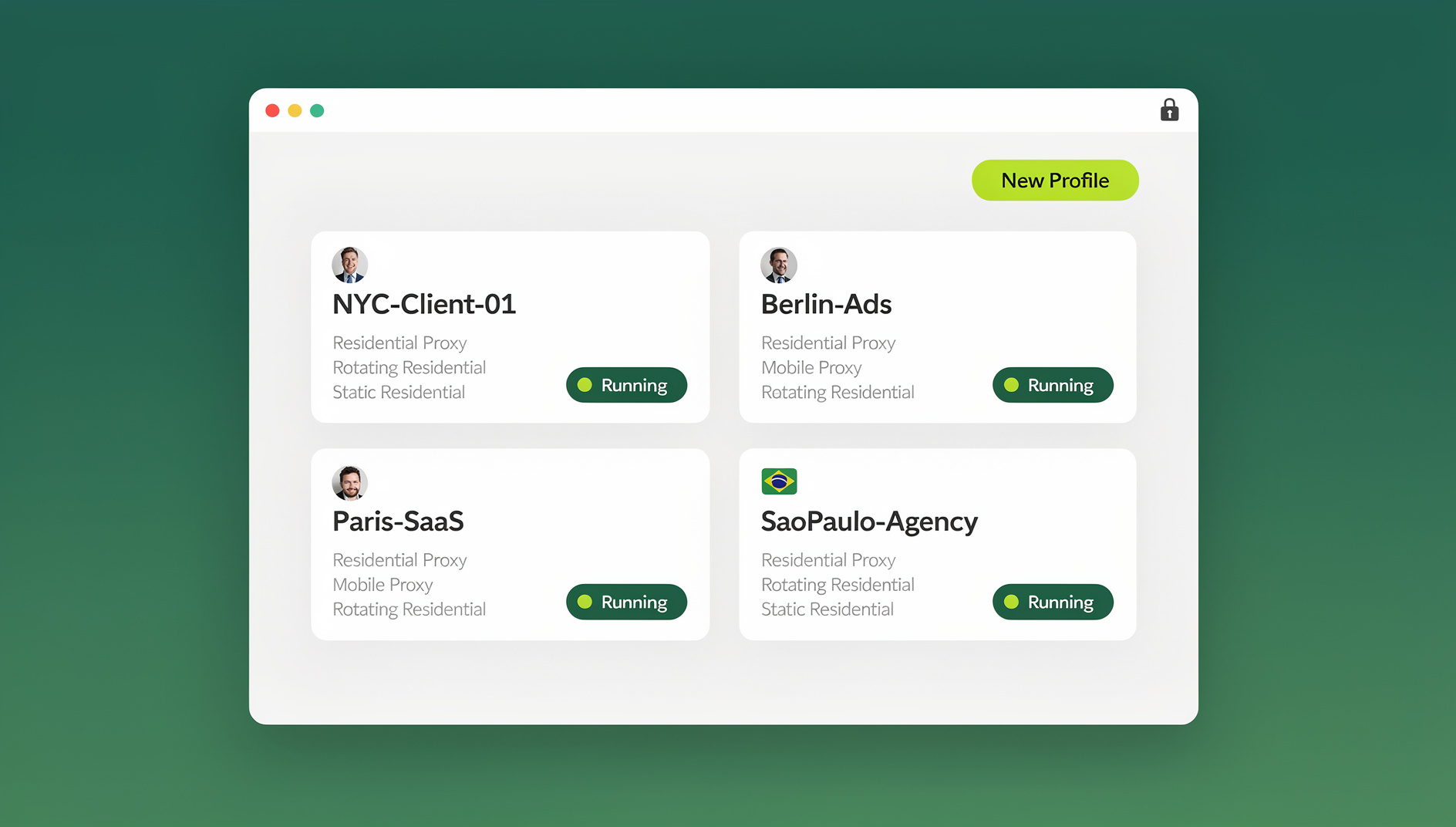
The phone system is only half the picture, though — most agencies are logging into each client’s VoIP dashboard, CRM, and billing portal from a browser too, and those sessions can bleed into each other just as easily as the phone lines can. Running each client’s web access through its own multi-login browser profile keeps every client’s session — cookies, saved logins, browsing history — fully separate, so switching between five client CRM portals in an afternoon doesn’t mean five sets of logged-in tabs fighting each other in the same browser window. Handing a teammate access to a client’s dashboard without ever giving them the actual password is covered in the secure session sharing guide, and the broader pattern of jumping between accounts without constantly signing out is explained in the switch between users in any app without logging out walkthrough.
Cost Optimization Strategies
| Strategy | Typical Savings | Applicable To |
|---|---|---|
| Annual billing instead of monthly | 15–20% | All platforms |
| Shared numbers instead of per-user lines | $10–20/mo per shared line | Small teams with low call volume |
| Virtual numbers for attribution tracking | $5–10/mo per number | Marketing attribution |
| VoIP instead of traditional landlines | 40–60% | Businesses replacing legacy PBX systems |
| Bundled UCaaS (voice + video + chat) | 30–40% vs. separate tools | Teams paying for standalone video and chat apps too |
Security and Compliance
Call Recording Compliance
- One-party consent states: you can record a call you’re a participant in without notifying the other party.
- Two-party consent states: California, Florida, Illinois, and several others require every party’s consent — use an automated disclosure (“this call may be recorded…”) to stay compliant.
- International calls: GDPR requires consent before recording calls with contacts in the EU.
Number Ownership
- Confirm you actually own your phone numbers, not the VoIP provider — porting should be possible if you switch platforms.
- For client numbers, put ownership terms in writing inside the service contract.
- Keep a centralized record of every number, its assignment, and which client account it belongs to.
Choosing the Right Platform for Your Business
With five credible platforms on the table, the decision usually comes down to team size and how much routing complexity you actually need rather than which one has the longest feature list:
- Solo operators and true one-person businesses: Grasshopper’s flat per-line pricing and virtual receptionist give a professional front without paying per-seat rates designed for teams.
- Startups and small teams under 15 people: OpenPhone’s shared numbers, built-in CRM, and cleaner interface tend to win out over heavier enterprise platforms that bring complexity nobody on a five-person team needs yet.
- Google Workspace shops: if the whole company already lives in Gmail, Calendar, and Meet, Google Voice’s native integration usually outweighs missing features like shared numbers.
- Sales-driven organizations: Dialpad’s real-time transcription and coaching prompts pay for themselves quickly in teams where call quality directly drives revenue.
- Enterprises and multi-department operations: RingCentral’s depth of integrations and unlimited scaling make it the safer long-term choice once a business outgrows the simpler platforms above.
Whichever platform wins, most businesses migrate to it gradually rather than all at once — porting numbers over in batches, department by department, keeps a phone system change from becoming a customer-facing outage. Agencies running the same playbook across several client accounts often standardize on multi-login profiles for teams alongside the VoIP rollout, so the browser side of client access gets the same clean separation the phone lines just got.
Number Porting and Migration Timing
Number porting between VoIP providers typically takes anywhere from a few days to a couple of weeks depending on the carrier and country, so plan any provider switch with a buffer rather than a hard cutover date. Keep the old provider active in parallel until every ported number is confirmed live on the new platform — cutting over too early is how businesses end up with a phone number that simply stops ringing anywhere for a day or two.
🏆 Send.win Verdict
Your VoIP platform solves the phone-line side of this problem; it does nothing for the browser tabs full of client CRM logins, billing portals, and VoIP dashboards sitting open right next to it. Send.win gives each client account its own isolated browser profile — separate cookies, separate fingerprint — so switching between accounts all day doesn’t mean constant re-logins or session mix-ups.
Try the free Send.win cloud demo — no signup needed for a 3-minute preview, with Pro plans from $19/month or $83.88/year and a 7-day money-back guarantee on your first card purchase.
Frequently Asked Questions
Can I have multiple phone numbers on one phone?
Yes. Every major VoIP app — OpenPhone, RingCentral, Dialpad, Google Voice — lets you receive calls and texts from multiple business numbers on a single smartphone through its mobile app.
What is the cheapest way to get a second business line?
Google Voice Starter at $10/month per user is the cheapest full-featured option. Grasshopper’s True Solo at $14/month costs a bit more but adds a virtual receptionist for a more professional first impression.
How do I keep my personal and business calls separate?
Use a VoIP app with a dedicated business number. Calls to that number ring through the app itself, not your personal dialer, and you can set business hours so work calls roll to voicemail outside them.
Do all these platforms support shared numbers for a team?
Most do. RingCentral, OpenPhone, Grasshopper, and Dialpad all support one number shared across several team members; Google Voice does not — it ties one number to one licensed user.
Which VoIP platform has the best AI features?
Dialpad currently leads on AI depth, with real-time transcription, sentiment analysis, and live coaching prompts during calls. OpenPhone offers a lighter AI layer — call summaries and voicemail transcription — aimed more at small teams than sales floors.
Is it worth switching from a traditional landline system to VoIP?
For most businesses, yes — VoIP typically runs 40–60% cheaper than legacy PBX hardware and adds features like auto-attendants and call analytics that traditional landlines don’t offer at any price.
How does account isolation help agencies managing client VoIP dashboards?
Isolated browser profiles keep each client’s login session, cookies, and saved credentials separate from every other client’s, so a team member can have several client dashboards open in the same browser without one session interfering with or logging out another.
Can I switch VoIP providers without losing my existing phone numbers?
Yes, in almost all cases — US and Canadian numbers are portable by law between VoIP carriers, and international numbers are portable in most (though not all) countries. The porting request itself is usually free; the main cost is the few days to two weeks of dual-running both providers during the transition.
Conclusion
The right way to manage multiple business phones from one account depends on scale: Grasshopper for solopreneurs, OpenPhone for startups, Google Voice for Workspace-native teams, RingCentral for enterprise routing, and Dialpad for AI-driven sales floors. Whichever platform you pick, pair it with isolated browser profiles for the client dashboards, CRM portals, and billing systems your team logs into all day — that’s the piece a phone system alone was never built to solve.