Why Most Time Management Advice Falls Apart in Real Life
Time management skills get treated like a personality trait — either you have them or you don’t. That’s nonsense. Time management is a set of learnable habits, and most people who feel “bad at time management” are actually just running an outdated system: a to-do list with no priorities, a calendar full of meetings nobody needed, and a browser with forty tabs open across six different logins. Fix the system and the “skill” mostly takes care of itself.
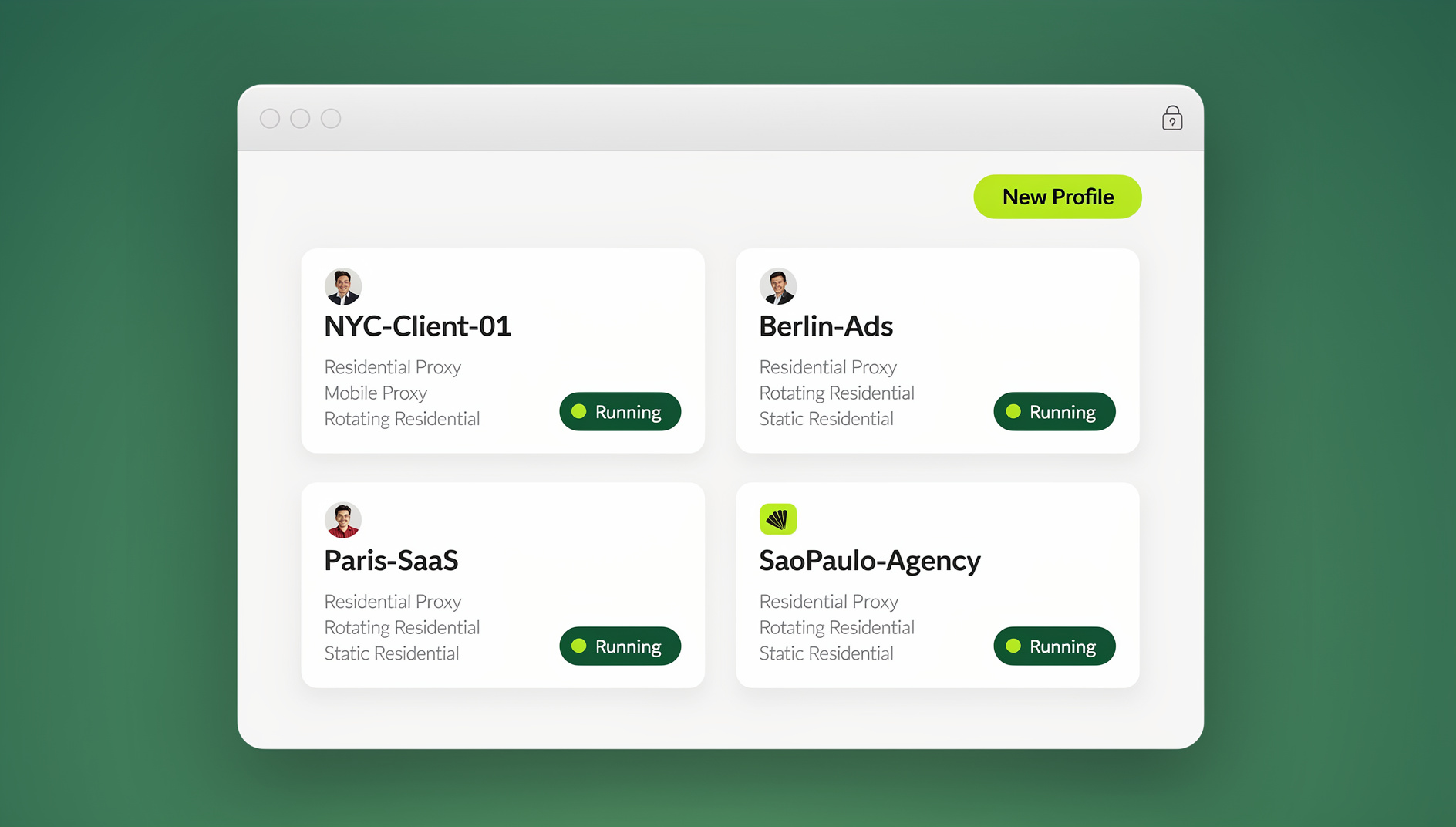
This guide rebuilds the classic 10-step time management framework from the ground up for 2026 — sharper, more specific, and honest about where your hours actually go. We’ll also cover the part most productivity articles skip entirely: how much time gets lost to digital admin (switching accounts, re-authenticating, juggling client logins) and what to do about it, including where a tool like Send.win fits in.
What Is Time Management, Really?
Time management is the deliberate practice of deciding what deserves your attention and when — and then protecting that decision from everything that tries to override it: notifications, “quick” favors, unplanned meetings, and your own procrastination. It is not about cramming more tasks into a day. It’s about making sure the hours you do have go toward the work that actually moves your goals forward.
Whether you run a business, freelance across five platforms, manage a marketing team, or just want your evenings back, the mechanics are the same: plan deliberately, execute in focused blocks, and remove the friction that eats your day in small, invisible pieces.
The Hidden Cost of Poor Time Management
Bad time management rarely shows up as one dramatic failure. It shows up as a slow leak:
- Context-switching tax — every time you jump between tasks (or accounts, or browser profiles), it takes several minutes to fully re-focus. Do that 20 times a day and you’ve lost hours before lunch.
- Decision fatigue — an unplanned day means you’re constantly deciding “what should I do now?” instead of just doing the next planned thing.
- Reactive workdays — without blocked time, your calendar fills with other people’s priorities: meetings, pings, “got a sec?” requests.
- Digital overhead — logging in and out of multiple accounts, re-entering 2FA codes, and hunting for the right browser window is a quiet but constant drain, especially for anyone managing multiple client, ad, or social accounts.
The good news: all four are fixable, and none of them require you to become a different person.
10 Time Management Skills That Actually Move the Needle
These are the same ten steps that have anchored this guide for years, rewritten with more detail and fewer platitudes. Read them as a system, not a menu — they reinforce each other.
1. Delegate Ruthlessly, Not Reluctantly
Delegation isn’t about offloading work you dislike; it’s about protecting your highest-value hours for the tasks only you can do. Before you delegate, ask: “Does this require my specific judgment, relationships, or skill set?” If not, it belongs on someone else’s plate — a teammate, a contractor, or an automation. Write a short handoff note (context, deadline, definition of “done”) so delegation doesn’t boomerang back as a follow-up question three days later.
2. Plan With Time Blocking, Not Just a To-Do List
A to-do list tells you what to do. A calendar tells you when. Time blocking merges the two: you assign every important task a specific slot on your calendar, treating it with the same seriousness as a client meeting. This single change eliminates the “I’ll get to it today” trap, where important-but-not-urgent work quietly gets bumped every single day.
3. Set Deadlines Even When No One Is Asking For One
Open-ended tasks expand to fill however much time you give them (Parkinson’s Law in action). Give every task — even personal or internal ones — a real deadline, write it somewhere visible, and build in a buffer day before the true due date so you have room to review and fix mistakes without panic.
4. Use Time-Boxing (the 20-Minute Rule)
Pick a task, set a timer for 20–25 minutes, and work on nothing else until it rings. This is a lightweight version of the Pomodoro Technique, and it works because it lowers the psychological barrier to starting. “Just 20 minutes” feels achievable even when the full task feels overwhelming. Take a short break between rounds to avoid burning out your focus.
5. Protect a “Golden Hour” Early in the Day
Whether or not you’re naturally a morning person, the first hour you’re mentally sharp each day is disproportionately valuable — willpower and focus both decay as the day goes on. Guard that hour for your single highest-priority task, before email, before Slack, before meetings. Even 30 extra minutes reserved this way compounds fast over a month.
6. Attack Procrastination With Structure, Not Willpower
Procrastination is rarely laziness — it’s usually task ambiguity or task size. Break the vague, intimidating task (“finish the proposal”) into a concrete first step (“open the doc and write three bullet points”). Pair difficult tasks with something small and satisfying (a coffee, a favorite playlist) to lower the resistance to starting.
7. Set SMART Goals for Anything That Matters
Specific, Measurable, Achievable, Relevant, Time-bound. “Grow the newsletter” is a wish. “Add 500 subscribers by the end of the quarter through two weekly posts and one paid promotion” is a plan you can actually execute and track. Vague goals produce vague effort.
8. Single-Task Instead of Multitasking
Multitasking feels productive and measurably isn’t — switching between tasks costs real time and quality, even when the tasks feel small. Close unrelated tabs, silence notifications, and finish (or reach a clean stopping point on) one thing before starting the next.
9. Manage Stress Deliberately
Stress and time management are linked in both directions: poor time management creates stress, and stress makes it harder to plan and focus. Build in small, non-negotiable recovery habits — a walk, five minutes of breathing, a hard stop at the end of the workday — so stress doesn’t compound across weeks.
10. Learn to Say No (and Mean It)
Every “yes” to a low-value request is a “no” to something on your actual plan, even if it doesn’t feel that way in the moment. Before agreeing to new work, check it against your current priorities. A polite, direct “I can’t take this on right now” protects your time far better than a reluctant yes followed by resentment.
Time Management Mistakes vs. Fixes (Quick Reference)
| Common Mistake | Why It Happens | Practical Fix |
|---|---|---|
| Working from a to-do list with no time slots | Feels flexible, but nothing gets protected | Convert top 3 tasks into calendar time blocks |
| Checking notifications constantly | Novelty triggers a small dopamine hit | Batch-check email/Slack at 3 fixed times a day |
| Saying yes to every request | Fear of seeming unhelpful | Use a 24-hour rule before committing to new work |
| Losing time re-logging into accounts | Managing multiple client, ad, or social logins in one browser | Use isolated browser profiles so every account stays signed in |
| Treating every task as equally urgent | No prioritization framework | Rank tasks by impact, not just deadline |
| No buffer time between meetings | Back-to-back scheduling by default | Add 10-15 minute gaps to reset and take notes |
The Overlooked Time Drain: Digital Clutter and Account Switching
Most time management guides stop at calendars and to-do lists. But if your work involves the internet at all — and whose doesn’t — a huge, invisible chunk of your day disappears into digital friction: hunting for the right browser window, logging out of one account to log into another, re-entering two-factor codes, or keeping fifteen tabs open “just in case.” None of this feels like “wasted time” moment to moment, but add it up over a week and it’s often hours.
If tab chaos and app-switching are part of your daily grind, it’s worth pairing your time management habits with the right chrome extensions for productivity and a small set of distraction-blocking tools that stop the constant pull of notifications before they interrupt your focus blocks in the first place. Combined with the time-blocking habit from Step 2 above, these tools remove most of the reactive noise from your day.
How a Multi-Login Browser Reclaims Hours Every Week
If any part of your work involves managing more than one account on the same platform — multiple client social profiles, several ad accounts, parallel marketplace stores, or separate work and personal logins — you already know the specific pain: constant sign-outs, cookie conflicts, and the risk of a platform flagging your account for suspicious logins from a shared device fingerprint.
This is exactly the gap Send.win is built to close. It’s a multi-login browser (anti-detect browser) that gives every account its own isolated profile with a unique digital fingerprint, its own cookies and local storage, and — if you need it — its own built-in proxy, so each login looks and behaves like it’s coming from a genuinely separate device. Instead of logging in and out all day, you open the profile you need and it’s already signed in, exactly where you left it.
In practice, setting this up takes a few minutes:
- Create a profile for each account you manage (client, brand, marketplace store, etc.), giving each one a clear, searchable name.
- Assign a proxy to the profile if you want the account’s IP and timezone to match its target region — useful for agencies and e-commerce sellers running multiple storefronts.
- Log in once per profile. Because each profile keeps its own isolated session, you never have to re-authenticate every time you switch.
- Switch between profiles instantly from a single dashboard instead of opening separate browsers or private windows.
- Share access with teammates without ever handing over the actual password, so a VA or team member can work inside an account without owning the credentials.
For teams that manage this kind of setup across multiple people, a proper multi-login browser setup is far more time-efficient — and far safer — than juggling shared spreadsheets of passwords or duplicate physical devices.
Send.win also ships as a native Desktop app for Windows, macOS, and Linux, so your profiles, proxies, and sessions aren’t locked to a single browser tab or a single machine — you install it once and get a dedicated app for managing every login. And for anyone whose “time management problem” is actually a repetitive-task problem — re-checking listings, monitoring accounts, running the same login routine daily — Send.win keeps each account in its own isolated profile with separate cookies, storage, and fingerprint, so those repeated checks stay organized instead of eating a chunk of your morning by hand.
A Simple Weekly Time Management System You Can Start Today
Frameworks are only useful if you actually run them. Here’s a lightweight weekly system that incorporates everything above:
- Sunday (15 minutes): Review the week ahead. Pick your top 3 priorities. Block time for them first, before anything else fills the calendar.
- Each morning (5 minutes): Confirm today’s time blocks still make sense. Adjust for anything urgent that came in overnight.
- Golden hour: Work your single highest-priority task before checking email or messages.
- Midday check-in (batched): Process email/Slack/DMs in one sitting rather than reactively throughout the morning.
- Afternoon blocks: Use 20-minute time-boxing for smaller tasks; single-task through them one at a time.
- End of day (10 minutes): Close open loops, note anything unfinished, and set tomorrow’s top priority before you log off.
- Friday (15 minutes): Quick retro — what ate your time this week that shouldn’t have? Adjust next week’s plan accordingly.
Run this for a month and you’ll have real data on where your time actually goes, not just where you assumed it went.
Time Management for Freelancers, Teams, and Agencies
Solo time management gets harder the moment other people or other accounts enter the picture. Freelancers juggling multiple clients, agencies running ad accounts for different customers, and remote teams sharing logins all face the same compounding problem: every extra account or collaborator adds more context-switching and more digital admin on top of the “normal” workload.
The fix is usually the same regardless of team size: separate every account into its own clean, isolated environment, standardize how access gets shared (never by handing out raw passwords), and automate anything repetitive. Teams that have gone through this shift often find the time savings show up almost immediately — see how other teams approach productivity hacks for managing multiple accounts for a closer look at the workflow. If you’re building a broader productivity stack rather than a single fix, it’s also worth browsing a curated list of productivity software for solo makers to round out your setup.
Building Habits That Actually Stick
The biggest reason time management systems fail isn’t the system — it’s that people abandon it after a bad week. Two things make habits stick:
- Start smaller than feels necessary. One time block a day, one batched-email session, one 20-minute focus round. Add more once the first habit is automatic.
- Track the trend, not the day. One missed time block doesn’t mean the system failed. Look at the week, not the hour.
Time management skills compound. A single well-protected hour today is worth more than a frantic catch-up session next month.
🏆 Send.win Verdict
Time management isn’t just about calendars and willpower — a meaningful share of the average workday disappears into digital friction: switching accounts, re-logging in, and juggling browser tabs across clients or platforms. Send.win removes that specific drain by giving every account its own isolated, always-signed-in profile with a unique fingerprint and optional built-in proxy, available through both a browser experience and a native Desktop app for Windows, macOS, and Linux. For teams juggling repetitive account checks, keeping each login in its own profile turns manual busywork into an organized, repeatable routine — one of the highest-leverage time management upgrades you can make in 2026.
Try the free Send.win cloud demo — a 3-minute preview without signup, or 10 minutes a day with a free account, and see how many hours you get back this week.
Frequently Asked Questions
What are the most important time management skills to learn first?
Start with time blocking and setting real deadlines. These two alone eliminate the “I’ll get to it” trap that quietly derails most people’s schedules, and they set up every other skill on this list.
How long does it take to build better time management habits?
Most people notice a difference within one to two weeks of consistent time blocking, but habits fully stabilize over 4-6 weeks. Track progress weekly rather than judging any single day.
Is multitasking ever a good time management strategy?
Rarely. Multitasking works only for truly low-stakes, low-cognitive-load pairings (like listening to a podcast while doing chores). For anything requiring focus or judgment, single-tasking consistently produces faster and higher-quality results.
How much time do people actually lose switching between accounts and browser tabs?
It varies by role, but anyone managing more than two or three accounts across platforms typically loses a meaningful chunk of their day to re-logins, cookie conflicts, and tab-hunting — often without realizing it, since each individual interruption feels small.
Can a multi-login browser like Send.win actually help with time management?
Yes, specifically for anyone juggling multiple accounts. By keeping each account in its own isolated, always-signed-in profile — through the browser or the native Desktop app — you skip the repeated logins, 2FA prompts, and tab confusion that quietly eat time throughout the day.
What is Send.win and who is it for?
How do I stop procrastinating on big, overwhelming tasks?
Break the task down until the first step feels almost trivially small — “open the document and write one sentence” rather than “finish the report.” Pair it with the 20-minute time-boxing rule so starting feels low-risk.
What’s the fastest way to start improving my time management this week?
Pick just one habit from this guide — time blocking your top 3 priorities on Sunday is the highest-leverage starting point — and run it for a full week before adding anything else. Stacking too many new habits at once is the most common reason time management systems get abandoned.