Why Your Tool Stack Decides Whether You Scale or Burn Out
Tools for business and freelancing have changed dramatically since the days when a notepad, a Gmail inbox, and a single browser window were enough to run a one-person operation. In 2026, a typical freelancer or small business owner is juggling five or more client logins, two or three social media accounts per platform, a handful of ad accounts, invoicing software, a password manager, and a growing pile of browser tabs that never seem to close. The difference between the freelancers who scale smoothly to six figures and the ones who quietly burn out at their laptop by 11pm almost always comes down to the same thing: their tool stack.
This guide updates our original roundup with a sharper, 2026-ready list of the tools that actually move the needle for solo operators, agencies, and small teams — covering writing, time tracking, focus, password security, and the often-overlooked problem of managing multiple client or business accounts without constantly logging in and out or triggering suspicious-activity flags on the platforms you depend on.
What to Look For in a Freelancing or Small Business Tool
Before diving into specific apps, it helps to have a filter. Not every shiny tool deserves a spot in your workflow. When evaluating a new tool for business and freelancing, run it through these five questions:
- Does it save more time than it costs to learn? A tool with a steep learning curve needs to pay that time back within a few weeks, not months.
- Does it work across your whole stack? A time tracker that only works in one browser tab, or a password manager that doesn’t sync across devices, creates friction rather than removing it.
- Is the pricing predictable? Freelancers need flat, transparent pricing — usage-based billing that spikes unexpectedly is a real risk for thin margins.
- Does it protect your accounts? Any tool that touches logins, client data, or ad accounts needs to reduce risk, not add another single point of failure.
- Can it grow with you? A tool that works for a solo freelancer but has no team tier will need to be replaced the moment you hire a VA or bring on a partner.
The Essential Toolkit Categories for Freelancers and Business Owners
Rather than treating every tool as interchangeable, it’s more useful to think in categories. A well-rounded freelancer or small business toolkit typically covers:
- Writing and communication — grammar and clarity tools for emails, proposals, and client deliverables.
- Time tracking and billing — accurate records for invoicing and understanding where your hours actually go.
- Focus and distraction management — blocking the sites that quietly eat two hours out of every workday.
- Password and credential security — one vault instead of sticky notes or reused passwords.
- Multi-account and browser management — the category most freelancers underinvest in, and the one most responsible for account bans, cross-contamination, and lost client access.
- Research and bookmarking — capturing and organizing information without losing it in fifty open tabs.
12 Best Tools for Business and Freelancing in 2026
Here’s the updated lineup, organized by category, with what changed since our original list and why each tool still earns a place in a modern freelancer’s stack.
| Tool | Category | Best For | Starting Price |
|---|---|---|---|
| Grammarly | Writing | Client emails, proposals, contracts | Free / $12/mo Premium |
| Send.win | Multi-account & browser management | Managing client, social, and ad accounts safely | $19/mo Pro (7-day money-back guarantee) |
| Clockify | Time tracking | Billing clients accurately by the hour | Free / $3.99/mo |
| Toggl Track | Time tracking | Lightweight one-click timers | Free / $9/mo |
| OneTab | Tab management | Reclaiming browser memory | Free |
| StayFocusd | Focus | Blocking time-wasting sites | Free |
| LastPass | Password security | Centralized credential vault | Free / $3/mo |
| Adblock Plus | Browsing | Distraction-free research | Free |
| Diigo | Research & bookmarking | Annotating and archiving webpages | Free / $40/yr |
| Google Dictionary | Writing | Quick definitions while researching | Free |
| Notion | Project management | Client docs, SOPs, project boards | Free / $10/mo |
| Zapier | Automation | Connecting apps without code | Free / $19.99/mo |
1. Grammarly — Writing and Client Communication
Grammarly remains the standard for catching typos, tone issues, and clarity problems before an email or proposal reaches a client’s inbox. For freelancers whose entire pipeline runs through written communication, a single embarrassing typo in a pitch can cost a contract. Grammarly’s browser extension follows you across nearly every text field on the web, correcting as you type.
2. Send.win — Managing Every Client and Business Account Without Chaos
This is the category most “tools for business and freelancing” lists gloss over, and it’s arguably the most consequential one. If you manage more than one client’s social media, run ad accounts for multiple businesses, operate several marketplace storefronts, or simply need a personal and a work identity that never cross-contaminate, a regular browser was never built for that job. Every profile you open in Chrome or Firefox shares the same cookies, cache, and browser fingerprint underneath — which is exactly how platforms detect that “different” accounts actually belong to the same operator, sometimes triggering suspensions at the worst possible moment for a client campaign.
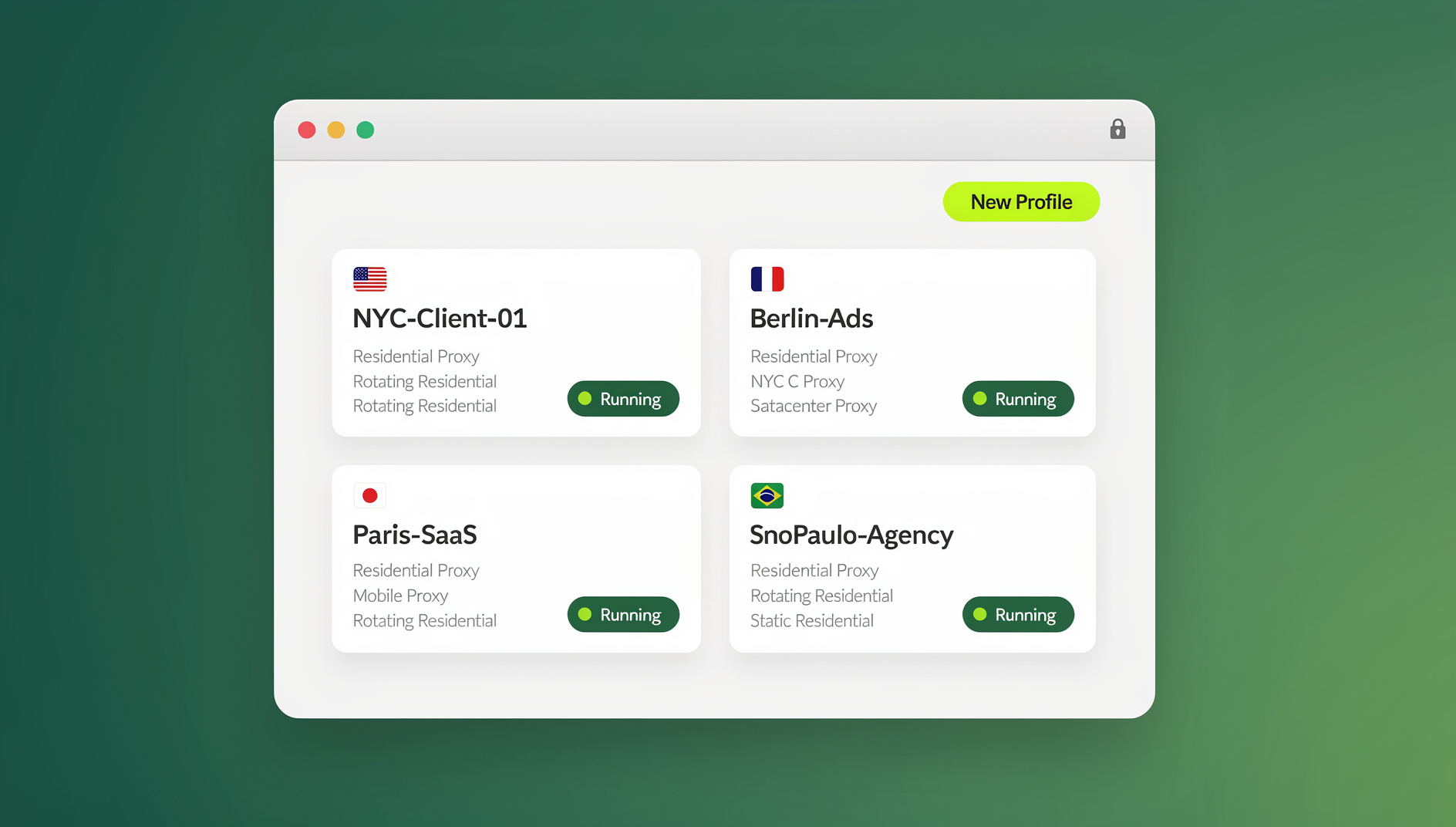
Send.win solves this by giving each client or account its own isolated browser profile — its own fingerprint, its own cookie jar, and (if you need it) its own residential or datacenter proxy for accurate geo-matching. You switch between a client’s Facebook Ads account and your own personal accounts in separate tabs, side by side, with zero risk of one session leaking into another. For agencies and growing teams, Send.win also supports securely sharing specific profiles with teammates or VAs without ever handing over the underlying password — you can revoke access instantly when a contractor rolls off a project. If you’re weighing this against the alternatives, our multi-login browser comparison breaks down how the isolation actually works under the hood.
Send.win is built as a native Desktop app for Windows, macOS, and Linux, so profiles launch as real local browser windows right on your machine — useful for freelancers who need the isolated environment to behave exactly like a normal desktop browser for file downloads, extensions, or client screen-shares. Each profile keeps its own cookies, storage, sessions, fingerprint settings and proxy, so client accounts stay organised and separate. For freelancers who’ve hit the wall of managing accounts manually, our piece on the secret tool freelancers use to juggle clients without burning out covers this workflow in more depth.
3. Clockify and Toggl Track — Time Tracking That Actually Gets Used
Both tools put a timer directly in your browser toolbar, which matters more than it sounds — time trackers that require opening a separate app get abandoned within a week. Clockify edges ahead for teams that need project-level reporting and exportable client invoices; Toggl Track is slightly faster for solo freelancers who just want a one-click start/stop with minimal setup.
4. OneTab — Reclaiming Browser Memory and Sanity
If your browser regularly has 40+ tabs open “for later,” OneTab converts them into a single scrollable list with one click, freeing up to 95% of the memory those tabs were consuming. It’s a small tool, but the mental relief of a clean tab bar is not small.
5. StayFocusd — Structural Willpower for Deep Work
StayFocusd blocks or time-limits specific sites once your daily allowance runs out. For freelancers billing by the hour or the deliverable, the ROI is direct: less time on Reddit and social feeds means more billable hours logged and less resentment at 6pm.
6. LastPass — One Vault Instead of Fifty Sticky Notes
LastPass centralizes every password behind a single master credential, auto-filling logins across devices. For a freelancer juggling dozens of client tool logins on top of personal accounts, a password manager isn’t optional security hygiene anymore — it’s the only realistic way to avoid password reuse, which remains one of the most common causes of account compromise.
7. Adblock Plus — A Quieter Web While You Research
Adblock Plus strips out intrusive ads, pop-ups, and malicious ad-delivered malware while you’re researching client work, competitor sites, or industry news — small but meaningful friction removed from the parts of your day that aren’t billable.
8. Diigo — Research That Doesn’t Disappear
Diigo lets you highlight, annotate, and bookmark pages you’ll need again — useful for freelancers doing competitive research, content research, or building a reference library across client projects without losing track of sources.
9. Google Dictionary — Small Friction, Removed
A lightweight double-click definition lookup that saves the two or three seconds it takes to open a new tab and search — trivial on its own, but it adds up across a full day of writing and editing.
10. Notion — The Client-Facing Operating System
Notion has become the default place freelancers store SOPs, client onboarding docs, project trackers, and shared deliverables. Its flexibility is both its strength and its risk — it’s easy to over-engineer a Notion workspace instead of doing billable work, so keep templates simple.
11. Zapier — Automating the Repetitive Parts
Zapier connects the apps in your stack (forms, invoicing, CRM, email) so leads and client data move automatically instead of via manual copy-paste. For freelancers running the same onboarding steps for every new client, a few Zaps can save hours a month. For a broader look at software built specifically for one-person businesses, our guide to productivity software for solo makers pairs well with this list.
Managing Multiple Client and Business Accounts Safely: The Overlooked Skill
Most “best tools” lists stop at productivity apps and skip the operational risk that comes with running multiple accounts — a reality for nearly every freelancer managing social media, ads, or e-commerce for more than one client. Logging in and out of the same browser all day is slow, and it’s also risky: cookies, cached sessions, and browser fingerprints don’t fully clear between logouts, and platforms increasingly flag accounts that share the same underlying signature as suspicious, even when nothing malicious is happening.
This is where a dedicated multi-account browser earns its place next to Grammarly and Clockify rather than being treated as a niche “antidetect” tool. The practical benefits for freelancers and small business owners:
- No more constant logout/login cycles between your personal accounts and each client’s accounts.
- Reduced risk of platform suspensions caused by cross-account fingerprint overlap, which is a real and growing enforcement pattern on ad platforms and marketplaces.
- Clean handoffs when a client project ends — a profile can be archived or deleted without touching your other client work.
- Safe collaboration with subcontractors or VAs, sharing account access without sharing the actual password.
Our roundup of the best Chrome extensions for productivity covers the lighter-weight side of this problem, but for anyone managing five or more distinct client identities, a dedicated isolated-profile browser like Send.win is worth the modest monthly cost purely in avoided account-recovery headaches.
Setting Up Your First Isolated Browser Profile
If you’ve never used a multi-login browser before, the setup for a first client profile takes only a few minutes:
- Sign up for a paid plan at Send.win — Pro is $19/mo or $83.88/yr, and the first card purchase is covered by a 7-day money-back guarantee — or try the free cloud demo at send.win/demo-browser if you’d rather preview it first.
- Create a new profile for the client or account you want to isolate, giving it a clear name so it’s easy to find later.
- Attach a proxy if the client’s business operates in a specific country or region, so the profile’s location matches expectations.
- Log in once inside that profile — the session, cookies, and fingerprint stay contained to it going forward.
- Repeat for each additional client or account, switching between them from a single dashboard instead of separate browser windows or incognito tabs.
Free vs. Paid: Budgeting Your Tool Stack as a Freelancer
Freelancers and small businesses run on thin margins early on, so it’s worth being deliberate about what’s free forever, what’s worth paying for immediately, and what to upgrade only once you’ve outgrown the free tier.
| Tool | Free Tier Covers | Upgrade Trigger |
|---|---|---|
| Grammarly | Basic grammar and spelling | Client-facing writing volume increases |
| Send.win | Free cloud demo (3-minute preview, 10 minutes a day with a free account) | Managing 3+ client accounts regularly |
| Clockify | Unlimited time tracking, single user | Need team reporting or client invoicing exports |
| LastPass | Single-device password vault | Need cross-device sync |
| Notion | Personal workspace | Client collaboration or team seats |
For Send.win specifically, the current pricing (2026) is straightforward: there is no free trial, but the first card purchase is covered by a 7-day money-back guarantee. Pro is $19/mo (or $83.88/yr) for solo freelancers, and Team is $49/mo (or $251.88/yr) once you’re running an agency or bringing on collaborators. The only free option is the cloud demo at send.win/demo-browser — a 3-minute preview without signup, 10 minutes a day with a free account.
Common Mistakes Freelancers Make With Their Toolstack
- Collecting tools without a workflow. A tool only helps if it’s actually integrated into your daily routine — installing ten extensions and using none of them consistently is worse than using three well.
- Reusing passwords across client platforms. One breach on a low-priority tool can cascade into every client account that shares a password.
- Running every client through one browser identity. This is the single most common cause of avoidable account flags and lost access mid-project.
- Ignoring time tracking until tax season. Retroactively reconstructing billable hours is unreliable and usually underestimates real work.
- Never revisiting the stack. Tools that made sense at $2k/month in revenue often don’t scale to $20k/month — audit your stack at least twice a year.
🏆 Send.win Verdict
Grammarly, Clockify, and a password manager solve productivity. Only a dedicated multi-account browser solves the account-safety problem that comes with freelancing for more than one client — and that’s the gap Send.win fills. Isolated profiles, built-in proxies, and a native Desktop app make it the one tool on this list built specifically for the operational side of running a freelance or agency business, not just the writing-and-timers side.
Try Send.win today — start with a paid plan, covered by a 7-day money-back guarantee on your first card purchase, and set up your first client profile in minutes.
Frequently Asked Questions
What are the most important tools for freelancers just starting out?
Start with a password manager (LastPass), a time tracker (Clockify or Toggl), and a grammar checker (Grammarly) — these three cover the daily basics. Add a multi-account browser like Send.win as soon as you’re managing more than one client’s logins or accounts.
Do I really need a dedicated tool to manage multiple client accounts?
If you only manage your own single account, no. But once you’re switching between two or more client social media, ad, or marketplace accounts regularly, a shared browser identity increases the risk of triggering platform suspicious-activity flags and makes handoffs between projects messy. A dedicated isolated-profile browser removes that risk.
Is Send.win only for marketing use cases?
No — while Send.win is popular with agencies and marketers managing many ad accounts, freelancers use it for the simpler problem of keeping personal accounts, side projects, and each client’s logins fully separated in one place, with a native Desktop app and browser-based access.
How much should a freelancer budget for tools each month?
Most solo freelancers can run a solid stack — password manager, time tracker, and a multi-account browser — for under $30/month combined, using free tiers where available and upgrading only the tools tied directly to client work.
Does Send.win offer an Automation API?
No. Send.win has no automation interface: there is no API, SDK, headless mode or Selenium/Puppeteer/Playwright support on any plan. Freelancers and agencies manage profiles through the desktop app and the cloud browser instead.
Can I use these tools on both desktop and mobile?
Most of the browser extensions here (Grammarly, OneTab, StayFocusd, LastPass, Adblock Plus) are desktop-browser-focused, though several have companion mobile apps. Send.win offers browser-based access alongside a native Desktop app for Windows, macOS, and Linux; a dedicated mobile app is not part of the current lineup, so mobile-heavy workflows should plan around that.
How do I switch between client accounts without logging out each time?
This is exactly the problem multi-login browsers solve: each client or account gets its own isolated profile with separate cookies and sessions, so you can have several client accounts open in separate tabs simultaneously without logging out of one to log into another.
What’s the biggest mistake freelancers make with their tool stack?
Treating account management as an afterthought. Freelancers will carefully choose a time tracker and a password manager, then run every client’s social, ad, and marketplace logins through the same unprotected browser profile — which is the single most common cause of avoidable account bans and lost client access mid-project.