An online browser is a browser that runs on a remote server instead of your device, streaming the rendered page back to you while every click and keystroke you make gets sent the other way. Nothing installs locally, the sites you visit only ever see the remote server’s IP and hardware fingerprint, and the session keeps working whether you’re on a Chromebook, a work laptop, or a phone. Send.win offers this as a fully cloud-hosted session, plus a downloadable desktop app for anyone who wants a local-first setup instead.
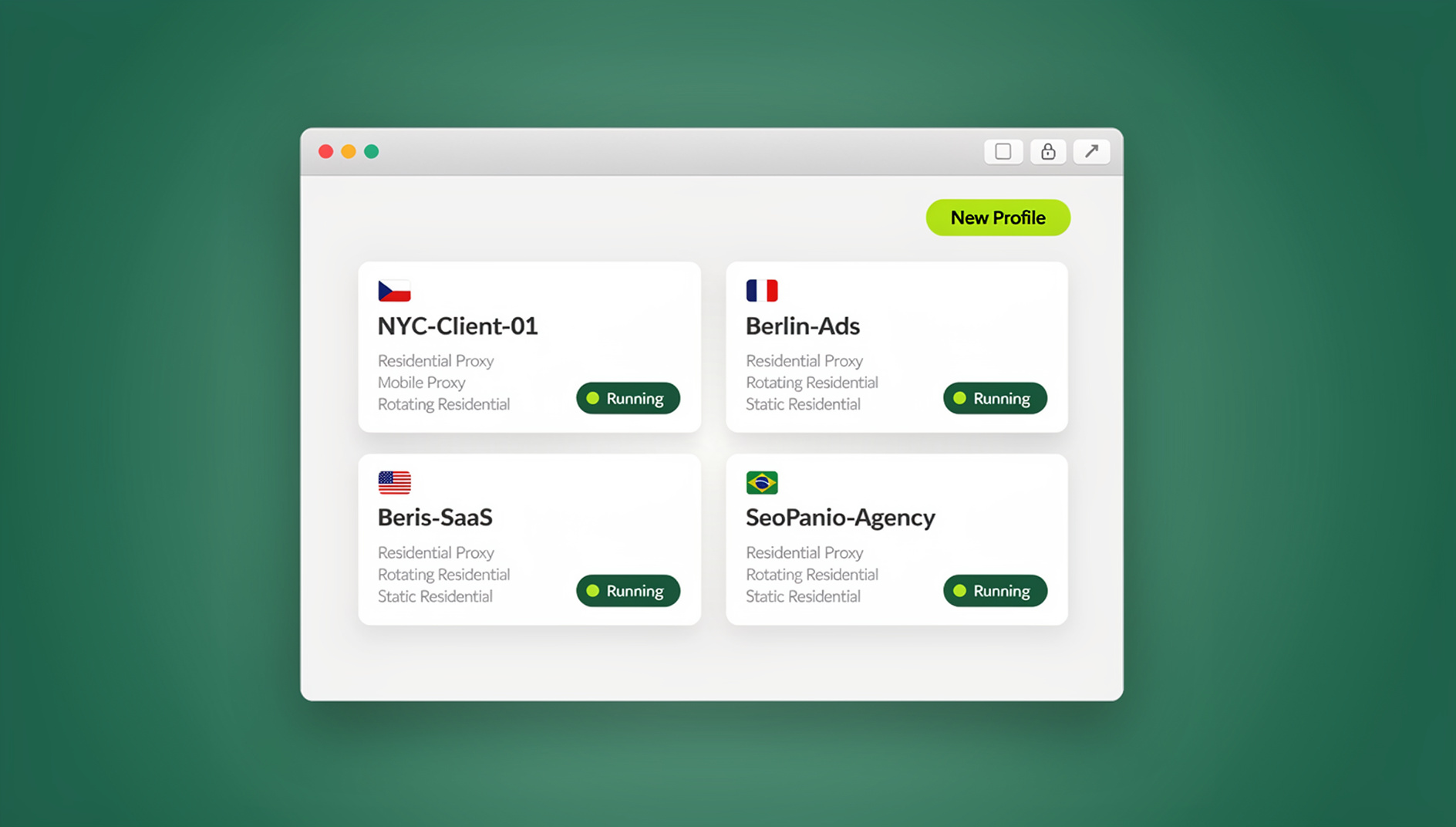
What Is an Online Browser?
Instead of Chrome or Firefox running on your hard drive, an online browser puts the actual browsing engine on a server in a data center somewhere else. You open a tab, log in, and from that point on you’re looking at a live stream of a browser doing its job remotely — your inputs travel to the server, the rendered result travels back as video.
Because the real browsing happens on someone else’s hardware, the sites you visit never talk to your device directly. They see the remote machine’s IP address, its fingerprint, its operating environment — not yours. That single shift is why online browsers show up so often in conversations about privacy, multi-account work, and safe browsing on networks you don’t fully trust.
How an Online Browser Works
The Moving Parts
- Remote instance: A full Chromium or Firefox process runs on cloud hardware, not your machine.
- Input capture: Your clicks, typing, and scrolling are captured locally and forwarded to the server.
- Remote rendering: Pages render using the server’s own CPU and GPU.
- Video streaming: The rendered output is encoded and streamed back to your screen in real time.
- Session persistence: Cookies, logins, and history are stored server-side, so the session survives even if you close the tab and come back later.
Core Technologies Behind It
- GPU-accelerated rendering: Cloud GPUs handle graphics-heavy pages without taxing your local device.
- Low-latency video encoding: H.264 or VP9 keep the visual stream smooth even on modest connections.
- WebSocket or WebRTC channels: A persistent, bidirectional pipe keeps input and video frames synchronized.
- Containerized sessions: Each session runs in its own sandbox, isolated from every other user’s session.
- Server-side storage: Cookies, bookmarks, and downloads persist between visits without ever touching your hard drive.
Send.win as an Online Browser
Send.win isn’t a single fixed product — it gives you two different ways to get an online browser, depending on how you want to work. The first is Sendwin Browser, a native, downloadable desktop app for Windows, macOS, and Linux. It’s local-first, meaning your profiles and session data live on your own device, with encrypted cloud sync keeping everything backed up and available if you switch machines. The second is a genuine cloud browser session that runs entirely on Send.win’s servers with zero local install, metered by cloud browsing time rather than a flat fee — open a tab and the browser itself is already running remotely.
Both routes share the same core capabilities:
- Distinct fingerprints per profile: Each profile gets its own coherent canvas, WebGL, and audio fingerprint rather than a single randomized value slapped onto a shared browser.
- Per-profile proxy assignment: Route each profile through its own IP address.
- Persistent sessions: Come back days later and pick up exactly where you left off, logins intact.
- Team sharing: Hand a colleague access to a profile without ever handing over the underlying password.
If fingerprinting is the part you actually need to understand before choosing a tool, the deep dive on browser fingerprint protection breaks down exactly what gets measured and why swapping your IP alone doesn’t solve it. Send.win tends to fit best for e-commerce sellers running several storefronts, agencies managing client social accounts, ad buyers splitting spend across platforms, and QA or growth teams that need to script repeatable browser workflows.
Other Online Browser Services Worth Knowing
Send.win is built specifically around running many isolated identities at once, but it isn’t the only name in this space, and it isn’t trying to be the best fit for every job. For a broader side-by-side, the roundup of the best cloud browser options for 2026 covers more ground. Here’s a quick read on the other major players.
Browserling
Best for: Cross-browser and cross-OS testing.
- Instant access to multiple browser and OS combinations, including older Windows/IE pairings
- Runs entirely inside your existing browser tab, nothing installed
- Free tier caps sessions at around three minutes
Limitations: Short session windows, no fingerprint management, not built for daily persistent browsing.
Puffin Cloud Browser
Best for: Mobile users on slow or metered connections.
- Cloud-side rendering speeds up page loads on older or low-power devices
- Built-in data compression cuts bandwidth use
- Available as both a mobile app and a browser-based client
Limitations: Single shared identity, limited customization, and thinner privacy controls than dedicated tools.
Mighty Browser
Best for: Power users running heavy tab loads.
- Chromium running on generously resourced cloud hardware
- Handles dozens of open tabs with no impact on your local machine
- High-resolution streaming for a near-native feel
Limitations: Priced for performance rather than privacy, and it doesn’t offer per-profile fingerprint isolation.
Kasm Workspaces
Best for: Teams that want to self-host their own online browser infrastructure.
- Open-source, container-based streaming platform
- Full control over deployment, policies, and data residency
- Enterprise-grade access controls once set up
Limitations: Requires server infrastructure and ongoing technical maintenance — not a plug-and-play option.
Why Switch to an Online Browser?
Privacy
- IP masking: Sites see the remote server’s IP, not your home or office connection.
- Fingerprint separation: Your device’s real hardware signature never reaches the sites you visit.
- No local history: Browsing history, cache, and cookies live server-side, not on your device.
- ISP blindness: Your ISP sees encrypted traffic to one endpoint, not a log of every site you visited.
Security
- Malware containment: Anything malicious that loads stays trapped in the remote environment.
- Zero-day insulation: A browser exploit compromises the cloud instance, not your laptop.
- Safer downloads: Files can be reviewed in the cloud before you decide to pull them to your device.
- Public Wi-Fi safety: Even on an untrusted network, the browsing itself happens elsewhere.
Multi-Account Management
- Genuine isolation: Each profile behaves like a completely separate browser, not a tweaked copy of one.
- No cross-contamination: Cookies, cache, and fingerprints stay contained to their own profile.
- Platform-friendly: Accounts look like they belong to genuinely different people, not one person running ten tabs.
- Team access: Multiple teammates can work the same account set without sharing raw credentials.
Performance and Device Independence
- Offloaded processing: Heavy, script-laden sites render on cloud hardware instead of straining your laptop’s fan.
- Works on weak hardware: A Chromebook or aging PC can handle complex sites just fine.
- Tab-heavy workflows: Dozens of open tabs with zero drag on your local device.
- Consistent environment: The same setup follows you across every device you log in from.
Online Browser vs. VPN vs. Tor Browser
| Feature | Online Browser | VPN | Tor Browser |
|---|---|---|---|
| IP Privacy | Remote server’s IP shown | VPN server’s IP shown | Exit node IP shown |
| Fingerprint Protection | Unique fingerprint per profile | Real device fingerprint unchanged | Standardized, but flaggable as Tor |
| Speed | Depends on your connection to the remote session | Generally fast | Often slow, multi-hop routing |
| Multi-Account Support | Yes, built for it | No inherent support | No inherent support |
| Malware Isolation | Sandboxed on remote server | None | Limited |
| Local Traces | None — data stays server-side | Browser cache remains local | Minimal by design |
| Setup Effort | Simple, account-based | Simple | Moderate, download and configure |
Practical Use Cases for an Online Browser
E-Commerce and Marketplace Operations
Sellers running several storefronts on Amazon, eBay, or Etsy use separate online browser profiles so each store gets its own fingerprint and, with proxy integration, its own IP address — reducing the odds of one flagged account taking others down with it.
Social Media and Content Teams
Agencies and creators managing multiple client or brand accounts keep each one in its own isolated session, so a login on one account never bleeds cookies or fingerprint data into another. If you’re managing accounts one platform at a time, our walkthrough on multi-account browser setups covers the profile-level settings worth getting right first.
Advertising and Competitive Research
Running Facebook, Google, or TikTok ad accounts side by side, checking competitor creative without tipping off your own brand, or verifying ad compliance from a clean, unlinked session all lean on the same isolation an online browser provides by default.
Research, OSINT, and Market Monitoring
Price monitoring across regions, location-specific search results, and open-source research all benefit from a clean session with no accumulated tracking history skewing the results.
Development, QA, and Automation
How to Choose the Right Online Browser
Optimizing for Privacy
Look for no-log policies, real IP masking, encrypted connections in transit and at rest, and a provider that doesn’t monetize your browsing data. Send.win’s per-profile fingerprinting covers this well beyond what a VPN alone provides.
Optimizing for Multi-Account Work
Prioritize unique, consistent fingerprints per profile, integrated proxy support, persistent sessions, and team-sharing controls. This is the exact problem Send.win is built around.
Optimizing for Cross-Browser Testing
Look for quick access to multiple browser/OS combinations and built-in screenshot tools — Browserling is the more natural fit here than a multi-account-focused platform.
Optimizing for Self-Hosted Control
If data residency and full infrastructure control matter more than convenience, Kasm Workspaces gives you a self-hosted foundation at the cost of ongoing maintenance.
Optimizing for Mobile Performance
Puffin Cloud Browser’s compression and mobile-first design suit slow or metered connections better than a full multi-account platform would.
Online Browser Pricing in 2026
Send.win has no free trial; paid plans start at Pro $19/mo or $83.88/yr, and the first card purchase is covered by a 7-day money-back guarantee. You can also preview it with the free cloud demo at https://send.win/demo-browser/.
| Plan | Price | Profiles | Proxy Bandwidth | Automation API | Seats |
|---|---|---|---|---|---|
| Pro | $19/mo ($6.99/mo billed annually — 63% off) | 150 | 5GB | Included | 1 |
| Team | $49/mo ($20.99/mo billed annually — 57% off) | 500 | 20GB | Included | 16 |
Getting Started with an Online Browser
- Pick your mode: Sendwin Browser for a local-first setup with encrypted sync, or a cloud browser session for zero-install access.
- Start with a paid plan: There is no free trial; the first card purchase is covered by a 7-day money-back guarantee, or you can try the free cloud demo.
- Create your first profile: One profile per identity, store, or client. The step-by-step guide to creating sessions in Send.win’s cloud browser walks through the exact settings.
- Attach a proxy if needed: Assign a distinct IP per profile for accounts that need to look geographically or organizationally separate.
- Browse: Use the profile manually.
Limitations to Know Before You Switch
You Need a Stable Connection
An online browser depends on continuous internet access. A dropped connection interrupts the session, and there’s no offline mode to fall back on.
A Small Amount of Latency Is Unavoidable
Expect roughly 10-50ms of added latency versus a fully local browser. It’s imperceptible for everyday browsing and account work, but noticeable for anything latency-sensitive like competitive gaming.
It’s a Paid Category
Free tiers exist (Browserling’s few-minute sessions, for instance), but persistent sessions with real fingerprint management are a subscription product. Weigh that cost against what a single banned or compromised account would otherwise cost you.
🏆 Send.win Verdict
An online browser earns its place in your workflow the moment you need more than a VPN can give you — real fingerprint isolation, malware containment, and the ability to run several accounts with separate cookies, storage and fingerprints. For quick cross-browser checks, Browserling is the faster grab. But for anyone managing multiple stores, client accounts, or ad campaigns, Send.win is purpose-built for the job: choose the native Sendwin Browser desktop app for a local-first setup with encrypted cloud sync, or a cloud browser session when you want zero-install access from any device.
Try the Send.win cloud demo — a 3-minute preview without signup, 10 minutes a day with a free account.
Frequently Asked Questions
Is an online browser free to use?
Some services offer limited free access — Browserling’s sessions run around three minutes, for example. Persistent sessions with unique fingerprints and proxy integration typically require a subscription; Send.win has no free trial, but the first card purchase is covered by a 7-day money-back guarantee, and there is a free cloud demo at https://send.win/demo-browser/.
Is using an online browser legal?
Yes. Online browsers are legitimate privacy and security tools used by enterprises for isolation and by individuals for privacy and multi-account management. Legality depends on what you do while browsing, not on the tool itself.
Can websites detect that I’m using an online browser?
A well-built service like Send.win generates coherent, realistic fingerprints per profile that are hard to distinguish from a normal local browser. Lower-quality implementations can leak signs of virtualization, so the quality of the fingerprint generation matters more than the fact that it’s cloud-based.
How secure is my data inside an online browser?
That depends on the provider’s practices — look for encryption in transit and at rest, clear data-handling policies, and strict isolation between users’ sessions. Teams that need full data sovereignty can self-host with something like Kasm Workspaces instead.
Do I need to install anything to use Send.win?
It depends on which mode you pick. Sendwin Browser is a native desktop app you download and install for Windows, macOS, or Linux. A cloud browser session, on the other hand, runs entirely on Send.win’s servers and needs no local install at all — you just open it in your existing browser.
Does Send.win have an Automation API?
No — Send.win has no automation interface: no API, SDK, headless mode or Selenium/Puppeteer/Playwright support on any plan.
What’s the real difference between the two Send.win modes?
Sendwin Browser is a native app you install locally, with your profile data living on your device and syncing to the cloud in encrypted form. A cloud browser session runs entirely on Send.win’s infrastructure with nothing installed locally, billed by cloud browsing time — a better fit when you need instant access from a device you don’t control.
Can I use an online browser on mobile?
Yes. Since all you need is an existing browser to reach the remote session, online browsers generally work on iOS, Android, and any device with a modern browser installed.
Conclusion
Moving the actual browsing engine off your device and onto a remote server is a small architectural change with outsized consequences: real privacy, malware containment, device independence, and genuine multi-account capability, all at once. A local browser, no matter how carefully configured, can’t match that combination.
Start from the problem you actually have. If it’s cross-browser testing, Browserling gets you in and out quickly. If it’s self-hosted control, Kasm Workspaces is the standard starting point. If it’s managing several accounts, storefronts, or ad campaigns with separate cookies, storage and fingerprints, Send.win’s combination of a native desktop app and true cloud sessions is built specifically for that job.