A minimalist productivity stack is a small set of single-purpose tools — one for tasks, one for notes, one for planning, one for focus — plus a lightweight browser layer that keeps every account isolated, so nothing you install or log into slows you down or puts your data at risk. Built well, that stack replaces a dozen half-used apps with four you’ll actually open every day.
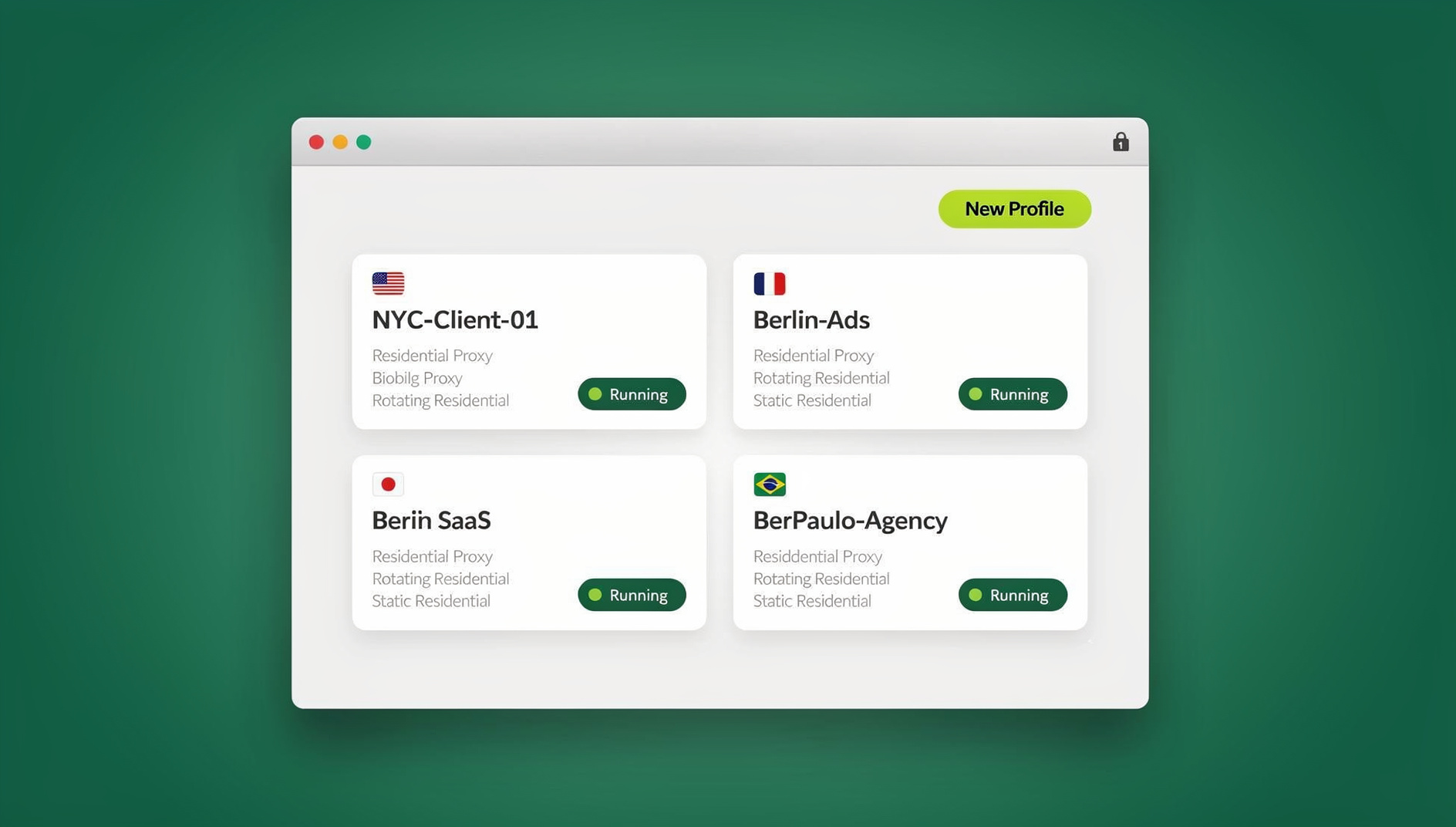
Most people don’t have a productivity problem. They have a bloat problem. Every “all-in-one” workspace eventually turns into a maze of settings, integrations, and half-finished onboarding flows. This guide takes the opposite approach: four lean, purpose-built sites, paired with a browser layer built for people who juggle multiple logins, and nothing else. If distraction rather than clutter is your bigger obstacle, it’s worth also skimming these distraction-blocking sites that actually work alongside the stack below.
Why a Minimalist Stack Beats an Everything-App
Bloated software doesn’t just look busy — it costs you real time and real risk. Before picking any tool for this stack, we filtered it against four questions:
- Less cognitive load. Fewer knobs to twiddle means more attention left for the actual work.
- Clarity over complexity. Purpose-built tools cut decision fatigue and setup overhead to almost zero.
- Security without ceremony. Isolation and encryption should protect you without turning you into your own IT department.
- Real speed. Time you don’t spend switching profiles, clearing cookies, or fighting login screens is time you spend shipping.
Minimalism doesn’t mean “barebones.” It means focused. And in 2026, a focused stack starts with a browsing layer that keeps your accounts, sessions, and collaborators separated by default — not as an afterthought.
The Engine of a Lean Stack: Send.win
What Send.win Actually Is
Send.win is the piece that makes a minimalist stack possible in the first place: a way to run every account, client, or project in its own clean, isolated session instead of juggling browser profiles, incognito windows, or a drawer full of half-remembered passwords. You log in once per session, switch with a click, and none of those sessions can see or contaminate each other.
Unlike tools that bolt multi-login onto your existing browser, Send.win gives you two genuinely different ways to work, and you can mix both depending on the task.
Two Ways to Run Send.win
The first is Sendwin Browser, a native app you download for Windows, macOS, or Linux. It’s local-first — your sessions, bookmarks, and settings live on your machine — with encrypted sync to the cloud so your setup follows you to another device. The second is a cloud browser session, which runs entirely on Send.win’s infrastructure with nothing installed locally; you get a fully interactive browser streamed to whatever device you’re on, metered by cloud browsing time rather than tied to a single machine. For a deeper technical breakdown of how the remote model keeps sessions separated, see this cloud browser isolation guide.
| Sendwin Browser (native desktop app) | Cloud browser sessions | |
|---|---|---|
| Install | Download once for Windows, macOS, or Linux | None — opens straight from your dashboard |
| Where your data lives | Local-first, with encrypted sync to the cloud | Entirely remote; nothing touches your device |
| Best for | Your daily driver — the accounts you use every day | One-off tasks, shared reviews, or opening unfamiliar links |
| Billed by | Included in your plan | Metered cloud browsing time |
| Automation API | Available from the Pro plan (Selenium, Puppeteer, Playwright) | Not applicable — automation targets the local desktop app |
Key Features That Actually Matter
- One-click account switching. No more sign-out/sign-in loops between clients or personal accounts.
- Session isolation by default. Every session gets its own cookies and storage, so nothing bleeds between accounts — useful for ad ops, marketplace selling, or parallel A/B testing.
- Bring-your-own proxy. Attach a proxy per session to test region-locked content or keep a consistent IP for a specific account.
- Share a session, not a password. Give a teammate or contractor time-boxed access to a live, logged-in session without ever handing over credentials.
- Session timers. Cap shared access at 30 minutes, an hour, or a day, then it expires automatically.
- Blur and block sensitive pages. Hide billing or admin screens before you share a session for review.
- Encrypted by design. Send.win applies strong encryption at the session level, and sessions don’t share local storage, so one tab can’t be used to track another.
- Automation API on the Pro plan. Drive the desktop app with Selenium, Puppeteer, or Playwright for QA and repetitive workflows — no separate enterprise tier required.
- Cross-platform. The native app runs on Windows, macOS, and Linux; cloud sessions run in any modern browser.
Who Actually Uses This
Send.win shows up across a fairly predictable set of workflows once you see the pattern:
- Marketers and advertisers managing several ad accounts, comparing creatives side by side, and handing off time-boxed access for client sign-off — no passwords exchanged.
- E-commerce sellers running multiple stores without cookie bleed, assigning per-session proxies so each storefront looks correct for its region.
- SEO professionals checking rankings from different locations at once while keeping every tool login isolated and easy to share with a client. Our guide to sharing accounts without passwords covers this pattern in more detail.
- Developers and QA teams reproducing bugs in disposable sessions, comparing staging against production cleanly, and now scripting repetitive checks with the Automation API.
- Remote workers and freelancers keeping each client’s logins, notes, and calendars in separate lanes instead of one tangled browser profile.
Send.win Pricing (2026)
Send.win keeps pricing straightforward, and every plan starts with a 30-day free trial that doesn’t require a credit card — so you can build the whole stack below before paying anything.
- Pro — $19/mo (or $6.99/mo billed annually): 150 profiles, 5GB of proxy bandwidth, and access to the Automation API.
- Team — $49/mo (or $20.99/mo billed annually): 500 profiles, 20GB of proxy bandwidth, the Automation API, and 16 seats for the whole team.
Pricing and plan details can shift, so it’s worth confirming the current numbers on the official pricing page before you buy.
Getting Started in Minutes
- Sign up. Create your account and start the 30-day free trial — no card required.
- Pick your mode. Download Sendwin Browser as your daily driver, or launch a cloud session straight from your dashboard for a one-off task.
- Start working. Create a session per account or client, switch between them with one click, and add a proxy where it matters.
The Minimalist Stack: Four Lightweight Sites That Pair With Send.win
Minimalist doesn’t mean monolithic — it means best-in-class and purpose-built. These four sites each do one job extremely well, and each pairs naturally with Send.win’s session isolation so you never have to think twice about which login you’re in. For more tools built on the same philosophy, browse our roundup of privacy-first productivity tools.
1. TeuxDeux — Ultra-Simple Daily and Weekly Tasks
What it is. TeuxDeux is a famously minimal to-do list with a calendar-style layout and gentle guardrails. Drop tasks into day columns, drag them between days, and let unfinished items roll forward automatically. A “Someday” area holds ideas you don’t want to lose but don’t need on today’s plate.
Why minimalists like it. It resists feature creep entirely. There are no nested projects, custom fields, or dashboards to configure — just what today asks of you.
How it pairs with Send.win. Keep a separate TeuxDeux session per client or project. Each stays logged into the right account, and you can share one briefly with a collaborator for a quick review without handing over your password.
2. Standard Notes — Privacy-First Notes, Actually Encrypted
What it is. Standard Notes is built on end-to-end encryption and syncs across devices while keeping your keys in your control. The free tier covers encryption and sync; paid plans add rich editors, journals, and encrypted file storage.
Why minimalists like it. A clean interface and a security model that serves you, not an advertiser.
How it pairs with Send.win. Open a separate notes vault per customer in its own session. When a contractor needs access, share that session instead of the password, with a timer attached and any sensitive pages blurred.
3. Tweek — A Paper-Like Weekly Planner for Time-Blocking
What it is. Tweek is a paper-inspired weekly planner you can use solo or share with a small team or family: a weekly grid, quick tasks, highlights, optional sharing, and Google Calendar sync.
Why minimalists like it. Zero setup. Sketch your week at a glance and spend your energy doing the work, not organizing it.
How it pairs with Send.win. Run separate Tweek calendars — personal and client-facing — in their own sessions, and attach a proxy if you’re checking a region-locked scheduling feature before a rollout.
4. Pomofocus — A Clean Pomodoro Timer That Respects Your Attention
What it is. Pomofocus is a customizable Pomodoro timer that runs in any browser. Set work and break intervals, add quick tasks, and view simple reports — nothing more.
Why minimalists like it. No gamification, no social feed, no inbox. Just a timer that nudges you into a sustainable rhythm.
How it pairs with Send.win. Pin a Pomofocus tab alongside your work session. Because each Send.win session is isolated, the timer keeps running cleanly while you switch between logged-in accounts.
A Minimalist Workflow You Can Copy Today
Think of the stack as a four-lane highway with guardrails:
- Plan your day in TeuxDeux — today’s three priorities plus a manageable backlog.
- Time-block your week in Tweek — batch meetings and carve out real project blocks.
- Work inside Send.win — one session per account or client, proxies where needed, sensitive pages blurred before you share anything.
- Capture notes in Standard Notes — one encrypted notebook per client.
- Run 25-minute sprints with Pomofocus to keep momentum, not meetings, in charge.
Collaboration, the Minimalist Way
- Share sessions, not credentials. Invite a teammate into your logged-in Send.win session for a 60-minute review, blur the billing page, then let the timer revoke access automatically.
- Contain risk by default. Unknown links from a client or vendor? Open them in a disposable cloud session so nothing ever touches your actual device.
- Stay location-accurate. Attach a per-session proxy for geo-specific QA or multi-region SEO checks — more precise than routing everything through one VPN tunnel.
Security Without Friction
Most “secure” setups feel like a detour — agents to install, profiles to juggle, exceptions to babysit. A minimalist stack should be safer by default instead.
- Isolation by default. Sessions don’t share cookies or local storage, which shrinks cross-account tracking and contamination risk without you doing anything extra.
- Encrypted sessions. Send.win applies strong encryption at the session level, whether you’re running the native app or a cloud session.
- Disposable sessions for the risky stuff. Anything you’re unsure about — a client-shared file, an unfamiliar link — can run in a session you simply throw away afterward.
Security shouldn’t be a speed bump. With a stack built this way, it’s just a lane, and a fast one.
🏆 Send.win Verdict
If your goal is a minimalist productivity stack that doesn’t sacrifice control, Send.win is the layer that makes it work: a native desktop app for your daily accounts, cloud sessions for everything else, session sharing that never exposes a password, and an Automation API available from the Pro plan for teams that want to script the repetitive parts.
Try Send.win free today — start the 30-day trial, no credit card required, and see how much lighter your stack feels.
Frequently Asked Questions
Can Send.win really replace my extra browser profiles?
In most cases, yes. Because each Send.win session behaves like its own clean browser — separate cookies, cache, storage, and an optional proxy — you can stop spinning up extra local profiles just to keep accounts apart. It’s cleaner to manage and faster to switch between.
Do I need the desktop app, or is a cloud session enough?
It depends on the account. Use Sendwin Browser for the accounts you touch daily — it’s local-first with encrypted sync, so it feels like a normal browser. Reach for a cloud session when you need something temporary, want to share access with someone else, or are opening a link you don’t fully trust.
Do I still need a VPN?
Not necessarily. For most workflows, a per-session proxy gives you more accurate location testing and a tighter privacy boundary than routing everything through one VPN tunnel — especially if you’re juggling several accounts at once. You can still layer a VPN on top if your organization requires it.
What if I need to onboard a freelancer today?
Invite them into a shared, time-boxed session with sensitive pages blurred, let them finish the task, and let access expire automatically. No password hand-off, no new account to provision.
Is there a free trial?
Yes. Send.win offers a 30-day free trial on both the Pro and Team plans, and it doesn’t require a credit card to start.
Is the Automation API only available on the Team plan?
No — it’s included starting on the Pro plan, so smaller teams and solo developers can automate local browser workflows with Selenium, Puppeteer, or Playwright without upgrading to Team.
Will a minimalist stack actually work for a team, not just solo users?
Yes, as long as sharing is built in rather than bolted on. TeuxDeux and Tweek both support light sharing, Standard Notes handles per-client vaults well, and Send.win’s session sharing with timers and blur controls is what makes handing off access to a teammate or contractor safe without adding overhead.
How do I know if a tool belongs in a minimalist stack?
Run it through five questions: Does it do one job extremely well? Can you explain it in one sentence to a teammate? Does it reduce rather than add to your maintenance? Is privacy or security a default, not an add-on? Can you get from zero to value in minutes? If you can’t say yes to all five, it’s probably not minimalist.