Kasmweb Alternatives: Which Cloud Browser Actually Fits Your Team?
The best Kasmweb alternatives in 2026 for most teams are Send.win, Citrix DaaS, V2 Cloud, and traditional remote-access tools like AnyDesk or Chrome Remote Desktop — but only Send.win is purpose-built for multi-login browser work rather than full container or desktop streaming. If your real need is isolated, shareable browser sessions (not a full virtual machine), Send.win’s cloud browser gets you there in minutes with no infrastructure to manage.
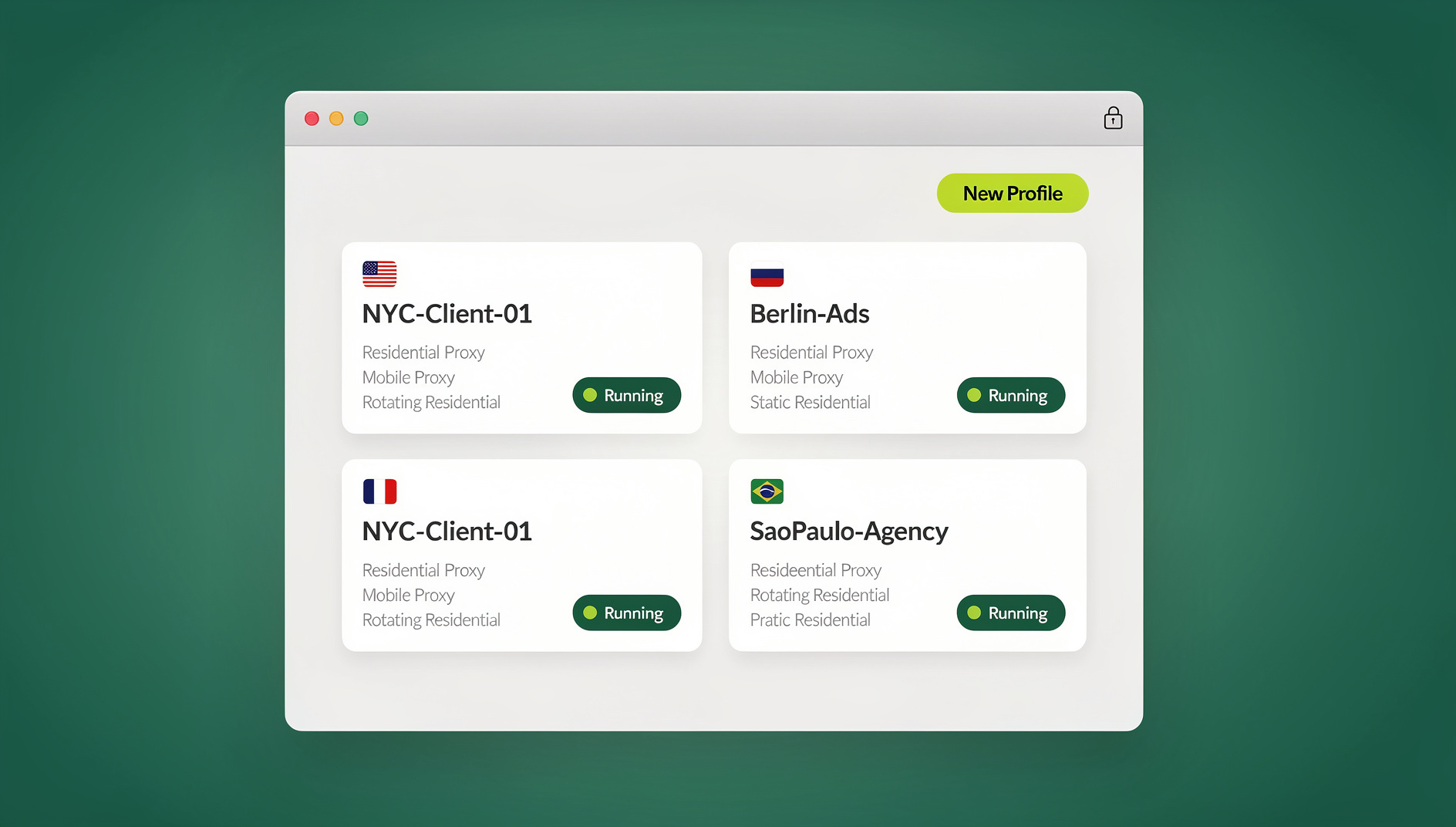
Kasm Workspaces (often searched as “Kasmweb”) is a genuinely powerful piece of technology — container-based streaming that spins up isolated Linux desktops or browsers on demand, popular with DevSecOps teams, cybersecurity shops doing remote browser isolation (RBI), and training labs. But that same power is exactly why so many marketers, e-commerce sellers, agencies, and solo operators go looking for something lighter. This guide breaks down why people move on from Kasm, compares the realistic alternatives feature-by-feature and dollar-by-dollar, and explains where Send.win fits — including the three distinct ways you can actually run it.
Why Teams Look Beyond Kasm Workspaces in 2026
Kasm Workspaces was built to solve an infrastructure problem: how do you give hundreds of employees, contractors, or students access to isolated, disposable computing environments without provisioning physical machines? It does that job well. But most people searching “Kasmweb alternatives” aren’t running a DevSecOps lab — they’re trying to log into five Facebook ad accounts, manage a dozen client Gmail inboxes, or run parallel e-commerce storefronts without their sessions colliding.
The Friction Points That Push People to Search for Alternatives
- Infrastructure overhead: Self-hosted Kasm deployments typically run on Docker or Kubernetes. Someone has to size the servers, patch the images, and monitor container health — a real job, not a side task.
- Built for a different workload: Kasm streams entire desktops or heavyweight containerized apps. If all you need is a handful of isolated browser tabs, you’re paying (in compute and complexity) for capability you’ll never use.
- Steep learning curve for non-technical users: Marketers and account managers don’t want to think about images, workspaces, or session pools — they want to click a button and be logged into the right account.
- Collaboration isn’t the focus: Sharing a live, isolated browser session with a teammate or a client — without handing over a password — is not what Kasm was designed around.
- Cost scales with concurrency: Whether self-hosted or on the managed SaaS tier, cost tends to track concurrent sessions and server capacity rather than a flat per-seat price, which gets expensive fast for teams running many parallel logins.
None of this makes Kasm a bad product — it’s excellent at what it’s built for: secure remote access and container-based browser isolation for security-conscious enterprises. It just isn’t optimized for day-to-day multi-account browsing, and that gap is where the alternatives below compete.
Quick Answer: Best Kasmweb Alternatives at a Glance
Here’s the fast comparison before you read the details. For a deeper look specifically at how these three stack up on suspicious-link safety, see our Send.win vs. Kasm vs. NetworkChuck comparison.
| Tool | Best For | Setup Effort | Multi-Login Focus | Team Sharing |
|---|---|---|---|---|
| Send.win | Multi-account browsing, agencies, e-commerce, ad management | None — sign up and launch a browser | Purpose-built (isolated profiles per login) | Native session/profile sharing |
| Kasm Workspaces | DevSecOps, RBI, secure enterprise remote access | High (Docker/Kubernetes or managed SaaS) | Not the primary use case | Enterprise-oriented, admin-managed |
| Citrix DaaS | Large enterprise VDI rollouts | Very high (full desktop provisioning) | No | IT-managed, policy-driven |
| V2 Cloud | General remote-work virtual desktops | Moderate | No | Limited |
| AnyDesk / RealVNC | Remote-controlling an existing machine | Low | No | Not designed for it |
Top Kasmweb Alternatives Compared
Send.win — A Cloud Browser Purpose-Built for Multi-Login Work
Send.win takes a fundamentally different angle than Kasm: instead of streaming a whole desktop or container, it gives each login its own isolated browser profile with a unique fingerprint, its own cookies and storage, and optional built-in proxy support. You open a dashboard, spin up a profile, and you’re logged in — no images to build, no server to patch. It also happens to be one of the few tools in this space that explicitly separates three distinct ways to work, which matters a lot once you compare it against Kasm’s single “stream a container” model:
- Desktop app — a native client for Windows, macOS, and Linux. This is how most Send.win users run their day-to-day profiles locally, with the full performance of running on their own machine.
- Cloud browser sessions — profiles run entirely in the cloud, with no desktop install at all. This is the mode that’s the direct functional equivalent of Kasm’s streaming model — you get an isolated browser instance accessible from any device, metered by monthly cloud browsing time and included on paid plans alongside cloud sync and profile sharing.
That distinction matters because a lot of “Kasm alternative” content conflates cloud access with local software. Send.win genuinely offers both, and you pick the mode that fits the task rather than being locked into one model.
Citrix DaaS
Citrix’s Desktop-as-a-Service is the enterprise incumbent — strong policy controls, global points of presence, and deep IT governance. It’s an excellent fit for large organizations doing full VDI (virtual desktop infrastructure) rollouts. For a team that only needs isolated browser logins, though, Citrix is usually overkill: it’s priced, licensed, and administered like a full desktop replacement because that’s exactly what it is.
V2 Cloud
V2 Cloud is a simpler, more approachable virtual desktop service aimed at remote-work teams that don’t want to self-manage VMs. It’s a genuine step down in complexity from Citrix or self-hosted Kasm. But it’s still fundamentally a desktop paradigm — you’re remoting into a full machine, not spinning up a lightweight, per-tab browser session built around login isolation.
RealVNC and AnyDesk
Both are mature, reliable remote-access tools for controlling a machine you already own or manage. They solve “I need to reach my other computer,” not “I need ten isolated logins for ten client accounts.” Session sharing in these tools means handing over control of an entire desktop, which is a much blunter instrument than sharing a single isolated browser profile.
Chrome Remote Desktop, NoMachine, and VirtualBox
These are the DIY end of the spectrum — free or low-cost, but each requires you to build and maintain your own remote-access or virtualization setup. They work for labs, troubleshooting, or personal use, but per-tab isolation and one-click session sharing aren’t native features; you’d be bolting them on yourself.
Other Anti-Detect and Virtual Browsers
A wider category of browser profile managers and cloud browser tools compete in the same general space as Send.win — fingerprint control, proxy support, isolated profiles. Some are excellent, but many still require a local install and steep configuration to get real value, and team sharing is frequently an afterthought bolted on later rather than a core design goal.
Send.win vs. Kasm Workspaces: Feature-by-Feature
| Feature | Send.win | Kasm Workspaces |
|---|---|---|
| Core model | Isolated browser profiles (local or cloud) | Container-streamed desktops/apps via KasmVNC |
| Setup for end users | Sign up, launch profile — minutes | Requires provisioned workspace/image or managed SaaS onboarding |
| Infrastructure to manage | None (fully hosted) | Docker/Kubernetes if self-hosted; less if using managed SaaS |
| Browser fingerprinting control | Unique, consistent fingerprint per profile | Not a primary design goal — containers share a common image fingerprint |
| Built-in proxies | Yes, per profile | Not native — typically handled at the network/infrastructure layer |
| Team sharing | Native profile/session sharing without passwords | Admin-managed access policies, less oriented to informal sharing |
| Automation support | No | Scriptable via container orchestration, more DevOps-heavy |
| Best audience | Marketers, agencies, e-commerce sellers, affiliates, remote teams | Security teams, DevSecOps, enterprises needing full RBI/VDI |
Three Ways to Actually Run Send.win
One thing that gets lost when people compare “cloud browsers” as a single category is that Send.win doesn’t force you into one mode. This matters directly when you’re replacing Kasm, because Kasm itself really only offers one mode — stream a container.
1. Desktop App (Local)
For day-to-day use, most people run Send.win’s native Desktop app on Windows, macOS, or Linux. Profiles launch locally with full hardware performance, and this is the closest experience to a normal browser — just with isolated, fingerprinted profiles instead of one shared browser identity.
2. Cloud Browser Sessions (No Install)
When you genuinely need “access from anywhere, nothing installed” — the exact promise Kasm makes with container streaming — Send.win’s cloud browser sessions are the direct answer. Profiles run entirely on Send.win’s servers, streamed to whatever device you’re on, metered by monthly cloud browsing time and bundled with cloud sync and profile sharing on paid plans. This is real, billed, cloud compute — not a stripped-down demo of the desktop app.
3. Cloud Browser (Hosted)
Pricing Comparison: Kasm Workspaces vs. Send.win and Other Alternatives (2026)
Enterprise DaaS and container-streaming vendors rarely publish flat, easy-to-compare pricing — Kasm’s cost depends on whether you self-host (server/infrastructure cost plus optional support licensing) or use its managed SaaS tier (which scales with concurrent sessions), and Citrix/V2 Cloud pricing is typically quote-based for anything beyond a small trial. Send.win, by contrast, publishes flat monthly pricing:
| Plan | Price | What You Get |
|---|---|---|
| Free trial | 30 days, no credit card | Full feature access to evaluate before committing |
| Pro | $19/mo | Multi-login profiles, unique fingerprints, built-in proxy support, cloud browsing time allotment |
| Team | $49/mo | Everything in Pro, plus team seats, cloud sync, and profile sharing |
| Kasm Workspaces | Free (Community, self-hosted) / custom enterprise pricing | Requires your own infrastructure at the free tier; paid tiers scale with concurrent sessions |
| Citrix DaaS / V2 Cloud | Quote-based | Full desktop provisioning, IT-managed licensing |
For teams that just need multi-account browsing without standing up servers, the gap between “$19/month, ready in minutes” and “provision a container platform” is the whole story.
Honest Pros and Cons
Kasm Workspaces: Pros and Cons
- Pros: Genuinely strong container isolation, open-source Community Edition available, well-suited to regulated environments needing full remote browser isolation, mature product with enterprise support options.
- Cons: Real infrastructure overhead to self-host, steep learning curve for non-technical users, not built around multi-login/session-sharing workflows, cost and complexity scale with concurrency rather than staying flat.
Send.win: Pros and Cons
- Pros: Flat, low monthly pricing with a 7-day money-back guarantee on your first card purchase, no infrastructure to manage, unique per-profile fingerprints and built-in proxies, two flexible modes (desktop and cloud), native team sharing.
- Cons: Not designed for full desktop/OS-level streaming — if you need a complete remote Linux or Windows desktop (not just a browser), a DaaS tool is still the right category; there is no automation interface on any plan.
Which Should You Pick?
Use this quick logic to decide:
- You need a full remote desktop or regulated remote browser isolation for compliance reasons → Kasm Workspaces or Citrix DaaS is the right category; don’t force a browser-only tool to do a desktop’s job.
- You need to manage multiple logins — ad accounts, storefronts, client inboxes, social profiles — without them colliding → Send.win, because that’s specifically what it’s built for.
- You want zero local install and access from any device → Send.win’s cloud browser sessions, the closest thing to Kasm’s streaming model without the infrastructure.
- You need isolated, fingerprinted sessions for your team → Send.win’s Team plan if you want separate cookies, storage and fingerprint per profile; Kasm if you need full containerized environments for other tooling too.
- You’re an individual or small team on a budget → Send.win’s Pro plan, since self-hosting Kasm rarely makes sense below a certain scale.
How to Get Started With Send.win’s Cloud Browser
- Try the free cloud demo at send.win/demo-browser — a 3-minute preview without signup, or 10 minutes a day with a free account.
- Create your first profile and choose whether to run it via the Desktop app or launch it as a cloud browser session if you’re on a device where you don’t want to install anything.
- Set a unique fingerprint and, optionally, attach a proxy to the profile if you need geo- or IP-specific isolation.
- Log into the account you need isolated — the session behaves like a fresh browser with its own cookies and storage.
- Share the profile with a teammate if needed, using Send.win’s built-in sharing rather than handing over a password.
- Upgrade to Team if you need more cloud browsing time or additional seats.
If you’re weighing this against other remote browser isolation options more broadly, that guide covers where Kasm and its peers sit on the spectrum from lightweight to enterprise-heavy. And if Kasm itself is still on your shortlist for its original use case, our dedicated Kasm Workspaces guide covers it in depth.
🏆 Send.win Verdict
Kasm Workspaces is genuinely good technology, but it’s built for security teams and DevSecOps, not for people who just need clean, isolated logins across multiple accounts. If your actual problem is multi-account browsing — ad management, e-commerce, client work, social media — Send.win solves it directly, with no servers to provision, a fingerprint per profile, and the flexibility to run locally via the Desktop app or from anywhere via cloud browser sessions.
Try Send.win today — plans start at $19/month, your first card purchase is covered by a 7-day money-back guarantee, and you can preview it free in the cloud demo.
Frequently Asked Questions
What is Kasm Workspaces used for?
Kasm Workspaces is a container-streaming platform that delivers isolated Linux desktops, apps, or browsers on demand. It’s most commonly used for remote browser isolation (RBI) in cybersecurity, secure remote access for regulated industries, and disposable environments for training or DevSecOps testing.
Is there a free alternative to Kasm Workspaces?
Kasm itself offers a free, self-hosted Community Edition, but it still requires you to run and maintain the underlying Docker/Kubernetes infrastructure. Send.win has no free trial, but its first card purchase is covered by a 7-day money-back guarantee, and you can preview it free in the cloud demo if you want to evaluate a lighter, fully hosted alternative before paying anything.
Does Send.win require any installation?
It depends on the mode. The Send.win Desktop app is a native install for Windows, macOS, or Linux and is how most users run profiles day to day. If you specifically need zero local install, Send.win’s cloud browser sessions run entirely on Send.win’s servers and stream to any device, with no desktop client required.
Can I automate browser tasks the way I would with Kasm’s containers?
No. Send.win has no automation interface — no API, SDK, headless mode or Selenium/Puppeteer/Playwright support on any plan. Kasm, by contrast, can be scripted against its container orchestration.
How does Send.win handle browser fingerprinting compared to Kasm?
Send.win assigns a unique, consistent fingerprint to each profile as a core feature, which helps keep profiles separate for multi-account work. Kasm’s containers typically share a common base image fingerprint, since fingerprint diversity isn’t the product’s primary design goal — it’s optimized for isolation and security policy, not identity separation between logins.
What’s the real pricing difference between Kasm Workspaces and Send.win?
Send.win publishes flat pricing: Pro at $19/month (or $83.88/year) and Team at $49/month (or $251.88/year), with the first card purchase covered by a 7-day money-back guarantee. Kasm’s Community Edition is free but self-hosted (you pay for servers and admin time), while its paid tiers and enterprise support are typically quoted based on concurrent sessions rather than a flat per-seat rate.
Is Send.win secure enough for team account sharing?
Send.win is built around isolated profiles specifically so teammates can share access to an account without ever sharing the underlying password — each session stays contained, and sharing is a built-in feature rather than a workaround. For teams that need heavier compliance-grade isolation policies, Kasm or Citrix DaaS remain the more enterprise-oriented choice.
Can I run Send.win locally instead of in the cloud?
Yes — the Desktop app is a native local client for Windows, macOS, and Linux, and it’s how the majority of Send.win users run their profiles day to day. Cloud browser sessions are a separate, optional mode for when you need to work from a device without installing anything.