What Actually Matters When You Run Payroll for Dozens of Clients
The best payroll software for accountants managing multiple clients is the platform that gives you one dashboard across every client, bulk processing instead of one-by-one runs, and automated multi-state tax filing — not just the payroll tool with the best individual-business features. Gusto, ADP, QuickBooks Payroll, Paychex, and Rippling all serve this market, but they differ sharply on pricing at scale, multi-state depth, and how much of the compliance burden they actually take off your desk. Below is a feature-by-feature comparison, followed by the browser-access problem every multi-client firm eventually hits.
What Makes Payroll Software “Multi-Client Ready”?
Most payroll platforms are built for a single company running its own payroll. The features that separate accountant-focused platforms from that default are:
- Multi-client dashboard: one view showing payroll status, upcoming deadlines, and alerts across every client.
- Instant client switching without logging out and back in.
- Bulk operations: running payroll for multiple clients in batch instead of individually.
- Tax filing automation: automatic calculation, filing, and payment of federal, state, and local payroll taxes per client.
- Multi-state compliance for clients with employees spread across different tax jurisdictions.
- Client-level permissions that give client contacts view-only access to their own data, nothing else.
- Year-end reporting: automated W-2, 1099, and annual tax form generation across all clients at once.
Top Payroll Software for Multi-Client Accountants
1. Gusto Accountant Dashboard
| Feature | Details |
|---|---|
| Multi-client dashboard | Centralized view with payroll status per client |
| Tax filing | Full-service federal, state, and local |
| Benefits administration | Health insurance, 401(k), HSA, FSA |
| Multi-state support | All 50 states |
| Pricing | Starting at $40/mo + $6/employee per client |
| Best for | Firms with 5-50 small-business clients |
Strengths: clean interface, a strong employee self-service portal, and solid benefits integration. The accountant dashboard gives a bird’s-eye view of every client’s payroll in one place.
Weaknesses: costs climb quickly at scale, and it’s a poor fit for clients with complex payroll needs like multiple EINs, unions, or prevailing-wage requirements.
2. ADP Run / ADP Workforce Now
| Feature | Details |
|---|---|
| Multi-client dashboard | ADP Accountant Connect portal |
| Tax filing | Full-service, with a tax guarantee |
| HR features | Hiring, onboarding, time tracking |
| Multi-state/international | Global payroll capabilities |
| Pricing | Custom quotes, typically $50-150/mo base per client |
| Best for | Firms with mid-market and enterprise clients |
Strengths: the deepest compliance track record on this list, a large integration ecosystem, and coverage for the most complex payroll scenarios. Accountant Connect gives single-login access to every client’s payroll.
Weaknesses: more expensive, an interface that feels dated next to cloud-native rivals, and slower setup and onboarding.
3. QuickBooks Payroll (Intuit)
| Feature | Details |
|---|---|
| Multi-client dashboard | QuickBooks Online Accountant portal |
| Tax filing | Full-service (Elite plan) or self-service |
| Accounting integration | Native QuickBooks Online sync |
| Pricing | $37.50-$125/mo + $5-10/employee per client |
| Best for | QuickBooks-centric accounting firms |
Strengths: seamless QuickBooks sync, free payroll access for firm use through the ProAdvisor program, and one dashboard for managing every client subscription.
Weaknesses: the payroll product is strongest specifically when paired with QuickBooks accounting — weaker as a standalone choice.
4. Paychex Flex
| Feature | Details |
|---|---|
| Multi-client dashboard | Paychex Accountant Knowledge Center |
| Tax filing | Full-service, with a tax guarantee |
| HR/Benefits | PEO services available for small clients |
| Pricing | Custom quotes, generally competitive with ADP |
| Best for | Firms wanting dedicated support and PEO options |
Strengths: a dedicated accountant support team, PEO options for clients who want HR fully outsourced, and strong compliance backup.
Weaknesses: pricing is opaque up front, and the feature set varies meaningfully by plan tier.
5. Rippling
| Feature | Details |
|---|---|
| Multi-client dashboard | Partner portal for accountants |
| Tax filing | Full-service, automated |
| IT/HR integration | Device management, app provisioning, HRIS |
| Global payroll | International contractor and employee payroll |
| Pricing | Starting at $8/employee/mo |
| Best for | Tech-forward firms with clients needing HR + IT |
Strengths: the most modern platform here, combining payroll, HR, IT, and spend management in one system, with automation rules that can auto-adjust taxes when an employee changes state.
Weaknesses: newer to the market, so some niche payroll scenarios may not be fully covered, and per-module pricing can add up.
Which Should You Pick?
If most clients are small businesses on tight budgets, Gusto’s per-client cost and self-service portal are hard to beat. If your book includes mid-market or enterprise clients with complex, multi-jurisdiction payroll, ADP or Paychex justify their higher price with deeper compliance coverage. If your firm already lives in QuickBooks, the QBOA integration and ProAdvisor pricing make QuickBooks Payroll the path of least resistance. If clients are tech-forward and want payroll bundled with HR and IT, Rippling is the most modern option on this list.
Common Payroll Compliance Mistakes at Multi-Client Scale
The errors that damage firm-client relationships rarely come from the software itself — they come from process gaps that only show up once you’re juggling dozens of pay schedules:
- Missed state registration. A client hires their first remote employee in a new state, and nobody registers the firm for withholding tax in that state before the first payroll run.
- Stale benefit deduction data. A client’s 401(k) match changes mid-year, but the old rate keeps running because no one flagged the update across every affected pay period.
- Classification errors. A worker paid as a 1099 contractor is functioning as a W-2 employee under state law, which surfaces as a costly reclassification penalty at audit time.
- Deadline collisions. Two clients with the same pay date and no shared dashboard view means one gets processed late during a busy week.
A true multi-client dashboard reduces the first and fourth mistakes by surfacing every deadline in one place; it does nothing for the second and third, which is why a documented monthly review process still matters regardless of which platform you choose.
How Many Clients Can One Person Realistically Run?
With a multi-client dashboard and bulk processing, one payroll specialist can typically handle 15-25 simple small-business clients (under 10 employees each, standard bi-weekly schedules) comfortably. That number drops to 8-12 once clients have multi-state employees, benefits administration, or irregular pay schedules like construction crews with certified payroll requirements. Firms scaling past those thresholds usually split the book by complexity tier rather than by client count — a senior staffer owns the complex multi-state clients while a junior staffer runs the straightforward ones.
The Browser Access Problem No Payroll Platform Solves
Whichever platform you choose, you still face the same technical problem: securely accessing each client’s payroll dashboard, bank accounts, tax portals, and benefits admin — often a dozen or more logins per client. Banks and government tax portals use aggressive session tracking, and running all of it through one browser creates real problems:
- Cookie conflicts: logging into multiple Gusto or ADP instances in the same browser can cause session conflicts and unexpected logouts.
- Security audit trails: banks and tax portals log IP addresses and browser fingerprints. Accessing 20 different bank accounts from the same fingerprint can trigger fraud alerts on the client’s end.
- Credential exposure: browsers that autofill saved logins across tabs can submit the wrong client’s password to the wrong portal.
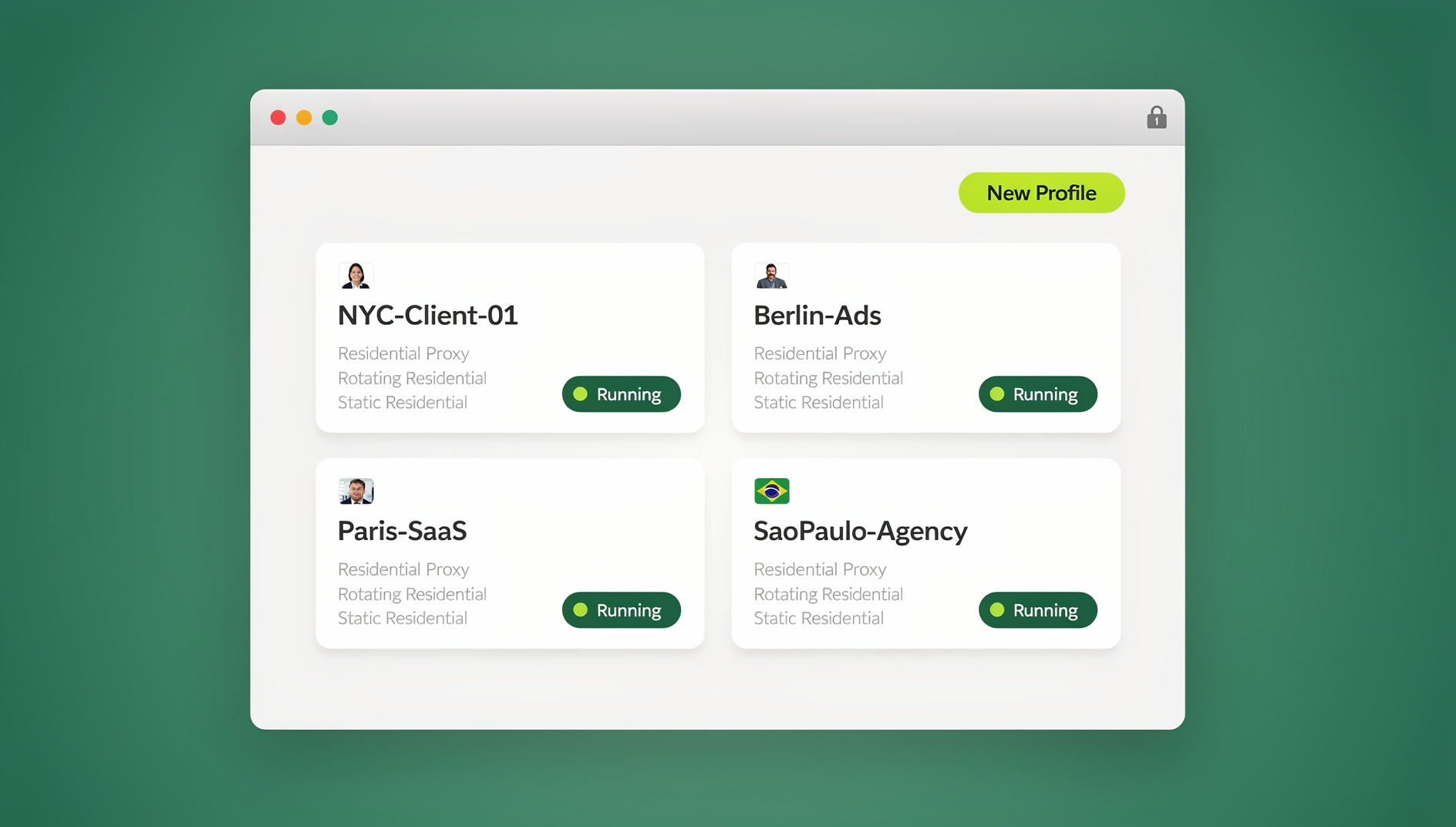
The Fix: One Isolated Profile Per Client
With Sendwin Browser, the native desktop app, accountants create a dedicated profile for each client — each with its own cookies, saved credentials, and browser fingerprint via fingerprint protection. Log into Client A’s Gusto, bank portal, and state tax site inside the “Client A” profile, then switch to “Client B” for a fully separate session — no cookie bleed, no credential mix-ups, no shared fingerprint across clients. This is the same principle behind a multi-login browser setup, just applied to client financial portals instead of social accounts.
For staff who work remotely or from a machine without the desktop app installed, cloud browser sessions let them open the same isolated client profile from a browser tab with no local install — useful for a junior accountant covering a client’s payroll from home without needing the app set up first.
Security and Compliance Considerations
SOC 2 Compliance
Payroll data includes Social Security numbers, bank account details, salary information, and tax withholding records. Any platform on this list needs to be SOC 2 Type II compliant — all five reviewed above meet that bar.
Client Data Isolation
Your payroll platform should guarantee that no client can ever see another client’s data, even by accident. Role-based access controls should limit what each staff member can see based on their assigned client list — and that same principle of true session isolation should extend to how staff access each client’s browser-based accounts, not just the payroll platform itself.
Secure Access Delegation
When delegating payroll access to staff, share sessions through isolated browser profiles rather than handing out raw credentials. This gives you an audit trail and lets you revoke access instantly when a staff assignment changes.
Send.win Verdict
Gusto, ADP, QuickBooks Payroll, Paychex, and Rippling each solve payroll processing well — none of them solve the browser-access problem of keeping 20+ client logins, bank portals, and tax sites from bleeding into each other. Sendwin Browser gives every client its own isolated profile and fingerprint, with paid plans starting at $19/month (or $83.88/year) and a 7-day money-back guarantee on the first card purchase.
Try Send.win free today — set up isolated profiles for your client roster in minutes.
Frequently Asked Questions
What is the cheapest payroll software for multi-client accountants?
Gusto has the most competitive per-client pricing for small-business clients. QuickBooks Payroll is effectively free for firm access through the ProAdvisor program if clients already run QuickBooks. Compare total cost including tax filing, benefits administration, and year-end reporting, not just the base subscription.
Can I run payroll for clients in different states?
Yes — all five platforms reviewed support multi-state payroll. ADP and Paychex have the deepest experience with complex multi-state and multi-jurisdiction scenarios, including local taxes in cities like New York, Philadelphia, and San Francisco.
How do I handle clients who want to switch payroll providers?
Most migrations happen cleanly at a quarter-end or year-end. Export all year-to-date payroll data, tax payments, and employee records from the old provider, import into the new one, and run a parallel test cycle before going live.
Do I need a different browser profile for every client, or can I group clients?
One profile per client is the safer default, since it keeps cookies, saved logins, and fingerprint entirely separate. Grouping clients into a shared profile reintroduces the same cookie-conflict and cross-client visibility risk you’re trying to eliminate.
Is a VPN enough to keep client sessions separate?
No. A VPN changes your IP address but leaves your browser fingerprint, cookies, and saved credentials identical across every client you access from it. Isolated profiles change the fingerprint and cookie store too, which a VPN alone doesn’t touch.
Which payroll platform integrates best with practice management software?
QuickBooks Payroll integrates most tightly if your firm already runs QuickBooks Online Accountant. Gusto and Rippling both offer solid API access for firms using dedicated practice management tools alongside their payroll stack.
Do these platforms handle contractor payments (1099) as well as W-2 employees?
Yes. All five support 1099 contractor payments alongside W-2 payroll, with automated year-end 1099-NEC generation included in their standard reporting.
Conclusion
The best payroll software for accountants managing multiple clients depends on your firm’s size, client complexity, and existing tech stack. Gusto suits small-business-focused firms, ADP and Paychex dominate mid-market and enterprise, QuickBooks Payroll fits QuickBooks-centric practices, and Rippling is the modern pick for tech-forward firms. Whichever you choose, pairing it with isolated multi-account browser profiles keeps every client’s financial portals secure and conflict-free.