9 Best Practices for Managing Multiple Client Accounts
Managing multiple client accounts as an accountant means separating every client’s logins, financial data, and workflows so nothing crosses over — the same discipline whether you run 15 bookkeeping clients or 100 seasonal tax filers. The core practices are standardized onboarding, one isolated browser profile per client for banking and payroll access, a password manager with per-client vaults, recurring task templates, and role-based team access. Skip any of these and the risk isn’t abstract: a journal entry posted to the wrong client’s books, a bank fraud alert triggered by one browser fingerprint touching a dozen unrelated accounts, or a compliance violation that costs you the client.
The Multi-Client Accounting Reality
Modern accountants don’t manage one client’s books — they juggle dozens, each with its own login credentials, financial platforms, compliance requirements, and reporting deadlines. A solo practitioner with 30 bookkeeping clients might be logging into 90-plus distinct platforms across banking, payroll, and tax software in a single month.
The risk of getting multi-account management wrong is not hypothetical. Posting a journal entry to the wrong client’s ledger, exposing one client’s financial data during a screen share meant for another, or tripping a bank’s fraud-detection system by accessing a dozen unrelated business accounts from the same browser session — each of these has real consequences: professional liability, regulatory penalties, and clients who leave and tell other clients why.
1. Standardize Your Client Onboarding Process
Every new client should go through the same documented checklist, not a version that depends on who on your team happens to be onboarding them:
- Engagement letter: defines scope of services, deadlines, fees, and responsibilities in writing before any work starts.
- Access provisioning: collect logins for every financial platform — banking, payroll, bookkeeping software, tax portals — through a secure intake process, never a plain email.
- Document request: prior-year financial statements, tax returns, bank statements, and the existing chart of accounts.
- Software setup: create the client in your accounting software (QuickBooks, Xero, FreshBooks) with a standardized chart of accounts template.
- Communication protocols: agree upfront on how the client sends documents — secure portal, never email attachments — and what response times to expect.
2. Use a Client Engagement Management Platform
Platforms built specifically for accounting firms centralize the parts that spreadsheets can’t handle at scale — deadlines, recurring workflows, and client communication in one place.
| Platform | Key Features | Starting Price |
|---|---|---|
| Karbon | Workflow automation, email integration, client portal | $59/user/mo |
| Jetpack Workflow | Job tracking, recurring tasks, deadline management | $45/user/mo |
| Canopy | Practice management, document portal, time tracking | $40/user/mo |
| TaxDome | All-in-one: CRM, portal, billing, e-signatures | $66/user/mo |
3. Implement a Strict Naming Convention
Consistent naming across every system is the cheapest way to prevent the wrong-client mistake:
- Files:
[ClientName]_[DocumentType]_[Year]_[Version], e.g.AcmeCorp_TaxReturn_2025_v2.pdf. - Email folders: one folder per client, with subfolders for tax, bookkeeping, and advisory correspondence.
- Browser profiles: client name plus service type, e.g. “AcmeCorp – Banking” or “AcmeCorp – Payroll,” so the profile you’re in is never ambiguous.
4. Give Every Client Their Own Isolated Browser Profile
Accountants routinely access the most sensitive platforms on the internet — client bank accounts, payroll systems, tax portals, investment platforms. Logging into multiple clients’ banks from the same undifferentiated browser session creates risks that have nothing to do with how careful you are:
- Cookie conflicts: banking sessions from different institutions can clash inside one browser, logging you out or misrouting a request mid-task.
- Fraud detection triggers: banks actively monitor browser fingerprints and flag accounts when the same fingerprint touches a dozen unrelated businesses in one week — exactly what a busy bookkeeping practice looks like from the bank’s side.
- Accidental data exposure: browser autofill and tab confusion are how credentials end up typed into the wrong client’s portal.
- Session persistence risk: staying logged into Client A’s bank while Client B’s bank is open in another tab is exactly the setup that leads to cross-session data leakage.
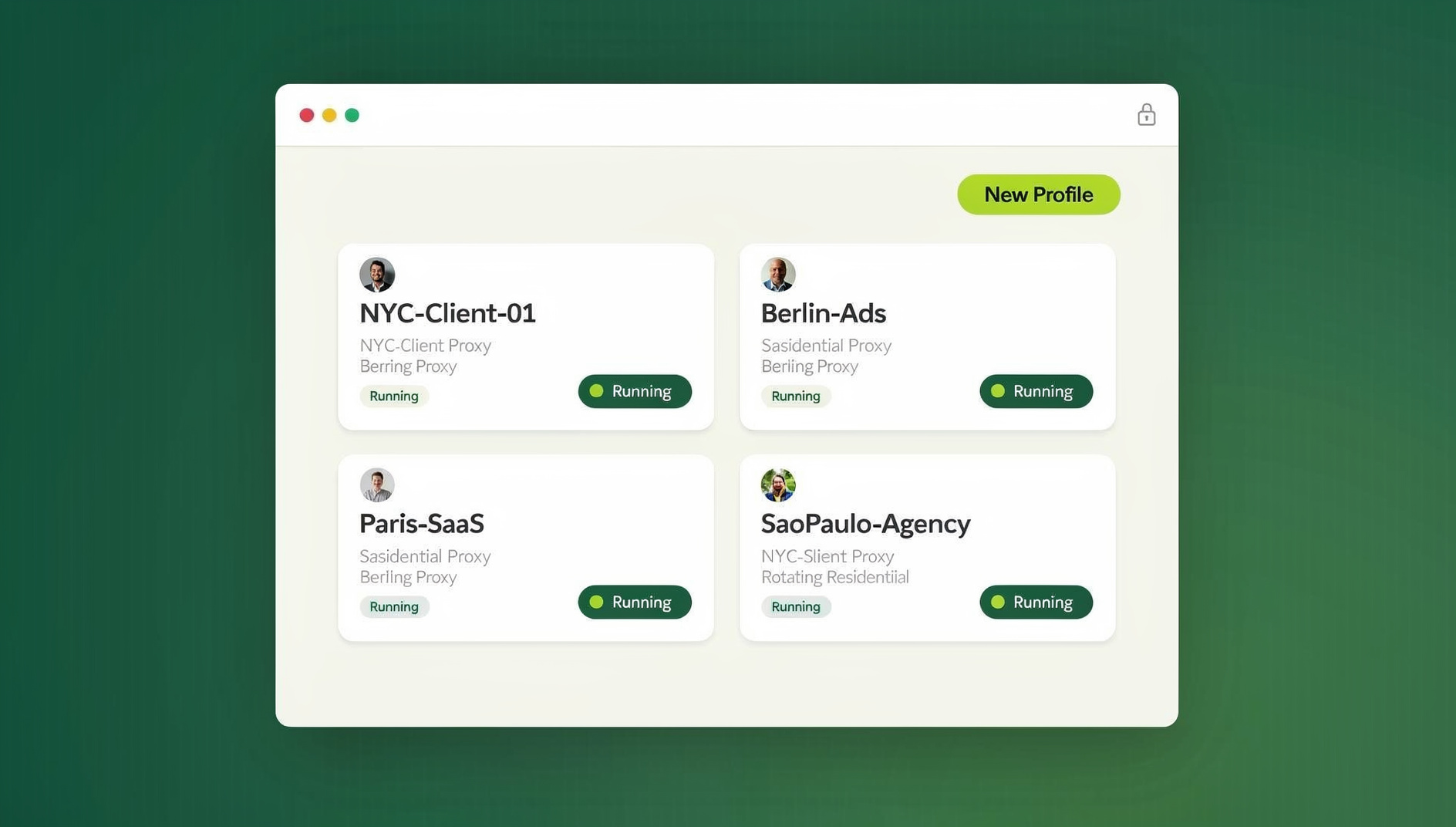
The practical fix is a dedicated browser profile per client rather than one browser juggling tabs for everyone. Using Send.win, a firm creates a separate profile per client — “AcmeCorp – Banking,” “BetaLLC – Banking” — each with its own fingerprint. Log into a client’s bank, payroll, and financial platforms once inside that profile; the session persists, so there’s no daily re-authentication friction, and switching to the next client’s profile is a completely isolated environment with zero cookie bleed or fingerprint correlation between them. That isolation runs the same way through the Sendwin Browser desktop app on an office machine or through a cloud browser session for a remote contractor with nothing installed locally.
5. Get Credential Management Right
- Use a business-grade password manager: 1Password Teams, LastPass Enterprise, or Keeper, with vault-level separation per client.
- Never store credentials in a spreadsheet or document. That’s a security and compliance violation the moment a regulator asks how client credentials are stored.
- Enable MFA on every account — banking portals, tax systems, and payroll platforms especially.
- Delegate through session sharing, not shared passwords: when handing work to staff, share the browser session itself instead of the raw credential, so access can be revoked instantly when a staff member changes roles or leaves.
6. Automate the Predictable Parts of the Workflow
Recurring Task Templates
Most accounting work runs on predictable cycles. Build recurring task templates once and stop rebuilding the checklist every month:
- Monthly: bank reconciliation, sales tax preparation, financial statement review, payroll processing.
- Quarterly: estimated tax payments, quarterly financial reports, payroll tax filings (940/941).
- Annually: year-end closing, tax return preparation, W-2/1099 generation, financial statement compilation.
Batch Processing Instead of Client-by-Client
Rather than finishing every task for one client before moving to the next, batch the same task across all clients:
- Monday: download every client’s bank statements, one isolated profile at a time.
- Tuesday-Wednesday: run all bank reconciliations in sequence.
- Thursday: review every financial statement and generate reports.
- Friday: send all client communications for the week.
7. Meet Data Security and Compliance Standards
AICPA Standards
The American Institute of CPAs requires firms to maintain appropriate safeguards for client data, built around three pillars:
- Confidentiality: client financial data must be protected from unauthorized access. Isolated browser profiles prevent the accidental cross-client exposure that happens when one browser holds sessions for several clients at once.
- Integrity: financial records must be accurate and complete — standardized workflows and checklists cut down on data entry errors.
- Availability: client data has to be accessible when needed, which is why cloud-based platforms with automatic backups matter.
IRS Safeguards (Publication 4557)
- A written information security plan (WISP).
- Encryption for all stored and transmitted client data.
- Multi-factor authentication on every tax preparation platform.
- Annual security awareness training for all staff.
- A documented incident response plan for data breaches.
8. Structure Team Access by Role
| Role | Access Level | Tools |
|---|---|---|
| Partner/Owner | Full admin across all clients | All platforms, master credentials |
| Senior Accountant | Full access to assigned clients | Accounting software, tax platform, read-only banking |
| Staff Accountant | Data entry and reconciliation for assigned clients | Accounting software, limited role |
| Admin/Bookkeeper | Data entry only | Accounting software data-entry role |
Client Assignment Rotation
Never let a single staff member be the only person who understands a client’s account. Cross-train so that a primary accountant handles day-to-day work, a secondary accountant reviews it and can step in during an absence, and client-specific procedures live in a shared knowledge base instead of one person’s head.
9. Get Tax-Season-Specific Logins Under Control
During tax season, accountants juggle logins that don’t exist the rest of the year: IRS e-Services and IRS2Go for each client’s EIN, a separate state tax portal for every state a client operates in, tax preparation software (Drake, Lacerte, UltraTax, ProConnect), and e-filing portals on top of all of it. Running each of these through an isolated session — the same per-client profile approach used for banking — prevents cross-client cookie contamination and cuts the risk of submitting a filing under the wrong client’s account entirely.
The same logic applies outside of accounting whenever one person is juggling many client logins — freelancers and consultants managing several clients hit an identical version of this problem, and the fix is the same isolated-session approach described in how freelancers juggle multiple clients without burning an afternoon on password resets.
🏆 Send.win Verdict
Standardized onboarding, naming conventions, and a password manager solve the organizational half of managing multiple client accounts. The half that actually causes fraud-alert lockouts and cross-client data exposure is technical: too many client sessions stacked in one browser. Send.win gives every client their own isolated profile with a distinct fingerprint, so a bank never sees your firm’s traffic as one account touching a dozen businesses — and handing a client off to another staff member is a session share, not a password reset.
Try Send.win’s free cloud demo — a 3-minute preview without signup, or 10 minutes a day with a free account.
Signs Your Multi-Client Setup Is Already Breaking Down
A few warning signs show up long before an actual data breach or a lost client, and they’re worth watching for on a regular basis rather than waiting for a client to complain:
- Banking portals randomly logging staff out mid-session — usually a sign that too many client sessions are stacking cookies in one browser and interfering with each other.
- A bank or payroll provider flags an account for “unusual access patterns” even though nothing about the client’s own activity changed — almost always a fingerprint issue on your firm’s side, not the client’s.
- Staff asking “which client am I in right now?” in a shared Slack channel — a naming convention failure that’s one mistake away from a wrong-client posting.
- Password reset requests for shared logins piling up after a staff departure — a clear sign credentials are being shared instead of sessions.
None of these require an expensive audit to catch. They show up in day-to-day friction long before they show up in a compliance review, which is exactly why the practices above are worth implementing proactively rather than after an incident.
Frequently Asked Questions
How do I organize files for multiple accounting clients?
Use a cloud storage platform (Google Drive, Dropbox Business, ShareFile) with a standardized folder structure: Client Name > Year > Category (Tax, Bookkeeping, Payroll, Correspondence). Never mix files from different clients in a shared folder.
What is the biggest risk in managing multiple client accounts?
Cross-client data contamination — posting entries to the wrong client’s books, sending a financial report to the wrong client, or being logged into one client’s bank while accessing another’s session in the same browser. Isolated browser profiles and standardized workflows are what actually mitigate this, not just good intentions.
How many clients can one accountant realistically handle?
With proper automation and workflow templates: roughly 30-50 bookkeeping clients or 100-150 seasonal tax clients. Without systems in place, those numbers drop to 10-15 bookkeeping clients and 40-50 tax clients before quality slips.
Why would a bank flag my firm’s login activity as suspicious?
Banks fingerprint browsers and watch for a single fingerprint accessing many unrelated business accounts in a short window — which is exactly what a multi-client bookkeeping practice looks like from the outside. Isolated browser profiles per client, each with a distinct fingerprint, keep normal firm activity from looking like account takeover.
Should I share client passwords with my staff?
No. Sharing raw credentials means you can’t selectively revoke access, and it violates most engagement letters’ confidentiality terms. Session sharing gives a staff member authenticated access to a client’s account without ever exposing the actual password, and it can be revoked the moment they change roles.
Do I need different tools for bookkeeping clients versus tax clients?
The core practice management stack (engagement platform, password manager, isolated browser profiles) is identical for both. Tax season simply adds a layer of state and federal e-filing portals on top of it, accessed the same way through per-client isolated sessions.
What’s the fastest way to fix a firm that’s already disorganized?
Start with the naming convention and a password manager — both can be implemented in a day and immediately stop the worst mistakes. Isolated browser profiles per client and a recurring-task template come next, typically within the first month.
The Bottom Line
Best practices for managing multiple client accounts come down to two layers working together: standardized onboarding, naming, and workflow automation on the organizational side, and isolated, per-client browser sessions on the technical side. Firms that only fix the organizational half still get flagged by fraud detection and still risk cross-client data exposure. Browser isolation through Send.win closes that remaining gap — letting a 50-plus-client practice run with the confidence, compliance, and profitability that ad-hoc tab-juggling never delivers.