The Multi-Location Restaurant Social Media Problem
The best restaurant social media management tools split into three separate jobs: Later, Hootsuite, and Sprout Social handle scheduling across dozens of location accounts; Birdeye and Reputation.com manage the review floods that come with running multiple storefronts; and Yext or SOCi keep Google Business Profiles accurate location by location. None of them, though, solve native account access — logging into each location’s Instagram, TikTok, or Google Business Profile to answer a DM or go live, without tripping platform detection for coordinated multi-account activity. That gap is where a dedicated multi-profile browser fits in.
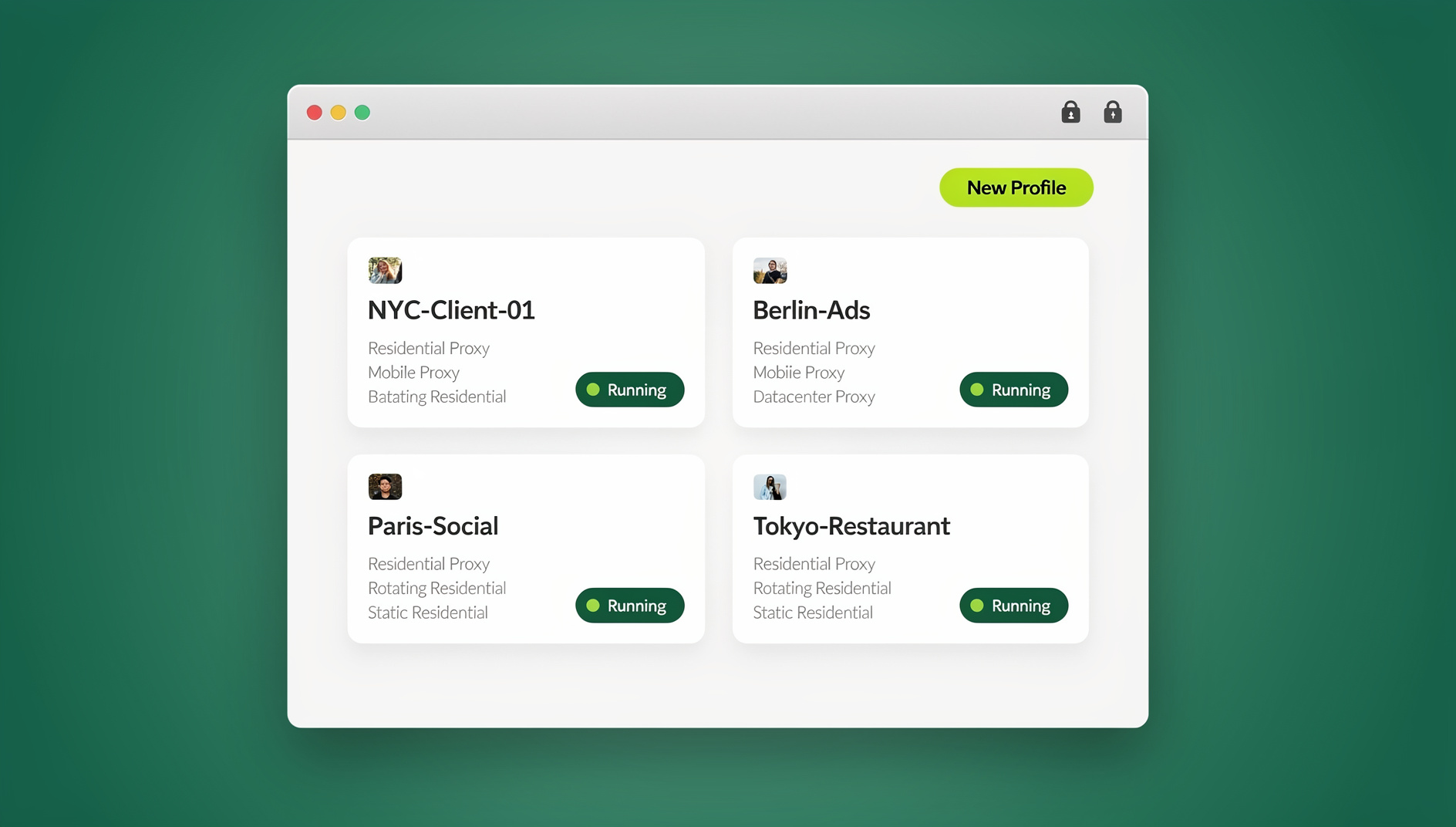
Restaurants are uniquely demanding social clients because their content is hyper-local, time-sensitive, and tied directly to revenue — a well-timed Instagram Story about tonight’s special can fill a dining room in an hour. A restaurant group with 10 locations needs a separate presence for each one, because a customer in downtown Manhattan does not care about the daily special in Brooklyn Heights. That means 10 Instagram accounts, 10 Facebook Pages, 10 Google Business Profiles, and often 10 TikTok accounts — 40-plus individual logins requiring daily attention from a small marketing team.
9 Best Tools for Multi-Location Restaurant Social Media
These nine tools cover the four jobs a growing restaurant group actually needs done: scheduling, review management, local search accuracy, and native account access. Each entry below includes what it does well, where it falls short, and who it fits best.
1. Meta Business Suite (Free)
Meta’s own dashboard covers Facebook and Instagram scheduling, a combined inbox, and basic post-level analytics — at no cost.
- Pros: Free, officially supported, fast to set up, no learning curve for basic posting.
- Cons: No true multi-location dashboard, no review aggregation beyond Facebook, no TikTok or Google Business Profile support.
- Best for: A single location, or a franchise operator testing social media before committing budget to a paid platform.
2. Later
| Feature | Details |
|---|---|
| Platforms | Instagram, Facebook, TikTok, Pinterest, LinkedIn, X |
| Visual planner | Grid preview for Instagram aesthetic planning |
| Best time to post | AI-powered optimal timing suggestions |
| Linkin.bio | Shoppable Instagram feed for menu links |
| Pricing | Starting around $25/mo for one social set |
- Pros: Best-in-class visual grid planner for curating food photography; strong Instagram-first workflow.
- Cons: Cost scales quickly per additional location; no built-in review management.
- Best for: Instagram-forward restaurants that carefully sequence food photos, ambiance shots, and staff highlights.
3. Hootsuite
| Feature | Details |
|---|---|
| Platforms | All major networks + Google Business Profile |
| Multi-location | Manage multiple brand accounts from one dashboard |
| Social listening | Monitor brand mentions and competitor activity |
| Team collaboration | Approval workflows and role-based access |
| Pricing | Starting around $99/mo for 10 social accounts |
- Pros: Unified inbox surfaces comments and DMs from every location in one stream, so nothing gets missed.
- Cons: Interface feels dated compared to newer tools; per-account pricing adds up past 10 locations.
- Best for: Restaurant groups with five or more locations that need one inbox for everything.
4. Sprout Social
| Feature | Details |
|---|---|
| Platforms | All major networks + Google Business Profile + TripAdvisor |
| Review management | Monitor and respond to reviews across platforms |
| Reporting | Location-level and group-level analytics |
| Pricing | Starting around $249/mo |
- Pros: TripAdvisor, Google, and Facebook reviews land in one inbox — critical when response time affects future bookings.
- Cons: Enterprise pricing puts it out of reach for smaller groups.
- Best for: Enterprise restaurant groups managing 10 or more locations.
5. Birdeye
- Review monitoring across 200-plus sites, not just the major three.
- Automated review solicitation via text message after a dining visit.
- Sentiment analysis across all locations, with competitive benchmarking against nearby restaurants.
- Pros: Fastest review-request-to-response loop of the group; strong SMS automation.
- Cons: Pricing is quote-based and can require a sales call to estimate.
- Best for: Groups where review velocity and response speed matter more than social scheduling.
6. Reputation.com
- Aggregates reviews from Google, Yelp, TripAdvisor, Facebook, and 100-plus other sources.
- AI-suggested responses customized to each review’s sentiment.
- Multi-location dashboards with competitive benchmarking built in.
- Pros: Broadest review-source coverage on this list.
- Cons: Overlaps with Birdeye in function — most groups only need one, not both.
- Best for: Enterprise groups that want one platform for review reputation across every review site that matters.
7. Yext
- Centralized management of Google Business Profile listings across every location.
- Automated data sync that prevents wrong hours or addresses from drifting across directories.
- Listing-suppression detection that flags duplicate or fraudulent listings before they hurt local search rank.
- Pros: Directory accuracy is the single biggest lever for “[restaurant type] near me” search visibility.
- Cons: Narrow focus — it does not touch social scheduling or reviews directly.
- Best for: Groups whose GBP listings have drifted out of sync across locations.
8. SOCi
- Purpose-built for multi-location businesses, not adapted from a single-location tool.
- Localized social content: schedule location-specific posts from one central calendar.
- Compliance dashboards that keep franchise brand guidelines consistent across every location.
- Pros: The only tool here designed from scratch for multi-location franchise operations.
- Cons: Premium pricing reflects the enterprise positioning.
- Best for: Franchise brands that need both localized content and brand-compliance enforcement.
9. Send.win (Native Account Access)
Every tool above handles publishing, review response, or listing accuracy through official APIs. None of them give a marketing team native, logged-in access to each location’s actual Instagram, TikTok, or Google Business Profile account — the access needed to answer a DM from a regular, moderate a GBP Q&A thread, or go live from the kitchen during dinner service.
Send.win fills that specific gap. Using the Sendwin Browser desktop app, a corporate marketing team creates an isolated profile for each location’s accounts — the “Downtown Location – Instagram” profile gets its own browser fingerprint and its own residential proxy, separate from “Brooklyn Heights – Instagram.” That isolation is what prevents platforms from noticing dozens of location accounts logging in from what looks like one coordinated source, which is the trigger behind cascade account restrictions.
For location managers who need occasional access from a personal device or a shared back-office computer, Send.win’s cloud browser sessions for agencies work without installing anything locally — useful for a manager covering a shift who just needs to check the GBP inbox. Corporate teams doing this daily typically prefer the desktop app for speed. There is no free trial; the first card purchase is covered by a 7-day money-back guarantee, and the only free option is the cloud demo at https://send.win/demo-browser/. Pro is $19/month or $83.88/year for one full-time social manager, and Team is $49/month or $251.88/year when multiple location managers and corporate marketers need seats on the same account roster.
- Pros: Solves native access at scale; isolated fingerprints and proxies reduce cascade-restriction risk; both desktop and cloud modes available.
- Cons: Not a scheduling or review tool — it complements Later, Hootsuite, or Birdeye rather than replacing them.
- Best for: Any restaurant group whose community managers or location staff need daily, hands-on login access to multiple location accounts.
Comparison Table: Which Tool for Which Job
| Tool | Category | Best For | Starting Price |
|---|---|---|---|
| Meta Business Suite | Scheduling (FB/IG) | Single-location testing | Free |
| Later | Scheduling | Instagram-first visual planning | ~$25/mo |
| Hootsuite | Scheduling | Unified inbox, 5+ locations | ~$99/mo |
| Sprout Social | Scheduling | Enterprise groups, 10+ locations | ~$249/mo |
| Birdeye | Reviews | Fast SMS review requests | Custom quote |
| Reputation.com | Reviews | Broadest review-source coverage | Custom quote |
| Yext | Google Business Profile | Directory/listing accuracy | Custom quote |
| SOCi | Social + GBP | Franchise compliance + local content | Custom quote |
| Send.win | Native account access | Daily login access, cascade-restriction prevention | $6.99/mo (Pro, billed annually) |
The Access Gap Scheduling Tools Leave Open
Scheduling platforms publish content through official APIs, but a meaningful share of restaurant social media work cannot go through an API at all: replying to Instagram DMs from regulars asking about tonight’s reservation availability, managing a Google Business Profile Q&A thread, going live on TikTok to show the kitchen during service, or updating a Facebook Event for a live-music night. These require actually being logged into the account.
The risk with logging into 40-plus location accounts from the same office network and the same handful of devices is that platforms read that pattern as coordinated inauthentic behavior — the same signal used to catch spam networks. Isolating each location’s login behind its own browser fingerprint breaks that pattern-matching, and it is one of the more reliable ways to avoid a social account being flagged for multi-account activity when a marketing team legitimately needs to run many accounts side by side.
Content Strategy for Multi-Location Restaurants
The 60/30/10 Content Mix
- 60% location-specific content: Daily specials, seasonal menu items, staff spotlights, behind-the-kitchen moments. This must be unique to each location — reposting the same photo across 10 accounts reads as inauthentic to both customers and platforms.
- 30% brand-level content: Brand story, chef interviews, sustainability initiatives. This can be adapted across locations with light customization.
- 10% user-generated content: Repost customer photos and reviews with permission, tagged to the specific location that earned them.
Photography Standards Across Locations
Food photography makes or breaks restaurant social media, so groups running multiple locations need shared standards: natural window lighting whenever possible, consistent plating and styling per location, a 45-degree angle for plated dishes and an overhead angle for spreads, and a consistent filter or preset per location for brand cohesion.
Team Delegation Model for Restaurant Groups
Restaurant social media usually involves location managers who understand daily operations but are not social media professionals. A workable delegation model splits the work three ways:
- Corporate marketing: Sets brand guidelines, builds shareable content templates, manages the master content calendar, and runs paid advertising.
- Location managers: Capture daily content — phone photos and videos of specials, events, and staff — and pass it to corporate through a shared drive or chat channel.
- Community managers: Respond to DMs, comments, and reviews with native, logged-in access to each location’s accounts, shared safely without ever handing out the underlying password.
🏆 Send.win Verdict
No single tool on this list does everything a multi-location restaurant group needs. Later, Hootsuite, or Sprout Social should still handle scheduling, and Birdeye or Reputation.com should still handle reviews — but none of them solve the native, day-to-day login access that community managers need across dozens of location accounts. Send.win’s isolated browser profiles fill exactly that gap, giving each location its own fingerprint and proxy so daily engagement never puts the whole account network at risk.
Try the Send.win cloud demo — a 3-minute preview without signup, or 10 minutes a day with a free account, and give every location’s community manager isolated, native account access without sharing a single password.
Frequently Asked Questions
What is the best free tool for restaurant social media management?
Meta Business Suite is free and covers scheduling, inbox management, and basic analytics for Facebook and Instagram. It is the best starting point for single-location restaurants with a limited budget, though it does not scale to multi-location dashboards.
How often should a restaurant post on social media?
Instagram: 4-5 times per week plus daily Stories. Facebook: 3-4 times per week. TikTok: 3-5 times per week. Google Business Profile: weekly updates and photo uploads. Consistency matters more than raw frequency.
How do I manage social media for 10 or more restaurant locations?
Combine a multi-location scheduling tool (Hootsuite, Sprout Social, or SOCi) for publishing, a review management platform (Birdeye or Reputation.com) for reputation, and isolated browser profiles through Send.win for the native, hands-on engagement that scheduling tools do not cover.
Do I need a separate tool for Google Business Profile management?
If you have more than a handful of locations, yes. Yext and SOCi both specialize in keeping hours, addresses, and photos synced across every directory, which is difficult to manage manually once you pass five or six locations.
Can one person manage social media for an entire restaurant group?
Below five locations, often yes, with the help of a scheduling tool. Past that, most groups split the work across a corporate marketing lead, location managers who supply raw content, and one or more community managers handling engagement — the delegation model described above.
Why would logging into multiple restaurant accounts get flagged by a platform?
Platforms watch for signals of coordinated inauthentic behavior: many accounts logging in from the same IP address, the same device fingerprint, or the same narrow time window. A legitimate restaurant group triggers the same pattern a spam network would, unless each location’s login is isolated behind its own browser fingerprint and proxy.
Is Send.win a replacement for Hootsuite or Sprout Social?
No. Send.win does not schedule posts or aggregate reviews — it provides isolated, native browser access to each account. Most restaurant groups run it alongside a scheduling tool, not instead of one.
What does Send.win cost for a small restaurant group?
Send.win has no free trial; the first card purchase is covered by a 7-day money-back guarantee, and the only free option is the cloud demo at https://send.win/demo-browser/. Pro is $19/month or $83.88/year for a single manager, and Team is $49/month or $251.88/year for groups that need multiple location managers on shared seats. Send.win has no automation interface — no API, SDK, headless mode or Selenium/Puppeteer/Playwright support on any plan.