A Facebook ad account disabled notification is one of the worst emails a marketer can open — it usually arrives with zero warning, freezes every active campaign, and leaves you staring at a locked Ads Manager wondering what you did wrong. If you’re reading this because it just happened to you, the good news is that a disabled ad account is not always permanent, and there is a clear, methodical process for getting it back. The better news is that once you understand why Facebook disables accounts in the first place, you can build a workflow that makes it far less likely to happen again.
This guide covers exactly what “disabled” means versus a restricted personal profile, the real reasons Facebook shuts down ad accounts in 2026, the step-by-step recovery and appeal process, and — because a huge share of disables trace back to how accounts are logged into and managed — how to structure your account access so you never trigger the same red flags twice.
Disabled Ad Account vs. Restricted Profile: Know Which One You’re Dealing With
Before you can fix anything, you need to know exactly what happened, because Facebook uses two very different mechanisms that get lumped together as “banned.”
Your Ad Account Is Disabled
This is the most common scenario. Facebook’s automated systems detected a pattern it associates with policy violations — often multiple logins from unfamiliar devices or IP addresses, unusual spending spikes, or a cluster of disapproved ads — and shut the ad account down directly. Your personal profile and Page are usually still fine; only the advertising account itself is frozen.
Your Personal Profile Is Restricted
Sometimes the ad account itself is untouched, but the personal profile that manages it has been temporarily limited. Because Facebook ties ad account access to a verified personal identity, a restricted profile locks you out of Ads Manager even though your campaigns technically keep running and billing you in the background. Anyone else with admin access to the same Business Manager can usually still make changes — you’re the one who’s locked out.
Knowing which situation you’re in changes your recovery path: a disabled ad account requires a formal review request, while a restricted profile often resolves through Facebook’s standard identity verification flow.
Why Facebook Disables Ad Accounts: The Real Causes in 2026
Facebook rarely disables an account “for no reason” — there’s almost always a trigger buried in the account’s activity, even if it isn’t obvious to you. The table below breaks down the most common causes, ranked roughly by how often they show up in real appeals.
| Cause | Why It Triggers a Disable | How to Prevent It |
|---|---|---|
| High volume of disapproved ads | A long rejection history signals to Facebook’s systems that you either don’t understand or don’t follow ad policy | Review Facebook’s Advertising Policies before every campaign launch; submit ads in small batches, not bulk uploads |
| Logins from inconsistent IPs/devices | Facebook’s fraud detection flags sudden location or device changes as potential account takeover or coordinated inauthentic behavior | Keep each ad account’s login environment consistent — same browser fingerprint, same IP, every session |
| Managing multiple accounts from one login pattern | Running several ad accounts through the same browser profile, cookies, or shared device looks like ban evasion or “multiple accounts” abuse | Isolate each account in its own browser profile with a dedicated fingerprint and proxy |
| Inconsistent or failed payments | Late or bounced payments read as an untrustworthy or potentially fraudulent billing relationship | Keep one stable payment method per ad account and resolve outstanding invoices immediately |
| Vague or non-compliant landing pages | Facebook requires landing pages to clearly match ad claims and show real business information | Include a clear offer, business name, contact details, and policies on every landing page |
| Shared payment methods across accounts | Facebook restricts the funding source tied to a disabled account, which can drag down every other account using it | Assign separate payment methods per ad account, ideally managed under one Business Manager |
| Uncontrolled access / risky admins | An admin or editor with policy violations elsewhere on Facebook can drag the whole ad account down | Audit who has access regularly and remove anyone with a history of restrictions |
| Sudden spending spikes | Large, abrupt budget increases resemble compromised-account spending patterns | Scale daily budgets gradually — most experts recommend no more than 15–20% increases at a time |
| Negative feedback / low relevance scores | Poor ad quality or user complaints push down your relevance and quality rankings, inviting review | Avoid clickbait, misleading claims, or irrelevant creative; monitor quality rankings in Ads Manager |
| Policy violations (prohibited content) | Content related to adult material, weapons, gambling without a license, or “get rich quick” claims is an automatic red flag | Read Facebook’s prohibited and restricted content list before every launch |
Notice how many of these causes trace back to login and device inconsistency — logging in from different IPs, running multiple accounts through the same browser session, or sharing credentials across a team. That single category is responsible for a disproportionate share of disables, which is exactly why the “how to prevent this” section later in this guide focuses heavily on fixing your login environment, not just your ad content.
Step-by-Step: What to Do the Moment Your Facebook Ad Account Is Disabled
Don’t panic-click through Ads Manager or create a brand-new account immediately — that can make things worse. Work through this sequence instead.
- Screenshot the disable notice. Facebook’s message (in Ads Manager, in Business Manager, or via email) usually references a policy area, even vaguely. Save it before doing anything else.
- Check Account Quality in Business Manager. Go to Business Settings → Account Quality. This page often shows the specific violation category and whether an appeal option is available yet.
- Do not create a duplicate ad account right away. Spinning up a new account on the same personal profile or Business Manager while one is disabled is one of the fastest ways to get the new one disabled too.
- Submit a review request. Go to Facebook’s Request Review page, select the correct account, and submit your form ID along with a short, factual explanation of what happened — no over-explaining, no emotional appeals, just the facts.
- Use Facebook’s live chat / Ad Support Center if you have access to it (available to larger spenders and verified Business Manager accounts). A real support agent can sometimes clarify or expedite a review faster than the automated form.
- If you qualify, consult a Facebook Marketing Partner or account rep. Agencies with an assigned Facebook representative can sometimes escalate reviews that would otherwise sit in a queue for weeks.
- Wait — but keep working. Reviews can take anywhere from 24 hours to several weeks. While you wait, shift active budget to other channels (organic, email, other ad platforms) so the disable doesn’t fully stall your pipeline.
How Facebook’s Review Process Actually Works
When you submit a review request, it goes into a queue that’s part automated, part human-reviewed. A few things worth knowing:
- You’ll typically get one shot per disable event. Submitting multiple duplicate review requests for the same account doesn’t speed things up — it can flag the request as spam.
- Reviews check for pattern violations, not just the single incident. If your account’s overall history shows repeated policy issues, a clean explanation for one incident won’t be enough to reverse the decision.
- Approval doesn’t always mean full restoration. Sometimes Facebook reinstates the account but keeps spending limits or ad approval delays in place for a probationary period.
- Timelines vary wildly by account size and history. Verified, high-spend Business Manager accounts with clean records tend to get reviewed faster than smaller or newer accounts.
What Happens If Facebook Denies Your Request
Unfortunately, a denied review usually means that specific ad account is done for good. Facebook doesn’t guarantee reinstatement, and repeated appeals on the same account rarely change the outcome. If that’s where you’ve landed, here’s the realistic path forward:
- Set up a new Business Manager and ad account — cleanly, with correct business verification, a dedicated payment method, and a login environment that doesn’t overlap with the disabled account’s fingerprint or IP history.
- Diversify beyond Facebook. Native ads, Reddit, Snapchat, Pinterest, and Google Ads can absorb budget while you rebuild your Facebook presence.
- Isolate the new account from day one. This is the step most marketers skip, and it’s the reason the replacement account often gets disabled again within weeks — because it’s opened on the same browser, same cookies, and same IP as the account that just got banned.
Why Shared Logins and “One Browser for Everything” Advice Breaks Down
A lot of older advice says to always log in from “one IP address” and “one device” to stay safe. That’s directionally correct but incomplete for anyone running more than one ad account, agency, or client portfolio — which describes most serious Facebook advertisers. The real issue isn’t using multiple accounts; Facebook allows Business Managers to hold many ad accounts. The issue is how those accounts are accessed. If every account is logged into from the same browser session, shared cookies, or a rotating cast of VPN exit nodes, Facebook’s fraud systems see overlapping fingerprints and flag the whole cluster as suspicious — even when every account is legitimately owned by the same business. The fix isn’t to consolidate everything into one login (which caused the original disable) — it’s to give each ad account its own consistent, isolated environment, so Facebook sees stable, distinct sessions instead of one entity hopping between identities.
Building a Login Environment That Doesn’t Trigger Facebook’s Fraud Systems
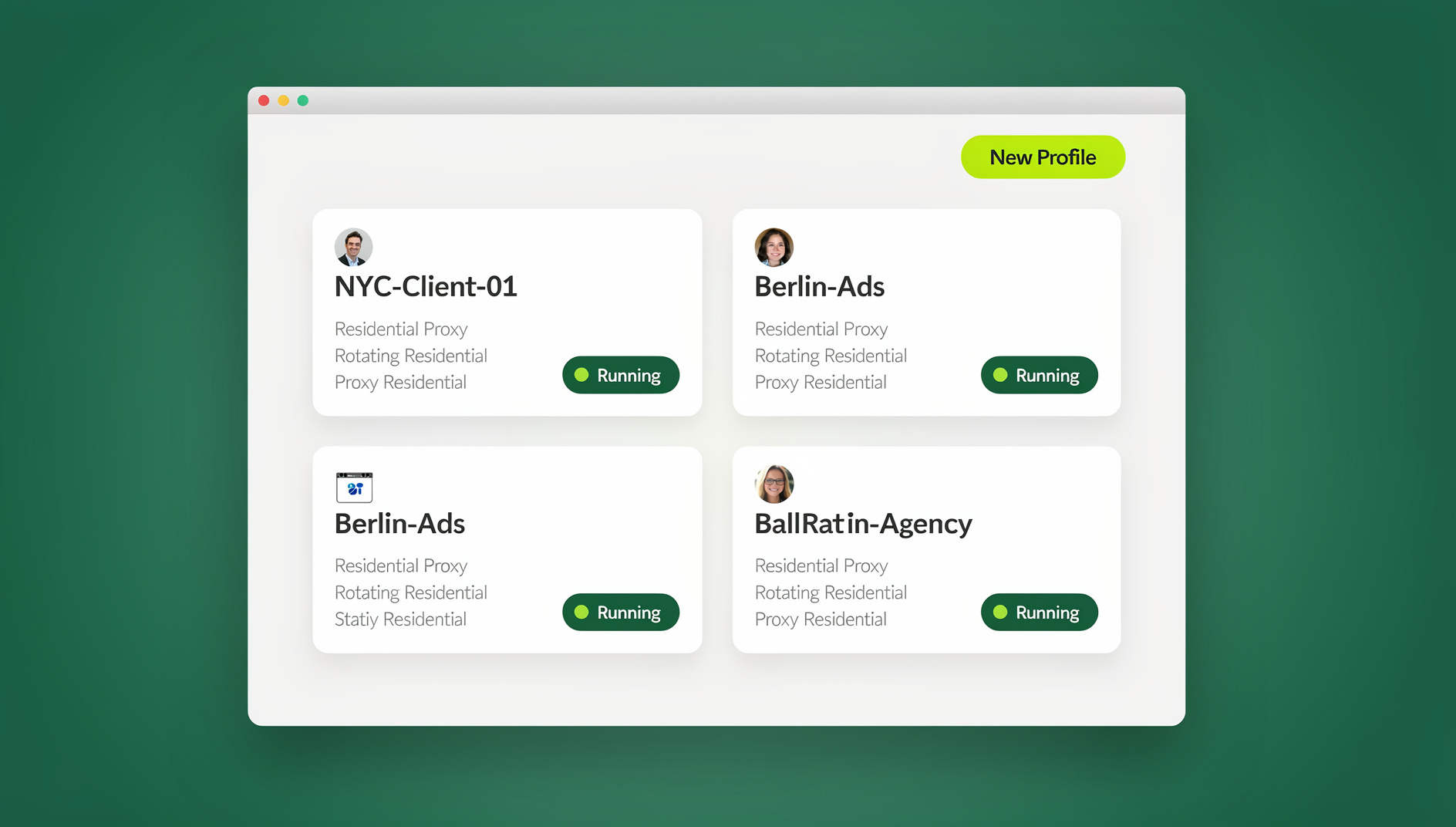
This is where a purpose-built anti-detect and multi-login browser like Send.win solves the exact problem that caused most of the disables in the table above. Instead of juggling multiple Facebook accounts through the same browser (or constantly clearing cookies and switching VPNs, which looks even more suspicious), Send.win gives every ad account its own isolated browser profile with a unique, consistent fingerprint, its own dedicated proxy, and its own persistent cookie/session storage.
For agencies and marketers who manage multiple ad accounts safely, that consistency is the entire game — Facebook sees the same stable device signature and IP every single time you log into a given account, rather than a pattern of hopping identities that reads as ban evasion.
What This Looks Like in Practice
| Old Workflow (High Risk) | Isolated-Profile Workflow (Low Risk) |
|---|---|
| One browser, multiple Facebook logins, constant cookie clearing | One dedicated browser profile per ad account, persistent session |
| Shared or rotating VPN across accounts | Dedicated residential/datacenter proxy assigned per profile |
| Team shares raw passwords in a spreadsheet | Sessions shared to teammates without exposing credentials |
| New replacement account opened on the same fingerprint as the disabled one | New account launched on a completely fresh, unique fingerprint |
| No audit trail of who logged into which account | Team access logged and controlled per profile |
This same isolated-profile approach is exactly why agencies running ads across multiple platforms at once look to guides on how to run Facebook, Instagram, and Google Ads in parallel without cross-contaminating account signals — the moment one platform’s fraud detection sees identical fingerprints across “different” accounts, the whole portfolio becomes fragile.
Using Send.win Day-to-Day: Desktop App, Team Sharing, and Automation
Send.win isn’t just a single browser profile you set up once and forget — it’s a full platform built around how ad teams actually operate:
- Native Desktop app. Send.win ships a dedicated desktop client for Windows, macOS, and Linux, so your isolated ad-account profiles run as real, persistent browser environments rather than disposable browser tabs. This matters for ad management specifically, because Facebook’s fraud systems weigh session consistency over time — a profile that opens the same way, from the same machine signature, day after day, builds up the kind of trust history a brand-new “clean” account doesn’t have yet.
- Built-in proxy management. Instead of manually sourcing and rotating VPNs (a habit that itself triggers Facebook’s fraud detection), Send.win pairs each browser profile with its own proxy, matched to a consistent location and IP.
- Team sharing without password exposure. Agencies can hand a media buyer or client access to a specific ad account’s browser profile without ever handing over the underlying Facebook password — useful when you need multiple people touching campaigns without multiplying login risk.
- Automation API (Team plan). For agencies running compliance checks or account-health monitoring at scale, Send.win’s Automation API supports Selenium, Puppeteer, and Playwright, so you can script routine checks — confirming ad accounts are still active, screenshotting Account Quality pages, or monitoring for early warning signs — across dozens of profiles without manually logging into each one.
None of this is a magic shield against every possible Facebook disable — accounts that genuinely violate ad policy will still get flagged regardless of login hygiene. But a meaningful share of disables in the table above are triggered by login and device inconsistency rather than ad content itself, and that’s precisely the category a proper browser for ads management is built to eliminate.
Preventing the Next Disable: A Practical Checklist
- Isolate every ad account in its own browser profile with a unique fingerprint and dedicated proxy, rather than logging multiple accounts into one shared browser.
- Keep payment methods stable and separate per account — don’t reuse one card across accounts that have different risk profiles.
- Scale spend gradually. Cap daily budget increases around 15–20% instead of doubling overnight.
- Submit ads in small batches and review Facebook’s ad policies before every new campaign type, especially anything in a regulated category (health, finance, weight loss, crypto).
- Audit team access quarterly. Remove admins/editors who no longer need access, and never let someone with a history of restrictions manage your ad account.
- Keep landing pages fully compliant — clear offer, business identity, contact information, and no mismatch between ad claims and page content.
- Monitor Account Quality proactively in Business Manager instead of only checking it after a disable notice arrives.
- If you also manage multiple Facebook profiles (not just ad accounts), keep those logins isolated too — our guide on how to manage multiple Facebook accounts covers the same fingerprint-isolation principles applied to personal and Page-level logins.
🏆 Send.win Verdict
Most Facebook ad account disables trace back to login inconsistency, not ad content — the same login pattern that gets one account flagged tends to drag down every account sharing that browser, cookie set, or IP. Send.win fixes the root cause by giving every ad account its own isolated fingerprint, dedicated proxy, and persistent session, backed by a native Desktop app for daily reliability and an Automation API (Team plan) for teams that need to monitor account health at scale.
Try Send.win free today — start your 30-day free trial, no credit card required, and give every ad account the isolated, consistent login environment Facebook’s fraud systems trust.
Frequently Asked Questions
How long does a Facebook ad account disable typically last?
There’s no fixed timeline. Some accounts are reinstated within 24–48 hours after a review request, while others remain under review for several weeks. Accounts with a clean history and a straightforward, first-time violation tend to resolve faster than accounts with a pattern of repeated flags.
Can I get a permanently disabled Facebook ad account back?
If Facebook denies your review request, that specific ad account is typically gone for good. Repeated appeals rarely reverse a final decision. At that point, the realistic path is opening a new Business Manager and ad account with a clean, properly isolated login environment rather than continuing to appeal the old one.
Why did my Facebook ad account get disabled with no warning?
Facebook’s enforcement is largely automated, so “no warning” usually means the system detected a pattern — inconsistent logins, a payment issue, a cluster of disapproved ads, or a policy violation — rather than reviewing your account manually before acting. Checking Account Quality in Business Manager will usually surface the flagged category even when the initial notice feels vague.
Does using a VPN cause Facebook to disable ad accounts?
Not by itself, but rotating between different VPN IPs for the same account looks similar to the login-inconsistency pattern that trips Facebook’s fraud detection. A consistent, dedicated proxy tied to one account (rather than a shared or constantly-changing VPN) is safer than either no proxy or a rotating one.
Is it against Facebook’s terms to manage multiple ad accounts?
No — Facebook Business Manager is explicitly built to hold multiple ad accounts under one business entity. What violates policy is misrepresenting who owns those accounts or using deceptive methods to evade a previous ban, not simply running several legitimate accounts.
What’s the difference between an ad account being disabled and my Page being restricted?
An ad account disable affects only your ability to run paid advertising through that specific account. A Page restriction limits what you can do with your business Page itself — posting, messaging, or admin actions — and can happen independently of your ad account’s status.
How do I avoid getting flagged when running multiple Facebook ad accounts for different clients?
Give each client’s ad account its own isolated browser profile with a unique fingerprint and dedicated proxy rather than logging into all of them from one shared browser or device. This keeps each account’s session history clean and distinct instead of overlapping in ways that look like coordinated inauthentic behavior.
Does Send.win guarantee my ad account won’t be disabled?
No tool can guarantee that, because Facebook still enforces its policies on ad content, spending behavior, and compliance regardless of your login setup. What Send.win directly addresses is the login-and-device-inconsistency category of risk — one of the most common disable triggers — by isolating each account’s fingerprint, proxy, and session so your accounts don’t look connected or suspicious to Facebook’s fraud systems.