How to Manage Multiple Facebook Accounts the Right Way
To manage multiple Facebook accounts without triggering a suspension, layer three separate tools: Meta Business Suite for organizing Pages and inboxes, a third-party scheduler for bulk content distribution, and isolated browser profiles for the native activities Facebook’s own APIs won’t let automation touch — Groups, Marketplace, and Live. Agencies running 10+ client Pages need all three working together, not just one.
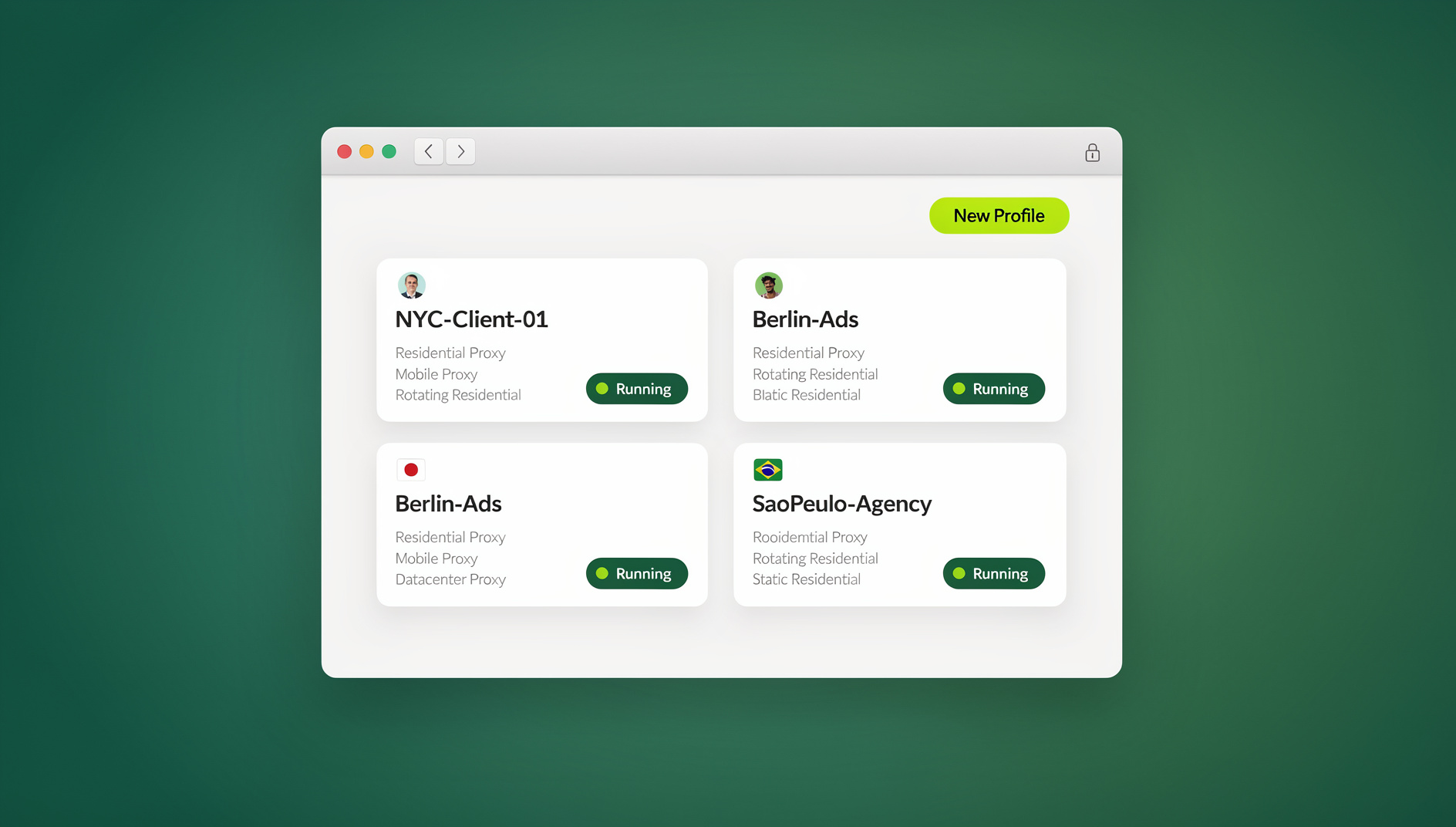
Facebook’s asset model is deliberately layered: a single personal profile can sit behind unlimited Pages, Groups, Marketplace listings, and Ad accounts, each with its own permissions and audience data. A social media agency might realistically be responsible for 30 client Pages, 10 Ad accounts, and 5 Groups — all needing daily posting, unique engagement, and separate reporting. Handling that volume without a system means missed messages, mixed-up client content, and burned-out community managers.
Facebook’s Built-In Multi-Account Tools
Meta Business Suite
Meta Business Suite is Facebook’s official hub for day-to-day Page management:
- Unified inbox: Messages and comments from Facebook Pages and connected Instagram Business accounts land in one stream.
- Content scheduling: Queue posts, Stories, and Reels across multiple Pages from a single calendar.
- Ad management: Reach several Ad accounts from one dashboard without re-authenticating.
- Cross-Page insights: Compare reach, engagement, and audience demographics side by side.
- Team roles: Assign admin, editor, moderator, or analyst access per Page rather than handing out full logins.
Meta Business Manager
Meta Business Manager sits a level above the Suite and is built for agencies managing several clients at once:
- Business portfolios: Group Pages, Ad accounts, pixels, and catalogs under one organizational umbrella.
- Client asset requests: Request partner access to a client’s existing Page instead of asking for their password — access revokes cleanly when the engagement ends.
- Mandatory 2FA: Enforce two-factor authentication across every team member with asset access.
- Granular permissions: Control who can post, run ads, manage billing, or just view analytics — independently, per asset.
Setting Up Business Manager in Five Steps
- Create a Business Account at business.facebook.com.
- Add Pages you own, or send access requests for client Pages.
- Connect Ad accounts and payment methods.
- Invite team members with role-specific, per-asset permissions.
- Group everything into portfolios so nothing gets lost as the client list grows.
Third-Party Scheduling and Management Tools
| Platform | Facebook Features | Multi-Account Support | Price |
|---|---|---|---|
| Buffer | Page scheduling, analytics, engagement | Unlimited (per-channel pricing) | $6/channel/mo |
| Hootsuite | Pages, Groups, inbox, social listening | 10–50 accounts | $99/mo |
| Sprout Social | Pages, Groups, CRM, competitive reports | 5–unlimited | $249/mo |
| SocialBee | Pages, Groups, content recycling | 5–25 profiles | $29/mo |
| Publer | Pages, Groups, auto-scheduling | 3–unlimited | $12/mo |
What Scheduling Tools Handle Well
- Content calendars spanning every client Page at once.
- Bulk scheduling from a CSV or shared content library.
- A unified inbox for comments and messages across Pages.
- Performance reports comparing engagement between accounts.
- Approval workflows so clients or leads can review before anything posts.
What Scheduling Tools Cannot Do
- Native Groups engagement: Posting into Groups via API is limited; commenting, reacting, and hosting events need real, logged-in access.
- Marketplace listings: Facebook Marketplace has no public management API.
- Facebook Live: Going live still requires the native app or browser.
- Community moderation: Approving join requests, pinning posts, and adjusting Group settings all require direct access to the account.
Native Access Without Cross-Account Risk
For everything scheduling tools can’t automate, whoever runs the account needs real, logged-in browser access — and Facebook is aggressive about linking accounts that share the same device fingerprint, IP address, or cookie jar. If Client A’s Page and Client B’s Page are both managed from the same unprotected browser, a review or restriction on one can spill over onto the other.
Send.win addresses this by giving every managed Facebook account its own isolated profile — separate cookies, separate fingerprint, and (on paid plans) a dedicated proxy, so nothing links the sessions together. Day-to-day management typically runs through the Sendwin Browser desktop app, the native client most agencies keep open all day; when a team member just needs to check one client’s Page from a machine that doesn’t have the app installed, a multi-login browser session in the cloud covers that without any local install. Log in to a profile once and the session persists — no re-authenticating every shift change.
For agencies specifically, the workflow usually looks like this:
- “Client A – Facebook”: Its own fingerprint, its own cookies, and (where the plan includes it) its own proxy. Nothing here touches Client B’s session.
- “Client B – Facebook”: A fully separate environment — no shared browser storage, no fingerprint overlap.
- Shift handoffs: Community managers rotating through evening engagement shifts can be handed an already-authenticated profile through account sharing, rather than passed a password.
That sharing model matters for teams specifically — a full breakdown of how it works is in the share access without sharing credentials guide, and the underlying reason accounts get linked in the first place is covered in the browser fingerprinting protection breakdown.
Content Strategy for Multiple Facebook Pages
The Content Pillar Framework
Every managed Page should run on 4–5 defined content pillars rather than ad-hoc posting:
- Educational (30%): How-to posts, tips, and industry insight that give followers something useful.
- Engaging (25%): Polls, questions, contests, and user-generated content that drives replies and shares.
- Promotional (20%): Product or service announcements, offers, and launches.
- Behind-the-scenes (15%): Team spotlights and process reveals that humanize the brand.
- Trending/reactive (10%): Timely takes on relevant news, memes, or trends.
Posting Frequency by Page Type
| Page Type | Posts/Week | Stories/Week | Reels/Week |
|---|---|---|---|
| Local business | 3–5 | 5–7 | 1–2 |
| E-commerce brand | 5–7 | 7–14 | 2–3 |
| Service business | 3–4 | 3–5 | 1 |
| Community/nonprofit | 3–5 | 3–5 | 1 |
| Media/publisher | 7–14 | 7–14 | 3–5 |
Facebook Groups Management at Scale
Groups matter more every year for brand communities, customer support, and lead generation — but managing several of them across client accounts takes a different playbook than managing Pages.
Group Types and Strategies
- Customer community groups: Post-purchase engagement, product tips, and user showcases. Moderate daily.
- Lead generation groups: Topic-focused communities where the brand shows up as the resident expert. Lead with content, not offers.
- Internal/team groups: Company communication, project coordination, and knowledge sharing.
Moderation at Scale
- Post clear group rules in the “About” section so expectations are visible upfront.
- Enable membership questions to filter out spam join requests before they hit the queue.
- Set up keyword alerts for spam patterns and negative sentiment.
- Schedule “community manager shifts” where a team member monitors native Group activity through their own isolated browser session.
Facebook Ads Across Multiple Accounts
Ad Account Organization
Meta Business Manager supports multiple Ad accounts, each carrying its own:
- Payment method.
- Spending limit.
- Pixel and conversion events.
- Custom audiences and lookalikes.
- Performance history and learning data.
Cross-Account Advertising Best Practices
- Never share audiences between client accounts: custom audiences are proprietary client data, not a shared asset.
- Use a shared Creative Hub for templates: build once, adapt per client rather than starting from scratch each time.
- Watch frequency across accounts: overlapping targeting between clients can cause ad fatigue for the same real people.
- Keep billing separate per client: each client’s Ad account should carry its own payment method for clean invoicing.
Security and Compliance
Two-Factor Authentication
Turn on 2FA for every Facebook account and require it across every Business Manager team member. Authenticator apps beat SMS here — SIM-swap attacks specifically target text-based 2FA.
Access Audit Practices
- Review Business Manager team access quarterly, not just when someone complains.
- Remove former employees and finished contractors the day they leave, not the following sprint.
- Audit third-party app connections and cut anything unused.
- Watch Security Settings login activity for access from unrecognized devices or locations.
Common Multi-Account Management Mistakes
Most Facebook account suspensions tied to agency work trace back to one of a handful of avoidable habits:
- Managing every client from one unprotected browser: the single most common cause of cross-account restrictions. If five client Pages are all logged into the same Chrome profile, Facebook’s abuse systems can read that as one operator running coordinated accounts, and a flag on one Page puts all five at risk.
- Sharing personal login credentials with team members: once a password is shared, there’s no clean way to revoke just one person’s access without resetting it for everyone else who has it. Role-based Business Manager access avoids this entirely.
- Letting content pillars slide during busy weeks: Pages that go quiet for stretches then post six times in one day read as inconsistent to both Facebook’s algorithm and to actual followers. A content calendar prevents this more reliably than good intentions do.
- Skipping the quarterly access audit: former contractors and past employees who still hold Business Manager permissions are a real security gap, not a theoretical one — audit logs regularly catch dormant access nobody remembered to revoke.
- Treating Groups like Pages: Groups need genuine participation, not broadcast-style posting. A Group that only ever sees promotional content loses the community feel that made it worth building in the first place.
The underlying risk behind most of these mistakes is the same one covered in depth in the guide on how to prevent your social media accounts from being flagged for running multiple accounts — the fixes are largely procedural, not technical.
Choosing the Right Setup for Your Team Size
A solo social media manager running two or three client Pages can often get by with Meta Business Suite alone plus careful password hygiene. Once a team crosses five or six managed Pages — or any Groups requiring native engagement — the combination of a scheduler for content and isolated browser profiles for direct access starts paying for itself in avoided restrictions alone, well before counting the time saved on manual login juggling. Agencies at 20+ Pages rarely operate any other way, because the cost of one cross-account suspension during a busy launch week outweighs months of tooling costs.
🏆 Send.win Verdict
Meta Business Suite and a scheduler handle the content calendar; they can’t touch native Group participation, Marketplace, or Facebook Live without risking a fingerprint link between client accounts. Send.win’s isolated profiles close that gap — each client’s Facebook session gets its own cookies and fingerprint, run through the Sendwin Browser desktop app for daily work or a cloud browser session when you need access without installing anything.
Try Send.win free for 30 days — no credit card required, with Pro plans from $6.99/month billed annually.
Frequently Asked Questions
Can I have multiple personal Facebook accounts?
No. Facebook’s Terms of Service allow only one personal account per person. You can, however, manage unlimited Pages, Groups, and Ad accounts from that single personal profile through Business Manager.
How do I manage Facebook Pages for clients without sharing my personal profile?
Use Meta Business Manager and request partner access to the client’s Page. You manage it through your own professional dashboard — the client never sees your personal profile or personal data.
What happens if Facebook links my managed accounts?
If Facebook detects several accounts running from the same device fingerprint and suspects coordinated inauthentic behavior, it can restrict every linked account at once — not just the one that triggered the flag. Isolated browser profiles prevent that fingerprint-based link from forming in the first place.
Do I need Meta Business Suite and a scheduling tool at the same time?
For anything beyond one or two Pages, yes. Business Suite covers native Facebook features like the unified inbox and cross-Page insights; third-party schedulers add bulk scheduling, content recycling, and approval workflows Business Suite doesn’t offer.
Can scheduling tools post into Facebook Groups?
Only in a limited way. Facebook’s API restricts automated Group posting, so meaningful participation — commenting, reacting, hosting events — still needs a real, logged-in session.
How many Facebook Pages can one Business Manager account hold?
There’s no hard published cap for most legitimate business use, but Meta applies review thresholds as portfolios grow quickly, so agencies scaling past a few dozen Pages should add assets gradually rather than all at once.
What’s the difference between the Sendwin Browser and a cloud browser session for this use case?
The Sendwin Browser is the native desktop app most agencies keep running all day for ongoing client work. A cloud browser session needs no local install at all — useful for a quick check-in on a client Page from a machine that doesn’t have the app set up.
Conclusion
To reliably manage multiple Facebook accounts, layer Meta Business Suite for organization, a scheduling tool for content distribution, and isolated browser profiles for the native engagement APIs can’t reach. Send.win handles that third layer — giving every managed account its own fingerprint and cookie jar so a review on one client’s Page never puts another client’s account at risk.