Why Managing Multiple TikTok Accounts in One Browser Matters in 2026
If you create content, run ads, or manage clients on TikTok, you already know the platform’s biggest daily annoyance: it does not want you logged into more than one account at a time in a single browser. Creators juggle a personal profile and a brand profile. Agencies run five, ten, or fifty client accounts. Dropshippers and affiliate marketers spin up multiple TikTok Shop storefronts to test products across niches. In every one of these cases, the native TikTok login flow forces you to log out, re-enter credentials, solve a CAPTCHA, and log back in — over and over, dozens of times a day.
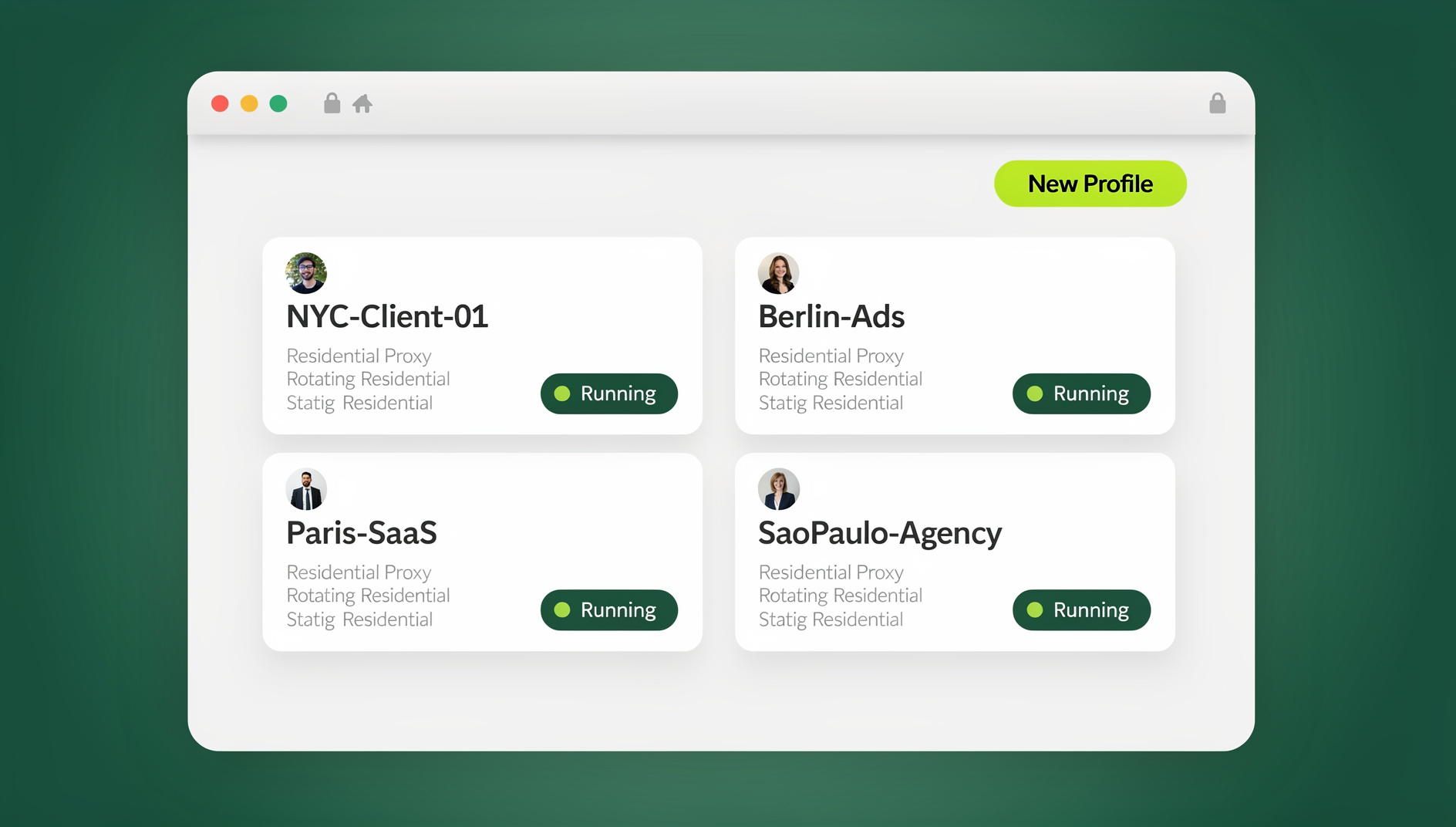
That workflow does not scale, and it quietly increases your ban risk because TikTok reads repeated logout/login cycles from the same browser fingerprint as suspicious activity. This guide covers every practical way to manage multiple TikTok accounts in one browser in 2026, why the “just use incognito mode” advice is outdated, and how a purpose-built multi-login browser like Send.win lets you run unlimited isolated TikTok sessions side by side — with one click, no re-logins, and dramatically lower suspension risk.
The Old Way: Why Logging In and Out of TikTok Doesn’t Scale
TikTok, like most major platforms, ties an account session to browser storage: cookies, local storage, IndexedDB, and a device/browser fingerprint (canvas, WebGL, fonts, screen resolution, timezone, and more). When you log out of Account A and into Account B in the same Chrome window, both accounts share the exact same fingerprint. TikTok’s trust and safety systems are built to notice this pattern — identical device signals paired with rapid account switching is one of the clearest signals of coordinated or fake-account behavior, and it is a common trigger behind unexplained shadowbans, temporary restrictions, or full suspensions.
Add in the practical time cost: if you manage ten accounts and each login takes even 90 seconds (credentials, 2FA, occasional CAPTCHA), that is 15 minutes lost every single time you cycle through your accounts. Do that three or four times a day and you have burned close to an hour on nothing but logging in and out.
Comparing Your Options for Running Multiple TikTok Accounts
Before settling on a workflow, it helps to see how the common approaches actually stack up. Here is how they compare on the factors that matter most: speed, safety, and whether they hold up once you pass two or three accounts.
| Method | Speed to Switch | Ban Risk | Scales Past 5 Accounts? | Team Sharing |
|---|---|---|---|---|
| Log out / log back in manually | Slow (60–120s) | High — shared fingerprint + frequent switching | No — unmanageable | No |
| Incognito / private windows | Medium | High — same device fingerprint, no proxy separation | No | No |
| Separate physical devices | Fast per device | Lower, but expensive and impractical | Poor — cost and clutter | No |
| Multiple Chrome user profiles | Medium | Medium — still shares OS/network fingerprint | Limited — gets cluttered fast | No |
| Multi-login browser (Send.win) | Instant, one click | Low — unique fingerprint + proxy per profile | Yes — built for hundreds of profiles | Yes — native sharing |
The pattern is consistent: every “free” workaround (incognito, Chrome profiles, extra devices) either fails to isolate your fingerprint or fails to scale once you go beyond a handful of accounts. A dedicated multi-login browser solves both problems at once.
How to Manage Multiple TikTok Accounts in One Browser With Send.win
Send.win is a browser profile manager built specifically for people who need to run many accounts on the same platform without them colliding. It gives every TikTok account its own isolated browser environment — separate cookies, separate local storage, a unique device fingerprint, and optionally its own proxy — all inside one dashboard, and it works through the native Sendwin Browser desktop app for Windows, macOS, and Linux, or through a cloud browser session that runs with zero local install. Here is exactly how to set it up.
Step 1: Create Your Send.win Account and Install Your Preferred Interface
Sign up at send.win and choose a paid plan — Pro is $19/mo or $83.88/yr, Team is $49/mo or $251.88/yr, and your first card purchase is covered by a 7-day money-back guarantee. From there you can launch a cloud browser session with zero local install for quick setup, or download the native Sendwin Browser desktop app if you want a dedicated application outside your regular browser window — useful if you are managing TikTok alongside other daily browsing and don’t want your work profiles mixed into your personal Chrome tabs.
Step 2: Create a Separate Profile for Every TikTok Account
Inside Send.win, click “New Profile,” name it clearly (e.g., “TikTok – Brand Account,” “TikTok – Client: Acme Co,” “TikTok – Test Store 3”), and Send.win automatically generates a unique, consistent browser fingerprint for that profile — covering canvas, WebGL, audio, fonts, screen resolution, and timezone. Each profile behaves like a completely separate device to TikTok, even though they all launch from the same Send.win dashboard.
Step 3: Attach a Dedicated Proxy to Each Profile
Fingerprint isolation alone helps, but pairing it with a unique IP per profile is what makes account separation convincing to TikTok’s detection systems. Send.win includes built-in proxy support, so you can assign a residential or mobile proxy to each profile directly from the same screen — no need to buy proxies elsewhere and configure them manually in browser settings. Match each proxy’s geolocation to where that account is actually meant to operate for the most consistent signal.
Step 4: Log In Once, Switch Instantly Forever
Log into TikTok inside each profile exactly once. Send.win saves the session, so from that point forward switching accounts is a single click in the dashboard — no logging out, no re-entering credentials, no CAPTCHA loop. You can even open several TikTok profiles side by side in different windows to compare analytics, schedule content, or moderate comments across accounts simultaneously.
Step 5: Share Profiles With Your Team Without Sharing Passwords
If you manage TikTok for clients or run an agency, Send.win’s Team plan lets you share specific profiles with teammates without ever handing over the underlying password. You control who can access which account, revoke access instantly when someone leaves the project, and keep every login inside its own isolated, logged environment. This is the same mechanism agencies use to safely manage multiple Instagram accounts and other social platforms across a team without ever emailing passwords around.
Why TikTok Suspends Accounts — and How Fingerprint Isolation Prevents It
TikTok’s enforcement systems are built to catch coordinated inauthentic behavior, and several signals combine to flag legitimate multi-account users by mistake:
- Identical device fingerprints across accounts — the single biggest giveaway that several “different” accounts are actually the same person on the same machine.
- Shared IP addresses logging into many accounts back-to-back, especially from a datacenter IP range.
- Rapid, repetitive login/logout patterns that look automated even when a human is doing the clicking.
- Simultaneous activity across accounts that appears choreographed rather than organic.
A well-configured multi-login browser addresses the first two signals directly: each profile gets a distinct fingerprint and, ideally, a distinct IP. It won’t make policy violations disappear, but it removes the technical fingerprint overlap that causes TikTok to lump unrelated, legitimate accounts together as a single suspicious cluster. For a deeper look at exactly what a fingerprint is and how it’s built, see our full browser fingerprint guide.
Real-World Use Cases: Who Actually Needs Multiple TikTok Accounts?
This is not a niche problem — running more than one TikTok account is now the default for several entire categories of work:
- Content creators running a personal account plus a niche or brand account without them cross-contaminating each other’s algorithm signals.
- Social media agencies managing five, ten, or fifty client accounts from a single team dashboard.
- TikTok Shop sellers and dropshippers testing different products, niches, or storefronts in parallel to see what converts.
- UGC and affiliate marketers running separate accounts for different brand partnerships so content and analytics stay cleanly attributed.
- Growth and marketing teams A/B testing content strategy across regional or demographic-targeted accounts.
Almost everyone in these categories eventually hits the same wall: manual account switching that was fine at two accounts becomes unmanageable at ten, and the same session-hygiene problem applies whether you’re managing multiple YouTube accounts, running several TikTok Shops, or juggling ad accounts across platforms.
Send.win Desktop App: Scaling Beyond Manual Switching
Send.win isn’t limited to quick cloud browser sessions. The native Desktop app (available for Windows, macOS, and Linux) gives you a standalone application for launching and managing all your TikTok profiles outside your everyday browser, which keeps your work sessions cleanly separated from personal browsing and makes it easier to run many profiles without cluttering a single browser window with dozens of tabs.
For agencies and teams running TikTok operations at real scale, the Team plan ($49/mo) gives everyone shared access to the same isolated profiles — each with its own fingerprint and proxy already attached — so teammates can work across many accounts without sharing passwords. It is the same infrastructure teams use to manage 100+ accounts from one browser once manual clicking is no longer realistic.
🏆 Send.win Verdict
If you’re switching between TikTok accounts by logging in and out, you’re both wasting time and mixing your accounts’ cookies and storage together. Send.win replaces that entire workflow with isolated, one-click profiles — each with its own fingerprint and optional proxy — available through the native Sendwin Browser desktop app or an instant cloud browser session with zero local install. Agencies and teams get shared access without shared passwords, keeping each account’s cookies, storage and fingerprint separate.
Try Send.win today — paid plans start at $19/mo with a 7-day money-back guarantee on your first card purchase, or preview it free in the cloud demo, and start switching between TikTok accounts in one click.
Frequently Asked Questions
Can I really manage multiple TikTok accounts in one browser without getting banned?
Yes, as long as each account has its own isolated fingerprint (and ideally its own proxy). The risk comes from TikTok detecting that several “different” accounts are actually logging in from the exact same device signature and IP. Tools like Send.win give each profile a unique fingerprint and proxy assignment, which removes that overlap.
Is using incognito or private browsing mode enough to keep TikTok accounts separate?
No. Incognito mode clears cookies between sessions, but it does not change your browser or device fingerprint, and it typically still uses the same IP address. TikTok can still correlate accounts opened in separate incognito windows on the same machine.
How many TikTok accounts can I manage at once with Send.win?
There is no hard cap on the number of profiles you can create. The Pro plan includes 150 profiles and the Team plan includes 500 profiles, which comfortably covers everything from a single creator managing a few accounts to an agency running dozens of client TikTok accounts simultaneously.
Do I need a proxy for every TikTok account?
It is strongly recommended, especially once you are running more than two or three accounts. Pairing a unique fingerprint with a unique IP address gives TikTok the cleanest possible signal that each profile is a distinct, legitimate user. Send.win includes built-in proxy bandwidth on both the Pro and Team plans, so you don’t need to source and configure proxies separately.
What is the difference between the Send.win Desktop app and a cloud browser session?
A cloud browser session runs entirely in the cloud with zero local install and is the fastest way to get started. The Desktop app is a standalone native application for Windows, macOS, and Linux that keeps your TikTok (and other) work profiles fully separated from your everyday personal browsing, which many agencies and full-time managers prefer for daily use.
Can my team share access to a TikTok account without me giving them the password?
Yes. Send.win’s Team plan lets you share specific profiles with teammates while keeping the underlying credentials hidden. You can grant and revoke access instantly, so if someone leaves the project you simply remove their access rather than resetting the account password.
Can I automate posting or analytics checks across many TikTok accounts?
No. Send.win has no automation interface — no API, SDK, headless mode or Selenium/Puppeteer/Playwright support on any plan. Profiles are launched and managed manually through the desktop app or the cloud browser, each with its own isolated cookies, storage and fingerprint.
How much does Send.win cost?
Send.win has no free trial. Paid plans are Pro at $19/mo or $83.88/yr, and Team at $49/mo or $251.88/yr; your first card purchase is covered by a 7-day money-back guarantee. The only free option is the cloud demo at https://send.win/demo-browser/ — a 3-minute preview without signup, or 10 minutes a day with a free account.