How to Manage Multiple Ad Accounts Without Triggering a Ban Cascade
To manage multiple ad accounts without risking a mass suspension, isolate each account on three levels: separate business entities (a dedicated Business Manager, MCC sub-account, or Business Center per client), a distinct browser fingerprint and IP for every account, and a separate payment method for each one. Facebook, Google, and TikTok all link accounts algorithmically the moment two of them share a fingerprint, IP address, or card number — one policy strike on account #7 can freeze all fifteen of your accounts by the next morning.
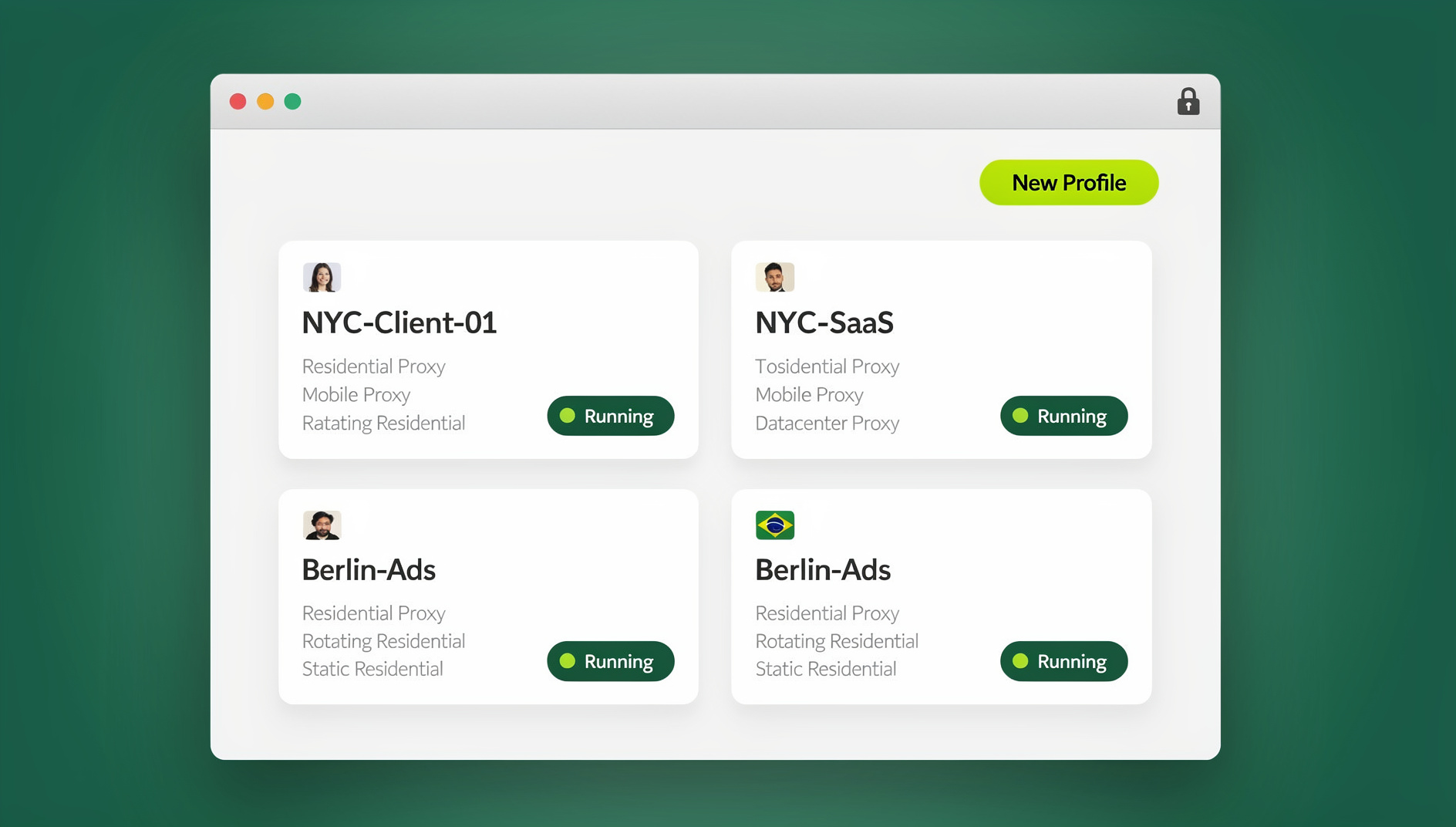
Why One Flagged Account Can Take Down Fifteen Others
Media buying agencies, affiliate marketers, and e-commerce brands treat account isolation as a survival skill, not a nice-to-have. A single ad account restriction on Facebook, Google, or TikTok can halt thousands of dollars in daily revenue instantly, and when you’re running 10, 20, or 50 accounts at once, that risk doesn’t add up — it compounds.
Here’s the mechanism most agencies learn about the hard way:
- Your team manages 15 client Facebook ad accounts from the same office computer.
- All 15 are accessed through one browser, sharing the same cookies, IP address, and browser fingerprint.
- Client #7’s ad gets flagged for a minor policy issue — say, an overstated health claim.
- Meta’s enforcement system traces the fingerprint and IP tied to that flagged account.
- It discovers the same fingerprint and IP touch all 14 other client accounts.
- Meta concludes the accounts are a coordinated network and restricts all 15 simultaneously.
- Your agency loses access to tens of thousands of dollars a day in ad spend, across every client, at once.
This isn’t a rare edge case. It happens to agencies on a weekly basis, and it’s almost always preventable with the right infrastructure.
How Each Platform Actually Links Your Accounts
Meta (Facebook and Instagram) Ads
Meta’s enforcement is the most aggressive and least transparent of the three. Business Managers, ad accounts, Pages, and personal profiles all sit inside the same graph database, so a restriction on one node can ripple across every connected entity. The biggest risks are ad account disabling, Business Manager-wide restrictions, identity verification challenges on the personal profile behind the account, and payment method bans that follow the card, not just the account.
Google Ads
Google is more transparent about why it takes action, but no less ruthless in enforcement. Its “circumventing systems” policy explicitly targets advertisers who spin up new accounts to dodge an existing suspension — and if Google links a new account to a previously suspended one, the new one is banned almost immediately. Watch for suspension over circumvention, billing profiles that carry a ban across accounts, and MCC-level flags that catch every sub-account underneath them.
TikTok Ads
TikTok’s ad platform is maturing its enforcement fast. Its Business Center mirrors Meta’s Business Manager model, and TikTok is getting noticeably better at linking accounts through shared browser fingerprints and payment details. The main risks here are ad account rejection, Business Center-wide restrictions, and creative disapprovals that can trigger a closer look at every account tied to that center.
The Three-Layer Isolation Framework
Avoiding cascade failures while running dozens of accounts means building isolation on three separate layers — skip any one of them and the other two won’t save you.
Layer 1: Separate Business Entities
Every major client should sit under their own Business Manager, MCC sub-account, or Business Center. Never mix two clients’ ad accounts under a single business entity, even temporarily — it’s the fastest way to create a permanent link between them.
Layer 2: Separate Browser Fingerprints and Sessions
This is the layer most agencies overlook, and it’s the one that matters most. Each ad account or Business Manager needs its own isolated browser profile — either a native Sendwin Browser profile on your desktop, or a cloud browser session you spin up with no local install at all, depending on where your team is working from. Each profile carries its own fingerprint, its own cookies and cache, and a dedicated proxy that matches the account’s real-world location. When you open Client A’s Business Manager in Profile A, Meta sees a completely different device, browser, and location than when you open Client B in Profile B — the two accounts exist in entirely separate digital footprints instead of sharing one.
Layer 3: Separate Payment Methods
Ad platforms link accounts through shared payment methods just as readily as through fingerprints. If two ad accounts share a credit card, they’re permanently connected in the platform’s records — restrict one, and the card itself can drag the other down with it. Use separate virtual cards (Stripe Issuing, Privacy.com, Revolut virtual cards) for every account you run.
A Realistic Daily Workflow for Multi-Account Ad Management
Morning: Performance Review
- Open your isolated browser dashboard.
- Launch the “Client A – Meta Ads” profile.
- Check ROAS, CPL, and spend pacing inside Meta Ads Manager.
- Make bid adjustments and reallocate budget where needed.
- Close the profile — the session saves automatically.
- Launch “Client B – Meta Ads” and repeat the loop.
Midday: Creative Uploads and Campaign Launches
Upload new creative, launch fresh campaigns, and A/B test audiences — all inside the isolated profile that belongs to that specific client, never mixed across accounts.
Evening: Reporting
Pull platform-native reports from inside each profile, or use API-based reporting tools that pull performance data without requiring a native login at all.
Delegating Ad Accounts to Your Team Without Handing Out Passwords
Media buying teams run into a specific delegation problem: a junior buyer needs to manage campaigns day-to-day, but handing them Business Manager admin access also hands them the power to add personal assets or alter account settings you never intended them to touch.
Session sharing solves this cleanly. You authenticate the ad account inside an isolated browser profile using your own admin credentials, then share a secure session link with the buyer. They get full native access to manage campaigns — but never see the underlying login. At the end of the contract, you revoke access with a single click; no password reset required, and nothing to rotate across a dozen other tools that shared the same login.
This same pattern is what lets agencies run Facebook, Instagram, and Google Ads in parallel without one platform’s login bleeding into another’s isolated session.
Scaling From 5 to 50 Ad Accounts
| Scale | Infrastructure Required |
|---|---|
| 1–5 ad accounts | Separate Chrome profiles with careful proxy hygiene. An acceptable risk level for small, single-operator setups. |
| 5–15 ad accounts | Isolated browser profiles become essential, along with a separate payment method per account and managing ad accounts without shared passwords. |
| 15–50 ad accounts | Full isolation stack: dedicated proxies, virtual cards, isolated browser profiles for every account, role-based delegation, and a written disaster-recovery protocol. |
Notice that one-click account switching stops being a convenience feature around the 5-account mark and becomes the thing standing between you and a very bad Tuesday.
What to Do the Moment an Account Gets Restricted
Even with airtight isolation, ad accounts still get restricted sometimes — platforms are imperfect and false positives happen. You need a plan before it happens, not while you’re panicking about it.
- Assess immediately. Work out whether the restriction is policy-based (usually recoverable through an appeal) or identity-based (much harder to reverse).
- File the appeal from the same profile. Always appeal from the isolated profile that originally accessed the account. Switching to a different profile or IP to appeal reads to the platform as ban evasion, not troubleshooting.
- Activate a pre-warmed backup. If the appeal fails, switch to a backup account that has been running in its own isolated profile all along, with its own payment method and no detectable link to the restricted account.
- Do the root-cause analysis. Identify exactly which creative, targeting choice, or policy gap caused the restriction, and fix your compliance checklist so it doesn’t repeat across the rest of your portfolio.
Common Mistakes That Trigger a Cascading Ban
Most cascade failures trace back to a small handful of habits, not bad luck. Watch for these before they cost you an entire client portfolio in one afternoon:
- Onboarding a new client through the same laptop and browser as everyone else. It feels efficient in the moment; it’s the single most common cause of linked accounts.
- Reusing a personal Gmail or Apple ID across Business Managers. The identity layer links accounts just as reliably as a browser fingerprint does.
- Skipping the warm-up period on new accounts. Aggressive day-one spend on a fresh account reads as suspicious to every major ad platform.
- Appealing a restriction from a different device or IP than the one that triggered it. This is routinely read as an attempt to evade enforcement, not to resolve it.
- Treating isolation as optional below 10 accounts. Cascades don’t wait for you to hit an arbitrary scale threshold — they happen at 3 accounts almost as often as at 30.
Fixing these five habits alone prevents the overwhelming majority of the restrictions agencies experience, long before you need any dedicated tooling.
🏆 Send.win Verdict
If you manage more than a handful of ad accounts, browser-level isolation isn’t optional — it’s the layer that decides whether one flagged account costs you one account or fifteen. Send.win gives every ad account its own fingerprint, cookies, and proxy, either through the native Sendwin Browser desktop app or a no-install cloud browser session, and lets you hand campaigns to your team through shared sessions instead of shared passwords.
Try Send.win today — plans start at $19/month, the first card purchase is covered by a 7-day money-back guarantee, and you can preview it free in the cloud demo at https://send.win/demo-browser/ to see how much calmer multi-account ad management feels with real isolation behind it.
Frequently Asked Questions
Can I use one credit card for multiple ad accounts?
Technically, yes — the platform won’t stop you from entering the same card twice. But doing so permanently links those accounts in the platform’s records. If one account is restricted, the shared card can trigger a review, and sometimes a restriction, on every other account using it.
How do I warm up a new Facebook ad account?
Start with a small daily budget of $5–10, run simple and clearly policy-compliant campaigns (traffic or engagement objectives work well), and increase spend gradually over two to three weeks. Launching a brand-new account with aggressive day-one spend is one of the fastest ways to get flagged.
Is it against the rules to have multiple ad accounts?
No. Facebook, Google, and TikTok all explicitly allow multiple ad accounts, especially through Business Managers and MCCs. The rule you can actually break is creating new accounts specifically to evade enforcement on one that was already restricted.
How can I tell if a restriction is policy-based or identity-based?
Check the platform’s notice first — policy violations usually name a specific ad, claim, or targeting choice, and come with an appeal option. Identity-based restrictions (tied to a flagged fingerprint, device, or verification issue) tend to lock you out of appeals or ask for documents instead. If in doubt, treat it as identity-based and lean on your backup account rather than repeatedly appealing.
Do I need a separate browser profile for every single ad account?
For anything past a handful of accounts, yes. Below five accounts you can sometimes get away with careful Chrome profile hygiene, but the moment you’re juggling client work across 10, 20, or 50 accounts, isolated profiles stop being a precaution and start being the thing keeping your whole portfolio online.
Does Send.win replace my ad platform’s native dashboard?
No — you still manage campaigns inside Meta Ads Manager, Google Ads, or TikTok’s Business Center exactly as you do today. Send.win sits underneath that, giving each login its own isolated browser environment so the platforms can’t link your accounts to each other behind the scenes.
What does Send.win cost for an agency running many ad accounts?
Send.win has no free trial; Pro runs $19/month or $83.88/year and Team runs $49/month or $251.88/year, with the first card purchase covered by a 7-day money-back guarantee. The only free option is the cloud demo at https://send.win/demo-browser/. Send.win has no automation interface — no API, SDK, headless mode or Selenium/Puppeteer/Playwright support on any plan.
The Bottom Line
Learning to manage multiple ad accounts efficiently comes down to treating every single account as its own isolated entity — not just organizationally on a spreadsheet, but technically, at the browser and payment level. Fingerprint isolation through Send.win, paired with separate payment methods and properly structured business entities, builds the kind of infrastructure that keeps one flagged ad from ever becoming a fifteen-account catastrophe.