Managing multiple Instagram accounts safely means giving every account its own browser fingerprint, IP address, and login session — not just switching profiles inside the Instagram app, which still ties every account to the same device ID. Agencies running 10-25 client accounts, e-commerce brands splitting product lines across profiles, and creators running a niche side account alongside their main one all face the same core risk: Instagram’s detection systems link accounts that share a device, IP, or behavioral pattern, and one violation can trigger action blocks across every linked profile.
Why Managing Multiple Instagram Accounts Got Harder in 2026
Instagram’s algorithm rewards focused, niche-specific content, which is exactly why one generic brand profile rarely performs as well as several targeted ones. A typical social media agency now manages 10-25 client accounts at once. E-commerce brands split storefronts by product line or region. Influencers run a main account plus one or two side projects. The operational question is always the same: how do you run all of them without triggering Instagram’s increasingly aggressive anti-spam and anti-multi-accounting systems?
How Instagram Detects and Links Multiple Accounts
Instagram, owned by Meta, runs one of the most sophisticated account-linking systems on the internet. Four mechanisms matter most:
- Device ID tracking — the mobile app reads your phone’s unique identifier, so multiple accounts on one device are automatically linked in Meta’s backend, regardless of whether you ever cross-post between them.
- Browser fingerprinting — on desktop, Instagram checks canvas rendering, WebGL output, installed fonts, and screen resolution to identify the physical device behind a session. Two “different” accounts with an identical fingerprint read as the same operator. Real browser fingerprinting protection — a unique, consistent fingerprint per profile — is what actually breaks this link, not just clearing cookies.
- IP address monitoring — several accounts logging in from the same IP, especially while performing similar actions like mass follows or mass likes, trips rate limits and action blocks fast.
- Behavioral analysis — Instagram’s models track posting cadence, engagement timing, and interaction networks. Accounts that always like each other’s posts within minutes of publishing get flagged for coordinated inauthentic behavior.
Instagram’s Native Multi-Account Switching: Pros and Cons
Instagram lets you log five accounts into the mobile app at once, switching by long-pressing your profile picture at the bottom of the screen.
Pros
- Free and built into the official app.
- Fast switching between accounts.
- Notifications can be configured per account.
Cons
- Capped at five accounts maximum.
- All five share the same device ID, IP address, and session data — Meta knows they belong to one person.
- A Community Guidelines violation on one account can trigger restrictions across every account linked to that device.
- Posting to the wrong account by accident is one of the most common social media crises agencies deal with.
Scheduling Tools for Multi-Account Instagram Publishing
API-based schedulers handle the repetitive publishing work across accounts:
| Tool | Feed Posts | Reels | Stories | DMs | Starting Price |
|---|---|---|---|---|---|
| Later | Yes | Yes | Yes | No | $25/mo |
| Buffer | Yes | Yes | Reminder only | No | $6/channel |
| Hootsuite | Yes | Yes | Yes | No | $99/mo |
| Sprout Social | Yes | Yes | Yes | Yes (Inbox) | $249/mo |
These tools publish through Instagram’s API, but none of them can browse the Explore page, tap Stories polls, reply to DM voice notes, or manage Instagram Shopping natively. For that kind of native engagement you need direct browser or app access — which is where account isolation becomes unavoidable rather than optional.
The Professional Approach: Isolated Cloud Browser Profiles
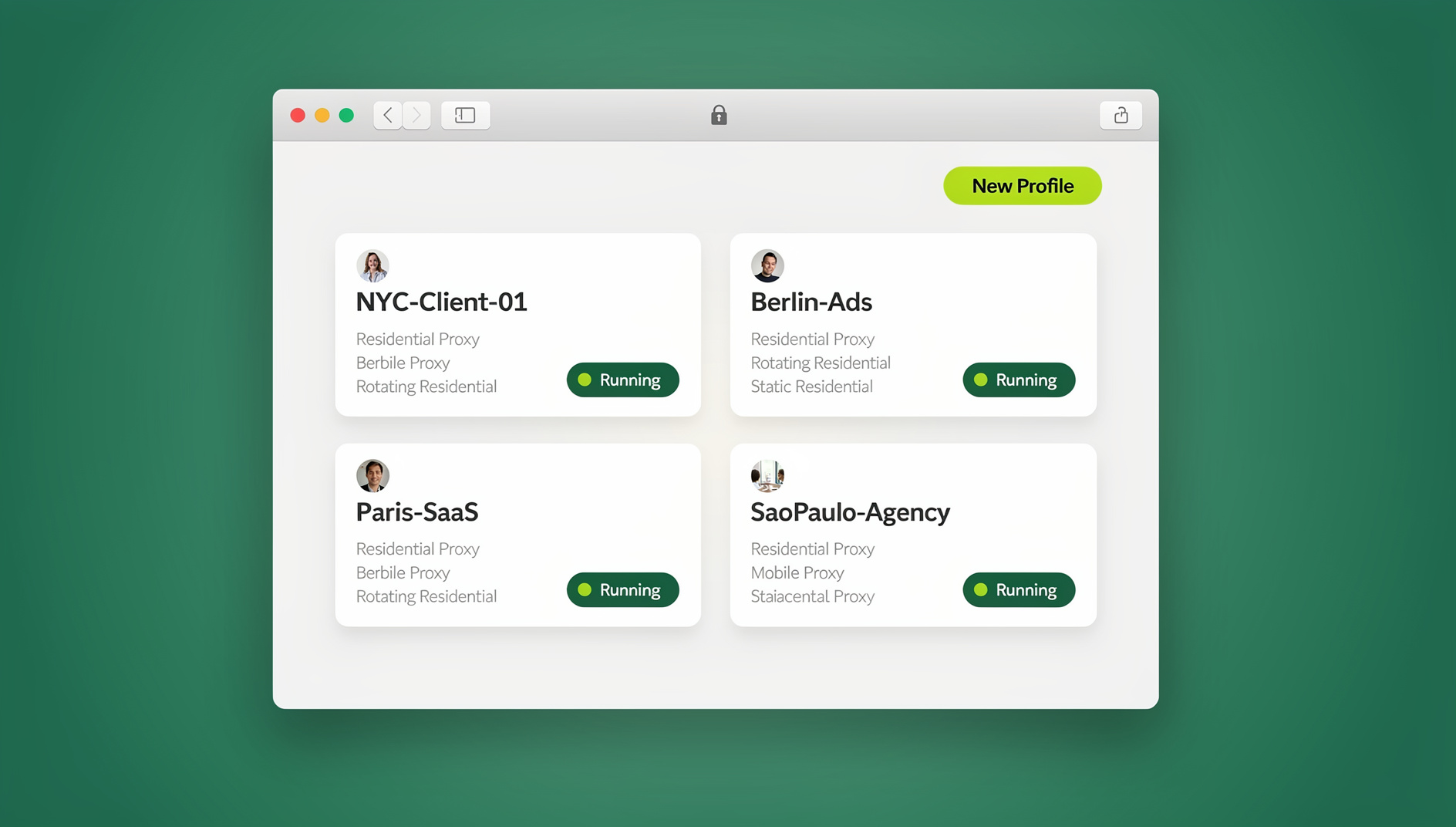
For agencies managing multiple Instagram accounts at scale — especially when native engagement is required daily — session isolation through a dedicated multi-login browser is the standard professional setup. Send.win runs each Instagram account inside its own cloud browser session or, if you prefer working locally, inside the Sendwin Browser desktop app — either way, every profile gets its own browser fingerprint, cookie container, and dedicated proxy.
- Create a profile — “Client A – Instagram” gets a unique fingerprint and a dedicated residential proxy matched to the account’s usual location.
- Log in once — authenticate, clear any security checkpoints, and the session persists without repeated re-logins.
- Engage natively — browse the feed, reply to DMs, engage with Stories, and manage Instagram Shopping exactly as you would in a normal browser, with zero connection to any other client’s profile.
- Delegate safely — hand a team member access through secure session sharing instead of handing over the password.
Because Send.win offers both a native desktop app and cloud browser sessions that need no local install, an agency can put daily account managers on the desktop app while giving a remote contractor or client a cloud session link that opens in any browser, on any device, with nothing installed on their machine.
Engagement Strategies That Scale Across Accounts
The 30-Minute Daily Engagement Block
For each client account, block out a focused 30 minutes:
- Minutes 1-10 — clear DMs and comment replies from the last 24 hours.
- Minutes 10-20 — engage with 10-15 posts from target hashtags and competitor audiences, leaving genuine comments rather than generic emoji replies.
- Minutes 20-30 — view and react to Stories from key accounts in the client’s niche to build reciprocal engagement.
Hashtag Strategy Per Account
Give each account a curated library of 90-120 hashtags split into three tiers:
- High volume (1M+ posts) — 3-5 per post for discovery reach.
- Medium volume (100K-1M posts) — 10-15 per post for competitive positioning.
- Niche (10K-100K posts) — 5-10 per post for community building.
Cross-Account Isolation Rules
Never let managed accounts interact with each other — no follows, likes, or comments between accounts you control. Instagram’s coordinated-behavior detection flags this pattern almost immediately, and it’s one of the fastest ways to get several client accounts flagged for using multiple accounts together.
Reels Strategy for Multi-Account Operations
Reels remain Instagram’s highest-reach format, and for agencies running several accounts, Reels production is both the biggest time cost and the highest-ROI activity.
- Batch production — film for multiple clients on dedicated shoot days, then edit and schedule through Later or Hootsuite.
- Unique audio per account — never reuse the same trending sound across managed accounts at the same time; it signals coordination.
- Niche-specific trends — each account should ride trends relevant to its own audience rather than generic viral sounds every account jumps on.
Avoiding Instagram’s Action Blocks
Action blocks throttle accounts that exceed engagement rate limits, and when managing multiple Instagram accounts, they are the most common operational disruption agencies face.
Approximate Daily Rate Limits
| Action | Established Accounts | New Accounts |
|---|---|---|
| Follows | 60-100 | 20-30 |
| Likes | 150-200 | 50-80 |
| Comments | 60-100 | 20-40 |
| DMs (cold outreach) | 50-80 | 10-20 |
When each account runs through its own isolated browser profile, each has its own independent rate-limit tracker — an action block on one client’s account does not touch another client’s engagement capacity.
Instagram Shopping and Multi-Account E-Commerce
E-commerce brands running several Instagram Shopping storefronts add another layer of complexity: each Shop links to a Facebook catalog, which links to a Commerce Manager, which links to a Business Manager. A restriction anywhere in that chain can cascade into the shopping experience. Running each Instagram Shopping account inside its own isolated browser environment keeps any investigation contained to that one brand — it cannot trace back to a different brand through a shared fingerprint or session.
Team Structure for Instagram Agencies
| Role | Access Level | Typical Tools |
|---|---|---|
| Content Creator | Scheduling tool only | Later, Canva, CapCut |
| Community Manager | Native Instagram access via isolated profile | Send.win shared session |
| Account Director | Analytics plus native access for escalations | Sprout Social + Send.win |
| Ads Specialist | Meta Ads Manager via isolated profile | Send.win with dedicated proxy |
A Pre-Launch Checklist for Managing Multiple Instagram Accounts
Before handing a new client account to a team member or spinning up a fifth managed profile, run through this checklist:
- Unique proxy assigned — every profile has its own residential or mobile proxy, matched to the account’s expected geography and timezone.
- Fingerprint verified as unique — no two managed profiles share canvas, WebGL, or font signatures.
- Contact details separated — each account uses its own recovery email and phone number rather than reusing one across the roster.
- Rate limits documented — the team knows the current follow, like, comment, and DM ceilings for that account’s age and history.
- Access delegated via session link, not password — anyone who needs to log in gets a revocable share link, never the raw credentials.
- Escalation owner assigned — one person on the team knows exactly who to notify if that specific account gets an action block or checkpoint.
Teams that skip this checklist tend to discover the gaps the hard way — usually when two client accounts share a proxy and both get rate-limited on the same afternoon, or when a departing contractor still has the raw password to three different Pages.
Common Mistakes When Managing Multiple Instagram Accounts
- Logging every client account in on one personal phone — this recreates the exact device-ID link that isolated profiles are meant to prevent.
- Reusing one proxy across several client accounts — Instagram sees the shared IP performing similar actions across “different” accounts and flags the pattern quickly.
- Letting managed accounts follow or like each other — even a single reciprocal like between two client accounts you control can register as coordinated behavior.
- Ignoring rate limits after a growth push — accounts that were fine at 40 follows a day often get action-blocked the moment engagement is scaled up without checking current limits.
- Sharing raw passwords with freelancers — instead of a revocable session link, some teams still paste credentials into chat, which removes any ability to audit or cut off access later.
🏆 Send.win Verdict
Managing multiple Instagram accounts safely comes down to one principle: every account needs its own device fingerprint, IP, and session — not just its own login. Send.win builds that isolation into every profile, whether you run it through the native Sendwin Browser desktop app or a no-install cloud browser session, and lets you delegate access to teammates without ever sharing a password.
Try Send.win today — paid plans start at $19/month, the first card purchase is covered by a 7-day money-back guarantee, and every client account gets its own isolated profile with separate cookies, storage and fingerprint.
Frequently Asked Questions
How many Instagram accounts can one person realistically manage?
Instagram allows up to five per device natively. With isolated browser profiles, there’s no practical ceiling — agencies commonly run 20-50 accounts this way without cross-contamination.
Will Instagram ban me just for having multiple accounts?
No. Instagram does not ban users purely for owning multiple accounts. Bans follow coordinated inauthentic behavior, spam, or policy violations — proper isolation and genuinely independent strategies for each account avoid triggering that.
What’s the best proxy type for Instagram?
Mobile 4G and residential proxies are the safest choice because Instagram reads them as genuine consumer connections. Datacenter proxies get blocked aggressively and should be avoided for account management.
Do I need to install anything to manage client Instagram accounts through Send.win?
Not necessarily. The Sendwin Browser desktop app is the typical way to run profiles locally, but cloud browser sessions let you open an isolated profile from any device with a browser, with nothing installed — useful for remote team members or shared computers.
Can a virtual assistant manage an Instagram account without knowing the password?
Yes. Send.win’s session sharing generates a link that gives a VA working access to one isolated profile without ever revealing the login credentials, and access can be revoked instantly.
What happens if one client account gets an action block?
Because each account runs in its own isolated browser profile with its own fingerprint, proxy, and rate-limit tracker, an action block stays contained to that one account and does not spill over to other clients’ accounts.
How much does it cost to run isolated profiles for a full client roster?
Send.win has no free trial; paid plans are Pro at $19/month or $83.88/year for smaller rosters, and Team at $49/month or $251.88/year for agencies needing more seats, profiles, and bandwidth — the first card purchase is covered by a 7-day money-back guarantee. The only free option is the cloud demo at https://send.win/demo-browser/. Send.win has no automation interface: no API, SDK, headless mode or Selenium/Puppeteer/Playwright support on any plan.
Should agencies avoid Instagram’s built-in account switching entirely?
Not necessarily for personal accounts, but for client work it’s risky — every account switched on-device shares one device ID, so a violation on any of them can restrict the whole group. Isolated profiles remove that shared risk.
Conclusion
Managing multiple Instagram accounts professionally means combining API schedulers for routine publishing, isolated browser profiles for native engagement, clear team delegation, and strict cross-account isolation rules. That framework scales from five accounts to fifty while protecting every client account from cascading restrictions, and it’s the same framework agencies use to keep growth pushes from turning into a shared action block across an entire client roster.