A temporary browser is a disposable browsing environment that starts clean every session and leaves behind no history, cookies, cache, or saved logins once you close it. Instead of manually scrubbing your everyday browser or juggling privacy extensions, you open an isolated session — often with its own IP address and fingerprint — use it for the task at hand, then let it disappear. Send.win delivers this through cloud browser sessions or an isolated native profile, making one-off private browsing as simple as opening a tab.
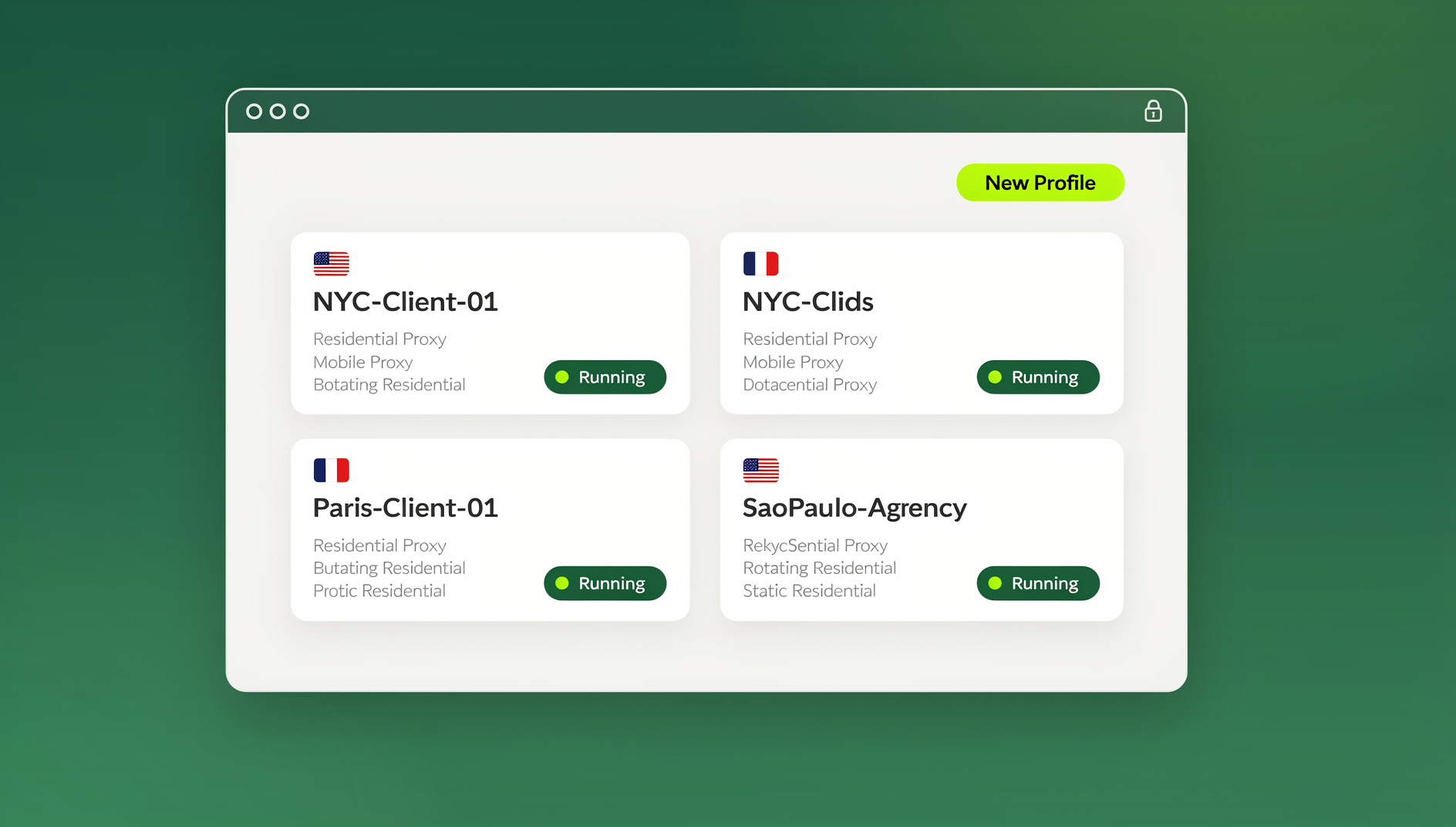
What Is a Temporary Browser?
A temporary browser is built around a simple idea: your everyday browser accumulates history, cookies, saved passwords, autofill data, and cached files for months or years, and every one of those artifacts can be used to identify you, track you across sites, or compromise you if the device is shared or stolen. A temporary browser breaks that accumulation on purpose. Every session starts from a blank slate and every session ends with nothing left behind.
Temporary browsers occupy a useful middle ground. On one side sits ordinary browsing, which is convenient but leaves a long trail. On the other sits heavyweight anonymity tooling like Tor or Tails OS, which is powerful but slow and overkill for most day-to-day tasks. A temporary browser gives you a genuinely clean session — often with a different IP and fingerprint — without the setup time or performance cost of a full anonymity stack.
Types of Temporary Browsers
Not all temporary browsers work the same way. The main differences come down to where the disposable session actually lives — on a remote server, on a USB drive, inside a local sandbox, or across an entire throwaway operating system.
1. Cloud-Based Temporary Browsers
These run entirely on remote servers, not on your device:
- How: You connect to a browser session running in the cloud through your regular browser or a lightweight client
- Privacy: Your real IP, device fingerprint, and hardware details never reach the sites you visit
- Cleanup: The session is destroyed on the server the moment you disconnect, or on a schedule you set
- Examples: Send.win, Browserling
This category is generally the easiest to use because there is nothing to install, and it is the closest thing to a dedicated cloud browser setup — the browsing session itself never touches your hardware, so there is nothing local to clean up afterward.
2. Portable Browsers
These run straight from a USB drive without ever installing on the host machine:
- How: The browser executable runs from removable media; no files are written to the host
- Privacy: No traces are left on the computer you plug into
- Cleanup: Unplug the drive and it’s gone
- Examples: Firefox Portable, Tor Browser bundled onto a USB stick
3. Sandbox Browsers
These run inside a contained, disposable environment on your own machine:
- How: The browser runs inside a container or sandbox that gets destroyed after use
- Privacy: Any changes, downloads, or cookies stay contained inside the sandbox boundary
- Cleanup: Close the sandbox and everything inside it reverts to its original state
- Examples: Windows Sandbox, Sandboxie, disposable Docker containers
4. Live OS Browsers
The entire operating system runs temporarily, not just the browser:
- How: You boot a machine from USB into a privacy-focused, amnesic operating system
- Privacy: The whole OS forgets everything the instant it shuts down
- Cleanup: Shut down or unplug the drive
- Examples: Tails OS, Whonix
Top Temporary Browser Tools to Consider in 2026
The tools below cover the full spectrum, from instant cloud sessions to fully local sandboxes, so you can pick based on how much friction you’re willing to tolerate versus how much protection you actually need.
Send.win
Type: Cloud-based and native desktop | Best for: Quick private sessions plus ongoing multi-account work
Send.win covers temporary browsing in two ways. Cloud browser sessions run entirely on Send.win’s infrastructure with zero local install — you open a session, browse, and close it when you’re done, and it’s metered by cloud browsing time rather than by a hard session limit. For anyone who wants a persistent but still isolated setup rather than a purely throwaway one, the Sendwin Browser is a native, downloadable desktop app for Windows, macOS, and Linux that’s local-first, with encrypted cloud sync keeping profiles backed up and portable across machines.
- Spin up a disposable cloud session in seconds, with no download required
- Each profile or session carries its own isolated fingerprint and cookie jar, so nothing bleeds between them
- Your real IP is never exposed to the sites you visit during a cloud session
- Works from any device with a browser — phone, tablet, or laptop — since the session itself runs server-side
- An Automation API lets you drive local automation (Selenium, Puppeteer, Playwright) against the desktop app, available starting on the Pro plan
- 30-day free trial, no credit card required; Pro runs $19/month ($6.99/month billed annually — 63% savings) with 150 profiles and 5GB of proxy bandwidth, and Team runs $49/month ($20.99/month billed annually — 57% savings) with 500 profiles, 20GB of bandwidth, and 16 seats
Why it stands out: Most temporary browsers only clean up locally. Send.win adds real fingerprint separation and IP isolation on top, so each session or profile genuinely looks like a different device rather than the same browser with its history cleared.
Browserling
Type: Cloud-based | Best for: Quick one-off cross-browser testing
- Free 3-minute temporary sessions
- Multiple browser versions available (Chrome, Firefox, Opera, Safari)
- No registration required for the free tier
- Sessions are completely destroyed after use
Limitations: Very short free sessions, limited functionality, no fingerprint protection. If you find yourself hitting the time cap regularly, it’s worth reviewing a full Browserling alternative comparison before committing to a paid plan.
Brave Private Window with Tor
Type: Desktop browser | Best for: Quick anonymous browsing without leaving your main browser
- One-click private window with Tor routing built in
- Traffic routed through the Tor network for IP masking
- Built-in ad and tracker blocking
- No separate installation needed since it ships inside Brave
Limitations: Noticeably slower browsing, the same device fingerprint as regular Brave, and Tor exit nodes are frequently blocked by major sites.
Windows Sandbox
Type: Local sandbox | Best for: Windows Pro users who want a one-off disposable desktop
- Built into Windows 10/11 Pro at no extra cost
- Launches a lightweight virtual machine in seconds
- Gives you a full Windows desktop with Edge pre-installed
- Everything is deleted the moment the sandbox closes
- Fully isolated from your host system
Limitations: Requires a Windows Pro license, uses your real IP address, and offers no fingerprint protection of its own.
Firefox Portable
Type: USB portable | Best for: Browsing safely on shared or public computers
- Full Firefox browser runs directly from a USB drive
- No installation footprint on the host computer
- All data stays stored on the USB drive itself
- Works on any Windows machine you plug it into
Limitations: Windows only, your IP and device fingerprint remain exposed, and data persists on the USB drive unless you wipe it yourself.
When to Use a Temporary Browser
Privacy Scenarios
- Searching sensitive topics: Health conditions, legal questions, or financial situations you’d rather not have tied to your main profile
- Shopping without tracking: Research products without weeks of retargeting ads following you around
- One-time account creation: Sign up for a service without linking the account back to your everyday identity
- Reading paywalled content: Some sites offer a free view or two to what looks like a new visitor
- Avoiding price discrimination: Airlines and hotels sometimes show different prices depending on your browsing history and cookies
Security Scenarios
- Suspicious links: Click unknown links safely in a fully isolated environment
- Public WiFi: Browse on untrusted networks without risking data stored in your main browser
- File downloads: Open potentially risky attachments inside a sandboxed session first
- Financial transactions: Banking on a shared or public computer without leaving credentials behind
- Malware investigation: Safely analyze a suspicious website without risking your real machine
Professional Scenarios
- Client work: Access a client’s accounts without mixing their cookies and logins with your own
- Competitive research: Visit competitor sites without them recognizing your company’s IP range
- Testing: Check how your own website appears to a brand-new visitor with no prior history
- Demo accounts: Try a service’s trial quickly without long-term commitment or cross-contamination
- One-off signups: For a vendor demo or a single client login you’ll only use once, spinning up a dedicated disposable browser profile keeps that account fully separated from everything else you do online
Temporary Browser vs. Privacy Alternatives
It helps to see how a temporary browser actually stacks up against the tools people reach for by default.
| Feature | Temporary Browser | Incognito Mode | VPN | Tor |
|---|---|---|---|---|
| Local history | Zero | Cleared on close | Normal, unaffected | Zero |
| IP hidden | Yes, if cloud-based | No, exposed | Yes, VPN’s IP | Yes, Tor exit node |
| Fingerprint changed | Yes, if cloud-based | No, unchanged | No, unchanged | Partially standardized |
| Malware isolation | Yes, sandboxed or remote | None | None | OS-level only |
| Speed | Good | Full speed | Good | Slow |
| Setup effort | Low, click and go | Very low, shortcut key | Moderate, app install | Higher, special browser |
| Works on mobile | Yes, if cloud-based | Yes, built-in | Yes, via app | Limited |
How to Set Up a Temporary Browser
Docker Disposable Browser (about 5 minutes)
# Pull a browser-ready Docker image
docker pull kasmweb/chrome:1.14.0

# Run a disposable Chrome session
docker run --rm -it -p 6901:6901 \
  -e VNC_PW=password \
  kasmweb/chrome:1.14.0

# Access it at https://localhost:6901
# Everything is destroyed when you stop the container
Windows Sandbox (about 2 minutes)
- Press the Windows key and type “Windows Sandbox”
- Click to launch it — it takes about 5-10 seconds to boot
- Open Edge inside the sandbox
- Browse freely; everything stays contained
- Close the sandbox and everything inside it is destroyed
Send.win (about 2 minutes)
- Start the 30-day free trial at Send.win — no credit card required
- Choose a cloud browser session for a fully throwaway, zero-install experience, or download the native Sendwin Browser app if you’d rather keep an isolated profile locally with encrypted cloud sync
- Browse normally inside that session or profile
- Close the cloud session when you’re done, or delete the profile if you don’t need it again
If your use case also calls for IP-level separation on top of the disposable session itself — say, checking how a site looks from a different region — pairing this with one of the best proxy browsers for 2026 tightens things up even further.
Privacy Levels Explained
Level 1: Basic (Incognito)
Hides your history from other people who use the same device. That’s the whole feature. Your ISP, your employer, and every website you visit still see you exactly as normal.
Level 2: Moderate (Temporary Browser + VPN)
Hides your IP address and clears local traces. Websites can still fingerprint your device, but the amount of cross-site tracking is significantly reduced compared to plain incognito.
Level 3: Strong (Cloud Browser Sessions)
A different IP, a different fingerprint, and full isolation from your device — websites see what looks like a different visitor on every session. For the overwhelming majority of people, this is as far as you’ll ever actually need to go.
Level 4: Maximum (Tails OS + Tor)
Full OS-level amnesia, multi-hop anonymity, and a standardized fingerprint shared across every Tor user. Built for journalists, activists, and security researchers who face real, targeted threats.
Common Myths About Temporary Browsing
Myth: Incognito mode is a temporary browser
Reality: Incognito stops your device from saving local history, but it doesn’t change your IP address, your fingerprint, or provide any real isolation. It’s a privacy feature aimed at other people using your device, not at the internet.
Myth: Clearing cookies achieves the same thing
Reality: Modern tracking leans heavily on fingerprinting, which persists regardless of whether you clear cookies. A genuine temporary browser changes the fingerprint itself, not just the cookie jar.
Myth: Temporary browsers are complicated to set up
Reality: Cloud-based options are as simple as opening a webpage — you don’t need any technical background to start a session and close it when you’re finished.
Myth: Temporary browsers are only for hiding illegal activity
Reality: Most people who use temporary browsers are protecting entirely ordinary privacy: health searches, financial research, competitive analysis, client account separation, and avoiding invasive ad tracking.
🏆 Send.win Verdict
For a quick, disposable session with real IP and fingerprint separation — not just cleared local history — Send.win covers the job better than plain incognito or a VPN alone. Use a cloud browser session when you want a fully throwaway experience with zero local footprint, or the native Sendwin Browser app when you’d rather keep an isolated, persistent profile with encrypted cloud sync on your own machine. Both start with a 30-day free trial and no credit card required.
Try Send.win free today — spin up your first temporary session in minutes.
Frequently Asked Questions
What’s the fastest way to get a temporary browser running?
Cloud-based options like Send.win and Browserling are instant — there’s no download and no setup. You open a session and you’re browsing in a temporary, isolated environment right away.
Are temporary browsers safe for online banking?
Cloud-based temporary browsers are generally safer than a regular browser for banking on a shared or public computer, since no credentials get stored locally. Stick to a reputable provider with encrypted connections, and you’re better protected than using your everyday browser on that same machine.
Do temporary browsers work on phones and tablets?
Cloud-based temporary browsers work on any device with a web browser, phones and tablets included, because the actual browsing session runs on a remote server rather than on your device. Local solutions like Docker containers or Windows Sandbox are desktop-only.
How long can I keep a temporary browser session open?
It depends on the provider. Free services like Browserling cap sessions at just a few minutes. Cloud services like Send.win meter usage by cloud browsing time instead of a hard cutoff, so you’re not forced to rush. Local sandbox solutions run for as long as you leave them open.
Does a temporary browser protect me from malware?
Sandboxed and cloud-based temporary browsers do provide real malware isolation, since anything malicious that runs stays contained in the sandbox or on the remote server rather than reaching your actual device. Portable browsers on a USB drive don’t offer this — they still run directly on the host machine’s resources.
Is a temporary browser the same thing as a VPN?
No. A VPN hides your IP address and encrypts your connection, but you’re still using your regular browser with its usual fingerprint and any locally stored data. A temporary browser replaces the entire browsing environment — history, cookies, cache, and often the fingerprint too — for the length of that session.
Can I automate tasks inside a temporary browser?
With Send.win specifically, yes — the Automation API lets you run local automation tools like Selenium, Puppeteer, or Playwright against the desktop app, and it’s available starting on the Pro plan. That’s useful for QA testing or repetitive workflows that need a clean, isolated profile every run.
Conclusion
A temporary browser earns its place as one of the more practical privacy tools available today, precisely because it solves a narrow, common problem well: you need a clean, disposable session, and you need it without setting up a full anonymity stack. Whether that means safely clicking a suspicious link, researching a sensitive topic privately, or keeping a client’s account fully separated from your own, a temporary browser gives you the clean-slate experience that incognito mode only pretends to offer.
For most people, Send.win covers this well from either direction: a cloud browser session when you want a fully throwaway, zero-install experience, or the native Sendwin Browser app when you’d rather keep an isolated profile with encrypted cloud sync on your own machine. Either way, you get real IP and fingerprint separation, a 30-day free trial with no credit card required, and none of the setup overhead that heavier privacy tools demand.
{
“@context”: “https://schema.org”,
“@type”: “FAQPage”,
“mainEntity”: [
{
“@type”: “Question”,
“name”: “What’s the fastest way to get a temporary browser running?”,
“acceptedAnswer”: {
“@type”: “Answer”,
“text”: “Cloud-based options like Send.win and Browserling are instant — there’s no download and no setup. You open a session and you’re browsing in a temporary, isolated environment right away.”
}
},
{
“@type”: “Question”,
“name”: “Are temporary browsers safe for online banking?”,
“acceptedAnswer”: {
“@type”: “Answer”,
“text”: “Cloud-based temporary browsers are generally safer than a regular browser for banking on a shared or public computer, since no credentials get stored locally. Stick to a reputable provider with encrypted connections, and you’re better protected than using your everyday browser on that same machine.”
}
},
{
“@type”: “Question”,
“name”: “Do temporary browsers work on phones and tablets?”,
“acceptedAnswer”: {
“@type”: “Answer”,
“text”: “Cloud-based temporary browsers work on any device with a web browser, phones and tablets included, because the actual browsing session runs on a remote server rather than on your device. Local solutions like Docker containers or Windows Sandbox are desktop-only.”
}
},
{
“@type”: “Question”,
“name”: “How long can I keep a temporary browser session open?”,
“acceptedAnswer”: {
“@type”: “Answer”,
“text”: “It depends on the provider. Free services like Browserling cap sessions at just a few minutes. Cloud services like Send.win meter usage by cloud browsing time instead of a hard cutoff, so you’re not forced to rush. Local sandbox solutions run for as long as you leave them open.”
}
},
{
“@type”: “Question”,
“name”: “Does a temporary browser protect me from malware?”,
“acceptedAnswer”: {
“@type”: “Answer”,
“text”: “Sandboxed and cloud-based temporary browsers do provide real malware isolation, since anything malicious that runs stays contained in the sandbox or on the remote server rather than reaching your actual device. Portable browsers on a USB drive don’t offer this — they still run directly on the host machine’s resources.”
}
},
{
“@type”: “Question”,
“name”: “Is a temporary browser the same thing as a VPN?”,
“acceptedAnswer”: {
“@type”: “Answer”,
“text”: “No. A VPN hides your IP address and encrypts your connection, but you’re still using your regular browser with its usual fingerprint and any locally stored data. A temporary browser replaces the entire browsing environment — history, cookies, cache, and often the fingerprint too — for the length of that session.”
}
},
{
“@type”: “Question”,
“name”: “Can I automate tasks inside a temporary browser?”,
“acceptedAnswer”: {
“@type”: “Answer”,
“text”: “With Send.win specifically, yes — the Automation API lets you run local automation tools like Selenium, Puppeteer, or Playwright against the desktop app, and it’s available starting on the Pro plan. That’s useful for QA testing or repetitive workflows that need a clean, isolated profile every run.”
}
}
]
}