
What Is a Browser Sandbox?
A browser sandbox is a security mechanism that isolates web browser processes from the rest of your
operating system. This isolation prevents malicious code from accessing your files, system resources, or other
applications, creating a secure environment where web content can run without risking your computer’s security.
Modern browser sandboxing goes beyond simple security isolation. Advanced implementations create completely separate
browser environments for different purposes – enabling users to maintain multiple identities, manage separate
accounts, and prevent tracking across sessions.
How Browser Sandboxing Works
Browser sandboxing operates at multiple technical levels to provide comprehensive isolation:
1. Process Isolation
Modern browsers like Chrome and Firefox use multi-process architecture where each tab, plugin, and extension runs in
a separate process. If one process crashes or gets compromised, it cannot affect other processes or the underlying
system.
Key isolation mechanisms include:
- Privilege Separation – Renderer processes run with minimal system privileges, unable to access
files or make system calls directly - Inter-Process Communication (IPC) – Processes communicate through restricted channels
controlled by the browser - Memory Protection – Each process has isolated memory space, preventing cross-contamination
2. Filesystem Isolation
Sandboxed browsers restrict access to the filesystem:
- Web content cannot read or write files without explicit user permission
- Temporary files are isolated and automatically cleaned
- Downloads require user interaction before accessing
- File system APIs are heavily restricted
3. Network Isolation
Network communications are controlled and monitored:
- Cross-origin requests are blocked by default (CORS policy)
- DNS requests can be isolated per tab or session
- Network sockets creation requires permissions
- WebRTC connections can be isolated or blocked
4. System Resource Isolation
Sandboxes restrict access to system hardware and resources:
- Camera and microphone require explicit user permission
- Clipboard access is limited
- Geolocation services require authorization
- USB and Bluetooth access is restricted

Types of Browser Sandboxing
1. Built-In Browser Sandboxing
Modern browsers include native sandboxing features:
Google Chrome/Chromium:
- Multi-process architecture with site isolation
- Each tab runs in isolated renderer process
- Plugins run in separate processes
- Extensions have limited system access
Firefox:
- Electrolysis (e10s) multi-process architecture
- Content process sandboxing
- GPU process isolation
- Container tabs for session isolation
Safari:
- WebKit2 process model
- Network process isolation
- Intelligent Tracking Prevention in sandbox
- App Sandbox on macOS
2. Container-Based Sandboxing
Advanced users employ containerization for browser isolation:
Docker Containers:
- Run entire browser inside container
- Complete isolation from host system
- Disposable environments (destroy after use)
- Network isolation configurable
Virtual Machines:
- Full OS-level isolation
- Snapshots for clean slate browsing
- Hardware-level separation
- Resource intensive but maximum security
3. Cloud-Based Browser Sandboxing
Modern solutions run browsers in cloud environments:
- Browser executes on remote servers
- Only rendered pixels stream to user device
- Zero local code execution
- Complete isolation from endpoint
- Centralized security management
4. Profile-Based Sandboxing
Specialized browsers create isolated profiles for multi-account management:
- Each profile has separate cookies, cache, storage
- Unique browser fingerprints per profile
- Different proxy assignments
- Session isolation prevents cross-contamination
Benefits of Browser Sandboxing
Security Benefits
Malware Protection – Even if malicious JavaScript exploits a browser vulnerability, the sandbox
prevents it from accessing your system files, installing software, or stealing sensitive data.
Zero-Day Exploit Mitigation – Sandboxing provides defense-in-depth. Even unknown vulnerabilities are
contained within the sandbox boundary.
Safe Testing – Developers can safely test suspicious websites or code without risking their primary
system.
Privacy Benefits
Tracking Prevention – Sandboxed browser profiles prevent websites from linking your activities
across different sessions or accounts.
Cookie Isolation – Each sandbox maintains separate cookies, preventing cross-site tracking and
third-party tracking networks.
Fingerprint Isolation – Advanced sandboxes randomize browser fingerprints, making it impossible for
websites to identify you across sessions.
Operational Benefits
Multi-Account Management – Run multiple accounts on the same platform simultaneously without
conflicts or detection.
Account Separation – Separate business and personal browsing completely, preventing data leakage
between contexts.
Testing Environments – QA teams can test applications in multiple configurations simultaneously.
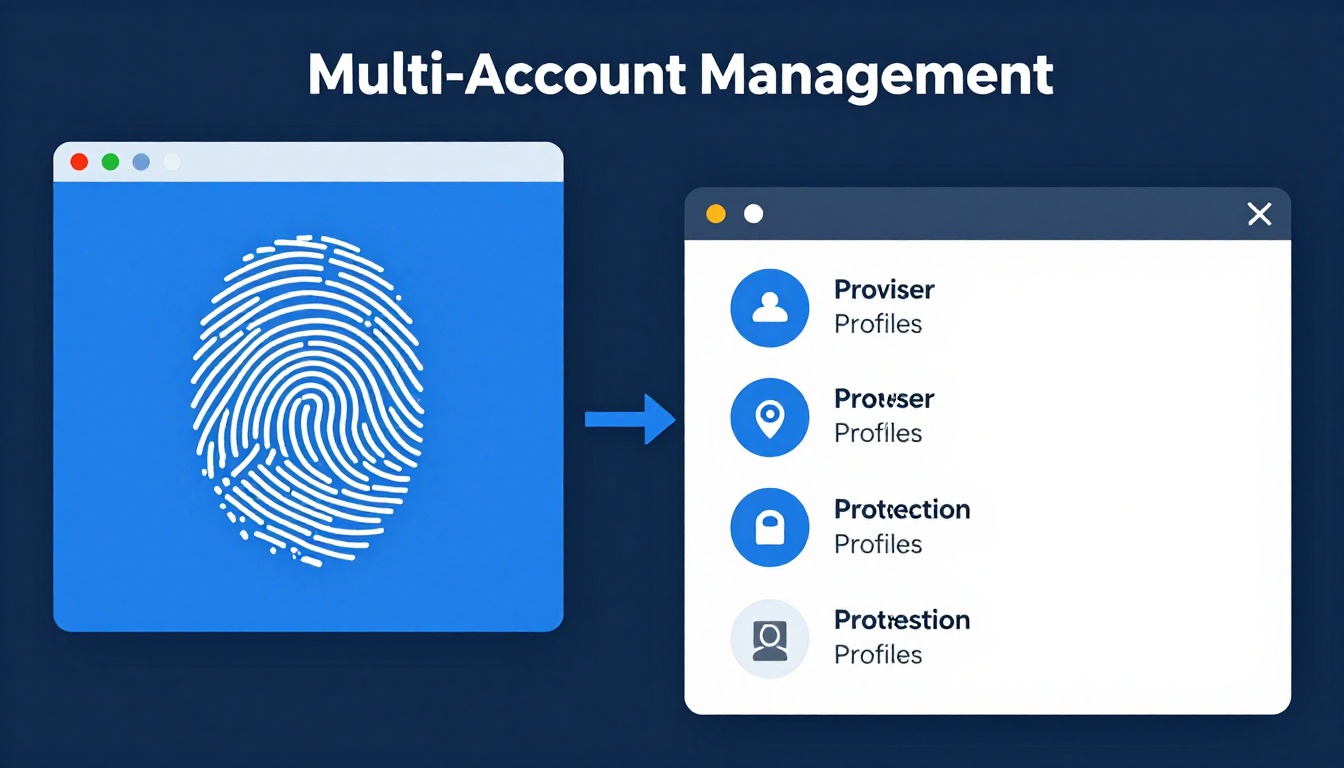
Browser Sandboxing for Multi-Account Management
While traditional browser sandboxing focuses on security, modern implementations enable sophisticated multi-account
workflows:
Challenge: Platform Detection
Platforms like Facebook, Google, Amazon, and eBay use advanced detection to link accounts originating from the same
device. Detection methods include:
- Browser Fingerprinting – Canvas, WebGL, Audio, and Font fingerprints uniquely identify devices
- Shared Cookies – Even separate browser profiles may share tracking cookies
- IP Address Tracking – Multiple accounts from same IP trigger linking algorithms
- Behavioral Patterns – Login times, activity patterns, and usage behaviors
Solution: Advanced Browser Sandboxing
Professional multi-account management requires sandboxing that addresses all detection vectors:
Complete Session Isolation:
- Separate cookies, cache, local storage, IndexedDB per profile
- No data sharing between sandboxed sessions
- Independent login states
Fingerprint Randomization:
- Unique Canvas fingerprints per profile
- Randomized WebGL renderer signatures
- Different Audio context outputs
- Varied font configurations
- Randomized screen resolutions and color depths
Network Isolation:
- Separate proxy assignments per profile
- WebRTC leak protection
- DNS isolation
- Geolocation spoofing
Best Browser Sandboxing Tools
1. Firefox Multi-Account Containers
Type: Built-in extension for session isolation
Best For: Basic account separation for personal use
Features:
- Free and open-source
- Color-coded container tabs
- Cookie and storage isolation
- Site assignment to containers
Limitations:
- No fingerprint randomization
- Shares browser fingerprint across containers
- Limited to Firefox browser
- No proxy per-container support
2. Multilogin
Type: Advanced antidetect browser with sandboxing
Best For: Large agencies managing many client accounts
Pricing: $99-$399/month
Features:
- Two browser cores (Chromium and Firefox based)
- Advanced fingerprint spoofing
- Team collaboration
- API access
Limitations:
- Expensive for small businesses
- Complex setup and configuration
- Desktop software required
3. GoLogin
Type: Cloud-based sandboxed browser profiles
Best For: Social media managers and marketers
Pricing: $24-$149/month
Features:
- Cloud profile storage
- Mobile fingerprints (Android/iOS)
- Built-in proxy manager
- Automation support
Limitations:
- Fingerprint quality below premium competitors
- Occasional detection on strict platforms
- Limited customer support
4. Qubes OS
Type: Security-focused operating system with VM-based isolation
Best For: Maximum security and privacy enthusiasts
Features:
- Runs different applications in separate VMs
- Color-coded window borders for visual isolation
- Disposable VMs for temporary browsing
- Network isolation configurable
Limitations:
- Steep learning curve
- Requires dedicated hardware
- Resource intensive
- Not suitable for non-technical users
Send.win: Professional Cloud-Based Browser Sandboxing
While traditional sandboxing tools require complex setup and maintenance, Send.win provides
enterprise-grade browser isolation through a simple, cloud-based platform.
Why Send.win Is the Best Browser Sandbox Solution
True Cloud Isolation – Each browser profile runs in a completely isolated cloud container. No shared
resources, no cross-contamination, no local footprint. Your device only receives the rendered page, never executes
any web code locally.
Automatic Fingerprint Randomization – Send.win generates authentic, unique fingerprints for every
browser profile automatically. Canvas, WebGL, Audio, Fonts, Hardware characteristics – all randomized to prevent
platform detection.
Zero Configuration – Unlike desktop antidetect browsers that require manual fingerprint
configuration, Send.win handles everything automatically. One-click profile creation with professional-grade
isolation.
Unlimited Scalability – Create 10, 100, or 1000+ sandboxed browser profiles. Cloud infrastructure
scales infinitely without draining your local resources.
One-Click Proxy Integration – Assign residential or datacenter proxies to profiles instantly. No
manual proxy configuration, no browser settings adjustments.
Cross-Device Access – Access your sandboxed browser profiles from any device, anywhere. Windows,
Mac, Linux, even tablets – everything syncs through the cloud.
Team Collaboration – Share sandboxed profiles with team members securely. Set permissions, track
activity, and collaborate without revealing credentials.
Affordable Pricing – Starting at just $9/month, Send.win delivers enterprise-grade sandboxing at a
fraction of the cost of traditional solutions.
Send.win vs. Traditional Browser Sandboxing
| Feature | Firefox Containers | Desktop Antidetect | Send.win |
|---|---|---|---|
| Session Isolation | ✅ Cookie level only | ✅ Complete | ✅ Complete + Cloud |
| Fingerprint Protection | ❌ None | ✅ Manual config | ✅ Automatic |
| Proxy Support | ❌ Limited | ✅ Complex setup | ✅ One-click |
| Cross-Device | ❌ No | ❌ Local only | ✅ Cloud-based |
| Setup Time | 5 minutes | 30-60 minutes | 30 seconds |
| Cost | Free | $99-$399/mo | $9-$49/mo |
Browser Sandboxing Security Best Practices
1. Use Sandboxing for All Sensitive Activities
Don’t limit sandboxing to just banking or shopping. Apply it to:
- Email access (especially webmail)
- Social media logins
- Business applications
- Cloud storage access
- Any login requiring credentials
How Send.win Helps You Master Browser Sandbox
Send.win makes Browser Sandbox simple and secure with powerful browser isolation technology:
- Browser Isolation – Every tab runs in a sandboxed environment
- Cloud Sync – Access your sessions from any device
- Multi-Account Management – Manage unlimited accounts safely
- No Installation Required – Works instantly in your browser
- Affordable Pricing – Enterprise features without enterprise costs
Try Send.win Free – No Credit Card Required
Experience the power of browser isolation with our free demo:
- Instant Access – Start testing in seconds
- Full Features – Try all capabilities
- Secure – Bank-level encryption
- Cross-Platform – Works on desktop, mobile, tablet
- 14-Day Money-Back Guarantee
Ready to upgrade? View pricing plans starting at just $9/month.
2. Separate Work and Personal Browsing
Never mix business and personal activities in the same browser profile:
- Create dedicated sandbox for work accounts
- Use different sandbox for personal browsing
- Prevent data leakage between contexts
- Simplify compliance with data protection regulations
3. Use Disposable Sandboxes for Risky Sites
When visiting unknown or suspicious sites:
- Create temporary sandbox
- Browse the site
- Destroy sandbox after session
- Never reuse disposable sandboxes
4. Combine Sandboxing with Other Security Measures
Sandboxing is one layer of defense. Combine with:
- Updated antivirus software
- Firewall protection
- VPN for network privacy
- Strong passwords and 2FA
- Regular software updates
5. Regularly Clear Sandbox Data
Even sandboxed data should be cleaned periodically:
- Clear cookies and cache monthly
- Review stored passwords
- Delete unused browser profiles
- Audit extension permissions
Common Browser Sandbox Mistakes
1. Assuming Incognito Mode Is Sandboxing
Myth: Incognito/Private browsing provides sandboxing
Reality: Incognito only clears cookies after session. Browser fingerprint, IP address, and network
activity remain exposed. It provides minimal privacy and zero sandboxing.
2. Using Same Credentials Across Sandboxes
Mistake: Logging into accounts with same username/email in different sandboxes
Issue: Platforms can still link accounts through credential matching, even if fingerprints differ
3. Neglecting Proxy Assignment
Mistake: Creating separate sandboxes but using same IP address
Issue: IP address is primary linking vector for most platforms. Sandboxing without proxies is
incomplete for multi-account management
4. Sharing Sandboxes Across Purposes
Mistake: Using one sandbox for multiple unrelated accounts
Issue: Defeats the purpose of isolation. Each distinct use case should have dedicated sandbox
Frequently Asked Questions
Are sandboxed browsers slower than regular browsers?
Minimal performance impact exists due to process isolation overhead. Modern computers handle this easily. Cloud-based
sandboxes like Send.win actually improve performance by offloading execution to powerful cloud servers.
Can sandboxing prevent all malware?
No security measure is 100% effective, but sandboxing significantly reduces risk. Even if malware exploits browser
vulnerabilities, it remains contained within the sandbox, unable to access your system.
Do I need technical knowledge to use browser sandboxing?
Basic sandboxing (Firefox Containers, Chrome profiles) requires no technical skill. Advanced solutions like Send.win
automate complexity, making professional-grade sandboxing accessible to anyone.
Can platforms detect sandbox usage?
Low-quality sandboxes can be detected through fingerprint analysis. Professional tools like Send.win use genuine
fingerprints and cloud isolation that pass even sophisticated detection systems.
Is cloud-based sandboxing secure?
Reputable cloud sandbox providers use enterprise-grade encryption and security. Send.win employs bank-level security,
zero-knowledge architecture, and regular third-party audits.
Conclusion: Implementing Browser Sandboxing
Browser sandboxing is essential for modern internet security and professional account management. Whether you need
basic session separation or sophisticated multi-account operations, the right sandboxing approach depends on your
requirements:
- Basic Privacy: Firefox Containers or Chrome profiles
- Professional Multi-Account: Send.win cloud sandboxing
- Maximum Security: VM-based isolation (Qubes OS)
- Enterprise Scale: Send.win with team collaboration
For most professionals and businesses, Send.win offers the optimal combination of security,
usability, and affordability. Its cloud-based architecture delivers enterprise-grade sandboxing without the
complexity of traditional solutions.
Try Send.win’s free demo today and experience true cloud browser sandboxing.