

In 2026, browser fingerprinting protection has become essential for anyone who values their
online privacy. While most people know about cookies, browser fingerprinting is a far more insidious tracking
method that can identify you even when you clear your cookies, use incognito mode, or connect through a VPN.
This comprehensive guide explains how browser fingerprinting works, why you need protection, and how to
implement bulletproof fingerprinting protection with Send.win.
What Is Browser Fingerprinting?
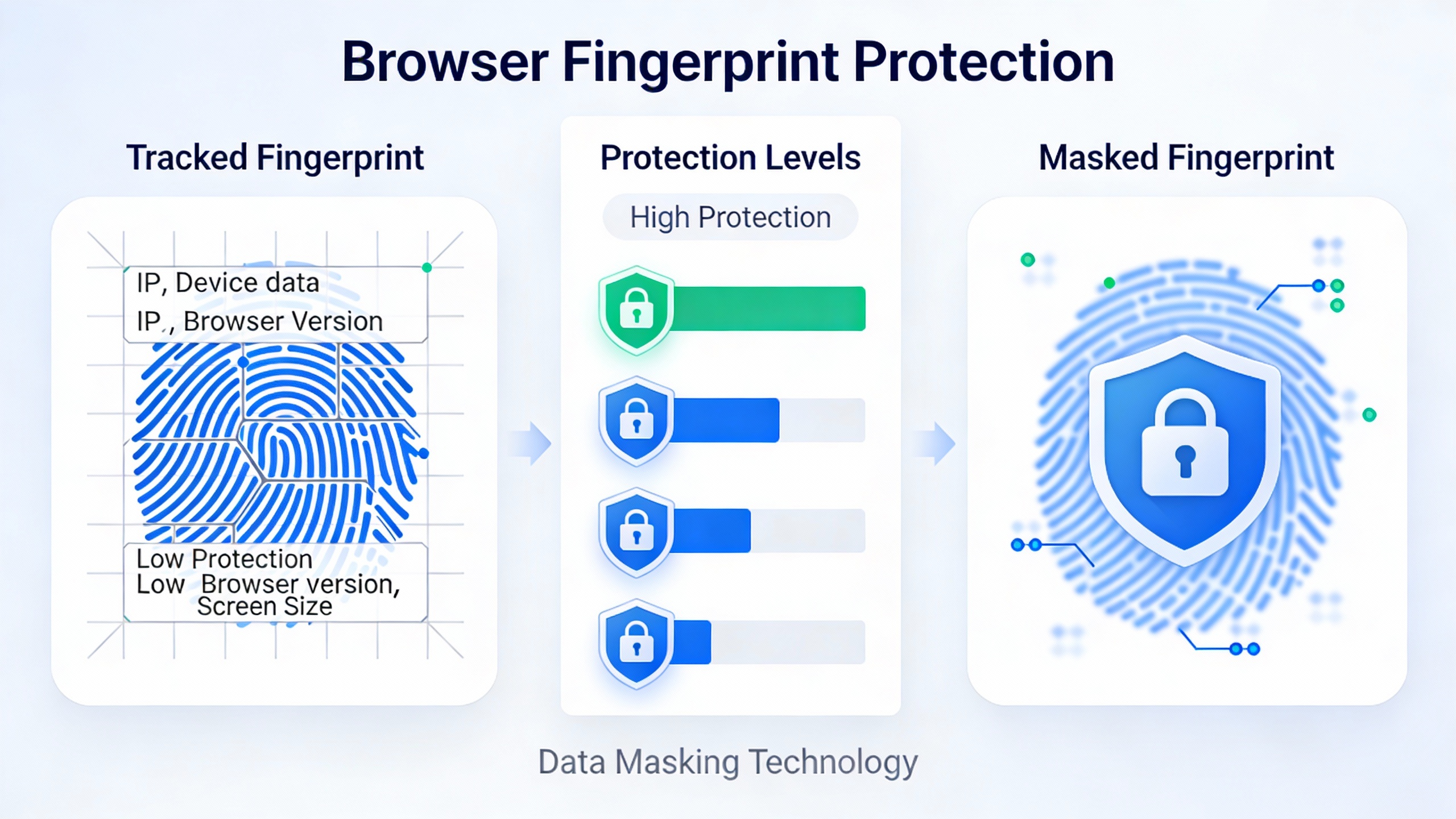
Browser fingerprinting is a tracking technique that collects information about your browser
configuration and device to create a unique identifier (fingerprint) that can track you across websites without
using cookies. Unlike cookies which can be easily deleted, your browser fingerprint is derived from your
device’s inherent characteristics.
When you visit a website, your browser automatically shares dozens of data points:
- User-Agent string – Browser type, version, and operating system
- Screen resolution – Display width, height, and color depth
- Installed fonts – List of fonts available on your system
- Timezone and language – Your location and language preferences
- Canvas fingerprint – How your browser renders graphics
- WebGL fingerprint – 3D graphics rendering signature
- Audio fingerprint – Audio processing characteristics
- Plugins and extensions – Installed browser add-ons
- Hardware information – CPU, GPU, battery status
- WebRTC data – Real-time communication capabilities and local IP addresses
By combining these data points, trackers create a unique fingerprint that identifies you with 95-99% accuracy,
even if you’ve never visited the website before.
How Browser Fingerprinting Tracks You
Canvas Fingerprinting
The most common fingerprinting technique involves the HTML5 Canvas API. Websites instruct your browser to draw
invisible images, and subtle differences in how your specific hardware and software render these images create a
unique signature.
How it works:
- Website sends canvas drawing commands to your browser
- Your GPU and graphics drivers render the image
- Tiny variations in rendering create a unique hash
- This hash becomes part of your fingerprint
Even identical devices can produce different canvas fingerprints due to driver versions, GPU configurations, and
anti-aliasing settings.
WebGL Fingerprinting
Similar to canvas fingerprinting, WebGL fingerprinting uses 3D graphics rendering to create unique identifiers.
Your GPU vendor, renderer, and drivers all contribute to a distinctive signature.
Exposed information includes:
- GPU vendor (NVIDIA, AMD, Intel)
- GPU model and driver version
- WebGL extensions and capabilities
- Rendering performance characteristics
Audio Fingerprinting
The Web Audio API can fingerprint how your device processes sound. Even when no sound is played, differences in
audio processing create unique identifiers.
Font Fingerprinting
Websites can detect which fonts are installed on your system. The combination of available fonts is often unique
enough to identify you, especially when combined with other data points.
Why Browser Fingerprinting Is Dangerous
1. Impossible to Delete
Unlike cookies, browser fingerprints can’t be cleared. They’re derived from your hardware and software
configuration, so they persist across:
- Clearing browsing data
- Using incognito/private mode
- Browser restarts
- Different browsing sessions
2. Works Across Websites
Advertising networks use fingerprinting to track your behavior across thousands of websites, building detailed
profiles of your:
- Browsing habits
- Shopping interests
- Political views
- Health concerns
- Financial situation
3. Bypasses Cookie Consent
GDPR and other privacy laws require consent for cookies, but fingerprinting happens automatically without your
knowledge or permission.
4. Account Linking
Platforms use fingerprinting to link multiple accounts to the same user, potentially resulting in:
- Account suspensions
- Privacy violations
- Terms of service violations
- Loss of business opportunities
Traditional Browser Fingerprinting Protection Methods (And Why They Fail)
1. Incognito/Private Mode ❌
Many users believe incognito mode protects privacy, but it ONLY prevents local storage of browsing history. Your
browser fingerprint remains exactly the same.
- ❌ Same canvas fingerprint
- ❌ Same WebGL signature
- ❌ Same fonts and plugins
- ❌ Same screen resolution
2. VPN Services ❌
VPNs only hide your IP address. They don’t protect against fingerprinting because:
- ❌ Browser configuration remains unchanged
- ❌ Canvas/WebGL fingerprints identical
- ❌ Font and plugin lists exposed
- ❌ Hardware fingerprints still visible
Trackers can easily identify you even when using different VPN servers.
3. Browser Extensions ❌
Anti-fingerprinting extensions exist, but they:
- ❌ Only block some fingerprinting techniques
- ❌ Can make your fingerprint MORE unique
- ❌ Break website functionality
- ❌ Are often detected and bypassed
4. Tor Browser ⚠️
Tor provides strong fingerprinting protection by making all users look identical, but:
- ⚠️ Extremely slow browsing speeds
- ⚠️ Major websites block Tor exits
- ⚠️ Can’t log into most accounts
- ⚠️ Impractical for everyday use
Professional Browser Fingerprinting Protection with Send.win
Send.win provides enterprise-grade browser fingerprinting protection that actually works. Unlike
half-measures like VPNs or extensions, Send.win completely isolates and randomizes your browser fingerprint.
How Send.win Protects You
1. Complete Fingerprint Randomization
Send.win generates entirely new fingerprints for each browsing session:
- ✅ Unique canvas fingerprints
- ✅ Random WebGL signatures
- ✅ Customized user-agent strings
- ✅ Variable screen resolutions
- ✅ Different timezone and language settings
- ✅ Randomized font lists
- ✅ Modified audio fingerprints
2. Cloud-Based Isolation
Send.win runs browsers in the cloud, meaning:
- Your local device fingerprint is never exposed
- Each profile has completely isolated hardware
- No correlation between browser sessions
- Impossible to link profiles together
3. Consistent Fingerprints Per Profile
While randomizing fingerprints for different profiles, Send.win maintains consistency within each profile:
- Same fingerprint across sessions for trusted accounts
- Websites don’t detect fingerprint changes
- Reduces suspicion and account flagging
- Maintains natural browsing behavior
4. Advanced WebRTC Protection
WebRTC can leak your real IP address even when using VPNs. Send.win prevents this by:
- Disabling WebRTC completely when not needed
- Spoofing WebRTC local IP addresses
- Preventing STUN/TURN server leaks
- Masking mDNS hostname broadcasts
Testing Your Browser Fingerprint Protection
Before and after implementing Send.win, you can test your fingerprinting protection:
1. AmIUnique.org
Shows how unique your browser fingerprint is compared to their database. With Send.win, your fingerprint will be
completely different on each test.
2. BrowserLeaks.com
Comprehensive fingerprinting test showing canvas, WebGL, fonts, and more. Send.win passes all tests with
randomized values.
3. Panopticlick (EFF)
Electronic Frontier Foundation’s test measures tracking protection. Standard browsers fail these tests; Send.win
creates unique, non-linkable fingerprints.
4. CreepJS
Advanced fingerprinting detection tool. Without protection, your fingerprint remains constant across sessions.
With Send.win, each session shows a completely different identity.
Who Needs Browser Fingerprinting Protection?
Privacy-Conscious Users
Anyone who values online privacy should protect against fingerprinting:
- Journalists and activists
- Researchers and academics
- General privacy advocates
- People in surveillance-heavy regions
Multi-Account Managers
If you manage multiple accounts, fingerprinting can link them together:
- Social media managers
- E-commerce sellers
- Affiliate marketers
- Digital agencies
Security Professionals
Cybersecurity work often requires anonymity:
- Penetration testers
- Threat intelligence analysts
- Security researchers
- Bug bounty hunters
Business Researchers
Competitive intelligence gathering requires fingerprint protection:
- Market researchers
- Price comparison businesses
- SEO professionals
- Data analysts
How to Implement Browser Fingerprinting Protection
Step 1: Start Send.win Free Demo
Visit send.win and start your free demo. No installation, no credit card required. Get instant
access to cloud-based fingerprinting protection.
Step 2: Create Browser Profiles
Each profile gets a unique, randomized fingerprint:
- Choose your use case (social media, e-commerce, research)
- Select fingerprint parameters (or use auto-generation)
- Configure proxy/VPN if needed
- Launch isolated browser session
Step 3: Verify Protection
Test your fingerprint using the tools mentioned above:
- Each profile shows different fingerprint
- Fingerprints remain consistent within profiles
- No linkage between different sessions
- Complete protection from tracking
Step 4: Integrate into Workflow
Replace your standard browser with Send.win for:
- Account management tasks
- Privacy-sensitive browsing
- Business research
- Testing and development
Browser Fingerprinting Protection Best Practices
1. Maintain Fingerprint Consistency
Once you create a fingerprint for an account:
- Use the same profile for that account
- Don’t randomize fingerprints unnecessarily
- Keep timezone and language consistent
- Use dedicated proxies per profile
2. Combine with Proxy/VPN
For maximum protection:
- Use residential or mobile proxies
- Match proxy location to profile timezone
- Avoid free or public proxies
- Use one IP per browser profile
3. Disable Unnecessary Features
Minimize fingerprinting surface area:
- Disable WebRTC when not needed
- Limit browser extensions
- Use standard screen resolutions
- Avoid unique font combinations
4. Regular Profile Updates
Keep your protection current:
- Update browser versions regularly
- Refresh fingerprints for inactive profiles
- Monitor for fingerprinting detection
- Stay informed about new tracking methods
Advanced Fingerprinting Protection Features
Timezone Spoofing
Send.win automatically adjusts your timezone to match your:
- Proxy/VPN location
- Target audience geography
- Account registration details
- Business operating hours
Font Masking
Instead of blocking font detection (which is suspicious), Send.win:
- Presents realistic font lists
- Matches operating system expectations
- Varies fonts between profiles
- Maintains consistency within profiles
Canvas Noise Injection
Send.win adds imperceptible noise to canvas rendering:
- Creates unique canvas fingerprints
- Invisible to human eye
- Different for each profile
- Defeats canvas tracking
Hardware Emulation
Send.win emulates realistic hardware configurations:
- Common GPU models
- Standard screen resolutions
- Typical CPU/memory specs
- Believable device combinations
Browser Fingerprinting in 2026: New Threats
Behavioral Fingerprinting
Beyond technical fingerprints, trackers now analyze:
- Mouse movement patterns
- Typing speed and rhythm
- Scroll behavior
- Click timing and accuracy
Send.win mitigates behavioral tracking by running in isolated environments that don’t expose your physical input
patterns.
Machine Learning Fingerprinting
AI-powered fingerprinting combines hundreds of signals to identify users with even greater accuracy. Send.win
counters this by:
- Generating cohesive, realistic fingerprints
- Avoiding impossible parameter combinations
- Simulating natural device configurations
- Constantly updating anti-detection techniques
Cross-Device Tracking
Trackers attempt to link your devices together. Send.win prevents this by ensuring each profile appears as a
completely separate user with no cross-device correlation.
Legal and Ethical Considerations
Browser fingerprinting protection is legal and ethical when used for:
- ✅ Protecting personal privacy
- ✅ Preventing unauthorized tracking
- ✅ Managing legitimate business accounts
- ✅ Security research and testing
- ✅ Compliance with privacy regulations
However, always ensure you’re complying with website terms of service and applicable laws in your jurisdiction.
Measuring Your Fingerprinting Protection
Uniqueness Score
Your fingerprint should be:
- Unique enough to not cause detection
- Common enough to blend with others
- Different across profiles
- Consistent within profiles
Detection Rate
Test your protection regularly:
- Use fingerprinting test sites
- Check for account linking
- Monitor for suspicious flags
- Verify proxy/VPN leak protection
Longevity
Good fingerprinting protection should:
- Work across browser updates
- Remain effective over months
- Adapt to new tracking methods
- Not require constant maintenance
Get Complete Browser Fingerprinting Protection with Send.win
Stop letting websites track every aspect of your online activity. Send.win provides professional-grade
browser fingerprinting protection that actually works, without the complexity of DIY solutions or
the limitations of browser extensions.
Start your FREE Send.win demo today and experience:
- ✅ Complete fingerprint randomization
- ✅ Cloud-based isolation
- ✅ Advanced WebRTC protection
- ✅ Unlimited profile management
- ✅ No installation required
- ✅ No credit card needed
Whether you’re protecting your privacy, managing multiple accounts, or conducting security research, Send.win
delivers the fingerprinting protection you need. Our cloud-based technology ensures your real device fingerprint
is never exposed, while our advanced randomization techniques create unique, untrackable identities for each
browsing session.
Visit send.win now and start your free demo. Protect yourself from browser fingerprinting in less than 60
seconds.
How Send.win Helps You Master Browser Fingerprinting Protection
Send.win makes Browser Fingerprinting Protection simple and secure with powerful browser isolation technology:
- 🔒 Browser Isolation – Every tab runs in a sandboxed environment
- ☁️ Cloud Sync – Access your sessions from any device
- 🔐 Multi-Account Management – Manage unlimited accounts safely
- 🚀 No Installation Required – Works instantly in your browser
- 💰 Affordable Pricing – Enterprise features without enterprise costs
Try Send.win Free – No Credit Card Required
Experience the power of browser isolation with our free demo:
- ✨ Instant Access – Start testing in seconds
- 🎯 Full Features – Try all capabilities
- 🔒 Secure – Bank-level encryption
- 📱 Cross-Platform – Works on desktop, mobile, tablet
- 💸 14-Day Money-Back Guarantee
Ready to upgrade? View pricing plans starting at just $9/month.